
In today’s highly competitive restaurant and foodservice industry, speed of service is critical. Customers expect prompt attention, minimal waiting, accurate orders, and seamless checkout. A delay of even a few minutes can mean lost revenue, negative reviews, or a decline in customer loyalty.
Against this backdrop, adopting a Cloud POS (cloud-based point of sale) system has emerged as a differentiator. A well-implemented Cloud POS can dramatically streamline workflows, reduce errors, and shave precious seconds (or more) off every transaction.
This article explores in depth how Cloud POS improves restaurant speed of service, with technical, operational, and human perspectives.
Advantages of Cloud POS Over Traditional POS Systems
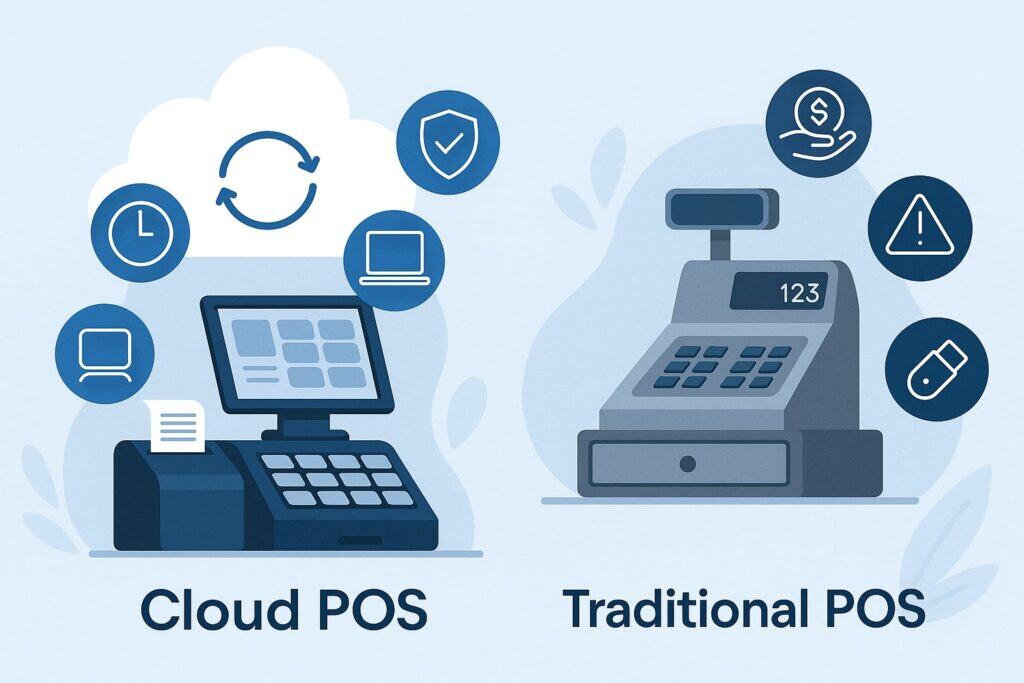
Before diving into specifics of speed, it helps to understand why Cloud POS systems are superior to legacy on-premises or traditional POS systems when it comes to efficiency.
Real-time access and remote control
One of the foundational benefits of a Cloud POS is that data and operations are stored in and managed via cloud infrastructure, rather than requiring on-site servers or manual data syncing. This provides real-time access to sales, orders, inventory, and status from any location with an internet connection.
For speed of service, this means that the manager or head chef can monitor how many orders are pending in the kitchen, check table throughput, and reallocate staff mid-shift to reduce bottlenecks. Because all terminals are networked to the same cloud backend, there is no lag or delay in syncing data across devices.
Automatic updates, reduced maintenance and lower downtime
Traditional POS systems often require manual installation of software updates, patches, and backups. During updates, parts of the system might become unavailable, which can slow service or even force temporary shutdowns.
With a Cloud POS, updates and security patches are deployed centrally by the vendor, often during off-peak hours, in a way that minimizes or eliminates service interruption.
Moreover, because the data is backed up and stored redundantly in the cloud, the risk of lost transactions or system crashes is greatly reduced compared to localized setups.
Scalability and flexibility
As restaurants expand—whether by increasing the number of terminals, adding new branches, or offering mobile or kiosk ordering—the Cloud POS platform can scale more easily. There’s no need to invest heavily in new on-site hardware or servers.
This flexibility ensures that during peak hours or growth phases, the system itself does not become a bottleneck. In contrast, many legacy POS systems struggle when pushed beyond their original capacity.
Lower hardware requirements, modular design
Cloud POS systems often run on familiar, off-the-shelf devices like tablets, smartphones, or basic terminals. Because computation and data storage happen in the cloud, each terminal need not be overly powerful.
This modularity enables restaurants to deploy mobile order-taking devices (for servers in the dining room), kiosks, or even QR code–based customer ordering with minimal extra infrastructure. More ordering touchpoints means faster throughput.
Key Mechanisms by Which Cloud POS Boosts Speed of Service
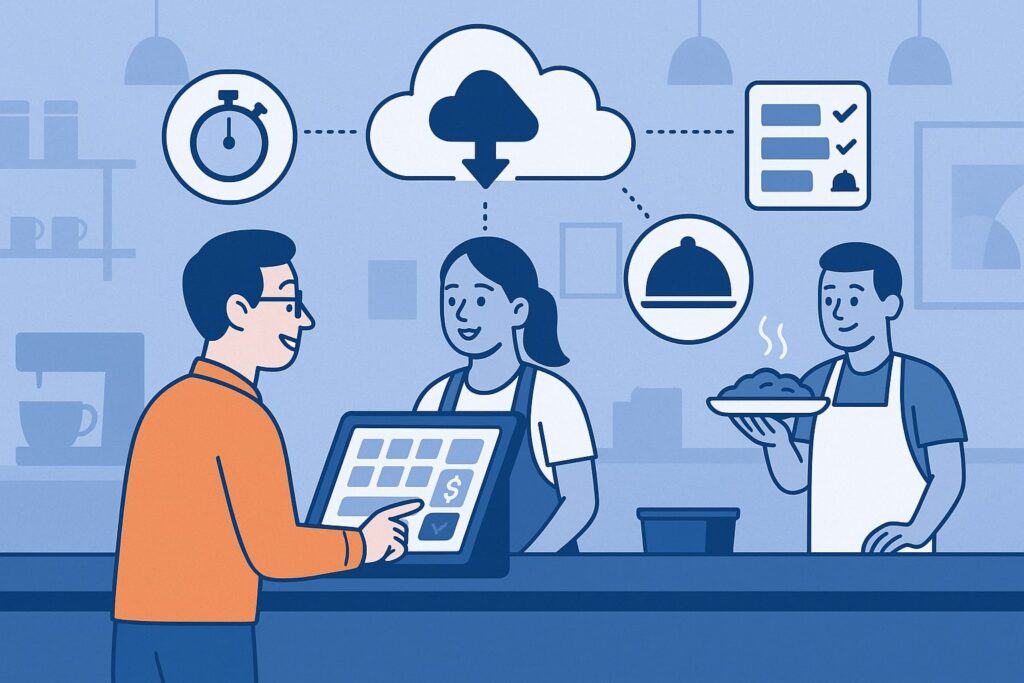
The abstract advantages above translate into concrete mechanisms by which a Cloud POS accelerates service. Let’s break down how each of these mechanisms works in practice.
Tableside / Mobile Ordering
Instead of servers walking back and forth to a fixed terminal, a Cloud POS lets staff take orders right at the table using tablets or handheld devices. Once the order is entered, it is sent instantly to the kitchen, bar, or appropriate preparation station.
- Reduced walking time and redundancy: Servers no longer waste time writing down orders, then walking to the POS terminal to input them. That walking time adds up across many tables, especially in a large restaurant.
- Faster submission to kitchen: As soon as the server finalizes the order, it goes directly to the kitchen display system (KDS) or printing station, eliminating delays or human handoffs.
- Order modifications and notes handled in real time: If a customer wants to make a modification (e.g., “no onions,” “extra sauce”), the server can adjust instantly in the same session, ensuring the kitchen receives the correct version.
This capability dramatically shortens the lag between order placing and preparation start, reducing overall perceived wait time.
Kitchen Display Systems (KDS) and digital routing
Cloud POS often integrates directly with kitchen display systems. Orders appear on screens in the kitchen or stations in real time, often grouped or color-coded by priority or course. This integration removes reliance on printed tickets, which can be delayed, lost, or miscommunicated.
- Faster and clearer communication: Digital displays reduce the chance of misread handwriting or paper jams.
- Prioritization and course pacing: The system can flag high-priority or expedited orders, ensure that appetizers go out first, or group items by station (grill, fryer, salad).
- Timing alerts: The system can monitor how long each item has been in preparation and alert staff or kitchen to overdue items, helping prevent bottlenecks.
By uniting front-of-house order entry with back-of-house processing in real time, the overall throughput improves significantly.
Omnichannel ordering integration
Modern restaurants often accept orders through multiple channels: dine-in (tableside), online ordering, delivery apps, QR code menus, self-service kiosks, and phone orders. A Cloud POS can unify all of these into a single order stream, preventing double data entry or manual reconciliation.
- Reduced redundancy and human latency: Orders from external platforms (e.g. food delivery apps) appear instantly in the POS, eliminating the time delay of staff re-entering these orders manually.
- Single view of all orders: The kitchen sees all orders—whether in-house or delivery—in one feed, which helps with scheduling and resource allocation.
- Fewer errors: With fewer manual entries, the risk of typos, miscommunication, or omission is minimized.
This seamless integration accelerates the entire ordering funnel and reduces friction or confusion.
Fast, flexible payment processing
Cloud POS systems typically offer a broader array of payment options and often allow payment processing at the table, further accelerating checkout.
- Tableside payment: Staff can bring a card reader to the table and close out the bill immediately, so customers don’t need to wait for the check or head to a counter.
- Multiple modern payment options: Accept contactless cards, NFC payments (Apple Pay, Google Pay), QR code payments, mobile wallets, and split-bill functionality. These options are faster than traditional magnetic stripe or manual cash methods.
- Pre-authorized tabs: Some systems allow servers to open tabs, and customers can close out at the end with minimal steps.
- Digital receipts: Instead of printing physical bills, customers can receive email or SMS receipts instantly, which also reduces the time at the terminal.
These streamlined payments prevent cashiers or dedicated payment counters from becoming chokepoints.
Automated inventory checks and menu controls
A dynamic Cloud POS tracks inventory in real time. When an ingredient is low or an item is out of stock, it can automatically flag or hide that item from the menu or display real-time status to servers.
- Preventing order dead-ends: Servers won’t waste time taking orders for dishes that can’t be fulfilled.
- Automatic substitution or alerts: The POS can suggest alternatives or prompt server to communicate with customers if an item is unavailable.
- Reducing back-and-forth: Without a Cloud POS, a server might take an order, walk to the kitchen to confirm availability, then return to inform a customer. That delay is eliminated.
By proactively managing stock, the system ensures smooth flow without surprises.
Data-driven staff allocation and load balancing
Thanks to real-time dashboards, a Cloud POS helps supervisors monitor live order load, kitchen queue depth, and team performance. They can dynamically reassign staff to bottleneck areas.
- Adaptive staffing: If one station or server is overloaded, the manager can assign backup.
- Load leveling: The system can distribute orders evenly across workstations to avoid idle or congested zones.
- Analysis and forecasting: Over time, historical data helps predict peaks (e.g. lunch rush) so the restaurant can preemptively staff or prep accordingly.
This responsiveness ensures that the system itself doesn’t become a bottleneck.
Operational and Human Benefits that Accelerate Throughput
Beyond just technical improvements, Cloud POS systems influence human behavior and operations in ways that contribute to speed gains.
Simpler training and less downtime for staff
Cloud POS systems are generally more intuitive and user-friendly than older legacy systems. New hires can be onboarded faster, with less time wasted in training or correcting errors.
- Reduced cognitive load: Clear graphical interfaces, consistent layouts, and preset functions lower the risk of mistakes and speed operation under pressure.
- Instant updates: If procedural changes or menu adjustments occur, they can be pushed centrally, and staff will see them instantly—no need to retrain on hardware updates.
- Role-based access: Staff have permissions appropriate to their role (server, cashier, manager), preventing accidental misuse.
By minimizing the friction point of human error or confusion, each service step becomes faster and smoother.
Accountability, metrics, and performance feedback
Cloud POS systems log every action: who took an order, who closed a bill, modifications, voids, and timing metrics. This data permits meaningful feedback and accountability.
- Performance coaching: Managers can identify slower staff or bottlenecks in workflow and provide targeted coaching.
- Incentives: Rewarding faster, accurate service encourages healthy competition and fosters a culture of speed.
- Process refinement: Data reveals inefficiencies (e.g. repeated menu item modifications, order cancellations), leading to procedural adjustments.
As the team internalizes best practices, overall throughput naturally improves.
Better customer experience, which shortens perceived wait time
Speed is not just about raw seconds—it’s also about how customers perceive time. A restaurant that feels smooth and under control will appear faster to diners.
- Order status updates: Some Cloud POS solutions allow customers (or servers) to view where their order is in the process (e.g. “preparing,” “cooking,” “ready”). This reduces anxiety and perceived wait.
- Consistent accuracy: Fewer errors or remakes means fewer delays caused by re-issuing orders.
- Integrated loyalty or customer profiles: Recognizing a returning guest and greeting them by name or recalling preferences adds to the smoothness and reduces moments of friction.
When service feels professional and frictionless, the perceived speed is enhanced.
Challenges, Constraints, and Best Practices
While Cloud POS offers major speed advantages, implementing and operating it optimally requires attention. Below are common challenges and how to mitigate them.
Internet connectivity, latency, and redundancy
Because Cloud POS depends on network connectivity, a weak or unstable internet connection can slow or disable service. In many restaurants, connectivity issues are a primary bottleneck.
Mitigations:
- Invest in robust, redundant internet (e.g. fiber plus 4G/5G backup)
- Use local caching (some Cloud POS systems allow offline mode with asynchronous sync)
- Prioritize network bandwidth for POS traffic (QoS settings)
- Use powerful and reliable WiFi infrastructure, with separate guest and operations networks
A resilient connectivity architecture ensures the Cloud POS remains an accelerator, not a liability.
Training, change management, and staff buy-in
Switching from legacy systems or paper can be disruptive. Staff may resist new workflows or be slow to adapt, which slows service during the transition.
Best practices:
- Run pilot tests during non-peak hours
- Provide adequate training and role-based sandbox environment
- Gradually roll out — e.g. start with fewer terminals then scale
- Gather feedback from frontline staff and adjust workflows
- Reinforce benefits (faster tips, better control, fewer errors)
Proper change management is essential for the improvements to materialize.
Hardware reliability and compatibility
Although Cloud POS reduces hardware burden, you still need reliable tablets, card readers, printers, and network devices. Hardware failures or incompatibility can introduce delays.
Recommendations:
- Use durable, restaurant-rated hardware
- Maintain spare units and peripherals
- Ensure proper integration and compatibility (e.g. ensure your Cloud POS works with your printers, cash drawers, kitchen devices)
- Regularly clean and maintain devices
Hardware issues should not negate the speed gains of the software.
Data security, regulatory compliance, and reliability
Cloud POS systems handle sensitive payment data and personal customer information. A breach or outage can cut service to zero, damage reputation, or incur fines.
Safeguards:
- Use a POS vendor that is PCI DSS–compliant
- Ensure end-to-end encryption of payment data
- Conduct regular security audits, patches, and penetration testing
- Enable frequent backups and failover systems
- Choose vendors with high reliability and uptime SLAs
When reliability and compliance are assured, teams can trust and depend on the system under pressure.
Workflow redesign and continuous optimization
Simply installing a Cloud POS does not automatically yield speed. The restaurant must redesign workflows, coordinate front and back of house, and continuously monitor metrics.
Steps:
- Map existing workflows and identify bottlenecks
- Redesign staff paths, station responsibilities and handoff points
- Define KPIs (order-to-serve time, table turnover, labor per shift) and monitor them
- Periodically review data and refine processes
- Conduct regular training refreshers and cross-training
A well-architected system plus disciplined operations is what truly delivers speed.
Latest Trends & Innovations That Amplify Cloud POS Speed
To maximize speed of service, restaurants should stay attuned to emerging features and technologies that enhance or complement Cloud POS.
Artificial Intelligence (AI) & predictive analytics
Modern Cloud POS vendors are embedding AI and predictive models to anticipate demand, optimize staffing, suggest order bundling, and even assist in menu design.
For example, AI can forecast peak times and automatically adjust staffing or prep levels. It may suggest upsells or bundling that expedites kitchen throughput.
Internet of Things (IoT) and smart kitchen integration
Kitchen appliances (ovens, fryers, grills) can be instrumented and connected to the POS system. When a device finishes a cycle or temperature reaches threshold, it can automatically signal the POS to route the next stage or notify staff.
This tight coupling removes human latency and synchronizes the physical production flow with order flow.
Voice ordering and conversational UI
Some advanced Cloud POS or restaurant technology platforms are experimenting with voice-based ordering—either via kiosk, AI assistants, or drive-through systems. This reduces friction and accelerates order capture, especially in fast casual or QSR contexts.
Edge computing and hybrid cloud models
To mitigate latency or connectivity issues, some systems now incorporate edge computing, where certain computations or caching are processed locally in the restaurant, but synchronized with cloud infrastructure. This approach helps keep performance even if connectivity is degraded.
Dynamic menu management and smart upsells
A Cloud POS can dynamically adjust menu items (e.g. hide items out of stock, highlight high margin dishes) or suggest combos or modifiers during order taking. This accelerates decision-making, reduces order confusion, and ensures smoother food assembly.
Self-service kiosks and contactless ordering
By letting customers place orders themselves via kiosks or QR-menu interfaces, restaurants reduce front-of-house load and increase throughput. The Cloud POS ensures that these orders flow seamlessly into the kitchen queue alongside staff-entered orders.
Frequently Asked Questions
Q1. What exactly is a “Cloud POS” in a restaurant context?
Answer: A Cloud POS (cloud-based point of sale) is a point-of-sale system whose software and data are hosted off-site on remote servers (in “the cloud”), rather than relying on local, on-premise servers.
In a restaurant, this allows staff to use tablets or terminals that connect to the cloud backend in real time, enabling order capture, payment processing, inventory management, analytics, and more from anywhere. The difference is that the “brains” of the system live online, and all terminals sync to it immediately.
Q2. How much speed improvement can one realistically expect?
Answer: Actual gains depend on baseline performance, restaurant layout, staff discipline, and system quality. In many case studies, adoption of Cloud POS and associated workflows has reduced wait times by 15–30 % or more, and improved table turnover especially during peak periods.
However, the more disciplined the implementation (training, connectivity, process redesign), the closer one gets to the upper bound of improvement.
Q3. Does Cloud POS still work if the internet goes down?
Answer: That depends on the vendor. Some Cloud POS systems include offline mode or local caching, where terminals can continue processing orders locally and sync them with the cloud once connection is restored.
But not all do. Thus, for optimal resiliency, one should choose a system that supports offline fallback or maintain redundant connectivity (e.g., 4G/5G backup).
Q4. Is Cloud POS secure, given sensitive payment data?
Answer: Yes—provided you choose a reputable vendor. Modern Cloud POS vendors encrypt data in transit and at rest, comply with PCI DSS standards, perform frequent backups, and maintain redundant data centers.
That said, no system is perfect; security vigilance (strong passwords, regular patching, network segmentation) is still required.
Q5. What is the ROI (return on investment) timeline?
Answer: Restaurants typically recoup the investment in 6–24 months via improved throughput, higher ticket volume, fewer errors, reduced labor waste, and waste reduction (less food loss). Faster service can enable more table turns and more revenue during peak hours.
Q6. Can small or single-location restaurants benefit from Cloud POS?
Answer: Absolutely. While large chains see scale advantages, even small restaurants can benefit from lower upfront hardware cost, remote management, simplified integration with delivery apps, and future scalability. The convenience and performance gains often outweigh the subscription cost.
Q7. What features should I seek in a Cloud POS to maximize speed of service?
Answer: Key features include:
- Tableside mobile ordering / handheld POS
- Kitchen display integration (KDS)
- Real-time inventory tracking and menu gating
- Omnichannel order integration (online, delivery)
- Fast and flexible payments (contactless, pay-at-table)
- Offline mode or edge fallback
- Analytics and real-time dashboards
- Role-based permissions and audit logs
- Integration with hardware (printers, kiosks, card readers)
Ensuring the vendor delivers those features—and executes them reliably—is vital.
Conclusion
In the restaurant world, speed is service. Every second shaved from order taking, food preparation, or payment processing is a step toward better customer satisfaction, higher Table Turnover Rate, and more revenue.
Traditional POS systems, with their local hardware dependencies and manual workflows, struggle to keep pace with modern customer expectations. In contrast, a well-architected Cloud POS system offers the real-time agility, integration, scalability, and human-centric efficiencies needed to transform service performance.
By enabling tableside ordering, integrating with kitchen display systems, unifying omnichannel orders, streamlining payments, automating inventory control, and furnishing real-time metrics and staff feedback, Cloud POS systems attack service delays from every angle.
However, to reap the full speed benefits, restaurants must ensure reliable connectivity, invest in solid hardware, train staff thoroughly, and continuously refine workflows.
As newer innovations such as AI, smart appliances, voice ordering, and edge computing begin to converge with Cloud POS platforms, the potential to further accelerate and optimize service is only growing.
For restaurants aiming to thrive in a fast-evolving hospitality landscape, embracing Cloud POS isn’t just a convenience—it’s becoming a prerequisite for delivering world-class speed of service.