
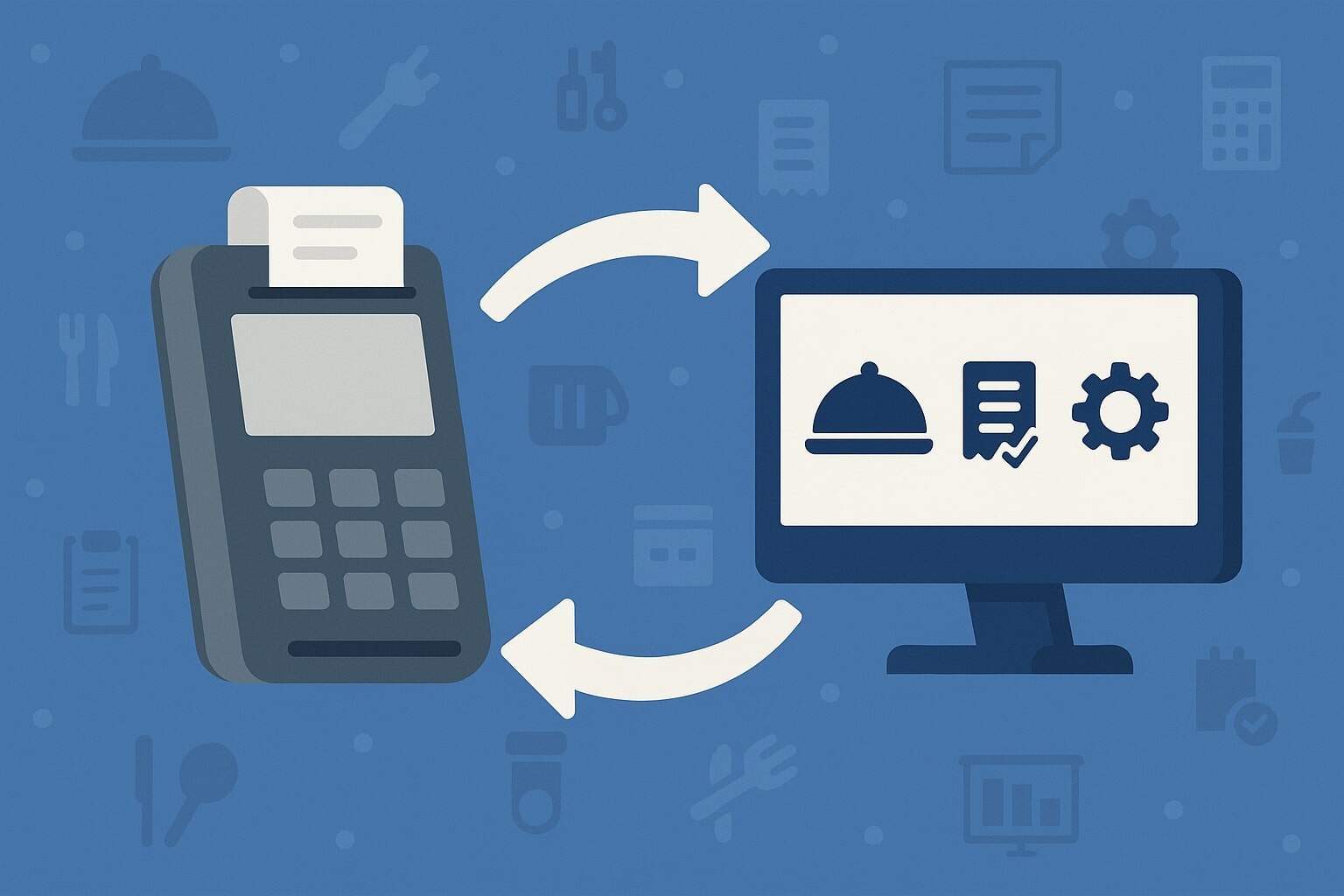
Integrating your POS with restaurant operations tools is the fastest way to cut manual work, reduce errors, and grow margins.
When you integrate POS with restaurant operations tools end-to-end—reservations, online ordering, delivery aggregators, kitchen display systems (KDS), inventory, HR, loyalty, and accounting—you convert fragmented tasks into a single flow of data.
That means orders sync automatically, covers and waitlists shape prep times, 86’d items update menus everywhere, and payouts reconcile without spreadsheets.
In this guide, you’ll learn a current, practical, and secure way to integrate POS with restaurant operations tools using proven patterns like webhooks, APIs, middleware, and data standardization.
You’ll also get a step-by-step plan, testing tips, an RFP checklist, and a clear way to quantify ROI. Whether you run a single location or a multi-brand group, this article shows how to integrate POS with restaurant operations tools properly—so you scale without chaos.
Why POS integration matters in 2025

To integrate POS with restaurant operations tools in 2025, you need to account for how the tech stack evolved: omnichannel ordering, third-party marketplaces, table and waitlist apps, scheduling/payroll tools, and guest CRMs.
The more channels you add, the more costly it becomes to rekey orders, update menus, or reconcile payouts by hand. Integrated systems remove double entry, sync modifiers accurately, and reflect real-time availability across channels.
Moreover, compliance is stricter now: PCI DSS v4.0 replaced v3.2.1 in 2024, and future-dated controls become mandatory after March 31, 2025—so your integration choices must respect updated MFA, logging, and testing expectations.
Modern reservation, ordering, and delivery platforms also expose richer APIs. For instance, OpenTable provides APIs that let you sync reservations and guest data into staff-facing tools, enabling real-time cover management tied to POS pacing.
When you integrate POS with restaurant operations tools like OpenTable properly, you can push reservation status updates and pull customer notes for on-seat personalization.
Finally, acquisition and consolidation among restaurant tech vendors impacts roadmaps and partner ecosystems (e.g., Olo’s platform strategy), so choosing integration methods that are vendor-agnostic prevents lock-in and future rework.
Map your restaurant operations stack
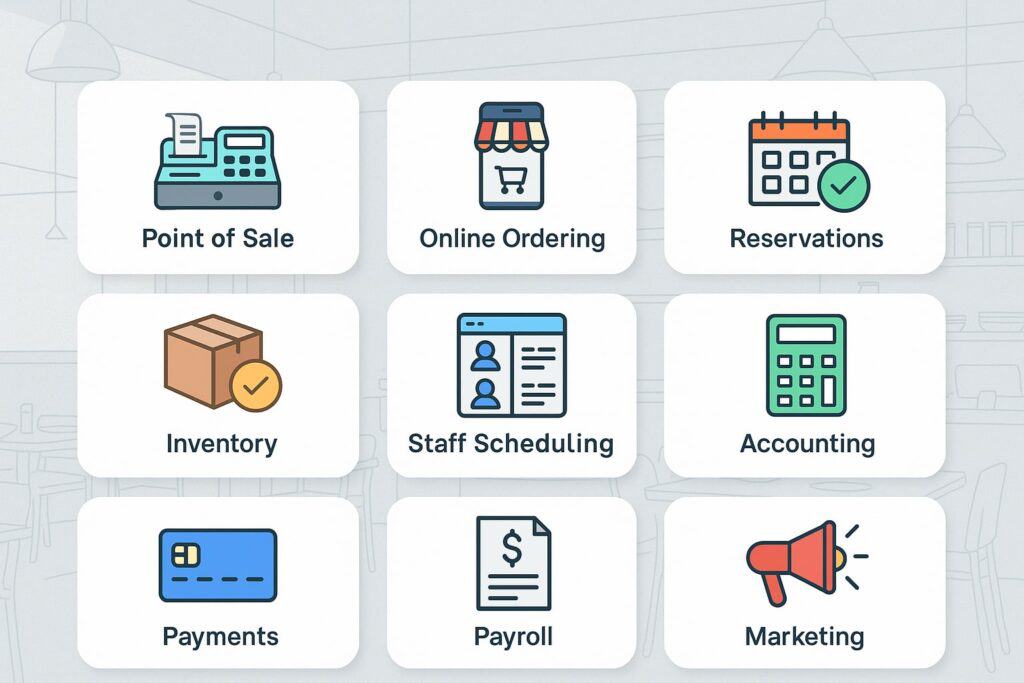
Before you integrate POS with restaurant operations tools, inventory what you have and what you truly need. Start by drawing a simple data-flow map around the POS: upstream channels, orchestration, production, and downstream systems (payments, tips, payroll, inventory, accounting, loyalty/CRM, reporting).
Then list brand/location differences—menus, taxes, languages, currencies, or service models like counter service vs. full service.
Clarify event timing: when a reservation becomes a cover; when an order becomes “in-progress”; when an item becomes 86’d; when a delivery quote becomes a promise; when a payment becomes a payout.
If your team can’t articulate these states, your integrations will drift. Next, document identifiers (table numbers, check IDs, order numbers, guest IDs, menu item SKUs/PLUs, modifiers, combo IDs). Decide a single source of truth for each.
For items, consider aligning to GS1 GTINs where practical; this makes cross-channel reporting and vendor communications cleaner and improves traceability for grocery/retail-adjacent items (think CPG beverages or packaged desserts).
Lastly, score each tool on API maturity, webhook support, rate limits, and sandbox availability. When you integrate POS with restaurant operations tools that lack sandboxes or publish/subscribe events, your project timeline will slip—so pressure-test this early.
Integration patterns and architectures
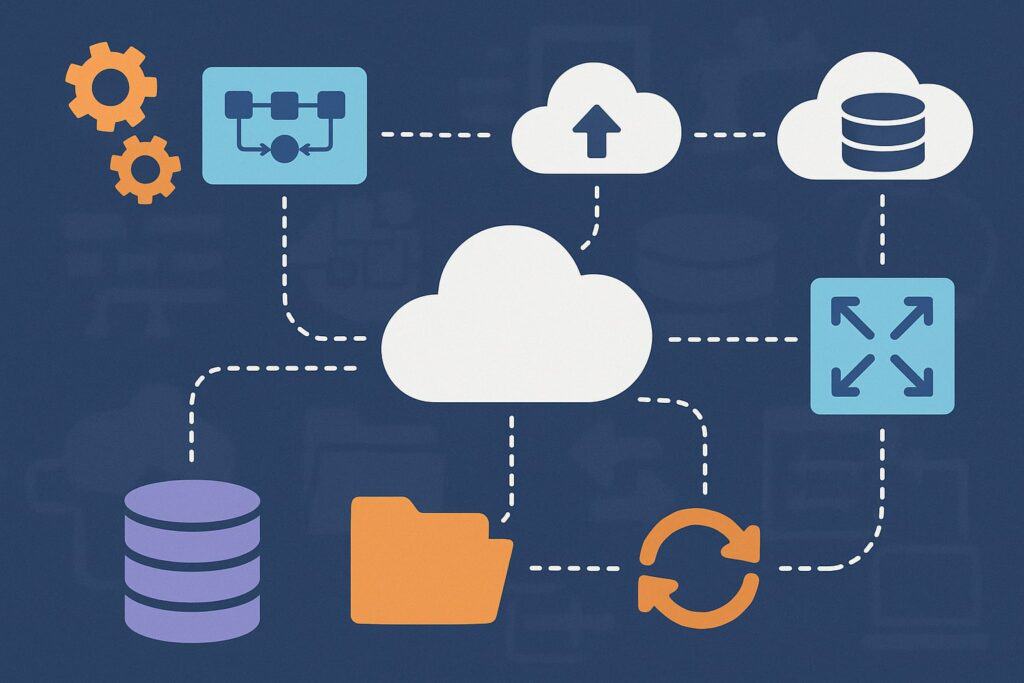
To integrate POS with restaurant operations tools that change frequently, pick architectures that isolate change. A common approach is a hub-and-spoke or middleware layer between the POS and the rest of the stack. Instead of wiring every tool to every other tool, each connects once to the hub.
This lowers the number of connections you must maintain and simplifies version upgrades. Specialized “universal POS APIs” (for example, Olo’s Omnivore interface) follow this idea by normalizing endpoints across many POS brands, which can drastically compress time-to-market.
Use webhooks for near real-time updates—orders created, items voided, payments captured, refunds posted, tips adjusted, or checks closed. Pair webhooks with idempotent REST endpoints so retried events won’t duplicate orders or payments.
Add retry with backoff and dead-letter queues so transient outages don’t drop data. If a vendor only supports polling, schedule lightweight delta pulls every 60–120 seconds with ETags or updated-since parameters.
Prefer OpenAPI-defined REST interfaces for consistency and documentation. If your vendors publish Swagger/OpenAPI specs, you can generate client SDKs and better automate contract testing.
Keep your spec files under version control and use them to gate CI/CD. When you integrate POS with restaurant operations tools in this standardized way, you reduce regression risk and onboarding time for new engineers.
Data model and taxonomy alignment
When you integrate POS with restaurant operations tools, most failures trace back to mismatched data models. Create a canonical menu model that supports categories, items, variants, sizes, and modifiers with minimum/maximum rules.
Include price rules for dine-in vs. pickup vs. delivery, service fees, taxes, and coupon applications. For production, define fire order (course, seat, priority) and routing (grill, fry, bar). In the canonical order model, include line-item options, per-item tax/discount, promised time, and channel.
Adopt a clear identifier strategy. Use human-readable external_ids for vendor mapping and internal UUIDs as immutable keys. If you sell packaged goods or manage commissary items, map to GS1 GTIN so procurement and inventory roll up correctly across vendors and locations. This improves vendor EDI alignment and helps when you later add retail or wholesale channels.
For guests, store consented attributes only: contact preferences, loyalty IDs, lifetime value, last visit, favorite items, allergies. Avoid storing sensitive payment data in your own systems—leave PAN storage to PCI-validated gateways and vault tokens.
With POS integration, you’ll often pass payment tokens, authorization codes, and reconciliation references; design those fields explicitly so accounting can link payouts to orders without touching raw card numbers (a PCI v4.0 best-practice mindset).
Security, compliance, and governance
To integrate POS with restaurant operations tools safely, apply zero-trust thinking: least-privilege API keys, scoped OAuth tokens, IP allowlists, and short TTL secrets rotated automatically.
Enforce TLS everywhere and pin to modern cipher suites. Log all access using correlation IDs that tie API calls, webhook deliveries, and POS actions to a single request path.
Respect PCI DSS v4.0. Even if your POS provider is PCI-validated, your integrations touch payment-adjacent data (order totals, tips, tax, authorization references).
v4.0 retired 3.2.1 in 2024 and makes future-dated requirements mandatory after March 31, 2025, so update your MFA, vulnerability management, and change control accordingly—and ensure third-party vendors attest to v4.0 readiness.
Create a data governance policy: what you store, why, and for how long. Tag fields with sensitivity levels. Apply field-level encryption for guest PII where practical. Implement audit trails for menu changes, item availability toggles, price updates, and comp/void actions.
When you integrate POS with restaurant operations tools for reservations, ensure guest notes and allergies sync under documented consent and access rules (front-of-house vs. back-office visibility).
Step-by-step implementation plan
Here’s a pragmatic path to integrate POS with restaurant operations tools without boiling the ocean:
- Discovery (1–2 weeks). Map your stack and goals: reduce waitlist times, eliminate rekeying, cut order errors, or speed close-of-day. Inventory APIs, webhooks, rate limits, and sandbox access. Validate which systems are the source of truth for menu, pricing, and availability.
- Design (1–2 weeks). Choose a hub/middleware or universal API. Define canonical schemas, error codes, and idempotency keys. Document authentication and secrets rotation. Plan rollout by location.
- Build (2–6 weeks). Stand up middleware, connect POS sandbox, then wire channels: reservations → POS (covers), delivery → POS (orders), POS → KDS (production), POS → inventory (depletion), POS → accounting (journals). Use OpenAPI to generate clients and write contract tests.
- Data sync (1–2 weeks). Implement menu import/export, price lists, taxes, service fees. Create availability sync: 86ing items in POS should reflect across channels in near real time. Backfill historical orders for analytics.
- Security & compliance (parallel). Enforce PCI v4.0 aligned controls, logging, and alerting. Pen-test exposed endpoints. Update incident runbooks.
- Pilot (2–3 weeks). Run in one “model” store. Measure ticket times, order accuracy, guest wait, staff touches per order, and reconciliation time.
- Scale. Roll out by region. Add feature flags for risky changes. Keep integrations versioned and backward-compatible.
Throughout, keep the goal in mind: integrate POS with restaurant operations tools to improve guest experience and margin—not to wire everything just because you can.
Testing, monitoring, and reliability
When you integrate POS with restaurant operations tools, rigorous testing prevents late-night fire drills. Build contract tests from OpenAPI specs so you catch breaking changes early.
In your QA environment, simulate typical and extreme scenarios: modifiers, half/half pizzas, order-ahead, mixed service fees, comped items, voids after prep, partial refunds, and driver redeliveries. Include idempotency tests: replay events and ensure they don’t duplicate checks or payments.
Set up observability: structured logs with correlation IDs, distributed tracing across middleware and POS adapters, and metrics for webhook latency, error rates, and queue backlogs. Create synthetic monitors that place a fake order hourly and verify it flows from channel → POS → KDS → accounting.
Alert on stale webhooks, rising 5xx, and “menu drift” (when channel menus don’t match POS). Build an ops runbook that shows how to reprocess dead-letter events, rebuild a day’s orders, and reconcile a payout.
Finally, add rate-limit aware backoffs and circuit breakers so a struggling vendor doesn’t take down your system. This is the difference between “it works in the demo” and robust, multi-location operations that stay up on a Saturday rush.
Vendor selection and RFP checklist
Selecting vendors is where many integrations go sideways. To integrate POS with restaurant operations tools cleanly, your RFP should probe beneath the brochure. Ask for:
- API depth and docs: Do you publish OpenAPI/Swagger specs, test sandboxes, and example payloads for orders, menu, and payments? Do you support webhooks for orders/voids/86s?
- POS coverage: If using a universal API layer (e.g., Omnivore), which POS brands and versions are certified today? What features differ by POS?
- Reservations & guest data: Can your reservations platform stream real-time seatings, cancellations, and guest notes? What are the rate limits and review process to gain API credentials?
- Menu & pricing: How are combos, forced modifiers, and day-part pricing represented?
- Inventory: Do you support real-time depletion and vendor catalog sync?
- Accounting: Can you export journals nightly in your chart of accounts?
- Security & PCI: Provide current AOC, PCI scope, MFA, and logging posture aligned to PCI DSS v4.0 timelines.
- SLA & support: Response times, incident comms, and change-notice policies.
- Roadmap: Confirm upcoming deprecations and new endpoints.
A good vendor answers these concretely, with payload examples and sandboxes—not just marketing slides.
Common pitfalls and how to avoid them
The most common failure when teams integrate POS with restaurant operations tools is menu mismatch. If item IDs differ across POS and channels, you’ll see wrong prep instructions and broken reporting.
Solve it with a canonical item catalog and a single source of truth for prices and taxes. Another pitfall is over-customization: if you fork logic per location, maintenance explodes. Use feature flags and configuration, not code forks.
Silent failures are another risk: a webhook drops for an hour, but orders look normal until close-of-day. Fix with monitoring, retries, and dead-letter reprocessing. Reconciliation gaps appear when payouts don’t match POS totals due to tips, refunds, and service fees timing.
Build nightly journal exports and reconciliation dashboards and include marketplace statements. If your team handles card data outside the gateway, you risk PCI scope creep—keep raw PANs out of your systems, rely on tokens, and align with v4.0 requirements and deadlines.
Lastly, beware vendor lock-in: wiring directly to a single provider’s proprietary message format can slow future pivots. Encapsulate vendor specifics in adapters behind a stable internal model, so switching tools is just a new adapter—not a full rewrite.
ROI measurement and optimization
Integration isn’t done until you prove results. When you integrate POS with restaurant operations tools, track three ROI pillars:
1) Labor efficiency. Measure staff touches per order and minutes spent on rekeying, comping, or reconciling. Integrated stacks typically cut FOH/BOH admin time meaningfully. Put a baseline in place before rollout.
2) Revenue lift. Integrated reservations and POS can align pacing and table turns. Delivery integrations can reduce cancellations by honoring 86’d items and accurate promise times. Loyalty-POS connections raise repeat rates by applying offers automatically and capturing guest identities with consent.
3) Cost control. Inventory integrations drive tighter theoretical vs. actual food cost. Accounting integrations shorten month-end close and reduce audit fees. With PCI v4.0-aligned controls and vendor attestations, you also minimize risk and potential fines—an indirect but real ROI.
Create dashboards for order accuracy, ticket times, void rates, refund rates, menu mismatch incidents, and payout reconciliation deltas. Review weekly, and iterate your integrations just like you iterate your menu.
Case-in-point integration flows (playbooks)
Playbook A: Reservations → POS → KDS
When you integrate POS with restaurant operations tools for reservations, the goal is to translate guest intent into smooth production. Use reservation APIs to pull upcoming bookings and guest notes (party size, allergies, occasions). As guests are seated, push “cover start” into POS to pace the kitchen.
Pull POS course timing to forecast table turns and push waitlist ETAs back to the host stand. When cancellations happen, update the KDS prep queue to avoid over-firing. Platforms like OpenTable supply the hooks you need; pair them with your POS webhook stream to keep both sides in sync.
Playbook B: Marketplaces/Direct Ordering → POS → Accounting
To integrate POS with restaurant operations tools on the ordering side, subscribe to order-created webhooks from your ordering provider, transform payloads into your canonical order model, then post to the POS. On close, post payment/tip/refund events from the POS back to the ordering app to keep guests informed.
Nightly, export journals: net sales, taxes, fees, tips, gift card breakage, and marketplace commissions—then reconcile against processor and marketplace statements. If you use an intermediary like Olo’s Omnivore to normalize POS connectivity, you’ll speed up deployment across mixed POS fleets.
Playbook C: Menu & 86ing Sync Across Channels
When you integrate POS with restaurant operations tools for menu sync, define a single authoring system. Changes propagate to POS and channels through webhooks that trigger partial updates (only changed items).
For 86ing, publish a lightweight “availability” topic so all channels receive updates within seconds. Build a guardrail that refuses orders containing unavailable items, returning helpful substitutions.
FAQs
Q.1: What’s the safest way to handle payments data when connecting systems?
Answer: The safest path to integrate POS with restaurant operations tools without expanding PCI scope is to avoid storing card data entirely.
Use your gateway’s tokenization so the POS sees only tokens, not PANs. In your middleware, keep a strict separation between order data (items, taxes, tips) and payment references (token, auth code, last-4, AVS/CVV decisions).
Log access to any payment-adjacent fields with correlation IDs. Implement MFA for admin consoles and rotate API credentials automatically. Importantly, align with PCI DSS v4.0 timelines: v3.2.1 was retired in 2024 and newly required controls become mandatory after March 31, 2025.
Validate that every vendor in your chain provides a current Attestation of Compliance and clarify whether your environment is SAQ-eligible or ROC-required. This way, you integrate POS with restaurant operations tools while staying inside a well-defined compliance boundary, reducing audit friction and risk exposure.
Q.2: How do I keep menus and prices consistent across delivery apps and in-house channels?
Answer: First, define your canonical menu in one place—either POS or a dedicated menu manager—and make that the source of truth. Model categories, items, variants, and modifiers with explicit rules (min/max, forced choices, pricing deltas).
Use versioned menu exports and delta updates so you don’t blast full menus for tiny changes. When you integrate POS with restaurant operations tools, subscribe to menu-changed and item-availability webhooks, then push updates to delivery apps within seconds.
Align item identifiers; if your operation also retails packaged items, mapping to GS1 GTIN reduces mismatches and improves reporting. Add automated tests that randomly place orders from each channel against the current menu and verify prep instructions.
Finally, create a “menu drift” alert comparing POS to channel payloads; when drift exceeds a threshold, notify an operator to re-publish. Following this pattern ensures you integrate POS with restaurant operations tools once and keep every channel accurate.
Q.3: Do I need a middleware layer if my POS already integrates with most tools?
Answer: If you run a single brand and your POS offers first-party integrations to your must-have tools, you might survive without middleware. But as your stack grows or your locations use different POS versions, direct point-to-point links become fragile.
A middleware “hub” normalizes schemas, centralizes logging, and isolates vendor churn. It also lets you run A/B rollouts and feature flags—for example, enabling a new delivery partner in one region. Universal POS APIs like Omnivore were created to shrink the number of connectors you must maintain across mixed fleets.
Even if you adopt one, keeping an internal middleware for transformations, security, and observability is smart. That way, when you integrate POS with restaurant operations tools and later add a reservations upgrade or a new loyalty platform, you plug it into the hub rather than re-plumbing your entire network.
Q.4: How should I test before going live on a Friday night rush?
Answer: Run a pilot in a model store on a weekday lunch, then a weekend brunch, before you ever touch a Friday dinner. Seed test data: place orders with complex modifiers, course fires, voids, refunds, gift cards, and partial comps.
Use synthetic orders hourly to confirm full flow: channel → POS → KDS → inventory → accounting. When you integrate POS with restaurant operations tools, insist on a vendor sandbox and use OpenAPI-driven contract tests to catch breaking changes early.
Monitor webhook latency and queue depths; set auto-escalation alerts if latency exceeds thresholds (e.g., >30s for orders, >5m for availability). Keep a rollback plan: feature flag the integration, and maintain a manual fallback (phone orders printed to KDS, paper chits) so you never stop serving.
Q.5: What if my reservation system or guest CRM has strict API access requirements?
Answer: Some reservation platforms require program enrollment, credentials per location, and a QA/approval cycle before full production access. Plan for this lead time.
For example, OpenTable’s program typically requires signing terms, obtaining credentials, and passing a QA review before your integration goes live. Build your adapter to gracefully degrade when credentials are missing—e.g., continue to seat guests but skip personalization sync.
This ensures that as you integrate POS with restaurant operations tools that gate APIs behind approvals, your dining room continues operating smoothly while you complete the checkpoint steps.
Conclusion
To integrate POS with restaurant operations tools successfully, think like a systems architect and an operator. Start with a precise map of your stack and data, choose a hub-centric architecture with webhooks and idempotent APIs, and standardize your models so menus, orders, and payments line up across every channel.
Treat security and compliance as first-class requirements—especially with PCI DSS v4.0 timelines now in force—and demand the same from your vendors. Use sandboxes, OpenAPI contracts, synthetic monitors, and strong observability to keep integrations healthy through the Saturday dinner rush.
Finally, measure ROI relentlessly: reduced rekeying, higher order accuracy, faster ticket times, and cleaner reconciliations. When you integrate POS with restaurant operations tools in this disciplined, up-to-date way, you unlock better guest experiences and stronger margins—today and as your concepts scale.