
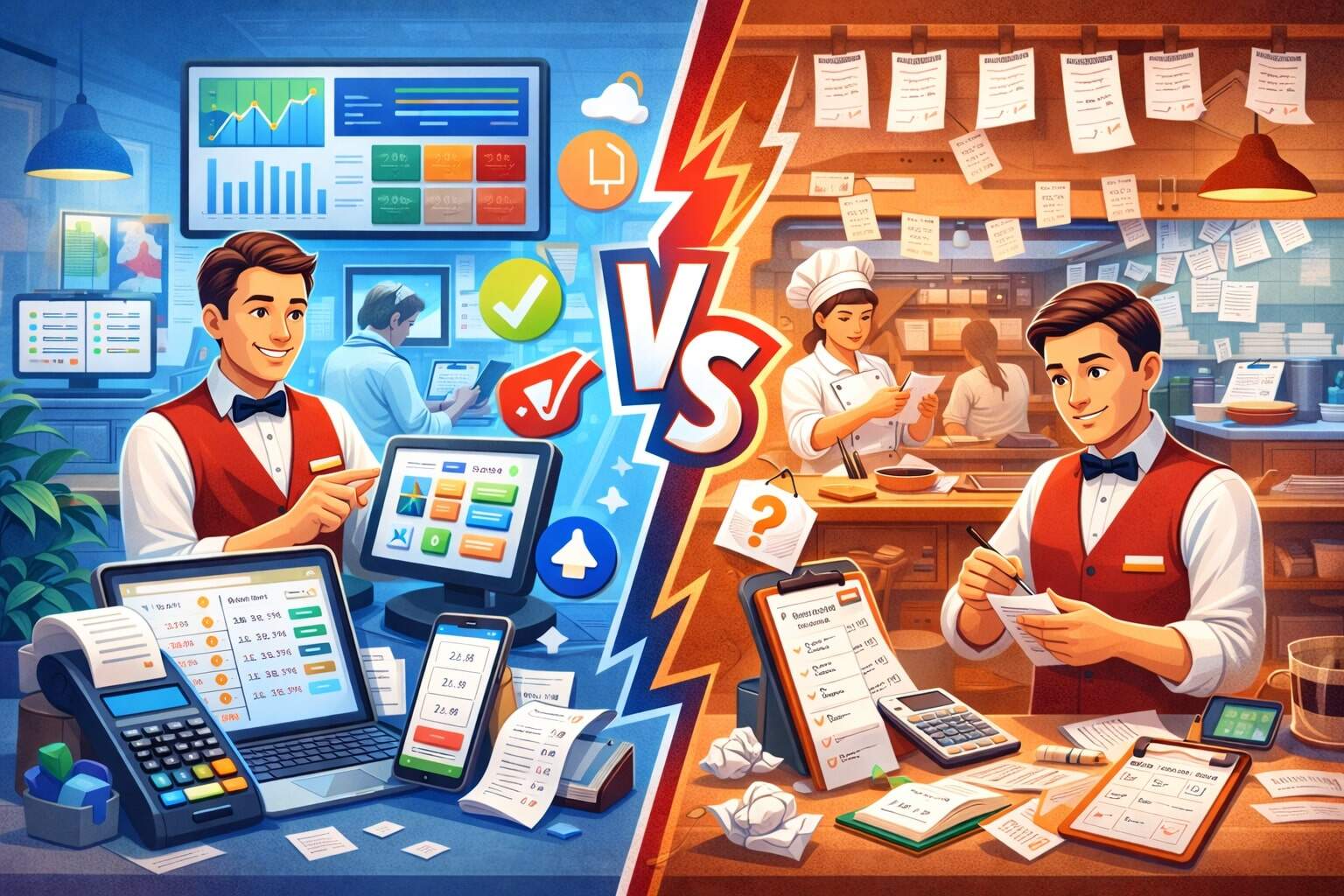
Running a restaurant is a daily race between speed, accuracy, hospitality, and cost control. The biggest operational choice underneath all of that is whether you rely on restaurant management software.
This decision affects everything: guest experience, labor efficiency, food cost, compliance, and how confidently you can scale.
Manual systems can feel comfortable because they’re familiar and cheap upfront. But comfort often hides costs: slower service, inconsistent training, missing data, and preventable mistakes. Restaurant management software, on the other hand, brings structure and real-time visibility.
It can tighten operations, improve speed of service, and create better decision-making—especially as guests increasingly expect fast ordering and easy payment options and as operators view technology as a competitive edge.
The most useful way to compare these approaches is not “software good, manual bad.” The real question is: What level of complexity are you managing today, and what level will you be managing in 12–24 months?
If your operation is stable, small, and owner-operated, some manual workflows may still make sense. If you have multiple shifts, staff turnover, multiple ordering channels, delivery partners, loyalty promotions, or ambitions to grow, restaurant management software becomes less of a “nice-to-have” and more of an operational foundation.
In this guide, you’ll get a practical, updated comparison—plus realistic future predictions—so you can choose the right mix of restaurant management software and manual systems for your concept.
What Restaurant Management Software Really Includes
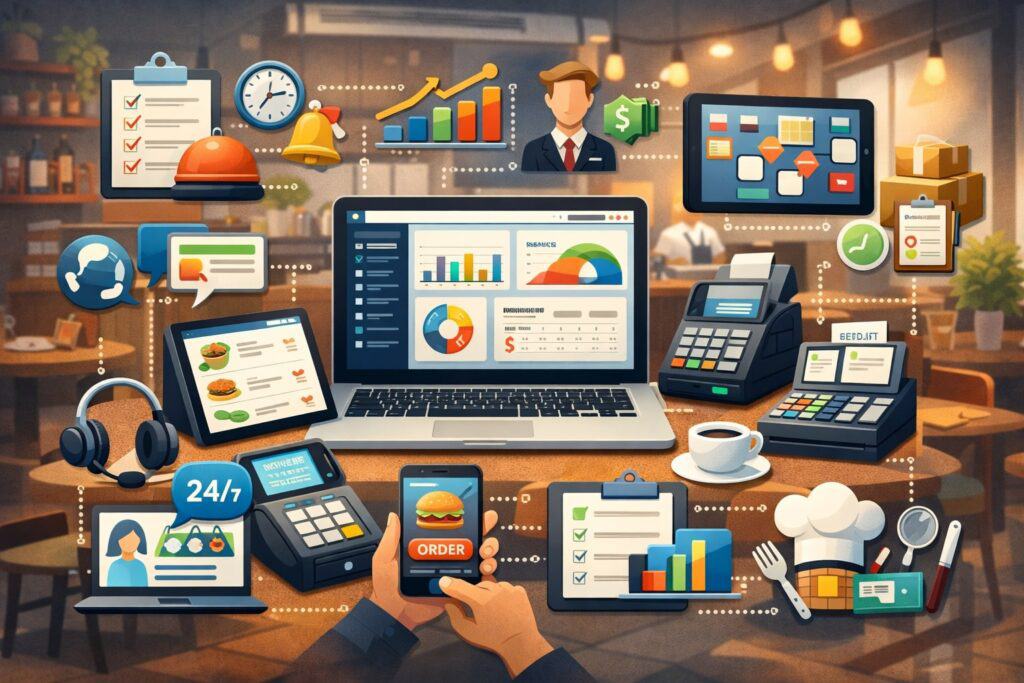
Restaurant management software is not just “a POS.” Modern restaurant management software is typically an ecosystem of connected tools that handle the full operational loop: taking orders, routing them to the kitchen, capturing payments, tracking inventory, scheduling labor, measuring profitability, and integrating with online ordering, delivery marketplaces, and guest engagement.
Many operators choose cloud-based restaurant management software so data is available across devices and locations, and so updates happen automatically.
A typical restaurant management software stack includes: POS and payment processing, menu management, modifiers, discounts, kitchen display systems (KDS), table management, reservations, online ordering, delivery integration, inventory and recipe costing, purchasing, staff scheduling, time tracking, payroll exports, customer loyalty, marketing tools, and analytics dashboards.
Increasingly, restaurant management software also includes automation features like low-stock alerts, labor forecasts, suggested prep lists, and real-time performance reporting.
This matters because restaurants no longer operate in a single channel. Off-premises demand (takeout, delivery, drive-thru, pickup) is now deeply embedded in how guests buy food, and technology investments are commonly aligned with making ordering and payment easier and faster.
When your ordering streams multiply, manual systems don’t just “take longer”—they fragment operations, increase errors, and make it harder to reconcile sales, inventory, and labor. Restaurant management software helps unify these streams so your team runs one playbook, not five.
The most important point: restaurant management software is best viewed as a control center. It’s the difference between “we think we’re doing okay” and “we can prove what’s happening, in real time, and fix it quickly.”
What “Manual Systems” Actually Look Like in Restaurants
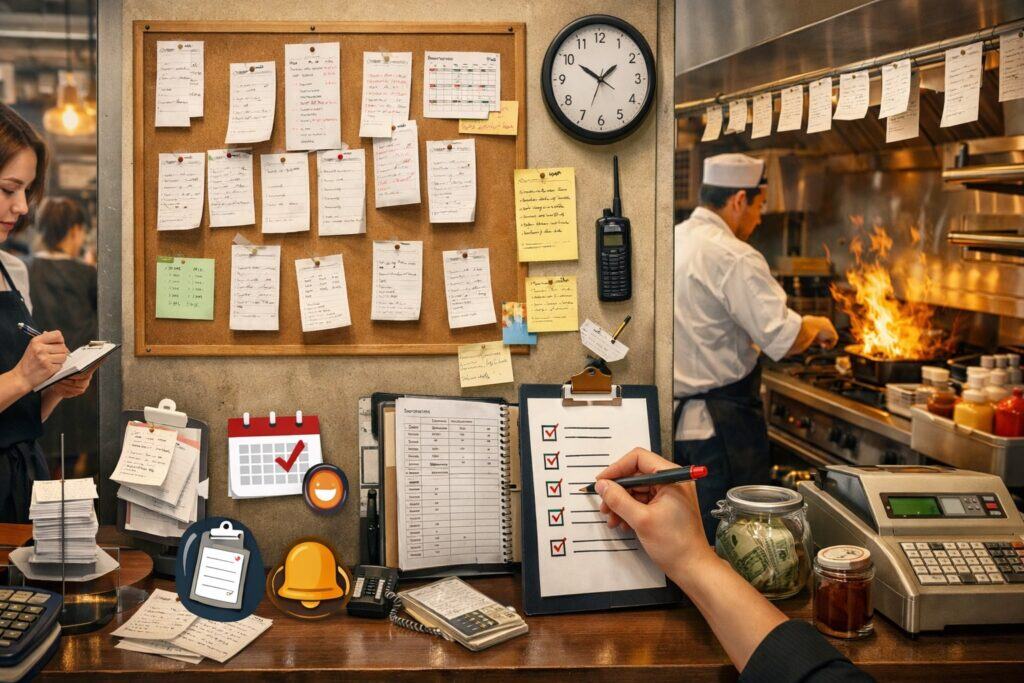
When people say “manual systems,” they usually mean a combination of paper processes and basic tools that are not integrated.
Examples include handwritten guest checks, paper tickets to the kitchen, manual cash drawers, standalone card terminals without automated reconciliation, spreadsheet-based inventory counts, printed schedules, and manager intuition-based ordering. Some restaurants also use basic accounting software but still track operations manually day-to-day.
Manual systems can work surprisingly well in very specific conditions: a small menu, consistent volume, low staff turnover, a hands-on owner, limited ordering channels, and a stable supplier list.
In these situations, a disciplined manager can keep food cost and labor mostly under control with checklists and routine. Manual systems can also be useful as a fallback plan for outages, device failures, or staff training days.
But manual systems are fragile as complexity rises. The biggest hidden weakness is lack of shared truth. If your sales numbers live in one place, your inventory counts in another, your schedules in a binder, and your comps or voids in a manager’s notebook, you have multiple versions of reality.
That’s where profit leakage happens: untracked waste, inconsistent portioning, missing cash, forgotten invoices, and slow corrections when an item is underperforming.
Another challenge is speed. Manual steps add up: rewriting tickets, re-entering online orders, re-counting inventory, re-checking timecards, and manually updating menu prices across channels.
When you are busy, these steps create bottlenecks that guests feel immediately. And when turnover happens, manual systems rely heavily on training quality—which is hard to standardize without tools.
Manual systems are not “wrong.” They’re just less scalable, less measurable, and more dependent on human perfection, which is rarely realistic in a high-pressure service environment.
Cost Comparison: Upfront Spend vs Total Cost of Ownership

Upfront cost is where manual systems appear to win. A restaurant can start with paper tickets, a basic terminal, and spreadsheets with minimal investment.
Restaurant management software often involves subscription fees, payment processing agreements, hardware costs, installation, and training. That sticker shock can push operators to delay software adoption.
But the better comparison is total cost of ownership. Manual systems create ongoing costs that don’t show up on an invoice: time spent reconciling reports, labor spent re-entering orders, managers doing nightly math, inventory waste from poor visibility, and losses from errors that software would prevent.
If you run more than one ordering channel, the cost of manual entry alone can become significant—especially during peak periods when mistakes are more frequent.
Restaurant management software can also reduce costly “unknowns.” For example, integrated sales and inventory reporting can reveal that a popular menu item is actually low-margin because of ingredient price changes, portion creep, or excessive comps.
Software-based scheduling and time tracking can prevent labor overruns by showing real-time labor percentage and forecasting staffing needs.
Compliance is another hidden cost center. Payment security expectations are evolving, and many guides emphasize that modern standards (like PCI DSS v4.0) push operators toward tighter controls, stronger authentication, and better vendor oversight—things that are much harder to manage through manual processes alone.
Even if you outsource most compliance requirements to vendors, your operation still benefits when restaurant management software provides consistent logs, permissions, and standardized processes.
The bottom line: manual systems may be cheaper to start, but restaurant management software often wins financially once you measure waste reduction, labor efficiency, fewer errors, better pricing decisions, and the ability to scale without chaos.
Speed, Accuracy, and Guest Experience on Busy Shifts
Guests judge your restaurant in moments: how quickly they’re greeted, how accurately orders arrive, how fast they can pay, and whether mistakes are handled smoothly. This is where restaurant management software typically outperforms manual systems—especially during rush periods.
In a manual workflow, a server writes an order, hands it to a runner or the kitchen, and the kitchen reads handwriting, interprets modifiers, and times preparation based on experience. That can work in a tight, experienced team.
But when volume spikes, handwriting gets messy, tickets get lost, modifiers get missed, and re-fires increase. Manual payment workflows can also slow table turns—especially when checks are split multiple ways or when discounts and comps must be calculated by memory.
Restaurant management software improves speed and accuracy by standardizing the steps. Orders entered into the POS are routed automatically to the correct prep station. Modifiers are structured, not guessed.
KDS screens reduce paper clutter and improve visibility. Digital payment flows reduce checkout friction and can support modern expectations like tap-to-pay.
Industry research and operator surveys consistently highlight that customers value technology that makes ordering and paying easier and faster.
That doesn’t mean hospitality disappears. In fact, many operators believe technology will augment staff rather than replace them, allowing employees to focus more on service and less on repetitive admin.
If your concept depends on speed—quick service, fast casual, high-volume lunch, or heavy takeout—restaurant management software is often the difference between controlled throughput and “we survived, but we lost money doing it.”
For full-service concepts, software helps with table pacing, coursing, and guest recovery when something goes wrong. Manual systems can deliver great hospitality, but software makes great hospitality repeatable.
Inventory, Waste, and Food Cost Control
Food cost is one of the most sensitive profit levers in a restaurant, and it’s also one of the easiest areas to lose money quietly. Manual systems typically track inventory through periodic counts and “eyeballing” usage.
Managers might count weekly, compare invoices, and rely on experience to place orders. This can work when the menu is simple and stable, but it becomes risky when vendor prices fluctuate, specials rotate, or multiple managers are ordering.
Restaurant management software changes food cost control from reactive to proactive. With recipe mapping and ingredient-level tracking, restaurant management software can connect sales volume to theoretical usage.
When actual inventory counts don’t match theoretical usage, you get a signal: portion creep, waste, theft, incorrect recipe builds, or mis-rung items. Software also helps control waste through prep forecasting and par levels. Instead of “we always prep 30,” you can prep based on trends and avoid overproduction.
Manual systems struggle most with multi-channel complexity. If you sell the same item through dine-in, pickup, delivery partners, and catering, manual tracking can’t easily tell you which channel is profitable after packaging costs, third-party fees, or promo discounts. Restaurant management software with integrations can separate those streams and expose true margin.
Also, inventory isn’t just ingredients. It’s packaging, condiments, paper goods, and supplies that become expensive when not tracked. Restaurant management software can trigger alerts when usage patterns change and can support better vendor negotiation because you have clean purchasing history.
If you want a practical rule: when food cost swings unpredictably month-to-month, manual systems are usually missing visibility. Restaurant management software doesn’t eliminate volatility, but it makes drivers visible so you can act faster.
Labor, Scheduling, and Turnover Management
Labor is typically the largest controllable expense in restaurant operations, and the hardest to optimize manually. Manual scheduling relies on manager judgment and static forecasts.
Timecards may be paper-based or tracked in disconnected tools. Payroll inputs are often re-entered. When volume shifts unexpectedly, the response is improvised: calling people in, cutting early, or running short-staffed.
Restaurant management software helps by connecting labor planning to sales patterns. Modern POS tools often integrate with scheduling and timekeeping so you can forecast staffing based on historical traffic, daypart trends, and events.
Some systems include real-time labor dashboards, allowing managers to see labor percentage during service and adjust quickly. Vendors and industry commentary commonly emphasize how POS-linked scheduling and time tracking can streamline payroll and reduce overstaffing.
Turnover is where manual systems become painful. Training new staff on inconsistent manual processes takes longer, and errors rise during onboarding. Restaurant management software supports training with standardized screens, permission controls, and guided modifiers.
You can also limit sensitive actions (discounts, voids, refunds) to specific roles, reducing shrinkage and compliance risk.
Another labor advantage is accountability. Manual systems can’t easily detect patterns like excessive comps by one shift, unusual void rates, or high cash variance. Restaurant management software flags anomalies. That creates a fairer, more consistent workplace—because you’re managing with evidence, not suspicion.
Finally, guest expectations continue to push speed and convenience, and operators increasingly adopt tech to meet those expectations while keeping labor manageable.
The most sustainable restaurants are using restaurant management software to protect staff time and reduce burnout—not to squeeze more work out of fewer people, but to remove the admin friction that makes service jobs exhausting.
Reporting, Decision-Making, and Operational Visibility
Manual systems often produce “reports” that are delayed and incomplete. You might know total sales, but not contribution margin per item. You might know labor hours, but not labor cost by daypart.
You might see end-of-month food cost, but not the operational drivers that caused it. This leads to a common pattern: managers make decisions based on intuition, then confirm outcomes weeks later when it’s too late to fix.
Restaurant management software replaces delayed visibility with real-time operational intelligence. Your POS and analytics dashboards can show product mix, hourly sales, comp and void rates, discount performance, server performance, table turn time, and channel profitability.
That doesn’t mean you should “manage by dashboard.” It means you can spot problems early—like a menu item that suddenly drops in sales, a supplier cost increase, or a promotion that cannibalizes full-price sales.
Restaurant management software also improves consistency in multi-location operations. Manual systems create location-to-location variation: different managers count inventory differently, run scheduling differently, or comp differently.
Software standardizes processes and makes performance comparable. That’s essential if you plan to expand, franchise, or even just add a second unit.
The broader industry direction supports this visibility-first approach. Restaurant tech research emphasizes that operators view technology as a competitive edge, and that aligning tech investments with customer expectations helps restaurants keep up in a post-pandemic environment.
If you’ve ever asked, “Why did we make less money even though sales were up?”—that’s exactly the type of question restaurant management software is designed to answer. Manual systems can’t connect the dots fast enough.
Security, Payments, and Compliance Risks
Payment acceptance is now deeply tied to trust. Guests expect quick, secure payment options, and regulators and card networks expect businesses to maintain secure handling of cardholder data.
Manual systems can create compliance gaps because they rely on human behavior: keeping terminals updated, controlling access, and documenting procedures. Even if you use a standalone terminal, your overall environment still depends on how consistently staff follow secure processes.
Restaurant management software can reduce risk by centralizing permissions, tracking user actions, and maintaining consistent system updates—especially in cloud-managed environments.
Many compliance resources discussing PCI DSS v4.x emphasize stronger authentication, more robust monitoring, and clearer responsibility between merchants and service providers.
While your payment processor and POS vendor handle major parts of compliance, operators still benefit from restaurant management software that supports role-based access, audit logs, and secure configuration.
There’s also the practical issue of fraud and shrinkage. Manual comps, refunds, and voids can be abused. Restaurant management software makes these actions visible and reportable. You can require manager approval for certain discounts, track cash drawer variances, and identify unusual patterns quickly.
Security also includes operational continuity. Manual systems can keep you running during outages, but they can also create recovery chaos: re-entering orders, reconciling cash, and matching inventory.
A strong restaurant management software setup includes offline modes, clear outage procedures, and integration resilience so you can recover faster.
The key takeaway is simple: security and compliance are no longer “back office.” They’re part of the guest experience and business reputation. Restaurant management software makes secure behavior the default rather than the exception.
Choosing the Right Approach by Restaurant Type
The best choice depends on your concept, volume, and operating model. A small café with a stable menu and low staff turnover might thrive with a lightweight restaurant management software setup—maybe POS + basic inventory + scheduling—while keeping some manual checklists.
A full-service restaurant might prioritize table management, coursing, reservations, and KDS, while still using manual pre-shift notes and hospitality standards.
Quick service and fast casual concepts typically benefit most from restaurant management software because speed and throughput are everything.
Kiosks, mobile ordering, loyalty apps, and delivery integrations can dramatically increase complexity. Commentary and trend reporting for 2025 frequently highlight practical tech adoption—tools that reduce friction and improve efficiency, rather than flashy gimmicks.
Delivery-heavy operations and ghost kitchens are almost impossible to run well with fully manual systems because orders arrive from multiple channels and must be timed precisely. The operational risk of missed orders and inaccurate prep is too high.
Many analyses of the restaurant landscape emphasize how off-premises channels and new formats have reshaped operations, making integrated systems more important than ever.
If you’re multi-unit or plan to expand, restaurant management software becomes a standardization tool. It’s not only about speed—it’s about replicable processes, comparable reporting, and centralized control.
Manual systems can work in one location because you can “feel” what’s happening. In multiple locations, you need visibility.
A practical way to decide is to score your operation on complexity: number of menu items, number of staff, turnover rate, number of ordering channels, number of vendors, and whether you’re growing. If your complexity score is rising, restaurant management software is usually the safer long-term bet.
Future Predictions: Where Restaurant Operations Are Headed
Restaurant operations are moving toward automation, integration, and experience design. The next phase isn’t just adopting more tools—it’s connecting tools so data flows automatically and decisions happen faster.
Expect restaurant management software to become more “all-in-one,” with fewer disconnected apps and more unified dashboards.
AI-assisted operations are also becoming practical. Reports and industry commentary about 2025 increasingly mention AI voice assistants for ordering and reservations, automation in guest communication, and smarter back-of-house forecasting.
The near-term reality is not “robots replace staff.” The more realistic future is AI that reduces repetitive tasks: answering common questions, taking basic orders, predicting prep needs, and helping managers spot problems earlier.
Another major direction is frictionless ordering and payment. Guests continue to value speed and convenience, and technology that supports easier ordering and checkout is consistently favored.
You’ll likely see more pay-at-table options, tap-to-pay everywhere, deeper loyalty integrations, and more personalized offers based on purchasing behavior.
From a risk standpoint, security requirements and operational resilience will matter more. As standards evolve and systems get more connected, restaurants will need restaurant management software that supports strong access controls, monitoring, and vendor management practices.
FAQs
Q.1: Is restaurant management software worth it for a single-location restaurant?
Answer: Restaurant management software can absolutely be worth it for a single location, but the “worth it” depends on what problems you need to solve. If your restaurant is small, stable, and has low complexity, you may not need every module.
However, even a single-location operation often faces rising complexity through takeout, delivery, online ordering, and staffing challenges. That’s where restaurant management software delivers value quickly: fewer order errors, faster payment, better inventory visibility, and more controlled labor scheduling.
A common misconception is that restaurant management software only matters when you scale. In reality, it matters whenever you need consistency and insight. A single location can lose significant profit through waste, portion creep, untracked comps, or poor menu pricing decisions.
Restaurant management software makes those leaks visible. It also helps train staff faster by giving them consistent screens, modifiers, and permissions instead of relying on memory.
If your guest base expects fast ordering and easy payment options, restaurant management software becomes part of your brand experience. Industry research indicates that customers favor tech that makes ordering and paying easier and faster, and operators often see technology as a competitive edge.
For one location, the best approach is often a focused setup: POS + reporting + basic inventory + scheduling. You don’t need to “buy everything,” but having a strong software foundation can protect profitability and reduce stress.
Q.2: Can manual systems be just as accurate as restaurant management software?
Answer: Manual systems can be accurate, but the real issue is consistency over time and across people. A disciplined manager can run accurate inventory counts, balanced cash drawers, and consistent order tickets—especially with a small menu and experienced staff.
The challenge is that manual systems require human perfection in a business that is fast, noisy, and high-turnover. Over time, small errors compound into big profit loss: one missed modifier here, one miscounted case there, one forgotten invoice, one schedule mismatch.
Restaurant management software doesn’t guarantee accuracy either—bad setups create bad data. But restaurant management software does reduce the number of “handoffs” where errors happen.
When sales data flows automatically into reports, and when inventory usage can be compared to sales volume, you get built-in error detection. Manual systems don’t provide that kind of cross-check without extra labor.
Another difference is traceability. If an error happens in a manual system, it’s often hard to identify the source. In restaurant management software, you can frequently trace activity to users, terminals, and time windows. That doesn’t have to be punitive—it can be used for coaching and training.
So yes, manual systems can be accurate in ideal conditions. But restaurant management software is usually more reliably accurate at scale, during rush, and during staff transitions—exactly when accuracy is hardest to maintain manually.
Q.3: What are the biggest mistakes restaurants make when switching to restaurant management software?
Answer: The biggest mistake is treating restaurant management software like a plug-and-play gadget rather than an operational system. A rushed setup leads to messy menus, incorrect modifiers, inconsistent discounts, and inaccurate reporting.
If your data is wrong, you’ll stop trusting the system and drift back to manual habits—which defeats the purpose.
Another common mistake is failing to map real workflows. Restaurant management software should match how your kitchen, servers, and managers actually work. If you force the team into awkward screens and confusing steps, speed drops and frustration rises.
This is why training and role-based permissions are critical. You want staff to see only what they need, while managers have deeper controls and reports.
Integrations are another risk area. Many restaurants operate across multiple channels—delivery marketplaces, online ordering, reservations, loyalty. If you don’t plan integrations carefully, you can create duplicated menus, mismatched prices, and confusing reporting.
Current commentary around POS trends highlights how integrations are increasingly expected so orders flow without manual entry. If your restaurant management software isn’t configured to unify channels, you’ll still be doing manual work—just inside a “digital” environment.
Finally, restaurants sometimes ignore change management. You need clear SOPs, shift leaders trained first, and a short stabilization period. The win comes when restaurant management software becomes your team’s default playbook, not an extra task layered on top.
Q.4: How does restaurant management software support takeout, delivery, and off-premises growth?
Answer: Off-premises has become a primary growth engine for many restaurants, but it also increases operational complexity. You now manage packaging costs, delivery timing, multiple order sources, and guest expectations around accuracy.
Restaurant management software supports off-premises growth by centralizing orders, routing tickets correctly, and making reporting channel-specific.
Without restaurant management software integrations, staff may have to re-enter delivery orders manually, which increases errors and slows service. With integrated restaurant management software, orders can flow directly into the kitchen queue, improving accuracy and speed.
Reporting also improves because you can separate dine-in sales from pickup, delivery, and third-party channels. That allows better pricing decisions and better staffing plans.
Consumer research and industry reporting show how significant off-premises behavior has become, and how convenience and speed influence ordering choices. This increases the importance of operational systems that reduce friction.
Restaurant management software also helps you build repeat business through loyalty, digital receipts, targeted offers, and consistent guest profiles across channels—things that are extremely hard to manage manually at scale.
In the future, off-premises will likely become even more integrated with loyalty, personalization, and AI-driven recommendations. Restaurants that rely mainly on manual systems will struggle to keep up with the speed and accuracy expectations that off-premises demand creates.
Q.5: What’s the best “hybrid” approach if I’m not ready to go fully digital?
Answer: A hybrid approach is often the smartest transition path. The goal is to use restaurant management software where it creates the most immediate operational impact, while keeping simple manual systems where they support hospitality and reliability.
For many restaurants, the best first step is a strong POS with clean menu setup, modifiers, and reporting—because that becomes the data foundation for everything else.
Next, add inventory basics: item counts, vendor invoices, and recipe costing for your top-selling items. Even partial inventory control can reveal major profit leaks quickly. Then add scheduling and timekeeping integration, because labor control is a daily lever and manual payroll workflows consume management time.
Vendor commentary around 2025 operations trends frequently emphasizes the value of POS-linked labor management to control staffing and streamline payroll processes.
What stays manual in a good hybrid system? Pre-shift checklists, hospitality coaching notes, station setup routines, cleaning logs, and outage procedures. These manual tools support culture and consistency even when systems go down.
The hybrid mindset is: restaurant management software runs the measurable engine (sales, payments, labor, inventory, reporting), while manual systems support human execution (service standards, cleanliness, team communication).
If you plan a hybrid rollout, train in phases, keep processes simple, and measure improvements weekly. The best hybrid approach is one where manual steps decrease over time as the restaurant management software becomes trusted and embedded.
Conclusion
Manual systems can work, and in the right operation they can even work well. But they rely heavily on individual discipline, stable staffing, and limited complexity. As soon as your restaurant adds multiple ordering channels, experiences frequent turnover, expands hours, or aims to scale, manual systems begin to leak profit through errors, delays, and missing visibility.
Restaurant management software wins when you care about repeatable execution, real-time insight, and sustainable growth. It improves speed and accuracy on busy shifts, tightens inventory and labor control, supports off-premises operations, and strengthens security and accountability.
Industry research shows customers value technology that makes ordering and paying easier and faster, and many operators view technology as a competitive edge. Trends for 2025 and beyond point toward more integration, automation, and AI-assisted workflows—not to replace hospitality, but to reduce operational friction and protect margins.