
By Ethan Walker January 5, 2026
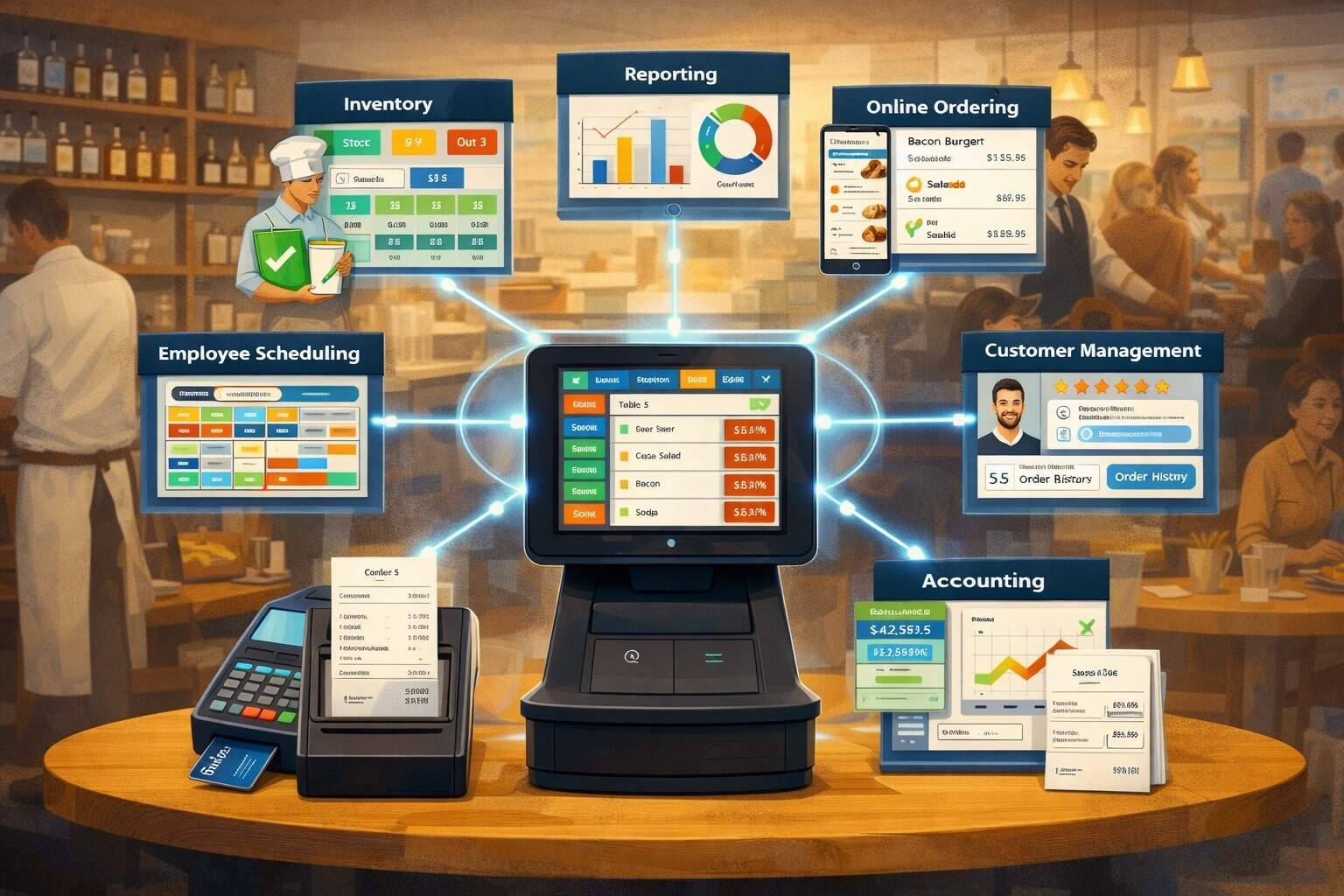
Integrating POS with restaurant management software has shifted from a “nice-to-have” to the backbone of efficient restaurant operations. A modern POS is no longer just a checkout screen—it is the system that captures orders, payments, menu performance, staff activity, and guest behavior in real time.
Restaurant management software expands that foundation into scheduling, inventory, purchasing, accounting, recipes, labor controls, loyalty, online ordering, and multi-location reporting.
When these systems run separately, teams waste hours reconciling data, managers make decisions using stale reports, and mistakes spread across ordering, prep, and payroll.
When integrating POS with restaurant management software is done correctly, the restaurant gains a single operational truth that improves speed, accuracy, profitability, and guest experience.
The most valuable outcome of integrating POS with restaurant management software is not “more software,” but fewer manual steps. Sales automatically flow into cost of goods, labor tracking, and financial reporting.
Menu changes sync across channels. Inventory depletion is calculated from actual orders. Kitchen and front-of-house stay aligned because tickets, modifiers, timing, and cancellations follow a consistent logic.
This connectivity matters more as restaurants rely on delivery, handheld ordering, kiosks, and loyalty—each producing data that must land somewhere reliable.
Many POS vendors also emphasize integrations and APIs to support this ecosystem approach, including cloud POS platforms that highlight “seamless” connectivity and partner integrations.
This guide explains how integrating POS with restaurant management software works, what to integrate first, how to avoid common failures, what security and compliance require today, and what future trends will shape restaurant technology decisions.
What “Integrating POS with Restaurant Management Software” Really Means in 2026
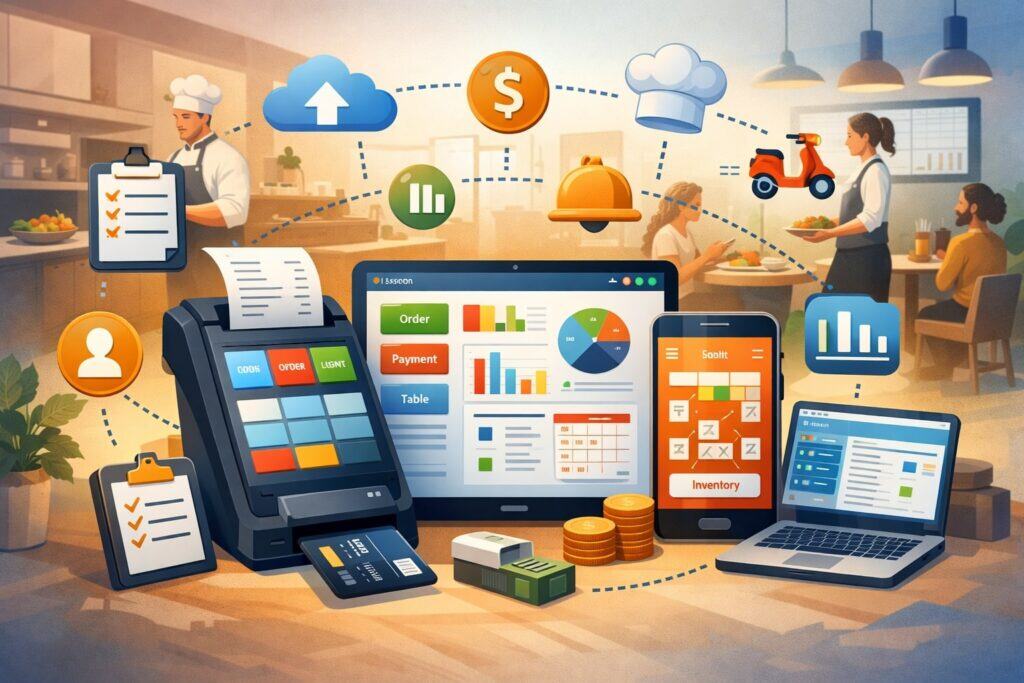
Integrating POS with restaurant management software is the process of connecting your POS to other operational systems so data moves automatically, consistently, and securely—without exports, re-keying, or spreadsheet patchwork.
In practice, that integration can be as simple as a daily sales summary pushed into accounting, or as advanced as real-time item-level data feeding recipe-based inventory, labor forecasting, and automated purchasing.
The key is not the number of tools, but the quality of the data handshake: what fields map, how errors are handled, and how fast updates appear.
There are several integration styles. Some restaurants use an all-in-one platform where POS and management modules are built together, reducing integration complexity. Others use best-of-breed tools connected through APIs, middleware, or certified connectors. Modern POS ecosystems frequently promote partner marketplaces and API programs as the foundation for this approach.
The right method depends on your size, concept, and operational priorities—but every approach must answer the same questions: Which system is the source of truth for menu data? Where do employees get scheduled? Where does inventory decrement from? How do refunds, comps, voids, and promotions affect reporting?
A practical way to understand integrating POS with restaurant management software is to follow a single order. A guest order is entered (table, server, modifiers, coursing). It hits the kitchen display or printer.
Payment is completed. That sale should then update item performance, tax buckets, tender types, tip distribution rules, inventory usage, labor metrics, and daily financial summaries. If any step breaks, you get mismatched numbers and operational blind spots.
A good integration design anticipates messy reality—like split checks, partial refunds, offline mode, and third-party delivery adjustments—so the data remains trustworthy.
Most restaurants benefit from prioritizing the integrations that reduce manual work immediately (sales to accounting, labor to payroll, inventory to purchasing), then expanding toward guest experience improvements (loyalty, CRM, personalization) once the operational foundation is solid.
The Business Case: Why Integration Improves Profit, Speed, and Consistency
Integrating POS with restaurant management software creates measurable financial and operational advantages because restaurants operate on tight margins and high transaction volume.
A small percentage improvement in food waste, labor efficiency, or chargeback exposure can have an outsized impact on net profit. Integration is how you capture and act on these opportunities consistently.
First, integration improves decision speed. When sales, labor, and inventory data are connected, managers can see performance signals faster—like rising food cost variance, overtime creep, or a drop in average check.
That enables corrective actions while the week is still in progress, not after the month closes. Second, integration reduces error. Manual entry of invoices, schedule exports, or menu updates creates inevitable mistakes, and each mistake multiplies when copied into multiple systems.
Integrating POS with restaurant management software eliminates repeat data entry and makes processes repeatable across locations.
Third, integration improves guest experience indirectly. Faster ticket routing and better kitchen coordination reduce wait time. Better menu data reduces out-of-stock situations and “sorry, we can’t” moments.
Loyalty and online ordering work better when item availability, pricing, and modifiers match the POS exactly. Many restaurants now treat online ordering and delivery integrations as core—not optional—because guest expectations for convenience are higher and competition is intense.
Finally, integration supports scalability. Multi-location operators quickly discover that standardizing recipes, purchasing, labor rules, and reporting is almost impossible when each location uses disconnected systems.
Integrating POS with restaurant management software supports consistent controls, faster onboarding, and comparable performance metrics across stores.
The strongest business case is to calculate time saved and errors avoided. If managers spend hours per week reconciling sales reports, if inventory counts are frequently “off,” or if payroll regularly needs manual correction, the ROI of integration typically shows up quickly in labor savings, tighter purchasing, and fewer costly surprises.
Integration Architecture Options: Native, API, Middleware, and Certified Connectors
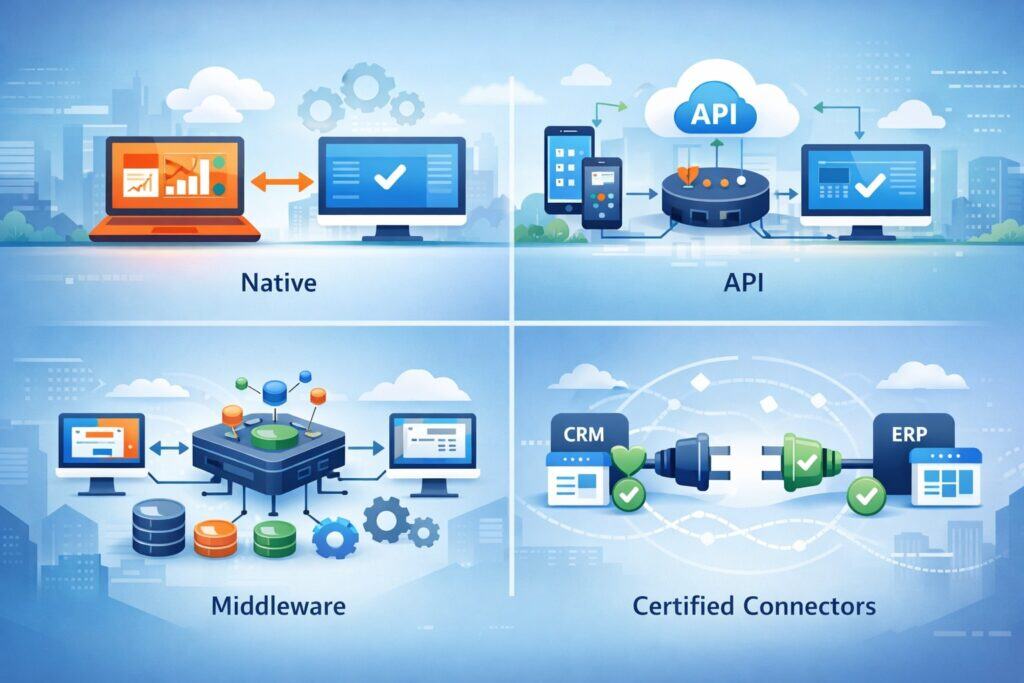
Integrating POS with restaurant management software can be built in different ways, and the structure you choose affects reliability, cost, and flexibility. Understanding these options helps you avoid a common mistake: selecting tools based on features but ignoring how data will move between them.
Native (All-in-One) Integration means POS and management modules share the same database or are designed by the same vendor. This can be simpler to deploy and easier to support, because fewer vendors are involved when something breaks.
Many cloud POS providers position themselves as end-to-end platforms with integrated reporting and operational modules. The tradeoff is flexibility: if you later want a specialized inventory tool or advanced analytics platform, you may have fewer choices.
API-Based Integration uses official APIs provided by the POS and management software. Modern restaurant platforms often highlight APIs and partner ecosystems as a core capability.
APIs allow real-time or near-real-time syncing and can be customized—especially valuable for unique concepts. But API integrations require technical expertise and ongoing monitoring, because updates, rate limits, authentication changes, and new endpoints can break workflows over time.
Middleware / iPaaS Integration (integration platforms) acts as a connector layer between systems. This is useful when you have multiple tools—POS, accounting, loyalty, scheduling, delivery, reporting—and you want a centralized place to map data and manage workflows.
Middleware can reduce custom development and improve observability, but it adds another vendor and another point of failure.
Certified Connectors are prebuilt integrations that specific vendors have tested and support. They’re typically faster to deploy than custom APIs and less risky than “unofficial” connectors.
Some restaurant management providers publish a structured list of POS integrations and categorize them by data type (sales & labor vs sales only, etc.), which helps operators plan what data they can realistically capture.
The best architecture is the one you can support long-term. If your team lacks technical resources, certified connectors or native integrations may be safer. If you need advanced customization, API-based integration may be worth the investment—especially for multi-location groups or high-volume concepts.
Core Data Flows to Prioritize When Integrating POS With Restaurant Management Software
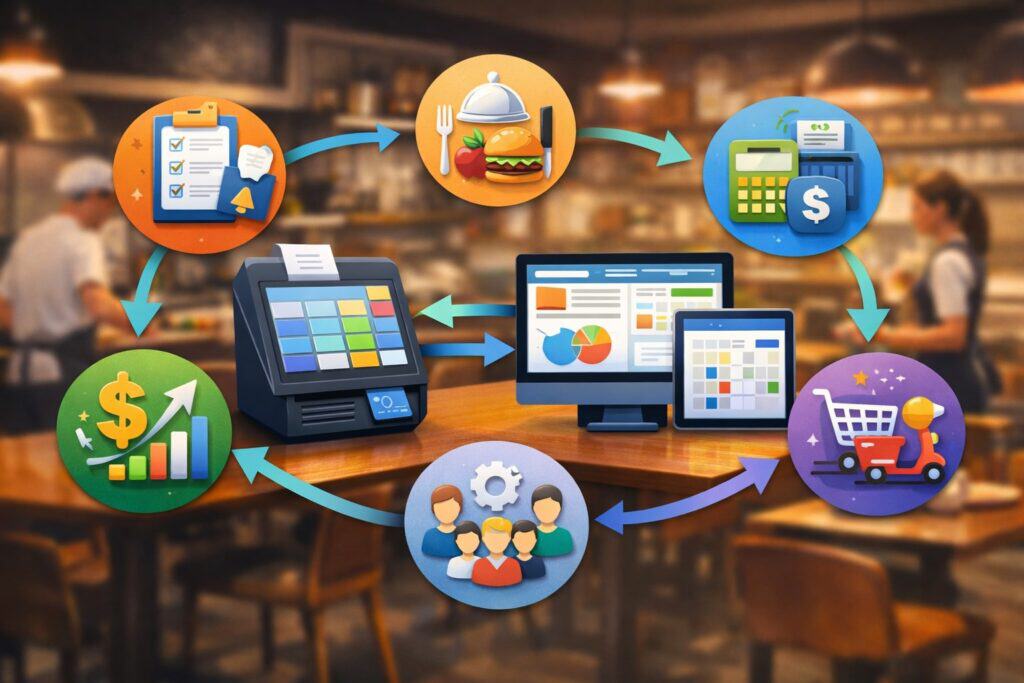
Integrating POS with restaurant management software works best when you integrate in a logical sequence. Trying to connect everything at once is one of the fastest paths to confusion, because each tool has its own data model and edge cases. A phased approach ensures you stabilize the highest-value workflows first.
Sales and Item-Level Transaction Data as the Foundation
Every meaningful integration begins with sales data. Not just total sales, but item-level transactions, modifiers, voids, refunds, comps, discounts, service charges, tender types, tips, and taxes.
If integrating POS with restaurant management software does not correctly capture these details, every downstream report becomes unreliable.
Item-level data powers menu engineering, product mix analysis, and inventory depletion. It also supports labor analysis by comparing staffing levels to real demand patterns across dayparts. If your management software only receives “sales totals,” you’ll miss the operational intelligence that makes integration valuable.
A practical best practice is to define a “data dictionary” before going live: how your POS names revenue centers, order types (dine-in, takeout, delivery), and payment tenders; how your management software expects those values; and what happens when something doesn’t match. Misalignment here creates “miscellaneous” buckets that managers cannot act on.
Many vendors emphasize that integrations should reduce manual reporting and improve analytics for restaurants—this is only true when item-level data is accurate and consistent.
Labor, Scheduling, and Timekeeping Sync
Labor is often the largest controllable cost, so integrating POS with restaurant management software should connect schedules, time punches, roles, and sales performance.
The goal is to see labor cost as a percentage of sales in near real time, by department and by shift. Integration also reduces payroll mistakes by aligning POS job codes, time punches, and tip distribution with payroll rules.
If you operate tipped roles, integration should account for tip pooling, tip-out rules, and service charges. It should also preserve audit trails—who changed a punch, who approved overtime, and why. That audit trail matters for compliance and for operational discipline.
Many restaurant management platforms categorize POS integrations based on whether they support sales & labor together, because labor syncing is more complex than sales totals. That’s a useful reminder: labor integration requires deeper field mapping and more careful testing.
Inventory, Recipes, Purchasing, and Vendor Management
Inventory is where integration turns data into profit protection. When integrating POS with restaurant management software, your POS sales should translate into ingredient depletion based on recipes and portion sizes. That enables theoretical food cost, variance reporting, and smarter purchasing.
This integration is only as good as your recipes and units of measure. If recipes are incomplete, or if inventory is counted in inconsistent units (cases vs each, pounds vs ounces), the system will produce “precise nonsense.”
Strong implementation includes recipe standardization, vendor item mapping, and clear processes for transfers, waste logging, and comps.
Inventory integration also improves operational consistency. If menu items change, recipes and purchasing need to change too. Without integration, restaurants often update the POS but forget to update recipes, leading to inaccurate cost reporting and misordered products.
Step-by-Step Implementation Plan That Actually Works
Integrating POS with restaurant management software is a project, not a plug-in. Even with “one-click” connectors, success depends on planning, testing, and change management. Below is a practical implementation plan designed for real restaurant conditions.
Step 1: Define Your Operational Goals and Success Metrics
Before you connect anything, decide what you need to improve. Examples: reduce inventory variance by a certain percentage, cut manager admin time, improve ticket times, reduce payroll corrections, or improve reporting accuracy.
When integrating POS with restaurant management software is framed as a goal-driven project, decisions become easier—like which integrations to prioritize and what features matter most.
Write success metrics in operational language. “Improve reporting” is vague. “Daily sales and labor report matches POS to within 0.5% with no manual edits” is measurable. “Invoice entry time reduced by 70%” is measurable. These metrics also help you hold vendors accountable during onboarding.
Step 2: Clean Up Menus, Modifiers, Revenue Centers, and Employee Roles
Data cleanup is the unglamorous step that determines whether integration will be smooth or painful. You want consistent naming for menu items, modifiers, categories, and revenue centers. You also want consistent employee roles, job codes, and permissions.
If you have duplicate items (e.g., “Cheeseburger,” “Cheese Burger,” “CB”), your management software will treat them as different products, fragmenting analytics. If roles are inconsistent, labor reports become unreliable.
Integrating POS with restaurant management software magnifies structure—good structure becomes powerful, bad structure becomes chaos.
Step 3: Map Fields and Build a Data Dictionary
A data dictionary is a simple document listing each important field, where it originates, and how it maps across systems. For example: POS “Order Type” maps to management software “Channel”; POS “Revenue Center” maps to “Location Segment”; POS “Tender” maps to “Payment Method.”
This is also where you decide how to handle exceptions. What happens if a new menu item is created in the POS but not yet mapped to recipes? What happens if a third-party delivery platform sends an order with a modifier the POS doesn’t recognize? A strong integration design includes rules for “unknowns,” so they are flagged and corrected quickly.
Step 4: Test With Real Scenarios, Not Just Happy-Path Transactions
Restaurants are full of edge cases: split checks, partial comps, manager discounts, voids after firing, refunds across days, offline mode, gift cards, house accounts, tips on handhelds, and delivery adjustments.
Integrating POS with restaurant management software must be tested with these real scenarios, because those are the ones that break reporting.
Create a test script with at least 30–50 scenarios and run them in a sandbox or pilot location. Verify not only that data transfers, but that it lands correctly: taxes in the right buckets, tips in the right pools, and voids counted properly. Document every mismatch and fix the mapping before rollout.
Step 5: Roll Out in Phases and Train by Role
Avoid a “big bang” rollout unless you have a very small operation. A safer approach: integrate sales first, then labor, then inventory, then guest experience modules (loyalty, CRM). Each phase should have its own validation checklist.
Training should be role-based. Servers need to know how changes affect order entry and modifiers. Kitchen staff need to understand ticket routing and pacing. Managers need to understand new reports and what to do when data mismatches occur.
When integrating POS with restaurant management software changes processes, training is not optional—it’s what prevents reversion to spreadsheets.
Security, Payments, and Compliance Requirements You Must Factor In

Integrating POS with restaurant management software touches sensitive payment and customer data, so security cannot be an afterthought. Today’s compliance landscape expects stronger authentication, monitoring, and secure system practices—especially for environments that handle card data.
A major industry benchmark is PCI DSS v4.0, which introduced future-dated requirements that became effective March 31, 2025, pushing organizations to adopt stronger security controls and operational discipline.
For restaurants, this matters because POS environments often include multiple terminals, handheld devices, Wi-Fi networks, and third-party integrations.
If you are integrating POS with restaurant management software, you must ensure that the integration does not expand your attack surface—like storing card data in logs, using weak credentials, or exposing APIs without proper authentication.
Here are the security practices that should be non-negotiable:
- Tokenization and secure payment flows: Ensure payment data is tokenized and that integrated systems do not store sensitive card data unnecessarily.
- Strong access control: Use role-based access, least privilege, and regular access reviews.
- Multi-factor authentication for admin access: Especially for cloud dashboards and integration management panels.
- Network segmentation and secure device management: POS networks should not be treated like guest Wi-Fi.
- Logging and monitoring: Integration errors, failed logins, and suspicious activity should be visible.
If your restaurant uses online ordering or delivery integrations, ensure the same security posture applies there too. Many POS ecosystems encourage third-party integrations via APIs and marketplaces, so you should evaluate vendors’ security practices and support processes before connecting them.
When it’s necessary to reference local regulatory expectations, note that payment security standards apply broadly in the market, and many restaurants rely on service providers to simplify compliance responsibilities. Still, operators should understand where data flows and who is responsible for each control.
Common Integration Mistakes and How to Avoid Them
Integrating POS with restaurant management software fails most often for predictable reasons. The good news is that these failures are avoidable when you plan for the realities of restaurant operations.
One common mistake is integrating totals instead of details. If you only sync daily sales totals, you miss item-level insights, modifier patterns, and the operational detail needed for inventory and labor forecasting. Another mistake is ignoring data governance.
Restaurants often allow managers to create menu items “on the fly,” which breaks recipe mapping and reporting consistency. Integration works best when there’s a clear process: who can create items, how they’re named, and how they’re mapped to recipes and categories.
A third mistake is not planning for timing. Some integrations are real-time; others are batch-based (e.g., hourly or daily). If managers expect real-time inventory depletion but the sync happens overnight, they’ll lose trust in the system. Be explicit about sync frequency, data latency, and what “real time” actually means.
Another major mistake is underestimating support complexity. When integrating POS with restaurant management software spans multiple vendors, you need a clear escalation path: who owns the connector, who owns the POS data, and who owns the management platform logic.
Some providers explicitly advise planning time for POS integration setup and changes, which reflects the operational reality that these changes require coordination, not just a toggle in settings.
Finally, many restaurants skip monitoring. Integration should not be “set it and forget it.” Build a weekly checklist: review error logs, confirm sales totals match across systems, review “unmapped” items, and validate labor and inventory syncs. A small monitoring habit prevents major month-end surprises.
Advanced Use Cases That Unlock Real Competitive Advantage
Once integrating POS with restaurant management software is stable, you can go beyond “automation” and start using integration for competitive advantage. This is where restaurants move from connecting systems to building smarter operations.
One high-impact use case is predictive labor scheduling. When POS sales patterns feed forecasting models, schedules can be built around demand by daypart and season.
Some POS and platform providers highlight machine-learning-driven forecasting and analytics as an integration outcome, especially when POS, labor, and inventory data are unified. Even without advanced AI, simply using connected historical patterns improves staffing decisions compared to intuition alone.
Another use case is menu engineering with real cost accuracy. When item performance is connected to recipe costs and vendor pricing, you can measure contribution margin, not just popularity. That helps you redesign menus, promote profitable items, and retire low-margin complexity.
Omnichannel consistency is also critical. Many restaurants now rely on multiple ordering paths: dine-in, pickup, delivery, QR ordering, kiosks, and catering.
Integrating POS with restaurant management software ensures menus, pricing, taxes, and modifiers remain consistent across channels. That reduces guest frustration and operational confusion.
Finally, real-time operations visibility is a major advantage for multi-location groups. When data is integrated, leadership can compare performance across locations using the same definitions—same labor rules, same recipe standards, same reporting categories. That supports faster coaching, better purchasing leverage, and stronger operational control.
Future Predictions: Where POS + Restaurant Management Integration Is Headed
Integrating POS with restaurant management software will evolve quickly over the next few years, driven by cloud adoption, API ecosystems, and the operational demands of omnichannel dining. Several trends are already visible.
- Event-driven integrations will become more common: Instead of systems “polling” for data, integrations will increasingly use webhooks and event-based updates, improving speed and reducing unnecessary API calls.
This matters for high-volume environments where real-time ticket, inventory, and labor signals create meaningful advantages. - More platforms will push toward “connected ecosystems:” POS providers continue to emphasize integrations and marketplaces as a core value, and operators will expect plug-and-play compatibility for loyalty, accounting, inventory, and delivery tools.
The winners will be systems that make integration observable—clear logs, clear error handling, and reliable support processes—rather than simply offering “many integrations.” - Embedded financial tools will expand: More POS platforms are bundling payments, payroll, lending, and banking-style services into restaurant software.
This will change how restaurants evaluate vendors, because the POS becomes not only an operations hub but a financial hub. That can simplify vendor management, but it also increases dependence on one ecosystem. - Security expectations will keep rising: With PCI DSS v4.0 requirements becoming effective in 2025, operators will see stronger pressure toward MFA, stronger access control, better monitoring, and tighter vendor oversight. Future integration decisions will increasingly be “security decisions,” not just feature decisions.
- AI will become practical—not magical: The strongest AI outcomes will come from clean, integrated data: sales + labor + inventory + guest behavior.
Restaurants that invest in integrating POS with restaurant management software now will be better positioned to benefit from forecasting, anomaly detection, smarter purchasing, and automated insights later.
FAQ
Q.1: What is the first thing I should integrate: sales, inventory, or labor?
Answer: For most restaurants, the best first step when integrating POS with restaurant management software is sales data—specifically item-level transaction data. Sales is the foundation that powers nearly every other module, including labor analysis, inventory depletion, and financial reporting.
If sales data is incomplete or inaccurate, inventory and labor integrations will only amplify the confusion. Start by ensuring your POS is sending clean item data with modifiers, discounts, voids, refunds, taxes, and tender types. Then validate that the management software is categorizing those transactions correctly.
Once sales is stable, labor is often the next highest-impact area because it reduces payroll corrections and gives managers faster control over staffing costs. Inventory is the most transformative long-term, but it requires recipe setup, vendor mapping, and disciplined processes.
A phased approach is usually the fastest path to real ROI: sales first, then labor, then inventory. Many restaurant integration guides emphasize that integrations connect POS with accounting, online ordering, loyalty, and inventory to streamline operations—sales data is what makes those connections valuable.
Q.2: Do I need a custom API integration, or can I use a prebuilt connector?
Answer: You should choose the simplest method that still meets your operational needs. If your restaurant uses common workflows and you’re integrating mainstream tools, a certified or prebuilt connector is often the safest choice because it’s tested, documented, and supported.
Some restaurant management platforms publish structured lists of POS integrations and explain what data types each integration supports, which helps set realistic expectations.
Custom API integration becomes valuable when you have unique requirements—complex multi-brand reporting, specialized loyalty logic, custom kitchen routing, or advanced data warehousing needs.
Many POS ecosystems promote their APIs and partner marketplaces to support integration flexibility. The tradeoff is ongoing responsibility: API integrations require monitoring and maintenance as vendors change endpoints, authentication, or rate limits.
If you don’t have technical capacity internally, consider middleware or an integration partner to reduce risk.
Q.3: How do I keep integrations from breaking when menus change?
Answer: Menu governance is the secret to stable integration. When integrating POS with restaurant management software, you need rules for how new items, modifiers, and categories are created, named, and mapped.
A strong practice is to limit item creation permissions, require consistent naming conventions, and maintain a mapping workflow: new POS item → category assignment → recipe link → inventory units → reporting group.
You also need monitoring. Set a weekly check for “unmapped items,” “miscellaneous categories,” and sync errors. When a restaurant adds seasonal items, limited-time offers, or catering packages, those changes often happen fast—and that speed can break recipe costing and reporting.
The goal is not to slow innovation, but to ensure every new item follows the same integration pipeline so analytics remain accurate.
If your tools support it, use integration logs and alerts, or event-based updates where systems notify you when key objects change. Modern platforms increasingly emphasize real-time connectivity and webhook-driven updates because they reduce delays and make changes more visible.
Q.4: What security steps matter most when integrating POS and management software?
Answer: The most important security step is controlling access—because most restaurant breaches and data issues come from weak credentials, shared logins, and over-permissioned accounts. Use role-based permissions and remove access quickly when staff changes.
Enable multi-factor authentication for admin dashboards and integration management tools whenever possible. Also ensure network hygiene: POS devices should run on secured networks, not mixed with guest traffic.
Another critical factor is payment data handling. Make sure integrated tools do not store sensitive card data unnecessarily and that payment flows rely on tokenization and secure processing.
Security standards like PCI DSS v4.0 have pushed stronger operational and technical expectations, including future-dated requirements that became effective March 31, 2025.
Even if much of compliance is handled by service providers, operators still need to understand where data goes and who is responsible for safeguarding it.
Finally, treat third-party integrations like vendors, not “apps.” Review documentation, support processes, and how the vendor handles incidents. When integrating POS with restaurant management software, every connector is part of your risk profile.
Q.5: How long does a typical integration rollout take?
Answer: Timing depends on complexity, but the real driver is operational readiness, not software installation. If your menu is clean, roles are standardized, and your team can run structured testing, a basic sales integration can be validated quickly.
Labor and inventory take longer because they require job code alignment, tip rules, recipes, vendor item mapping, and disciplined processes.
Some providers explicitly advise allowing lead time for POS integration setup or POS swaps, reflecting the reality that configuration, validation, and coordination take time—especially when multiple vendors are involved.
The practical approach is to run a pilot, validate real scenarios, document issues, and then roll out in phases. Integrating POS with restaurant management software is fastest when you treat it like an operational project with owners, checklists, and success metrics.
Conclusion
Integrating POS with restaurant management software is one of the highest-leverage moves a restaurant can make because it turns scattered tools into a coordinated operating system.
When sales, labor, inventory, and guest experience tools share accurate data, managers spend less time reconciling numbers and more time improving service, coaching teams, and protecting margins. The best integrations don’t just “move data”—they create clarity: one menu truth, one labor truth, one cost truth.
The most reliable path is phased and disciplined. Start with item-level sales data, then connect labor, then inventory, then expand into guest-facing tools once the foundation is stable.
Use a data dictionary, test real-world edge cases, and implement menu governance so the integration stays healthy as your restaurant evolves. Treat security as a core requirement, especially as modern standards push stronger controls and operational practices.
Looking ahead, integrating POS with restaurant management software will become more event-driven, more ecosystem-based, and more intelligence-powered.
Restaurants that invest now in clean data structures, stable integrations, and operational discipline will be best positioned to use forecasting, automation, and next-generation analytics without chaos.