
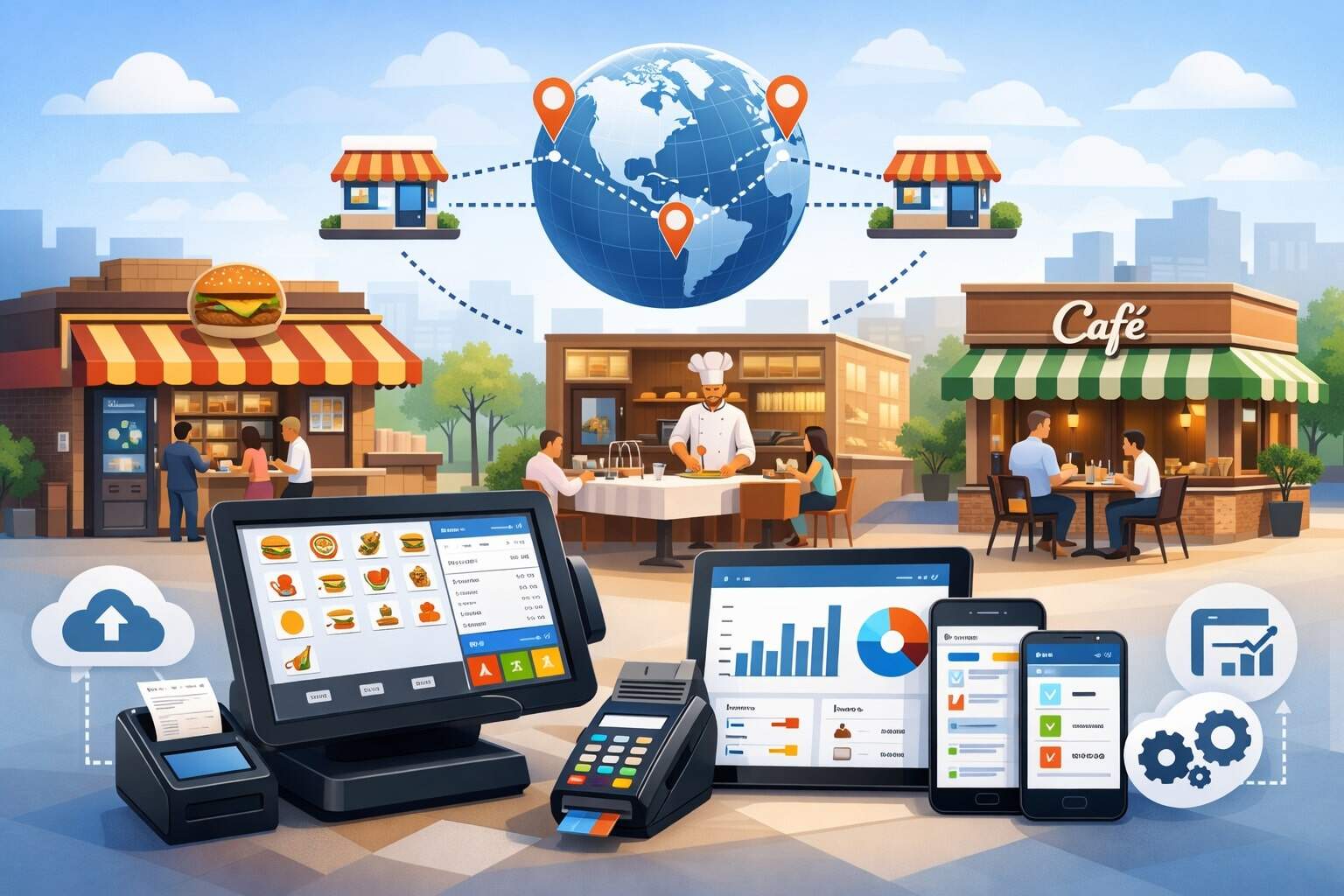
Running more than one restaurant location is exciting—and brutally complex. The moment you add a second store, you’re no longer just choosing a checkout screen. You’re choosing the operational backbone that controls menus, pricing, inventory, staffing, reporting, online orders, loyalty, and payment acceptance across every location.
That’s why a multi-location restaurant POS system isn’t simply “a POS that works in multiple stores.” It’s a platform designed for centralized control with local flexibility—so each location can move fast without breaking brand standards.
A modern multi-location restaurant POS system should let you manage everything from one place: menu updates, modifier rules, taxes, discounts, loyalty offers, gift cards, and employee permissions.
At the same time, it must handle local differences—like unique hours, regional pricing, location-specific items, or varying kitchen workflows. The best systems make it easy to roll out changes chain-wide in minutes, then track results by location, daypart, channel, and staff member.
This guide explains how restaurant POS systems for multi-location operations work, what features matter most, how to choose the right architecture, what the real costs look like, and how to plan implementation without downtime.
You’ll also see practical workflows, common mistakes, and future predictions shaping the next generation of the multi-location restaurant POS system—including AI-driven forecasting, smarter labor scheduling, and unified guest profiles across dine-in and off-premise channels.
Why Multi-Location Operations Need a Specialized Restaurant POS System
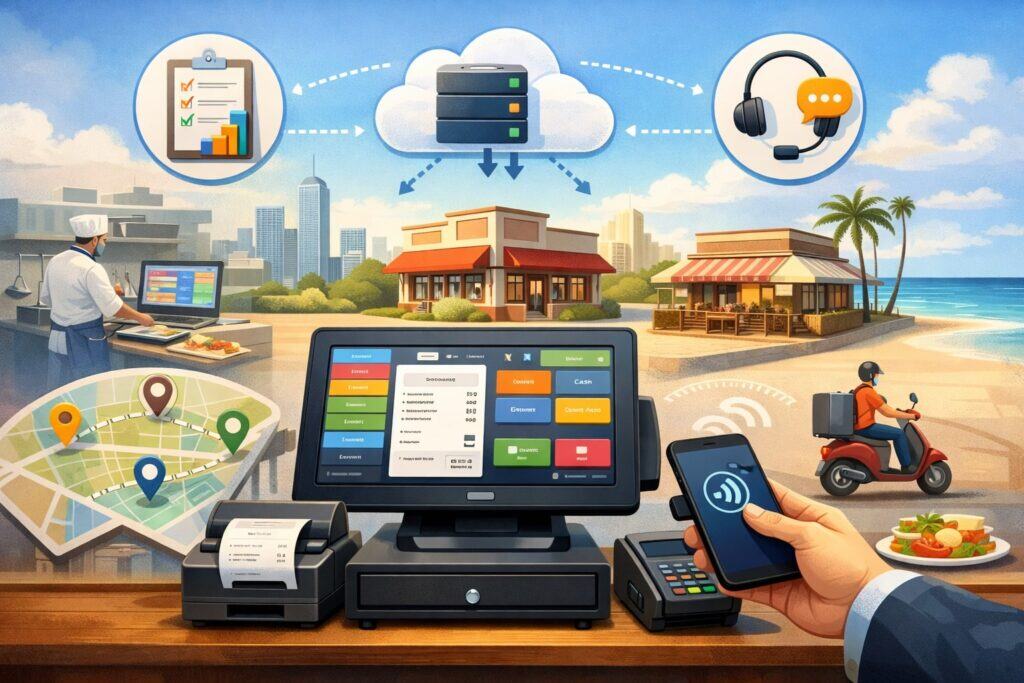
When you operate multiple locations, the problems aren’t just “more of the same.” Complexity multiplies. You deal with inconsistent execution, duplicated work, harder training, and reporting that doesn’t match across sites.
A multi-location restaurant POS system solves these issues by standardizing operations while still supporting store-level realities.
First, consistency matters. Guests expect the same menu names, modifiers, pricing logic, and loyalty rewards everywhere. If one store has outdated buttons or different combos, errors rise and brand trust slips.
With restaurant POS systems for multi-location operations, you can publish updates to every location from a central dashboard—without emailing spreadsheets or relying on managers to “remember to change it.”
Second, decision-making depends on comparable data. If each location tracks categories differently or exports reports in different formats, you can’t reliably compare food costs, labor, voids, comps, or ticket times.
A strong multi-location restaurant POS system uses unified data definitions so sales and performance metrics are consistent chain-wide.
Third, staffing becomes a bigger challenge with scale. You need role-based permissions, cross-location employee access (when appropriate), tip tracking, and scheduling integration. A multi-store environment also needs better controls: you must monitor refunds, discounts, and cash handling across multiple teams.
Finally, multi-location operations demand reliability. If the internet fails, you still need to take orders, accept payments (when possible), and keep service moving. The right multi-location restaurant POS system includes offline modes, durable hardware options, and sync logic that avoids data conflicts.
Core Architecture: Cloud POS vs Hybrid vs Legacy for Multi-Location Restaurants
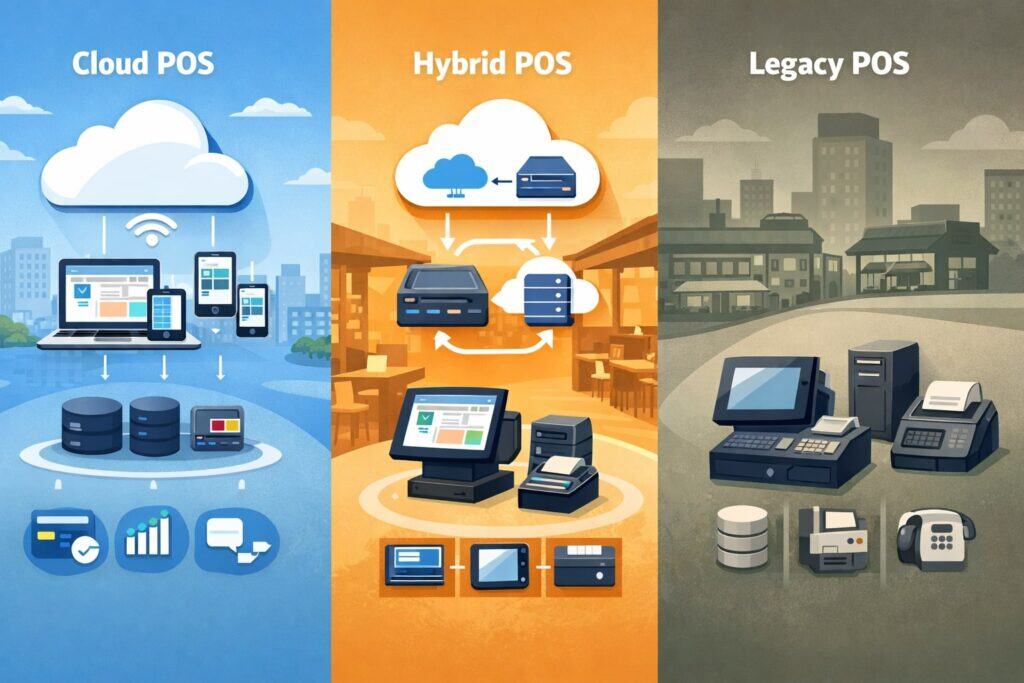
The architecture behind a multi-location restaurant POS system determines speed, scalability, and how painful updates will be. Most multi-store operators today lean toward cloud-first systems, but the best choice depends on concept type, network stability, and how much central control you want.
Cloud-First Multi-Location Restaurant POS System
A cloud POS stores configuration and reporting data in the cloud, with terminals syncing continuously. The benefit is centralized control: you can update menus, pricing, and permissions across all locations quickly.
Reporting is also easier because you don’t rely on each store to upload data manually. For restaurant POS systems for multi-location operations, cloud-first is usually the fastest route to standardization.
The key is resilience. A good cloud POS must keep selling if the connection drops. The best systems cache menus locally and queue transactions to sync later. You should also verify how online ordering, loyalty, and gift cards behave during outages.
Hybrid Architecture for Multi-Location Restaurants
Hybrid systems store critical functions locally while syncing to the cloud for centralized management and reporting. This can be ideal for restaurants with unstable connectivity or very high throughput where performance must remain consistent.
Hybrid can also provide more robust offline capabilities for payments and kitchen operations—depending on the processor setup.
Legacy On-Prem Systems
Legacy systems can still work, but scaling them across multiple locations often becomes expensive and slow. Updates require more manual effort, reporting is fragmented, and integrations are limited.
For growing brands, legacy setups typically create operational drag that shows up as training issues, inconsistent pricing, and delayed decision-making.
When selecting architecture, evaluate how your multi-location restaurant POS system handles menu publishing, data sync, offline operation, and centralized reporting. Architecture is not an IT detail—it’s the difference between scaling smoothly and fighting your tools every week.
Centralized Menu Management That Still Allows Location Flexibility
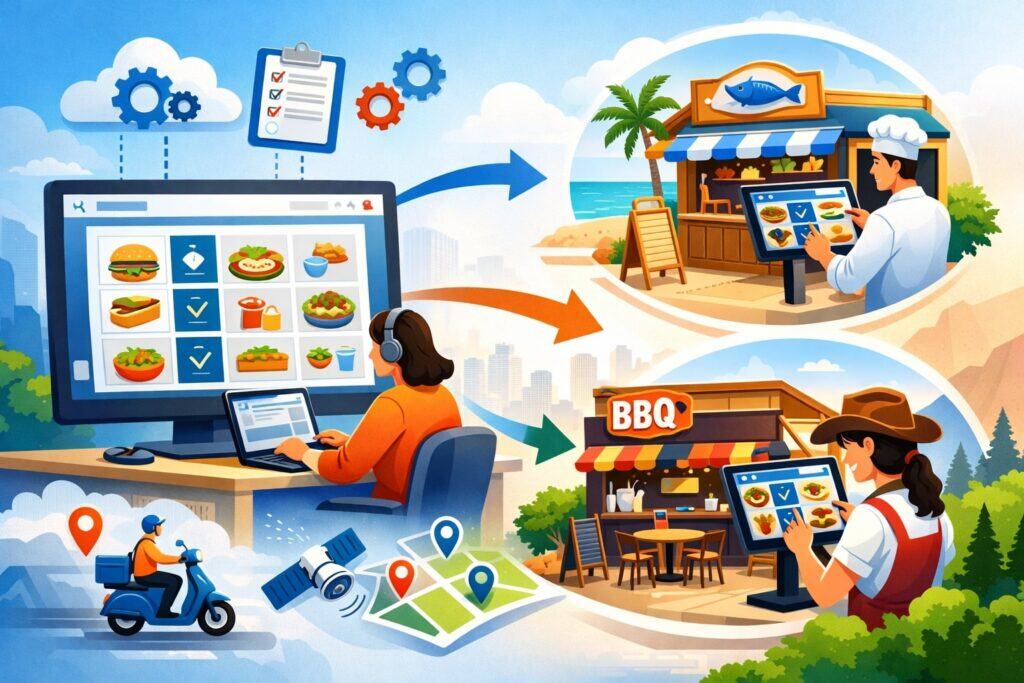
Menu management is one of the biggest reasons operators switch to a multi-location restaurant POS system. Multi-store menus evolve constantly: seasonal items, supplier changes, limited-time offers, pricing adjustments, and new combos. If changes require updating each terminal manually, you’ll lose time and introduce errors.
A true multi-location menu manager supports “global” menus and “location overrides.” Global menus define your standard items, modifiers, combos, and pricing logic. Overrides let a location add a local special, swap a modifier, or adjust pricing based on rent, labor, or demand.
The best restaurant POS systems for multi-location operations also support daypart menus—breakfast, lunch, late night—plus scheduled publishing so a promo starts automatically at the right time.
You also want robust modifiers and combo logic. Multi-store operations often require consistent build rules: “choose one protein,” “pick two sides,” “extra toppings,” “no onions,” “gluten-free bun,” and so on.
If each store implements these rules differently, kitchen errors spike and ticket times suffer. A quality multi-location restaurant POS system enforces modifier rules consistently across locations while allowing manager-level exceptions when necessary.
Finally, menu management must connect to channels beyond the counter: online ordering, kiosks, QR ordering, and third-party marketplaces. Without unified menu control, you risk mismatched pricing, missing modifiers, and unhappy guests who can’t customize properly.
This is why menu management is a core capability—not a nice-to-have—when selecting restaurant POS systems for multi-location operations.
Inventory and Recipe Costing Across Multiple Locations
Inventory is where multi-location profitability is won or lost. With multiple stores, you need visibility into usage, waste, transfers, and vendor pricing—without forcing managers to become accountants.
A strong multi-location restaurant POS system either includes inventory tools or integrates tightly with inventory platforms, but the important point is unified tracking.
For multi-location inventory, recipes matter. If your POS tracks sales by item but doesn’t link items to recipes, you can’t estimate theoretical food cost. Recipe costing ties each menu item to ingredients and portions, helping you compare theoretical vs actual usage.
That’s how you spot over-portioning, theft, and waste—especially when one location’s food cost is mysteriously higher than the rest.
Location-level inventory is also essential. Each store has unique demand patterns, storage limits, and vendor availability. Your multi-location restaurant POS system should support per-location par levels, different vendor catalogs, and different packaging sizes without breaking chain-wide reporting.
Transfers between locations are another multi-store reality. If one store is overstocked on a high-cost ingredient, you may transfer to another store. Inventory workflows should record transfers clearly so costs aren’t misattributed. The right system supports traceable adjustments and audit logs—critical for multi-location control.
When evaluating restaurant POS systems for multi-location operations, don’t settle for “basic inventory.” You want recipe-level insights, location-level controls, clean transfer workflows, and reporting that turns raw data into actionable decisions.
Payments, Pricing Rules, and Revenue Controls for Multi-Location Restaurants
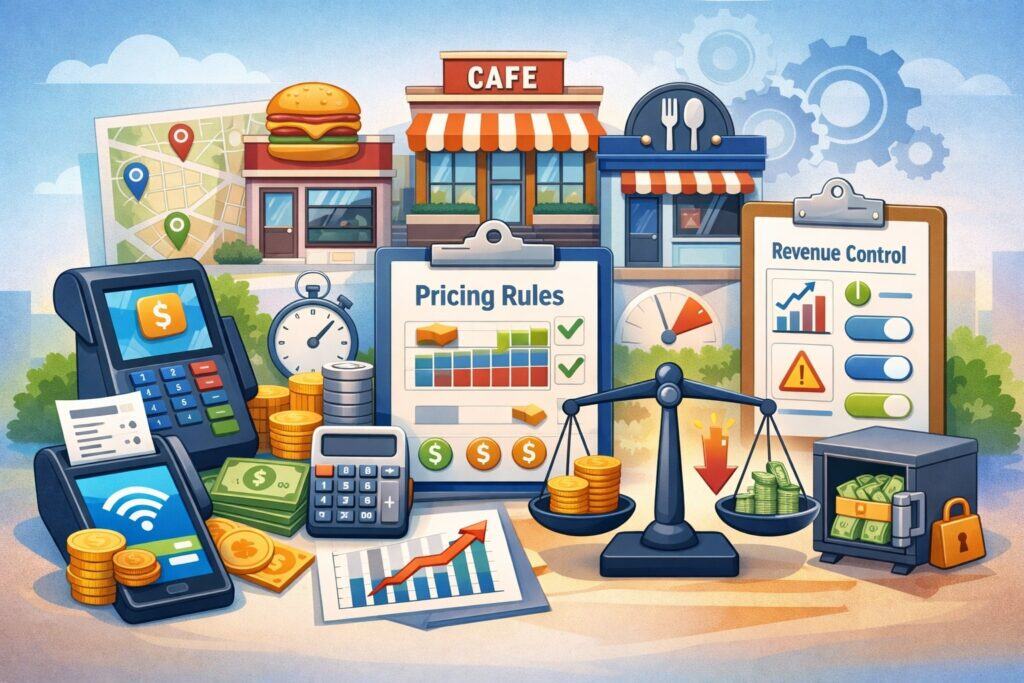
Payments are more than “taking cards.” For multi-store operators, payments influence guest experience, reconciliation, chargebacks, fraud risk, tipping accuracy, and reporting reliability. A multi-location restaurant POS system should support consistent payment acceptance across stores while accommodating location-specific needs.
You’ll want an EMV chip, contactless, mobile wallets, and tap-to-pay options (where supported). You also need support for split payments, partial payments, refunds, and store credits.
Multi-location operations often rely on standardized discounts and promo codes, but you also need rules: who can comp items, who can discount, and what requires manager approval. A good multi-location restaurant POS system offers permission-based controls and audit trails so you can track discount abuse or suspicious refund patterns.
Pricing rules matter too. Some brands keep pricing identical across all locations, while others adjust based on regional costs. A robust system supports chain-wide base pricing plus location overrides and scheduled price changes. That helps you handle limited-time offers without managers manually adjusting price buttons.
Reconciliation is a major factor. Multi-location reporting should match deposits and batch totals cleanly, with clear breakdowns by location, terminal, and cashier.
If you’re running multiple merchant accounts or a single consolidated account, your POS should support the reporting model you need. In many cases, growing operators choose consolidated reporting with location tagging so finance can reconcile faster.
For restaurant POS systems for multi-location operations, payment stability, transparency, and control are just as important as the user interface. Payments are where small leakage turns into big losses at scale.
Kitchen Display Systems, Prep Stations, and Ticket Time Consistency at Scale
Operational consistency is hard when each location has different staff experience levels, different kitchen layouts, and different rush patterns. This is where kitchen display systems (KDS) and smart routing become essential components of a multi-location restaurant POS system.
A modern KDS routes items to the correct prep station automatically: grill, fry, salad, bar, dessert, expo. It should support coursing, hold-and-fire rules, and modifiers that appear clearly (not buried). Multi-location brands benefit from standardized KDS layouts so training is repeatable. If every store’s kitchen screen looks different, you lose the advantage of scale.
Ticket times become a chain-wide performance metric when you have multiple locations. The best restaurant POS systems for multi-location operations let you track ticket time by station, order type, daypart, and channel.
That’s crucial because off-premise orders can overwhelm kitchens if not throttled. You should look for features like order pacing, prep time estimates, and capacity management—especially if you do high-volume takeout, delivery, or catering.
KDS systems also reduce errors. With clear item routing and modifier visibility, you cut remake rates and improve guest satisfaction. Many multi-location operators standardize their “rush mode” workflow using KDS alerts, expo screens, and color-coded timers so managers can spot bottlenecks quickly.
If your brand plans to grow, invest in KDS early. A reliable KDS integrated with a multi-location restaurant POS system is one of the fastest ways to improve speed, accuracy, and consistency across every location.
Multi-Channel Ordering: Dine-In, Online, Kiosk, QR, and Third-Party Delivery
Multi-location restaurants rarely rely on one channel. You’re taking orders at the counter, at tables, online, through kiosks, and through delivery marketplaces.
The challenge is keeping menus, pricing, and customer data consistent while preventing operational chaos. A strong multi-location restaurant POS system acts as the “source of truth” across channels.
The goal is a unified menu and modifier structure. If a guest can add extra toppings in-store but not online, satisfaction drops. If online pricing differs from in-store pricing unintentionally, trust suffers.
With restaurant POS systems for multi-location operations, you want the ability to publish menus to all channels from one central menu tool.
Order injection is another key concept. Online orders should flow directly into the POS and KDS without manual re-entry. That reduces errors and labor. For third-party delivery, the best setups use integrations or middleware to sync menus and automatically inject orders, while mapping modifiers correctly.
Channel throttling and scheduling becomes more important at scale. During peak hours, you may need to pause delivery orders at one location while keeping dine-in flowing. A capable multi-location restaurant POS system supports location-level channel controls—turning channels on/off, adjusting prep times, and setting capacity limits.
Finally, reporting should separate sales by channel without creating messy categories. Multi-location operators need clean visibility into which channels are profitable after fees, refunds, and labor impact.
Multi-channel functionality is now a core requirement for restaurant POS systems for multi-location operations, not an add-on.
Loyalty, Gift Cards, and Guest Profiles Across Locations
Loyalty is a growth engine for multi-location brands because it turns occasional guests into repeat customers across any location. But loyalty only works if it’s unified. A multi-location restaurant POS system should support chain-wide loyalty, gift cards, and guest profiles so customers can earn and redeem rewards anywhere.
A strong loyalty setup includes point earning rules, reward tiers, and targeted offers based on behavior. The best systems track spend, visit frequency, favorite items, and preferred channels. With that data, you can run smart promotions like “weekday lunch boost” or “win-back offers” for guests who haven’t returned in 30 days.
Gift cards are equally important. Guests expect gift cards purchased at one location to work at another. That requires centralized gift card management with fraud controls and clear reconciliation.
Multi-location reporting should show gift card liabilities, redemptions, and breakage estimates in a way that finance can actually use.
Guest profiles also support better service. When staff can see past orders, preferences, allergies, and loyalty status, experiences improve. However, permission controls matter. You want to protect sensitive data and ensure staff access is appropriate.
For restaurant POS systems for multi-location operations, unified loyalty and gift cards are more than marketing features—they are operational tools that increase repeat business and reduce friction across the brand.
Reporting and Analytics: What Multi-Location Operators Should Measure Weekly
The biggest advantage of a multi-location restaurant POS system is consistent reporting. But reporting only matters if it’s actionable. Multi-store operators should focus on a repeatable weekly dashboard that highlights performance differences, operational issues, and growth opportunities.
Start with sales performance by location, daypart, and channel. Compare dine-in vs off-premise mix and look for channel-driven margin shifts. Then track ticket size, items per ticket, and attach rates for high-margin add-ons like beverages, sides, and desserts.
Next, watch voids, comps, refunds, and discounts. Multi-location operations often discover “leakage” when one store has unusually high discount rates or refunds. A good system provides audit logs that tie actions to employees and time periods. That helps you coach managers and tighten controls.
Labor and productivity metrics should be integrated or easy to export: sales per labor hour, overtime risk, and staffing ratios by daypart. You also want ticket time metrics if you use KDS, because speed is a strong predictor of guest satisfaction and repeat visits.
Inventory and food cost reporting should tie into theoretical vs actual cost when possible. Even if your inventory tool is separate, your POS must categorize items consistently so you can compare location performance.
Finally, multi-location operators benefit from exception reporting. Instead of digging through dozens of reports, you want alerts: “Store B has refund rate 2x average” or “Store D has ticket times above threshold.”
The best restaurant POS systems for multi-location operations are moving toward insight-driven dashboards instead of static reports.
Security, Permissions, and Loss Prevention for Multi-Location Restaurants
As you add locations, your risk surface expands. More staff, more managers, more terminals, more cash drawers, and more opportunities for mistakes—or worse. A multi-location restaurant POS system must include strong security controls designed for real-world restaurant environments.
Role-based permissions are foundational. You should be able to restrict actions like voids, refunds, discount creation, payout adjustments, and “no sale” drawer openings.
Permissions should be granular, so a shift lead can approve a discount but cannot issue refunds. Every action should have an audit trail tied to a user, time, and terminal.
Multi-location access control matters too. Some employees may work multiple locations. Your system should support cross-location access where appropriate, while still limiting reporting and admin permissions. Central admins should manage templates for roles so new locations can be staffed quickly without reinventing permission sets.
Loss prevention also involves operational controls: forced modifier prompts (to prevent undercharging), manager approvals, and discount limits. Many multi-location operators also track suspicious patterns like repeat refunds on the same ticket size, frequent voids during specific shifts, or excessive “open item” usage.
Data security and compliance also matter—especially for payments. PCI practices, EMV support, secure device management, and encrypted transmission should be non-negotiable.
When restaurant POS systems for multi-location operations include strong security and auditing, they reduce shrinkage, speed up investigations, and improve accountability across every location.
Implementation Strategy: Rollout Without Downtime Across Multiple Locations
A multi-location rollout fails when operators treat it like a single-store install repeated multiple times. The better approach is staged, standardized, and measurable—so you can learn from the first rollout and refine before scaling to the rest.
Start by defining a “gold standard” configuration. This includes menu structure, modifier rules, taxes, discount logic, receipt formats, KDS routing, and permission roles. Build it once, test thoroughly, and use it as a template across locations. A multi-location restaurant POS system should make this templating easy—so new stores inherit a proven setup.
Next, run a pilot location. Choose a store with strong management and moderate volume—not your slowest or busiest. The pilot reveals issues in menu logic, reporting categories, hardware placement, and staff training. Document every fix so the next location goes faster.
Training must be role-based and repetitive. Cashiers need fast order workflows, servers need table management and splitting checks, and managers need reporting, void/refund workflows, and end-of-day processes. A smart multi-location restaurant POS system rollout includes job-specific checklists and quick-reference guides.
Finally, plan your go-live carefully. Schedule installs during low volume periods, run parallel processes if needed (especially for inventory and reporting), and ensure support coverage during the first rush.
A multi-location rollout is successful when each location launches faster than the last. That only happens when you standardize, measure, and improve every step.
Total Cost of Ownership: What Multi-Location Restaurant POS Systems Really Cost
When evaluating a multi-location restaurant POS system, many operators focus on the monthly subscription and forget the real cost drivers: hardware, implementation, integrations, training time, payment processing, and operational inefficiencies.
Monthly software fees typically scale by terminal or by location. Multi-store operators should ask about volume pricing, enterprise discounts, and whether features like KDS, online ordering, loyalty, and gift cards are included or priced separately. The “base plan” can look affordable until you add essential modules.
Hardware costs include terminals, receipt printers, cash drawers, kitchen printers (if used), handhelds, kiosks, routers, and mounting solutions.
Multi-location deployments also require consistency—standardizing hardware helps simplify training and support. Warranty coverage and replacement logistics matter because downtime in one location is lost revenue.
Integration costs can be significant. Accounting, payroll, scheduling, inventory, delivery integration, catering platforms, and BI tools may add monthly fees. You also need to consider setup fees and ongoing support.
A strong multi-location restaurant POS system reduces integration complexity by offering stable APIs and proven connectors.
Payment processing is often the biggest long-term cost. Rates, fees, chargeback handling, and funding timelines affect cash flow. Multi-location operators should evaluate transparency, reporting alignment, and support responsiveness—not just the headline rate.
The real goal is lower total cost through efficiency: faster menu updates, fewer order errors, stronger controls, and better reporting. The best restaurant POS systems for multi-location operations pay for themselves by reducing friction and improving consistency at scale.
Future Predictions: Where Multi-Location Restaurant POS Systems Are Headed
The next generation of the multi-location restaurant POS system is becoming less like a cash register and more like an operational intelligence platform. The direction is clear: unified commerce, smarter automation, and more predictive insights.
AI-driven forecasting is moving from “nice dashboards” to operational automation. Systems are increasingly using sales patterns, weather signals, local events, and historical trends to suggest staffing levels, prep quantities, and reorder points. For multi-location operators, this matters because small improvements multiply across stores.
Guest identity will become more unified across channels. Instead of separate profiles for dine-in, online, and delivery, platforms are pushing toward a single guest record that tracks preferences, loyalty, and behavior. That enables more personalized offers and better service consistency across locations.
Payments will continue to diversify. Expect deeper support for pay-at-table, handheld ordering, faster contactless flows, and more frictionless checkout experiences. Multi-location brands will increasingly optimize for speed and conversion—especially in high-volume concepts.
Integrations will become more standardized through better APIs and middleware ecosystems. Rather than building custom connectors per location, operators will demand plug-and-play integration that scales cleanly.
Finally, multi-location reporting will shift from static reports to exceptions and recommendations. The strongest restaurant POS systems for multi-location operations will highlight what’s wrong, why it’s happening, and what to do next—without forcing operators to dig.
FAQs
Q.1: What is the most important feature in a multi-location restaurant POS system?
Answer: The most important feature is centralized control with location-level flexibility. A multi-location restaurant POS system should let you manage menus, pricing, permissions, loyalty, and reporting from one dashboard, while still supporting overrides for unique location needs.
If you can’t roll out changes chain-wide quickly and confidently, you’ll waste hours and create inconsistency across stores.
Q.2: Can a multi-location restaurant POS system work offline?
Answer: Many can, but “offline” means different things depending on architecture. Some systems allow order entry and local printing, then sync later. Payment acceptance during outages depends on setup and risk controls.
For restaurant POS systems for multi-location operations, you should verify exactly what works offline: order entry, KDS, gift cards, loyalty, and payment processing.
Q.3: How do multi-location POS systems handle different taxes and pricing by location?
Answer: The best systems support tax rules and pricing at the location level, while still using a centralized menu structure. You can set base pricing chain-wide, then apply overrides for specific locations. This is a core expectation for a multi-location restaurant POS system because regional pricing differences are common.
Q.4: Do multi-location restaurant POS systems support third-party delivery integration?
Answer: Many do, either directly or through integration platforms that sync menus and inject orders into the POS. The key is accurate modifier mapping and reliable order injection into kitchen workflows.
For restaurant POS systems for multi-location operations, you also want channel controls so each location can pause or throttle delivery during peak hours.
Q.5: How long does it take to implement a multi-location restaurant POS system?
Answer: Implementation time depends on menu complexity, integrations, hardware needs, and training. A smart approach is to pilot one location, refine the template, then roll out faster to remaining sites.
The goal is repeatable deployment. A well-structured multi-location restaurant POS system rollout becomes quicker with each additional location.
Q.6: What reporting should multi-location operators review every week?
Answer: Weekly reviews should include sales by location and channel, ticket size, labor productivity, voids/refunds/discounts, ticket times (if using KDS), and top-selling items.
Exception reporting is especially valuable—flags for unusual refund rates or discount activity. Strong reporting is a major advantage of restaurant POS systems for multi-location operations.
Q.7: How do I prevent employee discount abuse across multiple locations?
Answer: Use role-based permissions, require manager approvals for sensitive actions, and audit every void/refund/discount with user logs. Multi-location operators also benefit from tracking patterns by store and shift. A multi-location restaurant POS system with granular controls and clear audit trails is the foundation of loss prevention.
Q.8: What should I prioritize if I plan to grow from 2 locations to 20?
Answer: Prioritize standardized menu management, scalable reporting, strong permissions, reliable integrations, and multi-channel support. Also ensure your system can handle templating so new locations launch quickly. Choosing the right multi-location restaurant POS system early prevents expensive migrations later.
Conclusion
A multi-store restaurant business needs more than a point-of-sale screen—it needs a platform that protects consistency, improves speed, and makes performance measurable across every location.
The right multi-location restaurant POS system centralizes menus, pricing rules, employee permissions, loyalty, gift cards, and reporting, while still giving each location the flexibility to operate efficiently in its local reality.
When evaluating restaurant POS systems for multi-location operations, focus on architecture (cloud vs hybrid), menu publishing with overrides, inventory and recipe support, payments and controls, KDS and ticket time tools, multi-channel ordering, and unified guest profiles.
Then judge the system by rollout success: can you standardize the first location, template it, and deploy faster to the next?
As multi-location brands expand, the winners will be the ones with operational clarity—clean data, consistent workflows, and tools that reduce friction. The future is moving toward predictive insights, smarter automation, unified guest identity, and exception-driven reporting.
If your multi-location restaurant POS system can deliver centralized control, reliable performance, and scalable integrations, it won’t just support growth—it will actively accelerate it.