
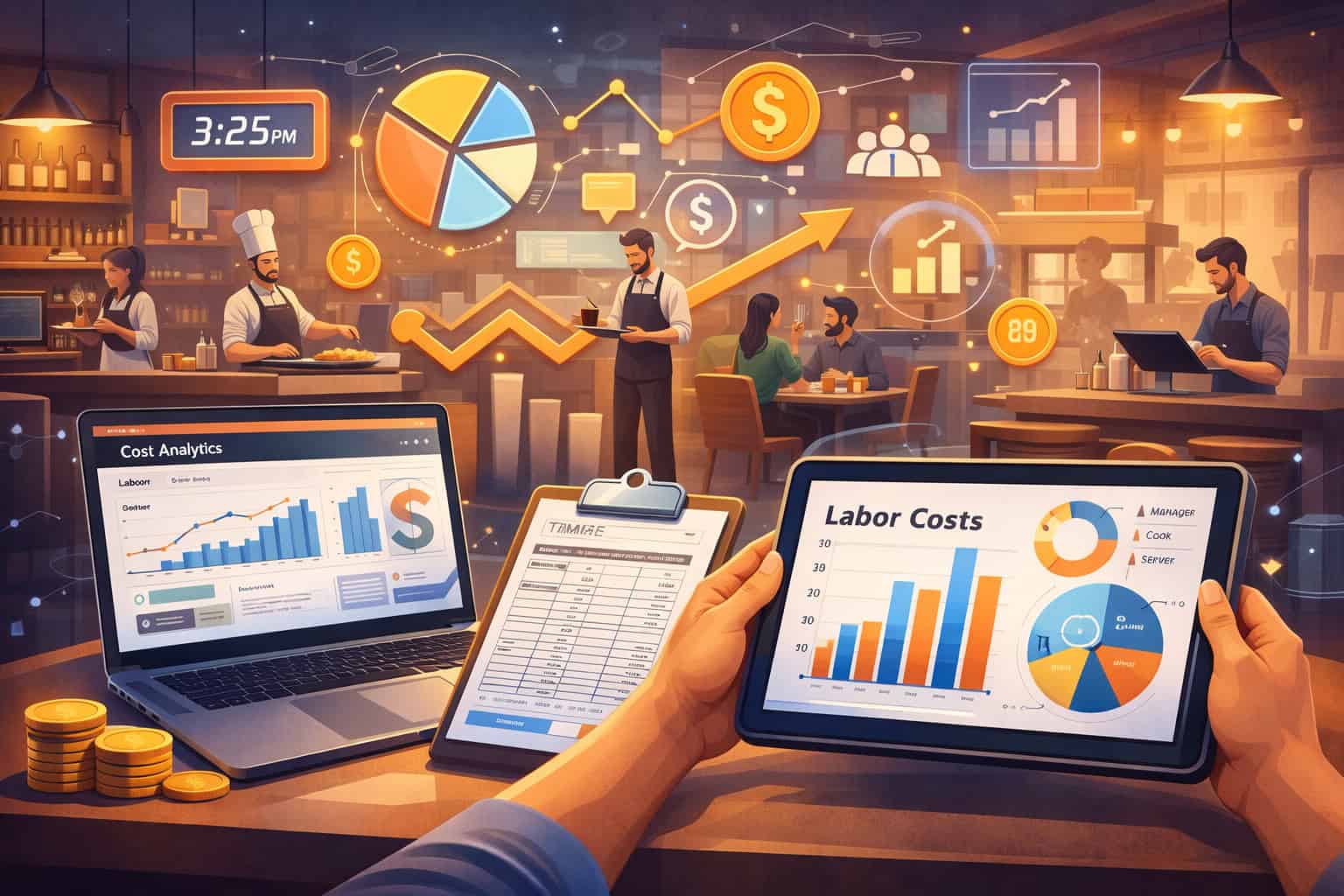
Labor cost analytics for restaurants is the discipline of measuring, explaining, and improving every labor dollar you spend—so staffing levels match demand, payroll stays compliant, service stays strong, and profit is protected even when wages rise and guest traffic swings.
If you’ve ever looked at a busy dining room and still felt “overstaffed,” or watched payroll blow up during a slow week, you already understand why labor cost analytics for restaurants matters. Restaurants don’t fail because one shift was expensive—they struggle because expensive shifts repeat, patterns go unnoticed, and decisions are made on instinct instead of evidence.
The good news is that modern labor cost analytics for restaurants can turn labor from a “fixed pain” into a controllable system. When you connect scheduling, time clock, POS sales, and role-based productivity targets, you can spot the exact hours, stations, and job codes that create variance.
You can also understand the “why”—weather, promotions, catering, sports nights, school schedules, local events, or menu complexity—and then act before the next schedule is posted.
This guide breaks down what to measure, how to build a clean data foundation, and how to translate analytics into labor decisions that improve margins without hurting guest experience.
It’s written for operators who want a practical, easy-to-run approach that scales from a single location to multi-unit groups—and it includes forward-looking predictions on how labor cost analytics for restaurants will evolve as automation and AI scheduling become more common.
Why Labor Cost Analytics for Restaurants Is Now a Survival Skill
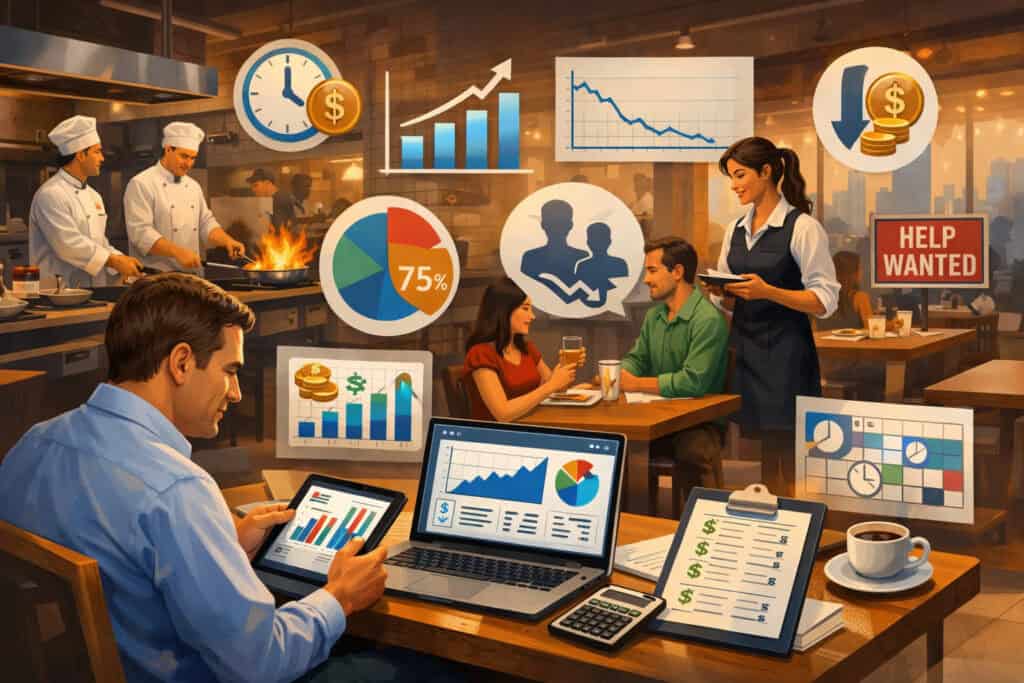
Labor cost analytics for restaurants used to be “nice to have.” Today it’s a survival skill because payroll is one of the largest and fastest-changing expenses in restaurant operations.
Industry benchmarks often place restaurant labor cost percentages in a wide range depending on concept, but many operators target something like the 20–30% zone—while certain service-heavy models run higher.
Some recent industry guidance cites targets like ~25% for quick-service and higher ranges for full-service and fine dining due to staffing intensity.
At the same time, the labor market has remained tight in many regions, and wage rules continue to evolve at the local and state level. That combination creates a “double squeeze”: labor costs rise while guests resist price increases.
Labor cost analytics for restaurants helps you respond with precision instead of panic. Instead of cutting hours across the board (and risking service failures), you identify the specific labor activities that don’t produce sales or guest value—and you redesign those activities.
The most important shift is moving from “What did we spend?” to “What did we get?” Labor cost analytics for restaurants connect labor dollars to outputs like revenue, tickets, covers, speed of service, online order volume, and guest satisfaction signals.
It also helps you protect the team: when you schedule better, you reduce burnout, reduce turnover, and avoid last-minute cuts that wreck morale. In other words, labor cost analytics for restaurants is not only about saving money—it’s about building a stable operating rhythm that can handle volatility.
The Labor Cost Analytics Scoreboard: Metrics That Actually Drive Decisions
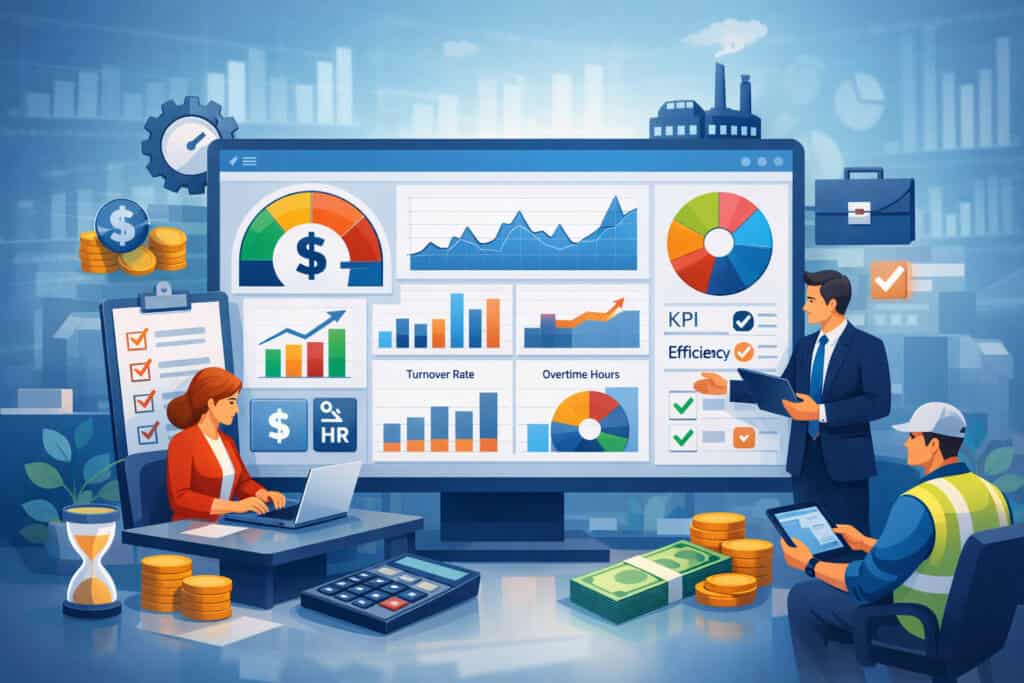
Labor cost analytics for restaurants works best when you standardize a scoreboard. Too many teams track one number (like labor %) and miss the story underneath. A strong dashboard uses a mix of cost, productivity, and quality indicators—because low labor cost with poor service is not a win.
Labor Cost Percentage and Prime Cost
Labor cost percentage is typically calculated as total labor dollars (wages + employer payroll taxes + benefits, and sometimes payroll-related fees) divided by total sales. It’s the headline metric because it’s simple and widely understood.
However, labor cost analytics for restaurants improves when you separate controllable labor (scheduled hours, staffing model, role mix) from less controllable components (taxes, benefit structure, mandated contributions). That separation keeps your team focused on decisions you can make this week.
Prime cost (food + labor) is often the real north star, because food inflation and labor inflation trade places as the “top pain.” If food costs spike, you may need labor productivity improvements to keep prime cost stable.
If labor spikes, menu and purchasing may need to carry more weight. Many operators now treat labor cost analytics for restaurants as a prime cost management system, not a payroll-only tool, especially as inflation pressures persist in the wider economy.
Sales per Labor Hour and Labor Dollars per Guest
Sales per labor hour (SPLH) turns labor into a productivity measure: revenue ÷ total labor hours. It’s one of the most useful metrics in labor cost analytics for restaurants because it reacts fast—daily, hourly, and by daypart.
You can use SPLH to compare lunch vs dinner performance, identify shifts that are chronically overstaffed, and set “guardrails” for managers before overtime starts.
Labor dollars per guest (or per cover) is powerful for full-service operations. When this number rises, it could mean your staffing model is too heavy, your table turns are slowing, or your average check is down.
It can also reveal hidden problems like host stand bottlenecks, kitchen timing issues, or overly complex prep workflows. Good labor cost analytics for restaurants treats these as operational signals, not just financial outcomes.
Building a Clean Data Foundation (So Your Analytics Isn’t Lying)

Labor cost analytics for restaurants is only as good as the data underneath it. Many restaurants believe they “have the data,” but the truth is that small inconsistencies—job codes, time clock habits, cash tips handling, break rules, void patterns—can distort conclusions. The goal is not perfect data; it’s reliable data that is consistent enough to guide decisions.
Start by standardizing job roles and pay types. If you have “Server,” “Server PM,” “Server Patio,” and “Server 2,” you’ll never get clean comparisons. Role sprawl is one of the biggest reasons labor cost analytics for restaurants feels confusing.
Consolidate roles into a practical structure: Front of House (server, host, bartender, runner), Back of House (line, prep, dish), and Leadership (shift lead, manager). Then add modifiers only when truly needed.
Next, align timekeeping to reality. Require clock-ins by job code (not just “clock in anywhere”), enforce meal breaks where applicable, and remove “buddy punching” through manager approvals or system controls.
Labor cost analytics for restaurants also improves when you track non-service activities like deep cleaning, inventory, receiving, training, and catering prep as separate codes. Otherwise, these tasks inflate your service labor and make busy shifts look “inefficient” when the real issue is misclassification.
Finally, connect systems. A labor dashboard without POS sales by hour is like driving at night without headlights. When scheduling, time clock, and POS are linked, labor cost analytics for restaurants can show you the exact hour your sales dipped while staffing stayed flat—so you can redesign shift start times, cut dead overlap, or move side work to slower windows.
Forecasting Demand: The Engine Behind Better Scheduling
If you want labor cost analytics for restaurants to create real savings, you need forecasting. Forecasting doesn’t need to be fancy. It needs to be consistent, explainable, and tied to how your restaurant actually operates. The biggest labor wins usually come from preventing “small overstaffing” that repeats every week.
Building a Practical Forecast Model
A practical forecast starts with historical sales by hour and daypart, then layers in known demand drivers: reservations, online orders, catering, promotions, and local events. Even basic scheduling platforms can use past sales patterns to generate a baseline forecast. Your job is to review and adjust—not rebuild from scratch every week.
Then you translate forecasted sales into labor targets. For example, you might set a target SPLH for each daypart. If lunch normally runs at $90 SPLH and dinner at $120 SPLH, your staffing targets should reflect that reality.
Labor cost analytics for restaurants makes this process visible: when SPLH collapses, you can trace whether it was a forecasting miss (sales lower than expected) or a scheduling miss (hours too high).
Variance Analysis: The Weekly Habit That Pays Forever
Variance is where labor cost analytics for restaurants becomes a habit, not a report. Each week, compare forecast vs actual: sales variance, labor hours variance, and labor dollars variance. Then label the causes.
Was it the weather? A local event cancellation? A manager scheduling “safe” with extra staff? A kitchen station running slower due to a new menu item? When you label variance consistently, you build a playbook. Over time, forecasting becomes more accurate, scheduling becomes more confident, and labor “surprises” shrink.
Scheduling Optimization: Turning Analytics into a Better Floor Plan
Scheduling is where labor cost analytics for restaurants turns into cash. The schedule is your labor budget in disguise. And the biggest scheduling mistake is treating labor as “headcount” instead of a flow system that must match the flow of guests and orders.
A high-performing schedule uses role-based staffing curves. Instead of one big shift block, you design starts and ends around daypart ramps. Hosts ramp before the rush. Runners overlap at peak. Prep starts early and tapers. Dish spikes after peak. Managers should be strongest at transitions, not only at the busiest hour.
Labor cost analytics for restaurants helps you see these curves. When you overlay labor hours against sales by hour, you can spot three common leaks:
- Dead overlap: too many people on during slow shoulder hours.
- Late cuts: staff stays an extra hour because side work wasn’t structured.
- Early starts: opening teams arrive too early “just in case.”
A practical improvement is to standardize shift templates and then adjust based on forecast. Another improvement is cross-training. When staff can float between roles, you can schedule fewer total hours while still covering surprises.
Recent operator surveys emphasize cross-training and smarter scheduling as top strategies to manage labor costs rather than simple headcount cuts.
Labor cost analytics for restaurants also supports better manager behavior. If managers are measured only on labor %, they may cut too aggressively and damage service. If they’re measured on labor % and guest outcomes (ticket times, refunds, complaints), they’ll learn to optimize, not just reduce.
Wage, Tips, and Compliance: Analytics That Prevent Expensive Mistakes
Compliance is an underrated part of labor cost analytics for restaurants. One wage-hour mistake can erase months of labor savings. That’s why your analytics should include compliance alerts—especially around overtime, tipped wages, and role-based work.
Tipped Wage Rules and Tip Credit Complexity
Tipped wage rules vary widely by state and locality, and they change over time. The wage and hour agency maintains a state-by-state tipped minimum wage reference that is updated regularly (its tipped employee page shows revision timing and state notes).
Labor cost analytics for restaurants should not try to “guess” compliance; it should flag conditions where you need to confirm current rules for your exact location.
Also, tip credit guidance has seen regulatory and court activity in recent years. Some updates and litigation have affected how side work and tipped duties are treated, including changes to certain federal tip credit regulation language in late 2024, as discussed by legal analysis sources.
Because legal interpretations can shift, the smart approach is to build job codes and side work tracking that clearly documents what work was performed and when, so you can defend your practices.
Overtime Thresholds and Legal Uncertainty
Overtime rules can also shift through regulation and litigation. The wage-hour agency published a final overtime rulemaking that increased salary thresholds on July 1, 2024 and again on January 1, 2025 according to the agency’s rulemaking page.
At the same time, legal commentary has noted court decisions affecting parts of that rule, creating uncertainty in how it applies across time and jurisdictions.
For labor cost analytics for restaurants, the practical takeaway is simple: track overtime hours daily, set alerts before someone crosses thresholds, and keep exemption classifications reviewed by qualified professionals.
Don’t “optimize” labor by pushing managers into risky classifications. The best analytics strategy prevents payroll spikes and compliance exposure at the same time.
Role-Based Labor Analytics: FOH, BOH, and Leadership Each Behave Differently
Labor cost analytics for restaurants become more accurate when you stop treating labor as one bucket. FOH, BOH, and leadership have different drivers, and they respond to different levers.
FOH labor is often tied to guest volume, service model, and check average. If FOH labor % rises, it may be because average checks fell, covers fell, or staffing didn’t flex.
For full-service, server sections, host pacing, and bar throughput have a bigger impact than simply “hours.” Analytics should include covers per server hour, bar sales per bartender hour, and support labor alignment (runners, bussers) at peak periods.
BOH labor is often tied to menu complexity and throughput efficiency. Analytics should include tickets per kitchen labor hour, prep hours vs sales mix, and waste/rework indicators. If your menu gets more complex, BOH staffing must rise—or your ticket times will blow up.
Labor cost analytics for restaurants helps you quantify that tradeoff so you can decide whether to simplify the menu, change prep processes, or adjust pricing.
Leadership labor is about control and execution. If manager labor is high, you might be using managers as expediters, cashiers, or trainers because the system is broken.
Analytics should track leadership hours separately and tie them to outcomes: staff retention, schedule stability, speed of service, and comps. Often, the most profitable restaurants spend more on leadership and less on waste because execution is tighter.
Menu Engineering Meets Labor Cost Analytics for Restaurants
Many operators do menu engineering focused on food cost and popularity, but labor is the hidden cost of every plate. Labor cost analytics for restaurants becomes much more powerful when menu decisions include prep labor, cook time, station congestion, and training effort.
Start by mapping high-labor items. Items with complex plating, multiple components, or long cook times create labor pressure during peak hours.
You may not feel this as “labor cost” on the P&L immediately—you feel it as slower ticket times, more staffing needed, and more mistakes. Analytics can estimate labor impact by tracking station ticket volume, average make time, and staffing changes when those items are featured.
Then link menu mix to staffing. If a promotion shifts orders toward labor-heavy items, your BOH SPLH and ticket times will change. This is where labor cost analytics for restaurants protects you: you can plan staffing for the promo instead of being surprised after payroll closes.
You can also use labor analytics to redesign the menu for operational simplicity. Many restaurants improve profit not by cutting staff, but by reducing the operational “tax” of complexity.
That can mean batch-prep strategies, par level adjustments, simplifying garnishes, or moving a slow station item to a different station. Done correctly, labor cost analytics for restaurants supports better guest consistency while lowering labor hours per plate.
Technology Stack: What Tools Power Modern Labor Cost Analytics for Restaurants
You don’t need an expensive tech stack, but you do need the right connections. The minimum viable stack for labor cost analytics for restaurants usually includes:
- POS with sales by hour, daypart, channel (dine-in, delivery, pickup)
- Time clock with job codes and break tracking
- Scheduling with forecasting and labor targets
- Payroll system that exports clean labor dollars by category
- Reporting layer (even a simple dashboard) that merges these feeds
Modern platforms often provide labor benchmarking guidance and emphasize payroll percentage targets by concept type, which can help you set realistic expectations and avoid comparing your full-service restaurant to a quick-service model.
Once the basics are in place, advanced tools can add value: demand forecasting that incorporates reservations and weather, AI-assisted scheduling, real-time labor alerts, and staff performance dashboards. But the most important factor is adoption. A powerful tool that managers don’t use produces worse outcomes than a simple tool used consistently.
Labor cost analytics for restaurants should also include security and data discipline. Limit who can edit time punches. Require approval workflows. Audit overrides weekly. Small controls prevent big errors.
And if you operate multiple locations, enforce consistent job codes and reporting definitions—otherwise multi-unit analytics becomes a misleading comparison game.
Labor Planning for Growth: Multi-Unit Benchmarking That Doesn’t Backfire
Multi-unit operators often have more data, but not always better decisions. Labor cost analytics for restaurants at scale requires one key principle: benchmark like-for-like.
A downtown location with high foot traffic and smaller dining room will not behave like a suburban location with larger parties and weekend spikes. If you compare them directly, you’ll pressure one team to copy a model that doesn’t fit.
The right approach is to benchmark by concept type, volume band, and service model. Then compare a small set of standardized KPIs: labor %, SPLH, overtime hours, manager hours as % of total, and turnover rate. Use rolling 4-week averages to smooth noise.
When you spot a “best performer,” don’t assume they’re simply “better at labor.” Use labor cost analytics for restaurants to inspect how they win. Do they have tighter shift start times? Better cross-training? Faster pre-shift setup? A simpler menu? Lower turnover? Then turn those factors into operating standards.
Industry outlook reports project continued growth in restaurant sales and employment levels, but also highlight ongoing pressure from labor costs and staffing challenges—meaning benchmarking and execution discipline will likely matter even more.
Future Predictions: Where Labor Cost Analytics for Restaurants Is Headed Next
Labor cost analytics for restaurants is moving from “after-the-fact reporting” to “real-time decisioning.” The next phase is systems that detect variance mid-shift and recommend actions: delay a break, call in a cross-trained employee, pause online ordering temporarily, or shift prep tasks to a quieter window. As data quality improves, these recommendations will become more reliable.
Expect three major trends:
1) AI Scheduling Becomes the Default (But Humans Still Lead)
AI will increasingly generate first-draft schedules based on forecasts, availability, labor laws, and historical performance. Managers will shift from building schedules to supervising them. The restaurants that win will be the ones that maintain human judgment—because community events, team dynamics, and guest expectations can’t be fully captured in data.
2) Labor Analytics Will Expand Into Service Quality Signals
Operators will tie labor cost analytics for restaurants directly to guest outcomes: ticket times, order accuracy, refunds, and even reputation signals. This will reduce the old conflict between “finance wants lower labor” and “operations wants more staff.” The best teams will optimize for “labor efficiency with stable service,” not minimal labor.
3) Compliance Automation Will Get Stronger
As rules change across states and cities, compliance risk rises. Expect more automated alerts for break violations, overtime risk, and tipped wage conditions that need attention. Since official guidance and rules can be updated frequently, systems that reference up-to-date rule libraries will become more valuable than static spreadsheets.
In short: labor cost analytics for restaurants will become more predictive, more automated, and more tightly connected to the guest experience—while still requiring disciplined operators who understand what the numbers mean on the floor.
FAQs
Q.1: What is the ideal labor cost percentage for restaurants?
Answer: There isn’t one universal number because labor cost analytics for restaurants depends on concept type, service model, location, and sales volume. Many operators aim for ranges that often land somewhere around the 20–30% zone, but quick-service and full-service can differ meaningfully.
Some industry guidance cites targets like ~25% for quick-service, with full-service and fine dining commonly higher due to staffing needs. The better approach is to set a target based on your historical performance, then tighten variance by daypart and channel.
Q.2: How often should I review labor cost analytics?
Answer: Daily reviews catch problems early, but weekly reviews build the playbook. A practical cadence is: daily checks for overtime risk and major labor variance, weekly variance labeling (forecast vs actual), and monthly trend reviews for staffing model changes. Labor cost analytics for restaurants works best when it’s a routine—like inventory counts—not a crisis response.
Q.3: What’s the fastest way to reduce labor cost without hurting service?
Answer: The fastest safe wins usually come from fixing schedule curves: reducing dead overlap, tightening shift start times, structuring side work, and improving cross-training so fewer total hours cover the same demand.
Operator surveys frequently highlight better scheduling and cross-training as preferred strategies over blunt headcount cuts. Labor cost analytics for restaurants helps you pinpoint where those wins exist rather than guessing.
Q.4: Do I need special software for labor cost analytics for restaurants?
Answer: You need connected data more than fancy software. Start with POS hourly sales + time clock job codes + a scheduling tool that supports labor targets. Even simple dashboards can work if your definitions are consistent.
As you scale, software becomes more helpful for automation and real-time alerts—but only if managers use it consistently.
Q.5: How do tipped wages affect labor cost analytics?
Answer: Tipped roles can make labor look lower or higher depending on how you classify wages, tips, and tip credit. Because tipped wage rules vary by location and can change, labor cost analytics for restaurants should include compliance checks and clear job codes for tipped vs non-tipped work.
Official resources provide updated state-by-state references and revision timing. When in doubt, verify current rules for your area with authoritative guidance.
Conclusion
Labor cost analytics for restaurants is not about squeezing labor until your team breaks. It’s about aligning labor with demand, making productivity visible by role and hour, and building a scheduling system that prevents recurring payroll leaks.
When you track the right scoreboard—labor %, SPLH, labor per guest, overtime risk, and variance by daypart—you stop fighting the same problems every week.
The biggest difference between struggling operators and winning operators is not effort—it’s feedback. Winners use labor cost analytics for restaurants to get fast feedback, label the real causes of variance, and make small schedule and process changes that compound into major savings.
They also protect themselves with compliance-aware analytics, because avoiding one wage-hour mistake can be worth more than weeks of labor trimming.
Looking forward, labor cost analytics for restaurants will become more predictive and automated, but the advantage will still belong to the teams who keep their data clean, their operating definitions consistent, and their decisions grounded in what’s happening in the kitchen and on the floor.
If you build the habit now—forecast, schedule to targets, review variance, and improve one lever at a time—you create a restaurant that can handle wage shifts, demand swings, and growth without losing control of payroll or service.