By cloudrestaurantmanager January 4, 2026
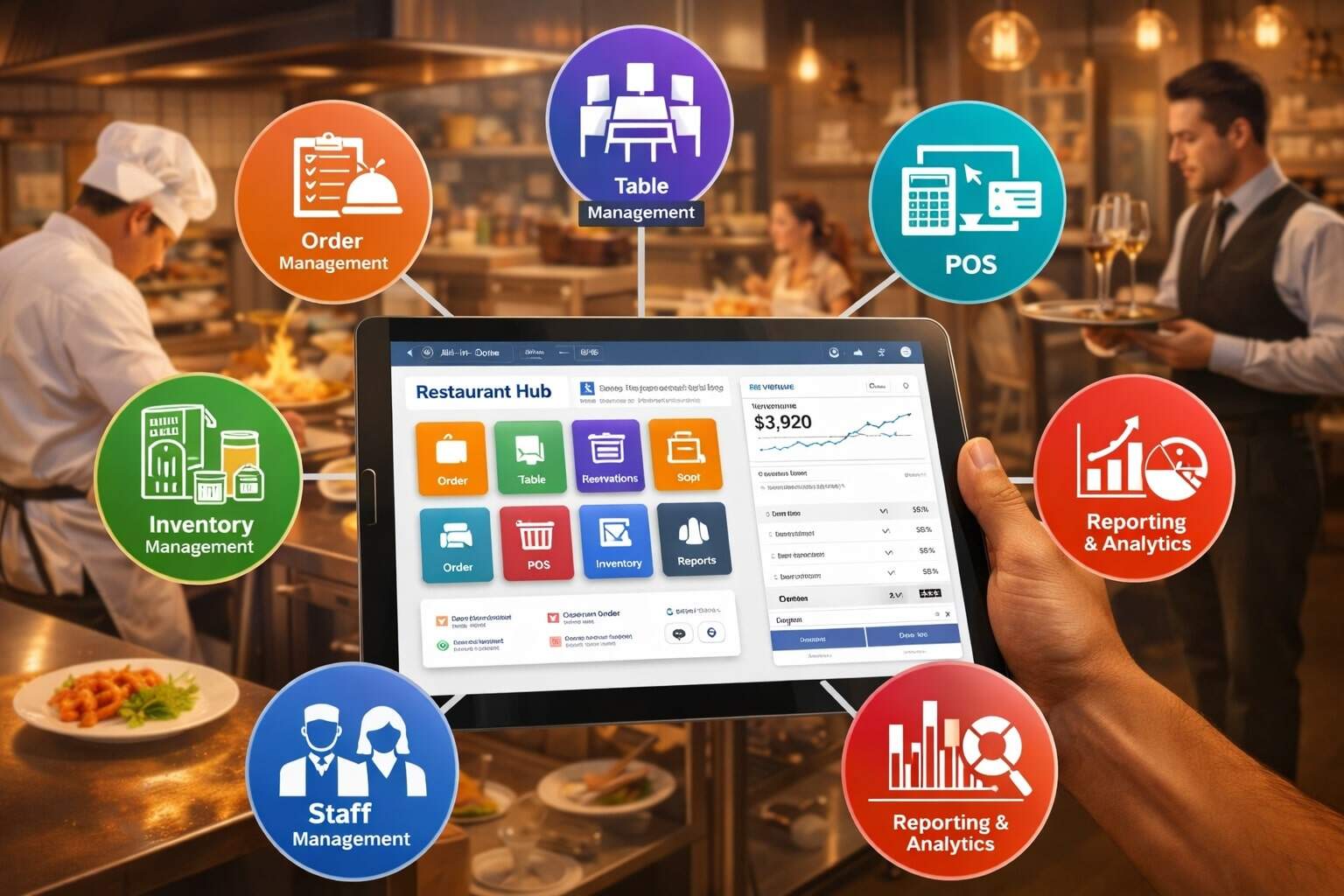
All-in-one restaurant management software is a single, connected system that runs the core of your restaurant—point of sale, online ordering, menu updates, inventory, labor, reporting, guest data, and payments—without forcing you to stitch together a dozen apps.
For owners and operators, the value is simple: fewer manual steps, fewer mistakes, faster service, clearer numbers, and more predictable margins.
Modern all-in-one restaurant management software matters because restaurants don’t operate in one channel anymore. Guests order at the counter, at the table, on a kiosk, through a QR code, on your website, and through third-party delivery marketplaces.
If each channel uses a different tool, you end up with inconsistent menus, wrong modifiers, missing tickets, duplicated labor, and messy accounting. A true all-in-one restaurant management software stack keeps the menu “single source of truth,” pushes pricing updates everywhere, and ties every order back to the same reporting and cost controls.
The best all-in-one restaurant management software also supports the realities of today’s operations: persistent labor pressure, rising input costs, more digital orders, and a growing need for loyalty that actually drives repeat visits.
Industry coverage going into 2026 shows operators prioritizing AI, labor efficiency, and loyalty, with automation used strategically—not just as a novelty.
If you’re comparing platforms or building a tech plan for a new location, this guide breaks down how all-in-one restaurant management software works, what features actually matter, what to avoid, and what the next wave (2026 and beyond) is likely to bring.
What “All-in-One” Really Means (And What It Does Not Mean)
“All-in-one restaurant management software” is often used loosely in marketing. In practice, it should mean your front-of-house and back-of-house tools share the same data model, the same permissions, and the same reporting layer.
When a server rings in an item, the system should automatically update sales analytics, decrement inventory (if you track ingredients), adjust menu performance reports, and feed accurate labor-to-sales dashboards.
When you change a menu price, it should update across in-store POS, online ordering, kiosks, and delivery channels without rebuilding the menu five different times.
A real all-in-one restaurant management software platform also reduces the number of logins your team uses. Instead of separate tools for payroll, scheduling, online ordering, loyalty, gift cards, and analytics, you get a unified admin.
Some platforms are increasingly bundling “team management” and payroll directly into the restaurant platform so hiring, scheduling, and paying employees are connected to POS activity and compliance rules. Toast, for example, positions payroll and team management as integrated with its restaurant POS ecosystem.
What all-in-one restaurant management software does not mean is that you will never use integrations. Even the strongest platforms still connect to accounting, reservations, email marketing, and delivery marketplaces.
The difference is this: integrations should be optional enhancements, not the foundation that holds your restaurant together. If your “all-in-one” depends on fragile connectors for basic operations, you’re buying complexity, not simplicity.
Core Components of All-in-One Restaurant Management Software
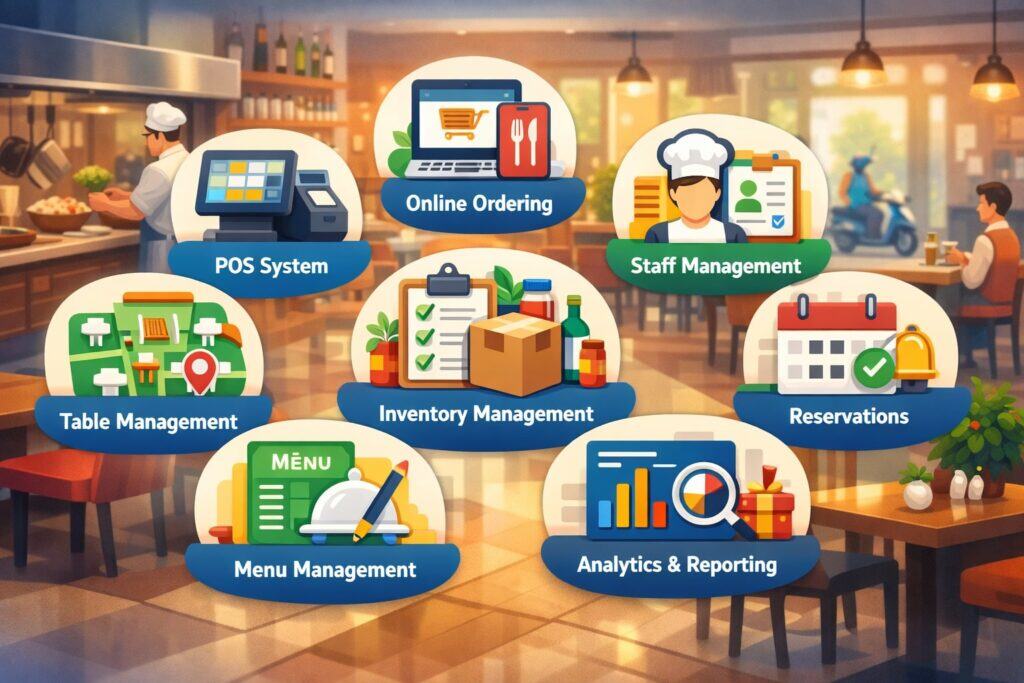
A strong all-in-one restaurant management software suite typically includes a set of tightly linked modules. The point is not having the longest feature list—it’s having features that share data cleanly, without manual reconciliation.
POS and Payments That Don’t Break Your Workflow
At the heart of all-in-one restaurant management software is the POS: order entry, modifiers, coursing, seat numbers, split checks, discounts, void controls, cash management, and tip handling.
For fast service, it must be quick, forgiving, and designed around speed. For full service, it must handle table management, pacing, and complex payments without slowing down staff.
Payments are not just “accept cards.” Modern restaurant payments require contactless options, stored cards for tabs, digital receipts, refund controls, chargeback workflows, and robust tip reporting. Increasingly, platforms bundle payment processing into the core product to control the end-to-end experience.
The upside is fewer moving parts and simpler support. The tradeoff can be reduced flexibility in choosing processors.
Operationally, the POS should also support offline modes or graceful degradation during outages, because even short downtime can destroy a dinner rush.
When evaluating all-in-one restaurant management software, ask how it handles connectivity loss, how it queues tickets, and how it reconciles transactions when the system comes back online.
Online Ordering, QR Ordering, and Kiosks From the Same Menu
If you’re selling food digitally, you need ordering channels that share the same menu structure as your POS. Otherwise, you’ll fight “modifier drift,” where online options don’t match what the kitchen can produce. A reliable all-in-one restaurant management software platform lets you build one menu and deploy it everywhere.
Many vendors are consolidating omnichannel order management into a single view, so staff can handle web orders and delivery marketplace orders alongside in-store tickets. Square, for example, has communicated product updates that emphasize consolidated order handling and improved online selling workflows, including a more unified orders experience.
Kiosks are also evolving. For high-volume restaurants, kiosks reduce line pressure and can increase average tickets by guiding guests through upgrades and combos.
Platforms are expanding kiosk capabilities to better handle large menus and faster filtering, which is a practical detail that matters when you have hundreds of items or seasonal rotations.
Kitchen Display Systems and Production Visibility
A kitchen display system (KDS) is often the difference between chaos and control. All-in-one restaurant management software should route tickets intelligently—by station, course, service mode, and promise time.
It should show delays, bottlenecks, and remake reasons. It should help you spot where service is breaking: expo timing, fry station load, or ticket duplication from multiple ordering channels.
When KDS is integrated, you also get better reporting: true ticket times by station, peak load analysis, and item prep time patterns. That data is gold for staffing, menu design, and training.
Some platforms are known for deep KDS integration and operational analytics baked into the same environment as the POS—reducing the “blame game” when things go wrong.
Inventory, Recipe Costing, and Purchasing Controls
Food costs don’t drift slowly—they jump, especially with supply volatility. All-in-one restaurant management software should help you protect margin by tracking inventory, mapping ingredients to menu items, and reporting theoretical versus actual usage.
Even if you don’t do full recipe costing, basic inventory controls (counts, variance, waste tracking, vendor invoices) pay for themselves fast.
The key is usability. If inventory is painful, teams stop doing it. Look for workflows that match how restaurants actually operate: quick counts, barcode support, vendor catalog imports, and alerts for high-variance items.
When inventory is integrated with sales data, you can identify problems early—like portioning issues, theft risk, or a prep recipe that’s being made incorrectly.
Labor Scheduling, Time Tracking, and Payroll Connections
Labor is one of your biggest controllable expenses, and it’s also your biggest operational constraint. All-in-one restaurant management software should support scheduling, time clocks, break compliance, tip pooling rules, overtime alerts, and role-based wage tracking.
A growing trend is using automation and AI to improve labor forecasting and retention workflows—reducing manager time spent on scheduling and admin. Coverage of restaurant tech priorities highlights labor as a top focus area alongside AI and loyalty.
Some platforms integrate payroll and team management as a first-class product rather than an add-on integration, which can simplify onboarding, taxes, and wage reporting. Toast describes its payroll and team management as integrated with its restaurant POS environment for hiring, paying, and retaining teams.
Reporting, Analytics, and Decision Dashboards
Your all-in-one restaurant management software must make numbers actionable, not just available. You want daily sales summaries, category performance, item contribution, discounts/voids, comps, labor-to-sales, ticket times, channel mix, and peak-hour throughput. For multi-unit groups, you need consistent metrics across locations and clean consolidation.
The best reporting also supports “why,” not just “what.” If delivery sales spike but margins fall, the system should help you trace it: fees, promo discounts, missing modifiers, or overtime costs. When analytics are connected to inventory and labor, you get true operational intelligence rather than vanity reports.
Guest Data, Loyalty, and Marketing Built for Restaurants
Loyalty should not be a punch card with fancy branding. Effective loyalty in all-in-one restaurant management software uses purchase patterns, visit frequency, and offer testing to drive repeat behavior. That’s why restaurant operators and tech leaders keep putting loyalty at the center of tech priorities.
The future direction is personalization—offers tailored to what guests actually buy. Major brands are publicly leaning into AI-powered personalization engines for restaurant offers and upsells, showing where the market is headed.
Why Restaurants Are Moving to All-in-One Restaurant Management Software Now
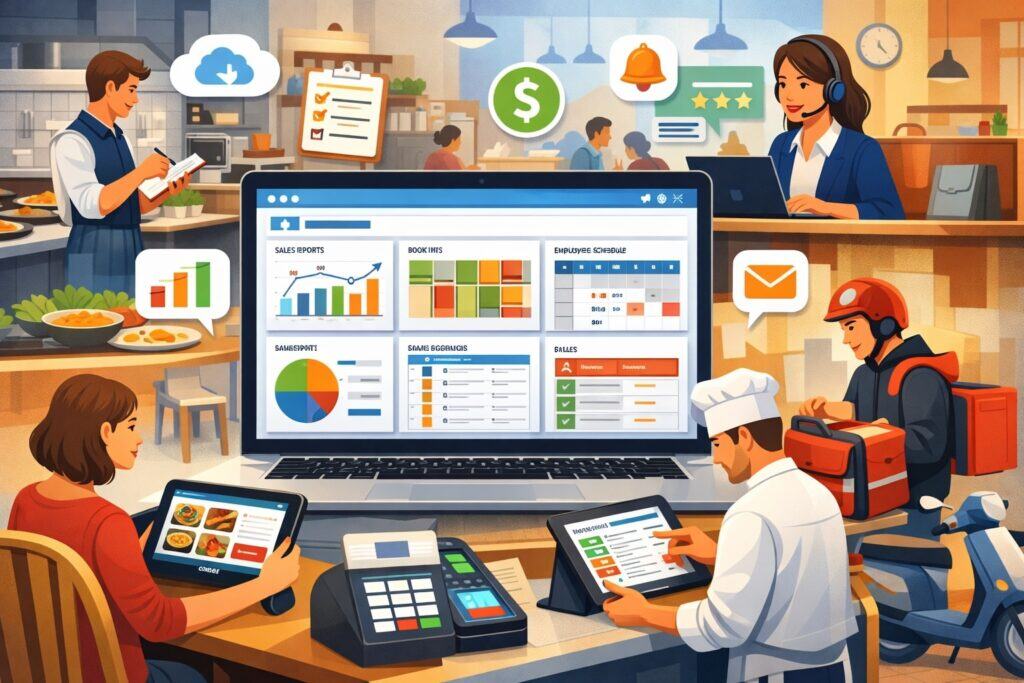
Restaurants aren’t adopting all-in-one restaurant management software just because it’s “new.” They’re doing it because the operational math has changed. Labor is still tight. Digital ordering is normal. Costs are volatile. Guests expect frictionless experiences. And competition is intense in almost every metro.
The old model—POS here, online ordering there, spreadsheets for inventory, a separate scheduling app, and a patchwork of reports—creates a hidden tax. That tax shows up as wrong orders, slow service, missed prep, inventory shrink, inconsistent menu pricing, staff burnout, and hours wasted reconciling data.
All-in-one restaurant management software also improves resiliency. When your ordering channels, kitchen routing, and reporting are in one ecosystem, you can pivot faster.
Add a seasonal menu? Update it once. Launch a limited-time bundle? Push it across all channels in minutes. Train a new manager? One admin experience, one set of permissions, one playbook.
Looking toward 2026, industry discussions emphasize a shift from constant reaction to more intentional, strategic operations—where automation supports value, experience, and profitability. That mindset favors integrated systems rather than brittle stacks of disconnected apps.
Key Benefits of All-in-One Restaurant Management Software (With Real Operational Impact)
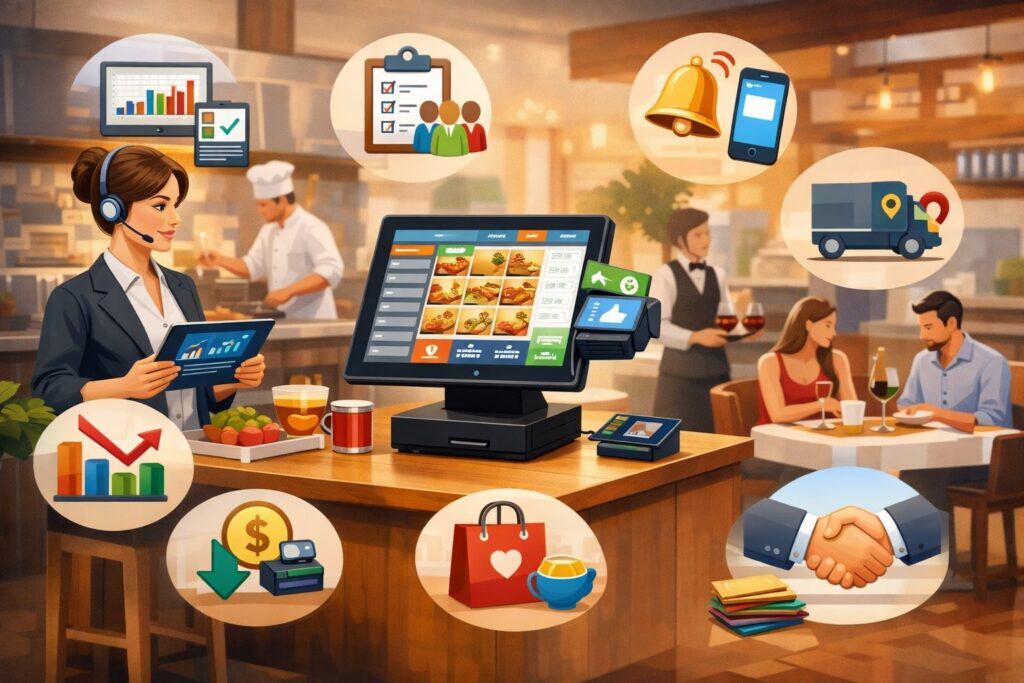
The benefits of all-in-one restaurant management software are often described in vague terms like “efficiency.” Let’s translate that into restaurant realities.
First, you reduce order errors. When the same menu powers in-house and online ordering, you cut the mismatch that leads to remakes and refunds. Second, you speed up service. Integrated KDS and routing reduce ticket confusion and help kitchens prioritize.
Third, you gain margin clarity. When inventory, purchasing, and sales data live together, you can see which items are making money and which are quietly draining profits.
Another major benefit is managerial bandwidth. Restaurants run on thousands of micro-decisions every week: staffing, prep, menu changes, promos, vendor substitutions, and training.
All-in-one restaurant management software reduces the time managers spend “moving information around,” freeing time for coaching staff and improving guest experience.
Finally, you improve scalability. If you plan to open a second location, the last thing you want is reinventing a tech stack. Standardized workflows across locations are one of the strongest reasons groups standardize on all-in-one restaurant management software early.
How to Choose the Right All-in-One Restaurant Management Software
Choosing all-in-one restaurant management software is less about brand names and more about fit. Start with your concept type: quick service, fast casual, full service, bar, food truck, multi-unit group, or hybrid. Then evaluate the system around your biggest constraints.
Define Your Non-Negotiables by Concept
If you’re quick service, speed and throughput are non-negotiable. You’ll care about kiosks, order throttling, prep timing, and line-busting handhelds.
If you’re full service, you’ll care about table mapping, coursing, seat-based firing, tabs, and split checks. If you do high alcohol volume, you’ll care about bar workflows, tip reporting, and tab management.
All-in-one restaurant management software should also match your ordering mix. If 30–60% of your orders are digital, you need deep omnichannel controls. If you’re mostly in-person, you may prioritize reliability, hardware durability, and ease of training.
Evaluate Menu Management and Modifier Logic
Menu build quality is where many systems quietly fail. A good all-in-one restaurant management software platform supports complex modifiers without creating chaos: add-ons, upcharges, item substitutions, forced modifiers, allergy flags, and kitchen notes. It should also support daypart menus, seasonal menus, and location-based pricing rules.
Ask to see how menu updates propagate across channels. If the answer involves exporting spreadsheets or “waiting for sync,” you’re buying friction.
Confirm Reporting Depth and Ownership Visibility
Reporting must be both detailed and accessible. If the system produces great reports but your team can’t interpret them quickly, adoption fails. Evaluate whether reporting supports your daily rhythm: opening checks, shift handoffs, daily close, weekly inventory, and monthly financial review.
Also ask who “owns” the data. Can you export raw data easily? Can you connect it to your accounting workflows? Avoid vendor lock-in that blocks you from understanding your own business.
Test Support Quality and Implementation Realism
Implementation is where great software becomes a disaster. Ask how training works, what onboarding includes, and what support looks like on a Saturday night. Many vendors offer strong sales demos but weak post-sale support.
Look for realistic deployment timelines, clear roles, and transparent costs. Ask for references in your concept category and volume range.
Common Features That Sound Good but Can Backfire
Not every feature makes your restaurant better. Some features in all-in-one restaurant management software can create hidden risk if they aren’t mature.
One example is “AI ordering” or voice ordering. It can speed up throughput, but accuracy issues can hurt guest trust. Even large brands have publicly paused or adjusted AI ordering tests due to customer experience problems, which is a cautionary signal for smaller operators adopting early.
Another risk is over-automation in scheduling. Forecasting tools can help, but if managers blindly accept schedules that don’t reflect real staff strengths, you increase turnover. The right approach is assisted decision-making—automation plus operator judgment.
Finally, beware of “integrations as core.” If a feature is critical (like online ordering or loyalty), it should be stable and truly connected. If it’s bolted on, you’ll spend your life troubleshooting.
Security, Compliance, and Risk Management in All-in-One Restaurant Management Software
All-in-one restaurant management software touches sensitive data: payments, employee records, and guest information. Security is not a checkbox—it’s ongoing operational risk management.
Start with payment security. Your platform should support modern payment standards and reduce scope for you as an operator. Ask about tokenization, encryption, device security, and how chargebacks are handled.
Then consider access controls. Your system should allow role-based permissions so staff cannot void items or issue refunds without oversight.
Employee data requires additional care—especially if your all-in-one restaurant management software includes hiring, payroll, and time tracking.
Integrated payroll tools can reduce data movement, which can improve security, but they also increase the importance of vendor reliability. When evaluating payroll and team management modules, ask about audit logs, permissions, and data retention.
Guest data and loyalty also require responsible handling. Personalization can drive revenue, but misuse can create trust issues. As the market moves toward AI-based personalization engines, the best operators will pair personalization with transparency and good consent practices.
Implementation Roadmap: How to Roll Out All-in-One Restaurant Management Software Without Chaos
The biggest mistake restaurants make is treating a software switch like a “tech task.” It’s an operational change. A smooth rollout requires process design, training, and measurement.
Start with your workflows. Map how orders flow today: order entry, modifiers, kitchen routing, expo, fulfillment, payments, refunds, and closeout. Then rebuild those workflows inside the all-in-one restaurant management software system. This is where you decide what you will standardize and what you will customize.
Next, set up your menu carefully. Your menu structure drives almost everything: reporting, inventory mapping, modifier logic, and online ordering experience. Build it once, test it in a “sandbox” environment if possible, then run mock service. Involve real staff—servers, cooks, managers—not just admin users.
Training should happen in layers. Teach the basics first, then advanced features, then exception handling (refunds, voids, comps, split checks, outages). Create short cheat sheets for the first two weeks. During go-live, put your best “calm under pressure” manager on the floor and have vendor support on standby.
After launch, measure success in the right metrics: ticket times, error rates, labor-to-sales, voids, comp reasons, and guest satisfaction signals. The goal of all-in-one restaurant management software is not just “it works.” The goal is measurable improvement.
Pricing Models and Total Cost: What Restaurants Should Budget For
All-in-one restaurant management software pricing is rarely just a monthly fee. Budget for the full cost stack:
- Software subscription (often tiered by features and locations)
- Hardware (terminals, handhelds, receipt printers, cash drawers, KDS screens)
- Payment processing (rate and pricing model)
- Add-ons (loyalty, gift cards, payroll, marketing, advanced inventory)
- Implementation and training
- Support plans (some vendors gate higher support tiers)
The most important concept is total cost of ownership. A cheaper subscription can cost more in labor hours and errors. A more expensive system can pay for itself if it reduces waste, improves ticket speed, and increases repeat visits.
Also consider contract terms. Some platforms require multi-year agreements, which can be fine if the system is strong—but risky if your concept changes or you discover limitations.
When comparing, ask for a realistic estimate based on your order volume, terminals, locations, and add-ons. Then compare not only cost, but expected operational impact: time saved, mistakes reduced, and sales lift from better ordering and loyalty.
Future Trends: Where All-in-One Restaurant Management Software Is Headed in 2026 and Beyond
The next phase of all-in-one restaurant management software is not just “more features.” It’s smarter orchestration—systems that anticipate needs and automate routine decisions while keeping operators in control.
AI for Forecasting, Scheduling, and Margin Protection
AI is increasingly used for demand forecasting, labor planning, and inventory optimization. Industry coverage highlights AI as a major restaurant tech priority, especially tied to labor and loyalty outcomes.
In practice, this means more accurate staffing recommendations, smarter prep plans, and fewer stockouts. It also means more dynamic insights: “your chicken sandwich margin fell this week because your vendor cost changed and your promo discount stacked with a delivery offer.”
Automation as “Strategic Support,” Not Full Replacement
Experts discussing 2026 expectations emphasize strategic automation and a continued focus on value and experience. That points toward automation that reduces friction—like faster kitchen routing, better order consolidation, and proactive equipment alerts—rather than replacing hospitality.
Large chains are exploring computer vision, predictive equipment maintenance, and AI assistants for managers, signaling that operational automation will keep moving downstream into mid-size and independent restaurants as products mature.
Personalization and Loyalty Engines That Actually Upsell
Loyalty is evolving into personalization: targeted offers based on behavior, not generic discounts. Major brands are openly adopting AI personalization engines to tailor deals and recommendations, which suggests that similar capabilities will become more accessible in mainstream all-in-one restaurant management software over time.
For independent operators, the opportunity is using personalization responsibly: rewarding repeat visits, promoting high-margin favorites, and reducing discount dependence.
Omnichannel Consolidation Gets Cleaner
Operators want one screen for orders, not five tablets. Vendors are moving toward consolidated order management, with tighter syncing across menus and channels. Product updates emphasizing consolidated orders and streamlined online selling reflect this direction.
By 2026–2027, expect stronger native controls for throttling, prep-time management, and channel-specific menus—so you can protect the kitchen during peak volume without turning off revenue streams entirely.
FAQs
Q.1: What is the difference between a POS and all-in-one restaurant management software?
Answer: A POS is primarily the transaction and order-entry system—taking orders, sending tickets, processing payments, and closing checks.
All-in-one restaurant management software includes the POS but expands into the systems that run the restaurant: online ordering, kitchen routing, labor scheduling, payroll connections, inventory controls, reporting, and guest engagement.
The difference becomes obvious when you manage multiple ordering channels or multiple locations. With only a POS, you typically need extra tools for delivery orders, loyalty, inventory, and staff management. Those tools often don’t share data cleanly, so managers spend time reconciling information and troubleshooting.
With all-in-one restaurant management software, the goal is a shared data layer. One menu powers every channel. One reporting system captures every sale. Labor and inventory tools connect to real sales patterns.
Even if the platform still supports integrations, the “core” runs on a unified operational system. That’s why restaurants increasingly prioritize integrated platforms that connect AI, labor, and loyalty initiatives—because those initiatives depend on shared operational data.
Q.2: Can all-in-one restaurant management software work for a small, single-location restaurant?
Answer: Yes—if the system matches your workflow and you’ll actually use the features. A single location can benefit massively from all-in-one restaurant management software when it reduces order mistakes, simplifies online ordering, and provides clean reporting.
The biggest gain for small operators is often time: fewer logins, fewer manual processes, and clearer visibility into what’s profitable.
That said, small restaurants should avoid overbuying. If you don’t need complex inventory or advanced analytics on day one, choose a platform where those features can be added later without rebuilding everything. Also look for easy training and reliable support.
A small location can’t afford prolonged downtime or complicated troubleshooting. If you run a lean team, prioritize intuitive order entry, stable online ordering from the same menu, and reporting that helps you make weekly decisions without needing a data analyst.
The best fit is an all-in-one restaurant management software platform that lets you start simple, then grow into deeper automation—like forecasting and scheduling support—when you’re ready.
Q.3: How does all-in-one restaurant management software help reduce food cost?
Answer: All-in-one restaurant management software reduces food cost through visibility and control. First, it ties sales to inventory usage. If you map ingredients to menu items (even roughly), the system can estimate theoretical usage and highlight variance.
That variance is where waste, portioning issues, and missing ring-ins live. Second, it improves purchasing discipline by tracking vendor invoices, price changes, and on-hand counts. Third, it supports menu engineering—helping you see which items sell, which items have high margin, and which items create prep complexity.
Where the “all-in-one” part matters is integration. If inventory is separate from POS sales data, you’re constantly exporting reports and guessing. When it’s connected, you can spot patterns faster: sudden spikes in a high-cost ingredient, frequent comps for a specific item, or a promo that increased volume but crushed margin.
As AI becomes more common in restaurant operations, forecasting and predictive analytics may further improve prep planning and reduce spoilage by aligning purchasing with demand. Restaurant tech reporting for 2025 highlights AI-driven efficiency as a priority, especially linked to labor and operational performance.
Q.4: Will AI replace managers and staff in restaurants?
Answer: AI is unlikely to fully replace managers and staff in the near future, but it will change what they spend time on. The practical direction is “automation as support”: scheduling suggestions, demand forecasts, inventory alerts, order verification, and faster customer interactions in certain contexts.
Industry conversations heading into 2026 emphasize strategic automation paired with experiential dining—suggesting operators want efficiency without losing hospitality.
Large chains are experimenting with AI across operations, including tools for speed, equipment monitoring, and managerial assistance. But even those organizations have seen that automation can fail in guest-facing ordering if accuracy isn’t strong, which is why many operators treat AI ordering carefully.
For most restaurants, AI will first “replace” repetitive admin tasks—like building schedules, pulling reports, and spotting anomalies—while managers shift toward coaching, guest experience, and quality control.
All-in-one restaurant management software is the platform layer that makes this possible because AI tools need clean data from POS, labor, inventory, and loyalty systems.
Q.5: What should I prioritize first when switching to all-in-one restaurant management software?
Answer: Prioritize the workflow that impacts revenue and guest experience immediately: order entry, kitchen routing, and online ordering consistency. If your POS is slow or your online menu doesn’t match your kitchen reality, everything else suffers.
Build and test the menu carefully, including modifiers, upcharges, and allergy notes. Then validate KDS routing and ticket timing so the kitchen gets clean, accurate production signals.
Second, prioritize reporting that supports daily control: sales by channel, void/comp reasons, labor-to-sales, and ticket times. You want early visibility into whether the change improved or worsened operations.
Third, phase in advanced tools—inventory mapping, deeper labor forecasting, and loyalty personalization. Loyalty is increasingly central to restaurant tech strategies, but it works best when your foundational data (orders, guests, channels) is accurate and unified.
A good rollout sequence reduces risk: stabilize service first, then optimize margin, then scale marketing and automation.
Conclusion
All-in-one restaurant management software is not a trophy purchase. It’s an operating system for your restaurant—designed to reduce friction, protect margin, and help you deliver consistent experiences across every channel.
When it’s truly integrated, it creates one menu, one flow of orders, one view of labor, one set of inventory controls, and one reporting truth. That unity is where the ROI comes from: fewer errors, faster service, less waste, and better decisions.
As the industry pushes into 2026, the direction is clear: AI-enabled efficiency, labor optimization, and loyalty-driven repeat business are top priorities, with automation used strategically to support value and experience.
The restaurants that win won’t necessarily be the ones with the most tech—they’ll be the ones with the cleanest systems, the clearest data, and the simplest workflows for staff.