By cloudrestaurantmanager January 5, 2026
Running a restaurant has always been a high-speed balancing act: taking orders, managing inventory, scheduling staff, keeping guests happy, controlling food costs, and staying compliant—often all at the same time.
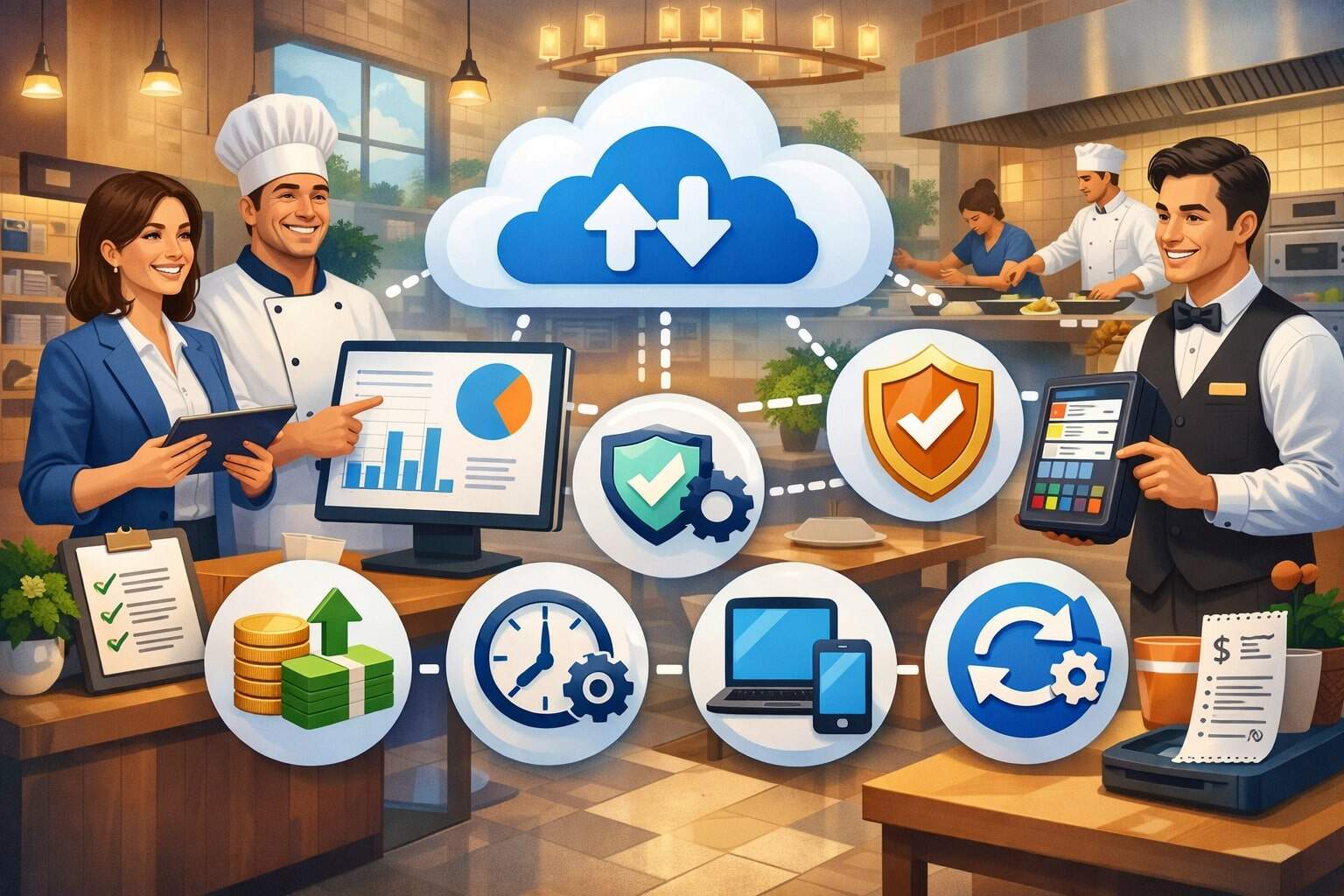
What’s changed in recent years is the pace of guest expectations and the number of digital systems needed to keep operations smooth. That’s why more operators are moving to cloud restaurant software as the operational “hub” that connects POS, online ordering, kitchen workflows, loyalty, inventory, labor, reporting, and integrations.
Unlike older systems that live on a single terminal in the back office, cloud restaurant software stores data securely online and makes it available anywhere you have permission to access it.
That means owners can check performance while off-site, managers can update menus and pricing without waiting for a technician, and teams can stay aligned across multiple locations. Even better, modern cloud restaurant software is designed to reduce manual work, prevent costly mistakes, and make the guest experience faster and more consistent.
This guide breaks down the real operational, financial, and strategic benefits of switching to cloud restaurant software, how to plan a successful transition, what to look for in a provider, and what the next few years may bring as automation and AI reshape hospitality technology.
Throughout, you’ll see practical tips, real-world use cases, and clear explanations—so you can make a confident decision that fits your concept, service model, and growth plans.
Cloud Restaurant Software Improves Real-Time Visibility and Decision-Making
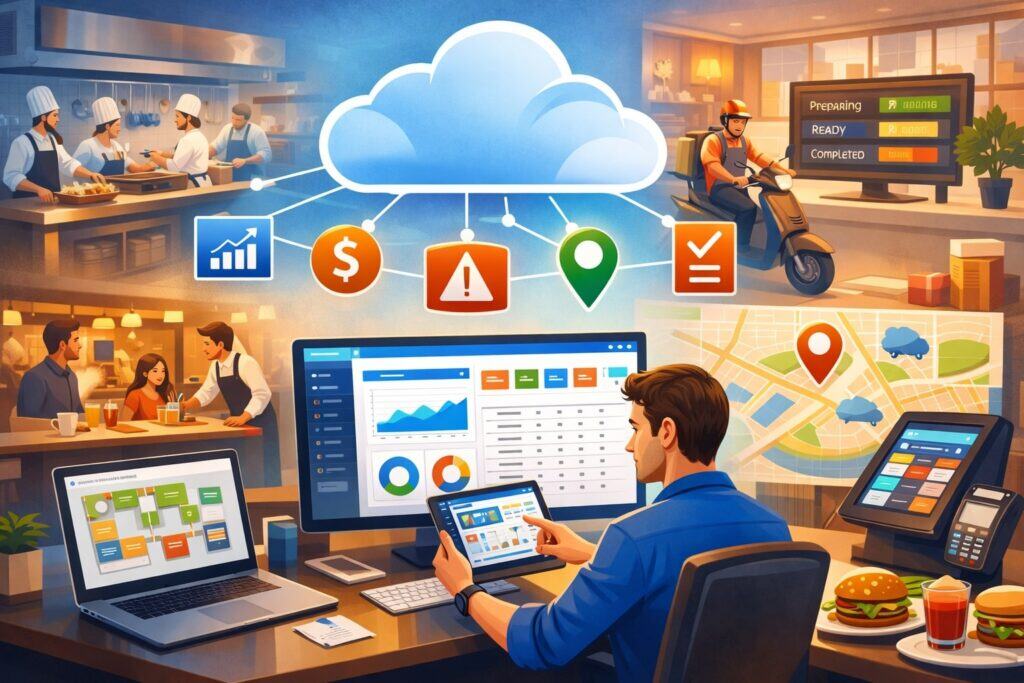
One of the biggest benefits of cloud restaurant software is real-time visibility into what’s happening across your business—right now, not yesterday. Traditional setups often require exporting reports, manually compiling spreadsheets, or waiting until the end of day to see performance.
With cloud restaurant software, sales, labor, menu mix, voids, comps, and discounts can be viewed instantly. This helps owners and managers catch issues early, such as a sudden drop in appetizer sales, an unexpected spike in refunds, or an out-of-range labor percentage during a slow shift.
This type of visibility is valuable for single-location restaurants, but it becomes essential when you operate multiple units, a food truck plus a brick-and-mortar, or a growing franchise model.
Cloud restaurant software provides a centralized dashboard so you can compare locations consistently. You can spot which store is over-portioning, which team is upselling best, and which shift is underperforming—without waiting for weekly reporting.
Real-time access also supports faster decisions during service. If a menu item is 86’d, cloud restaurant software can push updates across ordering channels.
If a location runs low on a high-demand ingredient, you can reroute prep, adjust specials, or pause online ordering for that item. When decisions are faster, waste drops, guest satisfaction rises, and the team feels less stress.
Role-Based Dashboards for Owners, GMs, and Shift Leads
A major advantage of cloud restaurant software is that it can show different information to different roles. Owners often care about high-level performance: revenue, margins, labor, trends, and multi-location comparisons.
GMs need operational detail: server performance, table turn times, comp reasons, and hourly sales. Shift leads need actionable snapshots: open checks, order timing, and staffing coverage. Good cloud restaurant software lets you configure dashboards so each role sees what matters without being overwhelmed.
Role-based dashboards also improve accountability. When a manager can see voids by reason code, or discounts by employee, it encourages better habits and reduces leakage.
When kitchen managers see prep projections based on real sales patterns, they can reduce overproduction. When supervisors track ticket times, they can adjust staffing or station setup before guests start complaining.
This is not just “more data.” It’s better data access. With cloud restaurant software, dashboards update continuously and can be accessed from authorized devices. That means fewer “surprises” at the end of the week and more control over daily execution.
Alerts and Automated Exceptions That Prevent Profit Leaks
The best cloud restaurant software doesn’t just show numbers—it flags problems automatically. Instead of digging through reports, you can receive alerts for exceptions like unusually high comps, repeat refunds, suspicious void patterns, missing cash drawer counts, or inventory variances beyond set thresholds. These alerts help prevent profit leaks that can silently eat away at margins.
For example, if average discount rates jump from 2% to 6% during a specific shift, cloud restaurant software can highlight that change quickly. If beverage costs start rising, you can investigate portioning, theft, or vendor issues before it becomes a month-long trend. If online orders spike unexpectedly, you can adjust kitchen staffing to protect speed of service.
Automated exceptions also support training and consistency. When a new manager is learning, cloud restaurant software can provide guardrails through approvals, alerts, and standardized workflows. Over time, this reduces errors, improves controls, and keeps performance steadier—even when staffing changes.
Cloud Restaurant Software Reduces Hardware, Maintenance, and IT Complexity
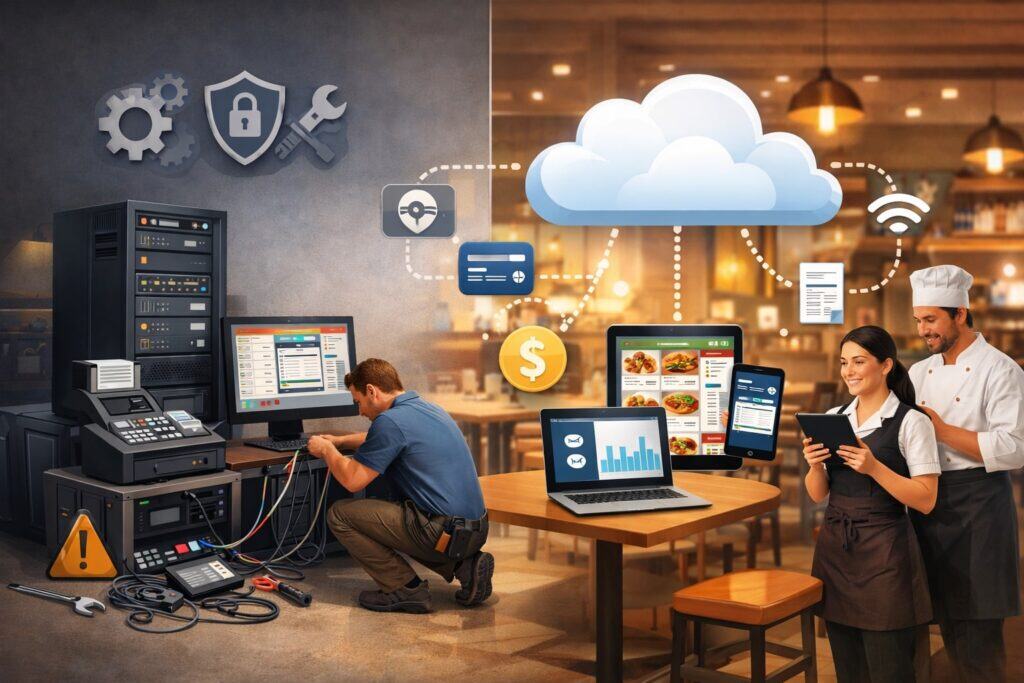
Older restaurant systems often rely on on-site servers, complex networks, and specialized technicians. That setup can be expensive to maintain and stressful when things go wrong during a rush.
With cloud restaurant software, the core system runs online, which reduces the need for bulky back-office hardware and simplifies technology management. You still need reliable devices and internet connectivity, but you’re not dependent on a single local server that can fail at the worst time.
Reducing IT complexity is more than a convenience—it’s a cost and risk advantage. Restaurants often operate with limited technical staff, and downtime can mean lost revenue and unhappy guests.
Cloud restaurant software typically includes automatic updates, remote troubleshooting, and centralized system settings. That means fewer emergency calls, fewer surprise update fees, and less disruption when you add new terminals or locations.
Because your tools are centralized, configuration becomes faster. Menu updates, tax settings, service charges, and user permissions can be managed in one place. Many operators find they can scale faster because cloud restaurant software is designed to support growth without rebuilding infrastructure each time.
Faster Deployments and Easier Multi-Location Expansion
When you open a new unit, speed matters. You’re hiring staff, training, finalizing vendors, and setting up workflows. With traditional systems, opening can involve weeks of hardware planning, server configuration, and on-site setup.
Cloud restaurant software can cut that effort significantly because core settings can be copied from an existing location, then customized. You can standardize menus, pricing rules, discount policies, and reporting layouts across all stores with less manual work.
This also supports consistency. Guests expect a similar experience across locations, especially with branded concepts. Cloud restaurant software makes it easier to maintain consistent modifiers, allergen notes, upsell prompts, and loyalty rules. The benefit is a smoother opening and fewer mistakes during the first critical weeks.
For expanding groups, the scalability of cloud restaurant software reduces “growth pain.” Instead of rebuilding your tech stack each time, you extend it. That means fewer technical surprises and more focus on service and execution.
Automatic Updates, Security Patches, and Feature Improvements
Restaurants can’t afford to pause operations for manual software updates. With cloud restaurant software, updates and security patches are typically handled automatically, reducing risk from outdated systems.
This matters because payment technology, security standards, and consumer expectations evolve. If your system falls behind, you may face vulnerabilities, compatibility problems, or inefficient workflows.
Automatic updates can also bring new features that support revenue growth, such as improved online ordering, better loyalty options, new integrations, or faster reporting. Instead of a costly upgrade cycle every few years, cloud restaurant software evolves continuously. That keeps you competitive without turning technology into a constant project.
However, smart operators still plan. Good cloud restaurant software providers communicate upcoming changes, offer release notes, and allow testing or staged rollouts for larger teams. When handled well, updates become a benefit rather than a disruption.
Cloud Restaurant Software Enhances Guest Experience Across Channels
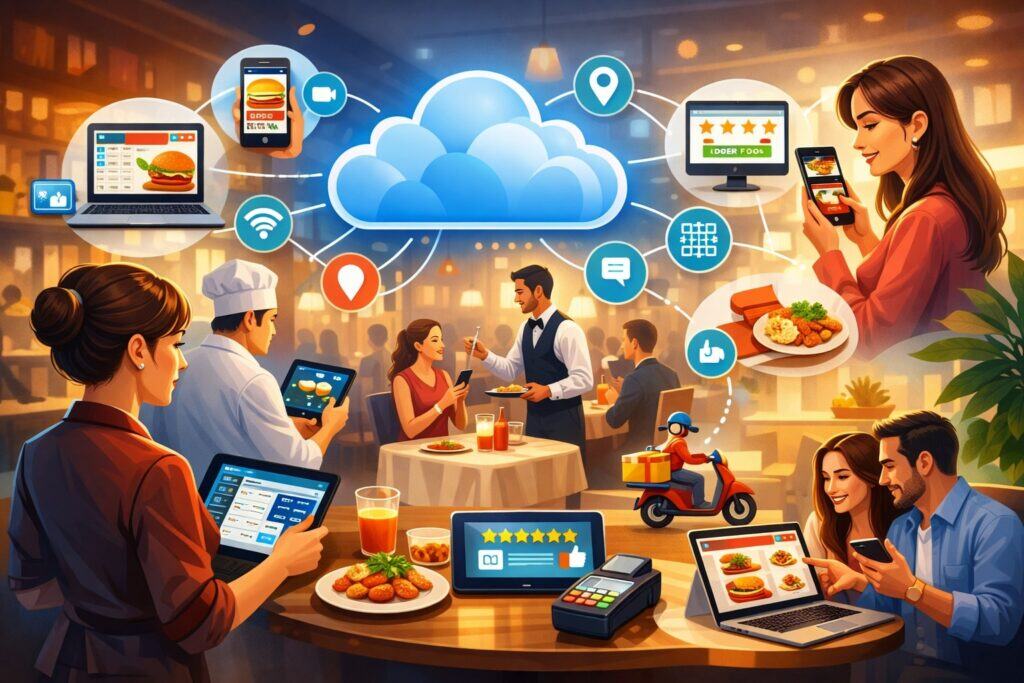
Guests no longer think in “channels.” They expect the same brand experience whether they dine in, order online, pick up curbside, or get delivery. Cloud restaurant software helps deliver that consistency by connecting menus, pricing, modifiers, and order routing across platforms.
When systems don’t talk, guests see outdated menus, wrong availability, confusing fees, or inaccurate timing—leading to frustration and negative reviews.
With cloud restaurant software, a single menu update can propagate across POS, QR ordering, kiosks, and online ordering (depending on your setup). That reduces mismatches and increases trust. It also helps you control prep timing and pacing.
For example, you can throttle online orders during peak periods, adjust promised times, or limit certain items based on kitchen capacity.
Another guest experience improvement is speed. When your front of house, back of house, and digital ordering are connected through cloud restaurant software, orders flow more smoothly and the chance of lost tickets decreases. Faster, more accurate service leads to better tips, stronger reviews, and more repeat visits.
Mobile Ordering, QR Menus, and Faster Payment Options
Payment speed is a major driver of satisfaction, especially in fast-casual and high-volume environments. Cloud restaurant software often supports modern payment options such as tap-to-pay, digital wallets, pay-at-table, and QR checkout. When guests can pay quickly, tables turn faster and lines move more efficiently.
QR menus and mobile ordering also improve accuracy. Guests can confirm modifiers, review allergen notes, and customize orders without shouting over a busy dining room.
Cloud restaurant software can route these orders directly to kitchen stations, reducing manual entry errors. For limited-service concepts, the reduction in friction can directly increase throughput and revenue.
That said, guest experience should remain human. The goal of cloud restaurant software is not to replace hospitality, but to remove busywork so staff can focus on service. When used thoughtfully, technology becomes an enhancer, not a barrier.
Consistent Loyalty, Promotions, and Personalized Marketing
Consistency builds repeat business, and repeat business drives profit. Cloud restaurant software can integrate loyalty, email/SMS marketing, and customer profiles so promotions are applied accurately across dine-in and off-premise orders.
When loyalty is fragmented, guests get confused and staff spend time fixing discounts. A unified system helps deliver a reliable rewards experience.
Personalization is another advantage. Cloud restaurant software can support targeted offers based on visit frequency, favorite items, or lapsed customer behavior. Instead of blanket discounts that erode margins, you can use smarter incentives that bring the right guests back at the right time.
Over the next few years, this will likely become even more advanced. As guest data becomes more actionable, cloud restaurant software may increasingly recommend the best offer, channel, and timing for each customer segment—helping restaurants compete without racing to the bottom on pricing.
Cloud Restaurant Software Strengthens Inventory, Cost Control, and Food Waste Reduction
Food cost volatility is a constant challenge. Ingredient prices shift, vendor availability changes, and small portioning inconsistencies add up quickly. Cloud restaurant software helps by connecting sales data to inventory usage, enabling more accurate forecasting, ordering, and waste control.
Instead of guessing prep levels, you can base production on real historical patterns—day of week, seasonality, local events, and promotions.
When inventory is tracked consistently, you can identify issues sooner. If theoretical food cost and actual cost diverge, cloud restaurant software can help you narrow the cause: incorrect recipe yields, missed invoice entries, over-portioning, theft, or comping practices. This makes cost control more proactive instead of reactive.
Waste reduction becomes easier when you can measure it. Cloud restaurant software can support waste logging, prep planning, and menu engineering.
If an item has low sales and high spoilage, you can adjust portions, change the recipe, run a targeted promotion, or remove it. Even small improvements—reducing waste by 1–2%—can materially improve profitability.
Recipe Management and Menu Engineering for Higher Margins
Without recipe-level control, restaurants often lose money in invisible ways. Cloud restaurant software can help standardize recipes, link ingredients to menu items, and estimate theoretical cost per dish.
When the team follows consistent portioning and prep processes, cost becomes predictable. That predictability is critical for pricing decisions and profitability.
Menu engineering is also stronger when sales data is tied to profit contribution. Cloud restaurant software can show which items sell most, which drive the most gross profit, and which may be popular but unprofitable. This helps you make smarter choices about menu placement, server recommendations, bundling, and specials.
A future trend to watch: dynamic menu optimization. As data models improve, cloud restaurant software may increasingly suggest changes like “raise price $0.50 on Item X,” “bundle Items Y and Z,” or “promote Item A on slow weekdays,” based on demand patterns and cost inputs. Operators will still make the final call, but data-backed guidance will become more common.
Vendor Management, Invoice Matching, and Smarter Purchasing
Purchasing mistakes are expensive. Ordering too much creates waste; ordering too little creates 86’s and lost sales. Cloud restaurant software can support vendor catalogs, invoice entry, price tracking, and reorder points. When vendor pricing changes, you can see trends over time and adjust recipe costs or pricing more quickly.
Invoice matching reduces errors. If the invoice price differs from expected, cloud restaurant software can flag it. This is useful when teams are busy and mistakes slip through. Over time, stronger purchasing discipline reduces food cost variance.
Smarter purchasing also supports consistency. When managers use standardized ordering templates within cloud restaurant software, you reduce over-ordering caused by “gut feel.” It also helps when a key manager is out—because the process is documented and repeatable.
Cloud Restaurant Software Improves Labor Management and Staff Performance
Labor is one of the largest controllable costs in a restaurant, and it’s also deeply connected to guest experience. Understaffing hurts speed and service. Overstaffing hurts margins. Cloud restaurant software can connect sales forecasts to scheduling, track real-time labor percentage, and help managers adjust staffing based on demand.
Instead of building schedules purely on habit, you can use historical patterns. Cloud restaurant software can identify that Friday dinner needs more hosts and runners, while Tuesday lunch requires fewer servers but stronger kitchen coverage. This makes scheduling more accurate and reduces both overtime and burnout.
Performance management also improves. Many systems track sales by employee, average check, upsells, tip rates (where relevant), void patterns, and guest feedback. Used responsibly, these metrics support coaching rather than punishment. When training becomes data-informed, staff improve faster and feel clearer about expectations.
Scheduling, Time Tracking, and Compliance-Friendly Controls
Scheduling tools within cloud restaurant software can support shift templates, availability tracking, break rules, overtime alerts, and time clock controls. This reduces manual admin work and helps prevent compliance issues that can lead to penalties or disputes.
Time tracking also supports fairness and accuracy. When clock-ins are tracked reliably, payroll becomes smoother and fewer errors occur. Some systems allow location-based clock-in, manager approvals, and audit trails. These controls can protect both the business and employees.
As regulations and labor expectations evolve across different states and cities, having cloud restaurant software that can adapt quickly becomes valuable. Configurable rules, better recordkeeping, and reporting can reduce risk and administrative overhead.
Training, Standard Operating Procedures, and Consistency at Scale
When restaurants grow, consistency becomes harder. New hires need to learn quickly, and procedures must be repeatable. While training content may live in separate tools, cloud restaurant software supports consistency through enforced workflows: modifier prompts, required notes for comps, manager approvals for refunds, and standardized station routing.
This matters during peak hours. If the system guides staff through the correct steps, errors drop. If the kitchen receives consistent ticket formatting, execution improves. Over time, consistency increases guest trust.
Looking ahead, training support may become more interactive. Some cloud restaurant software platforms may incorporate AI-driven coaching prompts, suggesting, for example, which menu items to recommend based on inventory levels or which staff member needs help with void rates. The best implementations will keep humans in control while reducing friction and improving outcomes.
Cloud Restaurant Software Supports Stronger Security and Payment Reliability
Restaurants handle sensitive payment data and high transaction volumes. Security is not optional. Cloud restaurant software providers typically invest heavily in security controls, encryption, monitoring, and compliance alignment with card industry standards.
This can be safer than running outdated local systems that miss patches or depend on inconsistent IT support.
Payment reliability also improves when systems are designed for resilience. Many setups include offline modes, redundancy options, and monitoring. While internet connectivity is important, modern cloud restaurant software often has contingency workflows to help you keep selling even during temporary outages.
Security is also operational. Strong permissions, audit logs, and user controls reduce internal risk. If you can limit who can issue refunds, require manager approvals, and track actions by user, you reduce the chance of loss and disputes.
Permissions, Audit Trails, and Fraud Reduction in Daily Operations
Fraud and leakage often happen in small increments: unauthorized discounts, suspicious voids, “no-sale” drawer opens, or refund abuse. Cloud restaurant software can reduce these risks by enforcing permissions and capturing audit trails. When every action is tied to a user, accountability increases.
Audit trails also make investigations faster. If you see an unusual pattern, you can identify when it started and who was involved. This helps you correct issues with coaching or policy changes before losses grow.
Fraud reduction should be balanced with team trust. The best approach is transparency: set clear policies, explain why controls exist, and use cloud restaurant software reporting as a coaching tool. This protects the business while maintaining a healthy culture.
Payment Optimization and Future Trends in Guest Checkout
Payment expectations continue to shift toward speed, convenience, and flexibility. Cloud restaurant software helps restaurants keep up with tap payments, digital wallets, contactless checkout, and pay-at-table experiences. Faster checkout improves table turns, reduces walkouts, and increases satisfaction.
Future trends may include deeper payment personalization, like saving preferred payment methods in loyalty profiles, enabling one-tap reorder experiences, or offering flexible payment flows for group dining. Some concepts may expand into subscription models or prepaid bundles, especially for coffee, quick service, and meal plans.
As these models grow, cloud restaurant software becomes even more strategic because it ties together ordering, loyalty, guest identity, and payments in one operational framework.
Cloud Restaurant Software Enables Better Reporting, Forecasting, and Strategic Growth
Great restaurants aren’t just well-run—they’re well-measured. Cloud restaurant software improves reporting by providing consistent definitions and automated data collection. Instead of manually compiling sales reports, you can automate daily summaries, compare periods, and analyze trends by hour, daypart, item, server, channel, and location.
Forecasting is where many operators see major value. When cloud restaurant software uses historical patterns, it can help predict demand, supporting purchasing and staffing. Even simple forecasting reduces chaos. It helps managers prep the right amount, schedule the right number of people, and run promotions to fill slow times.
Strategic growth becomes more realistic when reporting is reliable. If you plan to open another unit, you need to know what drives success: which menu items win, what labor model is sustainable, what marketing channels perform best, and how seasonality affects cash flow. Cloud restaurant software gives you the data foundation to expand with confidence.
Multi-Unit Benchmarking and Standardized KPIs
When you manage multiple locations, apples-to-apples comparisons matter. Cloud restaurant software can standardize KPIs across stores: labor %, prime cost, average ticket, speed of service, order accuracy indicators, and channel mix. This helps identify best practices and replicate them.
Benchmarking also helps with coaching. If one store consistently outperforms others in upsells or ticket times, you can study what they do differently. Maybe it’s staffing, station layout, training, or menu placement. Data leads you to better questions—and better answers.
Standardized KPIs also support stakeholder communication. Whether you’re reporting to partners, lenders, or internal leadership, cloud restaurant software reporting reduces ambiguity and improves credibility.
Future Prediction: AI-Driven Insights and Automation in Restaurant Ops
AI is moving from hype to practical application. In the coming years, many cloud restaurant software platforms will likely add more predictive and prescriptive features.
Predictive features forecast what may happen: demand, staffing needs, inventory usage. Prescriptive features suggest what to do: adjust labor, pause a delivery channel, promote a high-margin item, or reorder a product sooner.
We’ll also see more automation in routine tasks. Think automatic invoice capture, real-time cost updates, anomaly detection for fraud, and suggested schedule adjustments. For operators, this means less admin and more focus on hospitality and team leadership.
The most important prediction is that cloud restaurant software will become more integrated. Instead of separate tools stitched together, platforms may unify POS, loyalty, marketing, inventory, labor, and analytics more deeply.
Restaurants that adopt flexible, integration-friendly cloud restaurant software now will be better positioned to take advantage of these innovations.
Cloud Restaurant Software Simplifies Integrations and Reduces Tool Sprawl
Many restaurants have accumulated a “tool pile”: one system for POS, another for online ordering, another for delivery, another for loyalty, another for inventory, another for scheduling.
When tools don’t integrate well, teams end up doing duplicate work, and data becomes inconsistent. Cloud restaurant software helps reduce tool sprawl by supporting direct integrations or offering an ecosystem of connected apps.
When integrations are strong, operations become smoother. Orders flow to the right kitchen station. Guest profiles sync with loyalty. Menu updates push across channels. Sales data updates inventory and labor reporting. This reduces manual entry and reduces errors that can frustrate guests and staff.
Integration strategy also supports flexibility. You don’t want to be trapped. Strong cloud restaurant software platforms allow you to add or replace tools as your business evolves—without rebuilding everything. That matters as new channels emerge and guest expectations change.
Choosing Integrations That Actually Improve Operations
Not every integration is worth it. Some add complexity without delivering real value. The best approach is to choose integrations that directly improve speed, accuracy, cost control, or marketing outcomes.
Examples include: delivery order consolidation that reduces tablet chaos, loyalty tools that increase repeat visits, or inventory systems that reduce waste.
With cloud restaurant software, the goal is a clean workflow. Your team should spend less time switching screens and more time serving guests. Before adding an integration, define what success looks like: fewer ticket errors, higher average ticket, lower waste, improved labor %, or faster checkout.
A strong provider will also offer support for integration setup, testing, and troubleshooting. Integration is where many projects fail, so choosing cloud restaurant software with reliable partners is a major advantage.
Data Consistency Across POS, Online Ordering, and Delivery
One hidden benefit of cloud restaurant software is improved data consistency across channels. Without a unified system, you may see mismatched sales totals, unclear channel attribution, or incorrect menu pricing on third-party marketplaces. That makes decisions harder and creates brand confusion.
When your POS and ordering channels are aligned through cloud restaurant software, you gain clearer visibility into channel profitability. You can see fees, discounts, and item performance by channel. That helps you decide where to invest marketing dollars and which platforms truly deliver profit—not just revenue.
Over time, this consistency also supports better guest insights. When customer behavior is tracked across channels, your marketing becomes smarter and your loyalty program becomes more valuable.
How to Switch to Cloud Restaurant Software Without Disrupting Service
Switching systems can feel intimidating. The key is planning and phased execution. A successful transition to cloud restaurant software focuses on protecting service while improving operations.
Start by mapping workflows: order taking, kitchen routing, modifiers, discounts, payments, reporting, inventory, and scheduling. Identify what must stay the same on day one and what can improve later.
Data cleanup is another important step. Menus often contain duplicate modifiers, outdated items, or inconsistent naming. Moving to cloud restaurant software is a chance to simplify.
Clean menus improve speed and reduce staff confusion. You should also define permissions, approval workflows, and reporting needs early, so your controls are in place from day one.
Training should be structured and role-specific. Cashiers need speed and accuracy. Servers need table management and checkout flow. Kitchen teams need ticket clarity. Managers need reporting and overrides. The best transitions treat training as an operational investment, not an afterthought.
Migration Checklist: Menu, Users, Devices, and Testing
A smooth migration to cloud restaurant software includes careful testing. Before go-live, test every core workflow: dine-in checks, splits, modifiers, discounts, gift cards, refunds, online orders, kitchen printing/display routing, and end-of-day closing. Also test edge cases: voids, comps, tax exemptions where applicable, and offline procedures.
User setup matters too. Create role-based permissions, require unique logins, and define manager approval rules. This improves accountability and reduces errors. For devices, ensure network stability, secure Wi-Fi segmentation, and reliable printers or kitchen displays.
Many operators choose a soft launch. They run cloud restaurant software during slower shifts first, then scale up. This reduces stress and helps the team build confidence. If you operate multiple locations, consider piloting in one unit before rolling out everywhere.
Change Management: Getting Staff Buy-In and Protecting Hospitality
Technology succeeds when people adopt it. Communicate why you’re switching to cloud restaurant software: fewer errors, faster checkout, better tips, less stress, clearer scheduling, and more consistent guest experience. Show staff how it benefits them, not just management.
Assign “champions” on each shift—team members who learn quickly and can help others. Provide short cheat sheets, practice sessions, and hands-on drills. Keep training realistic: simulate a rush, handle tricky orders, and practice closing procedures.
Finally, protect hospitality. During the first weeks with cloud restaurant software, keep service simple. Avoid launching new menu items or big promotions during the transition. Give the team room to learn, and celebrate progress. The end goal is better service and a smoother workplace—not just new technology.
FAQs
Q.1: What is cloud restaurant software, and how is it different from traditional systems?
Answer: Cloud restaurant software is a restaurant management platform that stores and processes key operational data online, rather than relying only on a local back-office server. Traditional systems often require on-site hardware, manual updates, and limited remote access.
With cloud restaurant software, owners and managers can view reports, update menus, and manage settings from authorized devices with internet access. The system can also synchronize data across locations, making it easier to standardize workflows and reporting.
A major difference is update and maintenance style. Cloud restaurant software typically receives automatic updates, security patches, and feature improvements without requiring an on-site technician.
It also tends to support stronger integrations with online ordering, loyalty, inventory, and labor tools. For many operators, the biggest practical difference is speed: changes happen faster, data is easier to access, and decisions become more real-time.
Q.2: Does cloud restaurant software work if the internet goes down?
Answer: Most modern cloud restaurant software platforms offer contingency features, but capabilities vary. Many include an offline mode that allows the restaurant to keep taking orders and processing certain transactions temporarily.
Once connectivity returns, data syncs back to the cloud. However, the exact behavior depends on the provider, payment setup, and device configuration.
The best approach is to design resilience into your setup. Use a reliable internet provider, add a backup connection (like a secondary ISP or cellular failover), and train staff on offline procedures. When you plan connectivity carefully, cloud restaurant software can remain dependable even in challenging situations.
Q.3: Is cloud restaurant software secure for payments and customer data?
Answer: Security is a core focus for reputable cloud restaurant software providers. Many invest in encryption, secure authentication, monitoring, and compliance-aligned practices to protect payment and operational data.
In many cases, cloud-based systems are safer than older on-site systems that miss updates or depend on inconsistent maintenance.
That said, security is shared. Restaurants should still use strong passwords, role-based permissions, device security practices, and secure network configurations. If you combine good operational security with a trusted cloud restaurant software provider, you significantly reduce risk.
Q.4: How long does it take to switch to cloud restaurant software?
Answer: Timing depends on restaurant complexity, menu size, integrations, and training needs. A smaller concept with a simple menu may transition quickly.
A multi-location group with delivery, loyalty, inventory, and labor integrations will take longer. The most important factor is not speed—it’s readiness. A well-tested go-live prevents service disruption.
Many operators succeed by preparing menus and permissions early, then testing workflows thoroughly before launch. If you plan training and run a controlled rollout, switching to cloud restaurant software can be smooth and operationally positive.
Q.5: Will cloud restaurant software help increase revenue?
Answer: Cloud restaurant software can increase revenue indirectly by improving speed, accuracy, upselling, marketing effectiveness, and guest retention. For example, better order accuracy reduces refunds and negative reviews.
Faster checkout increases table turns. Integrated loyalty and targeted promotions can bring guests back more often. Better menu engineering can encourage high-margin item sales.
Revenue gains depend on execution. The software provides tools—dashboards, prompts, marketing integrations, and reporting—but leadership still needs to use those tools consistently.
Restaurants that actively manage performance with cloud restaurant software often see stronger results than those who only use it as a basic POS replacement.
Conclusion
Switching to cloud restaurant software is not just a technology upgrade—it’s an operational strategy. Restaurants that adopt cloud restaurant software gain real-time visibility, simpler maintenance, stronger integrations, better cost control, and more consistent guest experiences across dine-in and off-premise channels.
They also position themselves to scale more easily, protect margins with better data, and adapt faster as payment and ordering expectations evolve.
The future points toward more automation, smarter forecasting, and deeper personalization. As AI-driven insights become more practical, cloud restaurant software will likely play an even bigger role in daily decisions—helping operators reduce waste, optimize labor, detect anomalies, and improve marketing performance without adding administrative burden.