By cloudrestaurantmanager January 5, 2026
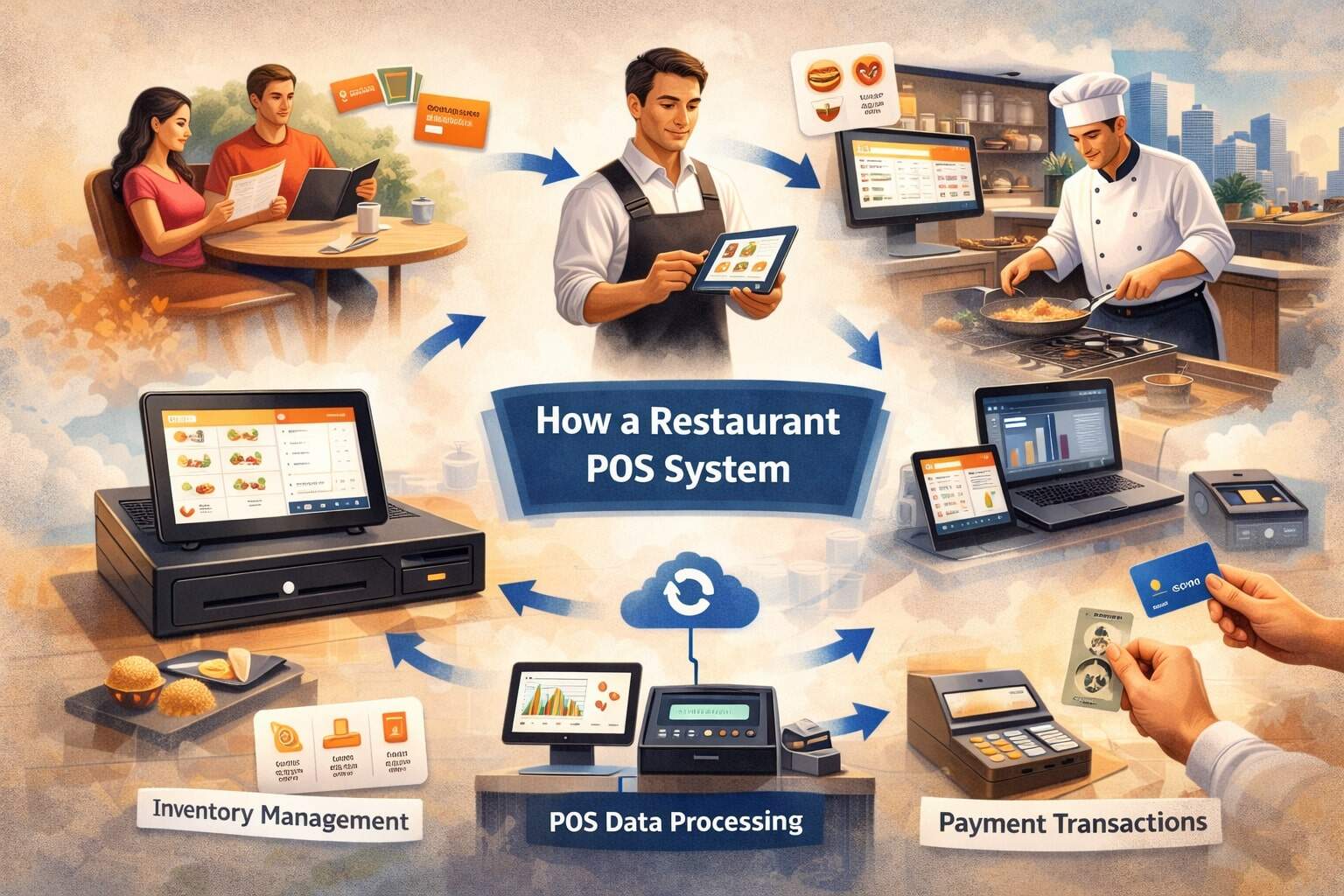
A restaurant POS system is more than a cash register. Modern restaurants rely on a restaurant POS system to take orders, route tickets to the kitchen, process payments, manage menus, track inventory, record labor, and produce reports that help owners make smarter decisions.
If you’ve ever wondered how a restaurant POS system works behind the scenes—from the moment a guest places an order to the moment the payment hits your deposit—this guide breaks it down in a clear, step-by-step way.
A well-configured restaurant POS system acts like the “central brain” of your operation. It connects front-of-house staff, kitchen staff, managers, online ordering channels, payment devices, and even vendors.
That connection reduces mistakes, speeds up service, and gives real-time visibility into sales and costs. It also standardizes the guest experience, so the food comes out consistent, the bill is accurate, and receipts match what your accounting team expects.
This guide is written for restaurant owners, operators, and managers who want a practical understanding of how a restaurant POS system works day-to-day. You’ll learn the flow of data, the order lifecycle, how hardware and software interact, and how to set up the restaurant POS system to avoid common bottlenecks.
You’ll also get an updated view of where POS technology is heading—like AI-assisted ordering, smart inventory forecasting, and more automation that can reduce labor pressure while improving service.
What a Restaurant POS System Actually Does (Beyond Taking Payments)
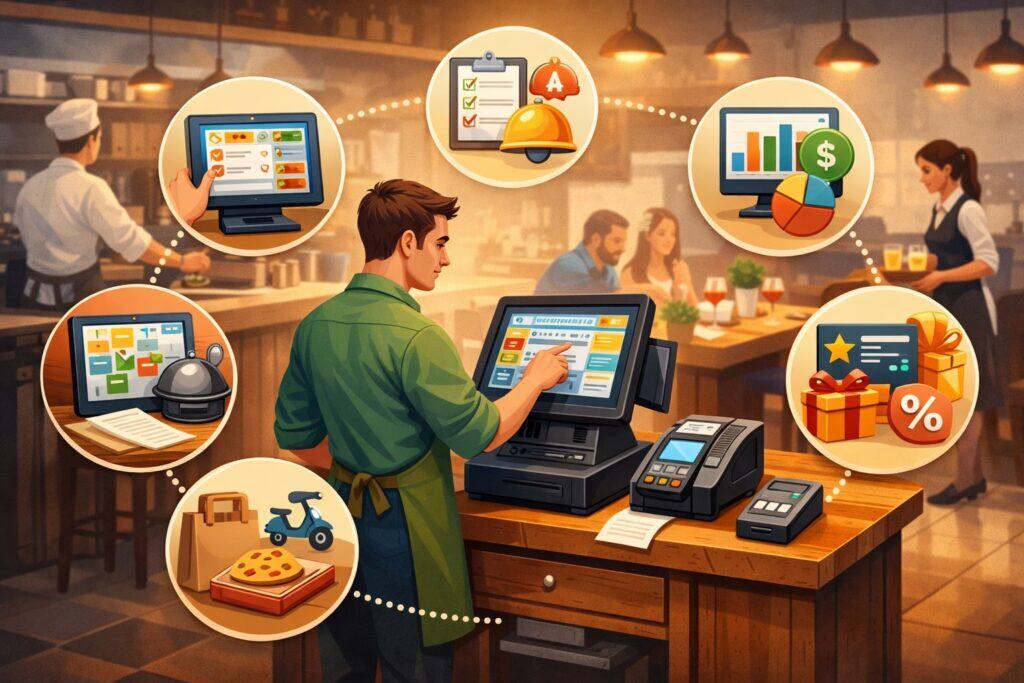
A restaurant POS system is designed to manage the entire “order-to-cash” cycle. Payments are only one piece. When you tap items on the POS screen, the restaurant POS system is instantly doing multiple jobs: calculating pricing, applying modifiers, tracking taxes, updating sales totals, and recording who entered the order and when.
If your restaurant POS system includes kitchen routing, it also formats the order into a kitchen ticket, sends it to the correct prep station, and tracks the status as it moves through production.
A modern restaurant POS system typically supports multiple order types, including dine-in, takeout, delivery, curbside pickup, and catering. Each order type can have its own pricing rules, service charges, gratuity rules, and production timing.
For example, a restaurant POS system can automatically fire appetizers first, then delay entrées, and hold desserts until later. That timing control matters because it improves table turns and guest satisfaction.
The restaurant POS system also becomes your operational record. That record includes item-level sales, discount usage, voids, comps, refunds, and cash drawer activity. Managers use a restaurant POS system to see daily performance and detect issues like unusual discounting or frequent voids.
Owners use the restaurant POS system to compare locations, analyze menu profitability, and plan staffing. When the POS is integrated correctly, the restaurant POS system can feed data to accounting software, payroll tools, inventory platforms, loyalty programs, and marketing systems—reducing manual entry and the errors that come with it.
Core Parts of a Restaurant POS System
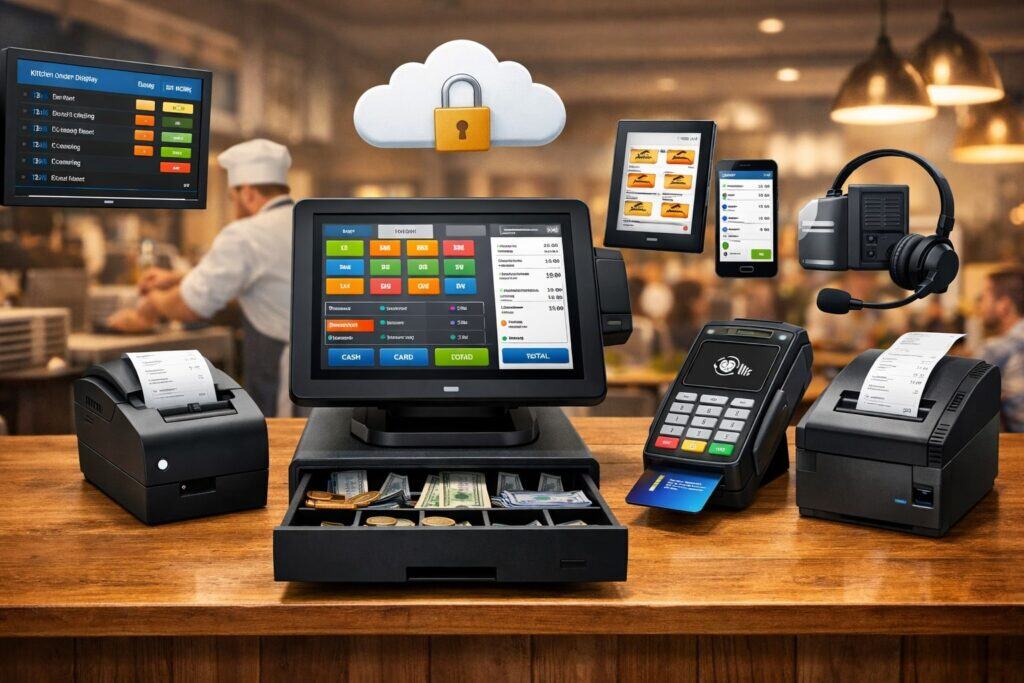
A restaurant POS system is usually made up of software, hardware, and connected services. Understanding these parts helps you troubleshoot problems and design a setup that fits your restaurant’s workflow. The best restaurant POS system setups are built around how your team works, not just what features look good in a demo.
POS Software: The Brain of the Restaurant POS System
The POS software is the main interface staff uses to take orders, manage tables, split checks, and close out payments. A restaurant POS system software platform stores your menu, pricing rules, modifiers, tax profiles, and user permissions.
It also controls ticket formatting, kitchen routing, and reporting. Many modern restaurant POS system platforms are cloud-based, meaning your data syncs automatically and managers can see dashboards from anywhere with permission.
Your restaurant POS system software should support fast order entry. That means customizable screens, item groups, and modifier flows that match your menu logic. If your team is tapping too many buttons to ring in common orders, speed drops and errors rise.
Good restaurant POS system software also supports staff roles with permissions—so servers can ring and pay, but only managers can void or comp above set limits.
POS software quality shows up when it’s busy. During rush periods, a restaurant POS system must handle high transaction volume, offline contingencies, and multiple terminals without freezing.
It should also keep a clean audit trail. When a guest disputes a charge or a drawer is short, the restaurant POS system logs help you see what happened, who did it, and when.
POS Hardware: Terminals, Tablets, Printers, and Payment Devices
Hardware is the physical layer that makes the restaurant POS system usable in real service. A restaurant POS system may run on fixed terminals, tablets, handhelds, or a mix. Your choice impacts speed, guest experience, and durability.
For high-volume service, a mix often works best: fixed terminals at the bar, handhelds for tableside, and a dedicated expo screen or kitchen display system.
Receipt printers and kitchen printers still matter in many restaurants because they’re simple, fast, and familiar. That said, many modern restaurant POS system setups replace printers with kitchen display screens (KDS) to reduce paper, improve timing, and track order status.
Cash drawers, barcode scanners (useful for retail add-ons), and routers are also part of the restaurant POS system environment.
Payment devices are a major component. A restaurant POS system may support countertop readers, handheld readers, or tap-to-pay devices. The payment device needs to support chip transactions, contactless wallets, and secure tokenization.
In busy restaurants, the right payment hardware can shave minutes off each table turn, which has a direct revenue impact.
Connected Services: Processing, Integrations, Cloud, and Support
A restaurant POS system usually connects to a payment processor, which routes card transactions through networks and helps settle funds to your bank.
It may also connect to loyalty programs, online ordering platforms, delivery aggregators, reservations, waitlist systems, and accounting tools. These connections are often called integrations.
Cloud sync is another service layer. When your restaurant POS system is cloud-based, it can store data securely offsite and push updates automatically. Cloud access makes remote reporting and multi-location management easier.
But it also means you need strong internet planning—like a reliable router, a backup connection, and offline mode settings.
Support is often overlooked until something breaks. A restaurant POS system is mission-critical. If your POS goes down on a Friday night, you need responsive support, clear escalation paths, and a plan for offline operations.
Great restaurant POS system support also includes onboarding, menu programming help, and training resources that reduce mistakes.
How a Restaurant POS System Works: Step-by-Step (From Order to Deposit)
This is the core flow of how a restaurant POS system works in real life. Think of it as a chain: order entry → ticket routing → preparation → service → payment → reporting → settlement. Each step is connected, and small configuration choices inside the restaurant POS system can speed up service or slow it down.
Step 1: Menu Setup and Rules Power Everything
Before service even starts, your restaurant POS system needs a correctly built menu. This includes categories, items, modifiers, prices, taxes, and routing rules. When your menu is properly configured, staff can ring orders quickly and consistently. When it’s messy, staff guess, tickets print wrong, and guests get billed incorrectly.
Menu rules in a restaurant POS system include modifier requirements (like choosing a cooking temperature), upcharges (like adding protein), and combo logic (like a lunch special). Tax profiles can vary by item type, service type, or local rules.
Many restaurants also configure service charges, automatic gratuity rules, and takeout packaging fees in the restaurant POS system.
The restaurant POS system also defines who can do what. Permissions restrict manager-only actions like voiding items or refunding. That matters for loss prevention and accountability.
A strong menu foundation is the difference between a restaurant POS system that feels effortless and one that feels like a constant fight. If you want the restaurant POS system to help your staff, invest time here first.
Step 2: Staff Login, Role Permissions, and Shift Control
When staff start a shift, they log into the restaurant POS system using a PIN, swipe card, or biometric option depending on hardware. This login ties actions—orders, comps, voids, cash drops—to a specific employee. That connection is essential for clean reporting and for troubleshooting issues like misrung tickets.
Role permissions shape the workflow. Servers may be able to open tables, split checks, and apply approved discounts. Bartenders may be able to start tabs and close them quickly.
Managers typically have broader access: editing the floor plan, approving refunds, reprinting receipts, and adjusting tips. A well-designed restaurant POS system uses roles to keep operations secure without slowing service.
Shift control is also part of how a restaurant POS system works. The POS can enforce clock-in rules, track breaks, and prevent unauthorized access after hours.
Many restaurants use the POS to run “end of day” procedures, which include closing checks, reconciling cash drawers, and generating summary reports. If you want accurate labor data and fewer disputes, configure the restaurant POS system’s shift rules early.
Step 3: Table Assignment, Floor Plan, and Guest Management
For dine-in operations, the restaurant POS system often starts with a floor plan. The host seats a party, assigns a table, and may attach guest count and server assignment. This step matters because it sets up the rest of the service flow: pacing, coursing, and check splitting.
A strong restaurant POS system makes table status visible. You can track open tables, appetizers fired, entrées pending, and checks waiting to close. This view helps managers balance sections and avoid overloading one server.
Many restaurant POS system platforms also link with waitlist or reservation tools, which improves accuracy and reduces double seating.
Guest management can go beyond tables. Some restaurant POS system setups support customer profiles, which store contact information, order history, and preferences. That can be useful for loyalty programs, catering clients, and VIP service.
Even without a full loyalty platform, the restaurant POS system can still track patterns like frequent refunds or repeated discount use—helping you spot issues early.
Step 4: Order Entry at the Terminal or Handheld
Order entry is the moment most people think of when they picture how a restaurant POS system works. The server taps items, selects modifiers, and sends the order. But behind the scenes, the restaurant POS system is validating rules: required modifiers, correct pricing, correct tax, and correct routing.
Speed and accuracy come from screen design. A restaurant POS system can be customized so popular items are prominent, modifiers are organized logically, and “no” or “on the side” options are easy to select. If staff must scroll through long lists, errors increase.
Many restaurants also use handheld devices so servers can ring at the table, reducing memory errors and improving guest interaction.
Order entry also captures context. The restaurant POS system records time stamps, employee IDs, and order type. That data later feeds reports like ticket times, server performance, and sales by daypart.
In a well-run restaurant, the restaurant POS system becomes a silent coach: showing where bottlenecks happen and which menu items slow the line.
Step 5: Ticket Routing to the Kitchen or Bar
Once the order is sent, the restaurant POS system routes it. Routing rules decide where items go: grill, sauté, salad, dessert, bar, or expo. This is a key reason a restaurant POS system is so powerful. Instead of one confusing handwritten ticket, the POS can split items across stations automatically.
Routing can happen via printers or via a kitchen display system. With printers, the restaurant POS system prints tickets with station-specific formatting.
With KDS screens, the POS pushes tickets digitally, enabling status updates like “in progress,” “ready,” or “served.” KDS setups also allow timing controls, such as holding entrées until appetizers are marked served.
This step also supports accuracy. The restaurant POS system can include allergy notes, modifier clarity, and course timing. It reduces miscommunication between the front and back of the house.
If your kitchen complains that tickets are unclear, that’s often a POS configuration issue: formatting, modifier order, or routing. Fixing this step can reduce waste and improve speed more than almost any other change.
Step 6: Kitchen Production, Timing, and Order Status Updates
In the kitchen, the restaurant POS system helps teams prioritize work. With printed tickets, cooks often use the time stamp and ticket order to sequence production. With a KDS, the restaurant POS system can show timers, highlight late tickets, and group items that should be prepared together.
Timing features are a major advantage of a modern restaurant POS system. You can set expected prep times by station, track average ticket time, and measure how long items sit before pickup. Some POS platforms support “expedite” views that show the full order across stations, helping expo coordinate plates.
Order status updates are where the restaurant POS system closes the loop. When a station marks an item “ready,” servers can be notified. That reduces food dying in the window and helps service feel smoother.
Over time, the restaurant POS system’s timing data reveals patterns—like a specific menu item that consistently delays the line or a specific shift where ticket times spike. That’s actionable information, not just data.
Step 7: Serving, Course Management, and Adjustments
As food and drinks are delivered, the restaurant POS system continues to support service. Course management features let you fire items in stages. For example, a server can send appetizers first, then later send entrées, then desserts. This avoids overwhelming the kitchen and improves pacing for guests.
Adjustments happen in real service, and the restaurant POS system needs to handle them cleanly. Guests change sides, add toppings, or switch cooking temperatures. A server might need to re-fire an item or send a replacement.
The restaurant POS system should make these changes trackable so the kitchen knows what changed and managers can see how often comps or remakes occur.
This is also where check accuracy matters. If a guest requests an item removed, the restaurant POS system needs a void workflow that follows permissions.
If a manager must approve, the POS should alert them quickly without slowing the table. Smooth adjustment workflows reduce frustration, protect margins, and keep the guest experience positive.
Step 8: Check Building, Splitting, Discounts, and Tips
When it’s time to pay, the restaurant POS system converts what was ordered into a guest-facing bill. This includes item prices, taxes, service charges, discounts, and optional gratuity. Splitting checks is one of the most common pain points, so a strong restaurant POS system offers intuitive split methods: by seat, by item, evenly, or by percentage.
Discounts and comps should be controlled. The restaurant POS system typically logs who applied a discount, what type, and the reason if required. That audit trail is critical for preventing abuse and understanding how promotions affect profitability.
A restaurant POS system can also apply automatic discounts for happy hour, employee meals, or loyalty offers.
Tips are captured at this stage too. If you use tableside payment, guests can tip on the device. If you use receipts, tips may be entered later during closeout. The restaurant POS system should handle tip adjustments accurately and connect them to payroll reports. Clean tip handling reduces disputes and keeps staff happy.
Step 9: Payment Processing, Authorization, and Secure Data Handling
Payment is where your restaurant POS system interacts with the processor and payment networks. When a guest pays, the POS sends a transaction request to the payment device, which captures card data in a secure manner.
The restaurant POS system then requests authorization. If approved, the system records the payment, closes the check, and stores a transaction reference.
Security matters here. A restaurant POS system should not store raw card numbers. Instead, it uses tokenization—meaning a secure token represents the card for future actions like refunds or tips.
The POS should also support secure chip transactions and contactless payments, which reduce fraud risk compared to swipe-only systems.
Offline handling is important too. If the internet drops, some restaurant POS system platforms can store transactions temporarily and submit them when the connection returns, depending on settings and risk controls.
You should understand your POS provider’s offline rules so you don’t get surprised by declines later. Payment processing looks simple to guests, but the restaurant POS system is doing real-time risk checks, encryption, and ledger updates behind the scenes.
Step 10: Settlement, Deposits, Reporting, and End-of-Day Close
After payments are authorized, they are not instantly deposited. The restaurant POS system groups transactions into batches, which are submitted for settlement.
The processor then moves funds through the banking system and deposits them to your account according to your funding schedule. This is why the restaurant POS system’s batch close or end-of-day process matters.
At close, managers reconcile cash drawers, confirm card totals, and review exceptions like voids, refunds, and open tabs. The restaurant POS system generates reports: sales summaries, category sales, labor, payment method breakdown, and sometimes product mix reports.
These reports help spot patterns like rising food costs, declining average ticket, or unusually high discounts.
End-of-day is also where data becomes strategy. A restaurant POS system can show top-selling items, slow movers, peak hours, and server performance. Over time, this data supports better scheduling, smarter menu decisions, and more effective promotions. The POS is not just a record of what happened—it’s a decision engine when used consistently.
Key Restaurant POS System Features That Improve Operations
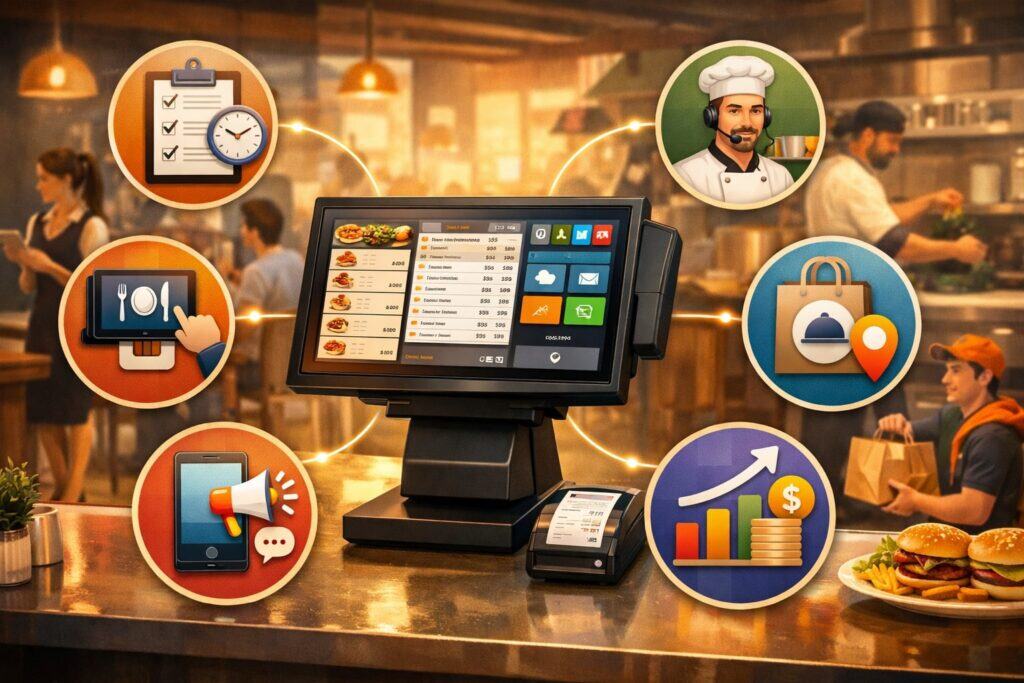
Not every feature matters equally. The best restaurant POS system for your operation is the one that reduces friction and supports your service style. Still, certain features have become essential for restaurants that want speed, accuracy, and control.
Inventory and Recipe Cost Tracking Inside the Restaurant POS System
Inventory is where profits are often won or lost. A restaurant POS system can track inventory usage by connecting item sales to recipes.
For example, if you sell a burger, the POS can decrement counts for buns, patties, and cheese. This only works well when recipes are set up carefully and inventory counts are updated consistently.
The value of inventory inside a restaurant POS system is visibility. You can see theoretical usage (what should have been used based on sales) versus actual usage (what inventory counts show).
Big gaps can signal waste, portioning issues, or theft. Over time, the restaurant POS system helps you spot which menu items drive food costs and where adjustments can improve margins.
Even if you don’t use full recipe costing, basic inventory features in a restaurant POS system—like low-stock alerts and vendor item lists—can reduce 86’d items and last-minute runs.
When paired with purchasing workflows, inventory data can also improve ordering decisions, especially during seasonal demand swings.
Employee Scheduling, Time Clock, and Labor Controls
Labor is one of the largest controllable costs. A restaurant POS system that includes time clock and scheduling tools can connect sales patterns to staffing needs. Managers can compare labor percentage by hour or by shift, then adjust schedules to match demand.
Time tracking in a restaurant POS system can reduce time theft and simplify payroll. Staff clock in and out on the POS, and managers approve edits with audit trails. Some systems support break tracking and overtime alerts, which helps compliance with local labor rules.
Labor controls also include performance insights. A restaurant POS system can show sales per labor hour, average check per server, table turn rates, and tip averages. These metrics should be used thoughtfully—numbers don’t tell the whole story—but they can highlight training needs and help identify where service breakdowns happen.
Online Ordering, Delivery Integrations, and Guest Experience Tools
Digital ordering is now a core channel. A restaurant POS system can integrate with online ordering so orders flow directly into the POS and kitchen without re-entry. That reduces errors and speeds up production.
Delivery integrations can also consolidate orders from multiple platforms, helping you manage volume without chaos.
The guest experience improves when the restaurant POS system supports clear timing and accurate orders. Guests expect updates, correct packaging, and consistent pickup workflows. A well-integrated restaurant POS system can also support loyalty programs, digital receipts, and marketing offers tied to purchase behavior.
Even in-dining rooms, guest-facing features matter. Tableside ordering, handheld payments, and QR ordering options can reduce wait times. The key is to implement these features in a way that matches your brand. The restaurant POS system should enhance hospitality, not replace it.
Choosing and Setting Up a Restaurant POS System the Right Way
A restaurant POS system implementation can either feel smooth—or feel like a never-ending headache. Most problems come from mismatched expectations, rushed menu setup, or poor training. If you approach setup as an operational redesign rather than a tech install, you’ll get far more value.
How to Evaluate a Restaurant POS System Before You Buy
Start with your workflow. Do you need quick-service speed, table service coursing, bar tabs, or all three? Do you need handhelds, drive-thru support, or multi-location reporting? A restaurant POS system should match your service model first, then add helpful features second.
Ask about uptime and offline mode. If the internet drops, what happens? Can the restaurant POS system still take orders? Can it still accept payments? What limitations exist? These questions matter more than flashy add-ons. Also ask about hardware durability, replacement timelines, and warranty options.
Support quality is critical. Ask how support is delivered—phone, chat, onsite—and what hours are covered. Ask how menu changes are handled and whether training resources are included. A restaurant POS system isn’t just software; it’s an ongoing relationship. The better the support, the fewer disasters you’ll face during peak shifts.
Implementation Best Practices: Menu, Training, and Go-Live
Menu build is the foundation. Organize items to match how staff think, not how the menu is printed. Group modifiers logically, enforce required choices, and test common orders. Build test scenarios: split checks, voids, comps, refunds, and happy hour pricing. A restaurant POS system should handle your real edge cases before you go live.
Training should be role-based. Servers need speed drills and check handling practice. Kitchen staff need ticket interpretation and status workflows. Managers need reporting, void rules, and end-of-day close. The restaurant POS system should feel familiar by the time you launch, not new.
Go-live planning should include a backup plan. Have extra receipt paper, spare devices charged, and printed quick guides. Assign one “POS captain” per shift who can solve issues. During the first week, simplify promotions and minimize menu changes. Let the restaurant POS system stabilize, then optimize.
Security, Compliance, and Risk: What a Restaurant POS System Must Handle
A restaurant POS system touches sensitive data: payment details, employee information, and customer records. Even if you never store customer profiles, the POS still processes transactions that must follow security standards. Your goal is to reduce risk without slowing service.
Payment security depends on proper encryption and tokenization. The restaurant POS system should support modern payment methods and keep card data out of your environment. You should also use strong passwords, unique employee logins, and role-based permissions. Shared logins are a common weakness because they break accountability.
Device security matters too. Tablets and handhelds should be secured physically and logically. If devices can be taken offsite or accessed after hours, you increase risk. A restaurant POS system should support device lockdown, remote management, and quick deactivation if hardware is lost.
Operational risk includes chargebacks, fraud, and refund abuse. The restaurant POS system should produce clear receipts and keep transaction records easy to retrieve. It should also enforce manager approvals for high-risk actions like refunds and large discounts. When security and workflow are aligned, you protect revenue without creating friction for staff.
Reporting and Analytics: Turning Restaurant POS System Data Into Decisions
The real power of a restaurant POS system shows up after the rush, when you use data to improve operations. Reports help you answer questions like: Which items drive profit? When do we need more staff? Are discounts helping or hurting? Where are ticket times slipping?
Start with basics: daily sales, payment method breakdown, void/comp totals, and top items. Then move into deeper reporting: category mix, hour-by-hour sales, server averages, and ticket times.
A restaurant POS system that makes reporting easy is more likely to be used consistently, which improves decision-making over time.
Menu engineering is one of the best uses of POS data. By comparing item popularity and profitability, you can identify winners to promote and low performers to rethink. The restaurant POS system can also show modifier patterns—like the percentage of guests adding premium toppings—helping you price more strategically.
Data should be used as a guide, not a hammer. If a server’s average check is low, it might be their section or shift. If ticket times are high, it might be a kitchen staffing issue, not the POS. The restaurant POS system gives you visibility; your job is to interpret it in context and take smart action.
Common Problems and How to Fix Them in a Restaurant POS System
Even strong systems run into issues. The difference is whether your restaurant POS system problems are occasional hiccups or constant obstacles. Many problems are preventable through configuration and training.
One common issue is slow order entry. This often comes from poor screen layout, too many modifier taps, or a menu that doesn’t match real ordering patterns. Fix it by reorganizing buttons, using presets for popular combos, and simplifying modifier flow. A restaurant POS system should reduce mental load, not add it.
Another issue is kitchen confusion. If tickets print in the wrong order, lack clear modifiers, or route incorrectly, the kitchen loses trust in the system. Revisit routing rules, ticket formatting, and station assignments. A restaurant POS system works best when kitchen staff help review ticket layout during setup.
Payment issues can also cause headaches, especially if tips are handled incorrectly or offline transactions behave unpredictably. Make sure staff understand payment steps, tip adjustments, and refund workflows.
Set clear manager rules. A restaurant POS system can’t prevent every error, but it can limit damage through smart permissions and clear prompts.
Future Predictions: Where Restaurant POS System Technology Is Headed
The next generation of restaurant POS system platforms is moving toward automation, personalization, and predictive decision-making. The goal is not just faster transactions, but smoother operations and better margins.
AI-assisted ordering is becoming more common. A restaurant POS system may suggest modifiers based on patterns, warn when an order looks unusual, or recommend upsells that fit the guest’s choices. Over time, POS data can drive smarter prompts that feel helpful rather than pushy.
Kitchen automation will also expand. More restaurant POS system setups will use KDS analytics to predict station load, adjust firing timing, and reduce late tickets. Inventory forecasting is another growth area.
Instead of relying on gut feel, restaurants will use POS-linked inventory models to predict usage based on sales trends, events, and seasonality.
Payments will keep evolving too. Expect more tableside payment, more contactless adoption, and faster settlement options where available. The restaurant POS system will increasingly act as a financial hub—helping restaurants track cash flow, manage vendor payments, and understand profitability in near real time.
The restaurants that win will be the ones that treat the restaurant POS system as an operating platform, not just a checkout tool.
Frequently Asked Questions
Q.1: What’s the difference between a POS and a payment terminal?
Answer: A payment terminal processes card payments. A restaurant POS system manages orders, menus, tables, routing, reporting, and often integrates payments into the workflow. Many setups combine both: the POS software controls the sale while the terminal handles secure card capture. The restaurant POS system is the broader operational platform.
Q.2: Can a restaurant POS system work without the internet ?
Answer: Many platforms have offline features. A restaurant POS system may still allow order entry and local ticket printing if the connection drops. Payment acceptance offline depends on your device settings and risk controls. You should test offline mode before you rely on it and understand what limits apply.
Q.3: How does a restaurant POS system send orders to the kitchen?
Answer: The restaurant POS system uses routing rules to send items to printers or kitchen display screens. Each item can be assigned to a station. When the server sends the order, the POS formats the ticket and routes it automatically. Good routing reduces errors and speeds up production.
Q.4: What reports should I check daily in my restaurant POS system?
Answer: At minimum: total sales, cash vs card totals, voids/comps, discounts, refunds, and open checks. Many operators also review top items and hour-by-hour sales. The restaurant POS system’s daily report routine should be consistent so you can spot unusual patterns quickly.
Q.5: How long does it take to set up a restaurant POS system?
Answer: It depends on menu complexity, integrations, and training. A simple quick-service menu can be configured faster than a large table-service menu with coursing and modifiers. The best approach is to invest enough time in menu build and training so your restaurant POS system runs smoothly from day one.
Q.6: Do I need a kitchen display system or are printers enough?
Answer: Printers can work well and are simple. A KDS adds timing, status tracking, and better visibility. Many restaurants start with printers and upgrade later. The right choice depends on volume, kitchen workflow, and your goals. A restaurant POS system can support either method if configured correctly.
Conclusion
Understanding how a restaurant POS system works helps you run a tighter operation. When you know the full flow—menu rules, staff permissions, order routing, kitchen timing, payment security, and settlement—you can spot the real cause of problems instead of guessing.
Most restaurant “POS issues” aren’t actually technical failures; they’re configuration gaps, training gaps, or workflow mismatches.
A modern restaurant POS system is a connected platform that links front-of-house and back-of-house while capturing data that improves decisions.
It helps you move faster during service, reduce errors, protect revenue, and track what’s really happening in the business. When set up well, the restaurant POS system becomes a quiet partner: guiding pacing, improving accuracy, and giving managers the clarity they need.
Looking forward, the restaurant POS system will keep evolving toward smarter automation—predictive inventory, AI-driven prompts, deeper kitchen analytics, and more flexible payment options.
Restaurants that adapt early and keep their POS optimized will be better positioned to handle labor pressure, changing guest expectations, and rising costs. If you treat your restaurant POS system as an operational strategy—not just a checkout screen—you’ll get stronger margins, smoother shifts, and a better guest experience.