By cloudrestaurantmanager January 4, 2026
Operational chaos in a restaurant rarely comes from one big problem. It’s usually dozens of small breakdowns happening at the same time: a server can’t find the right modifier, the kitchen misses a ticket, inventory runs short, labor runs high, and the owner learns about it after the shift is already lost.
Restaurant software reduces that chaos by turning scattered steps into repeatable systems—so orders, people, products, and payments move through the business with fewer surprises.
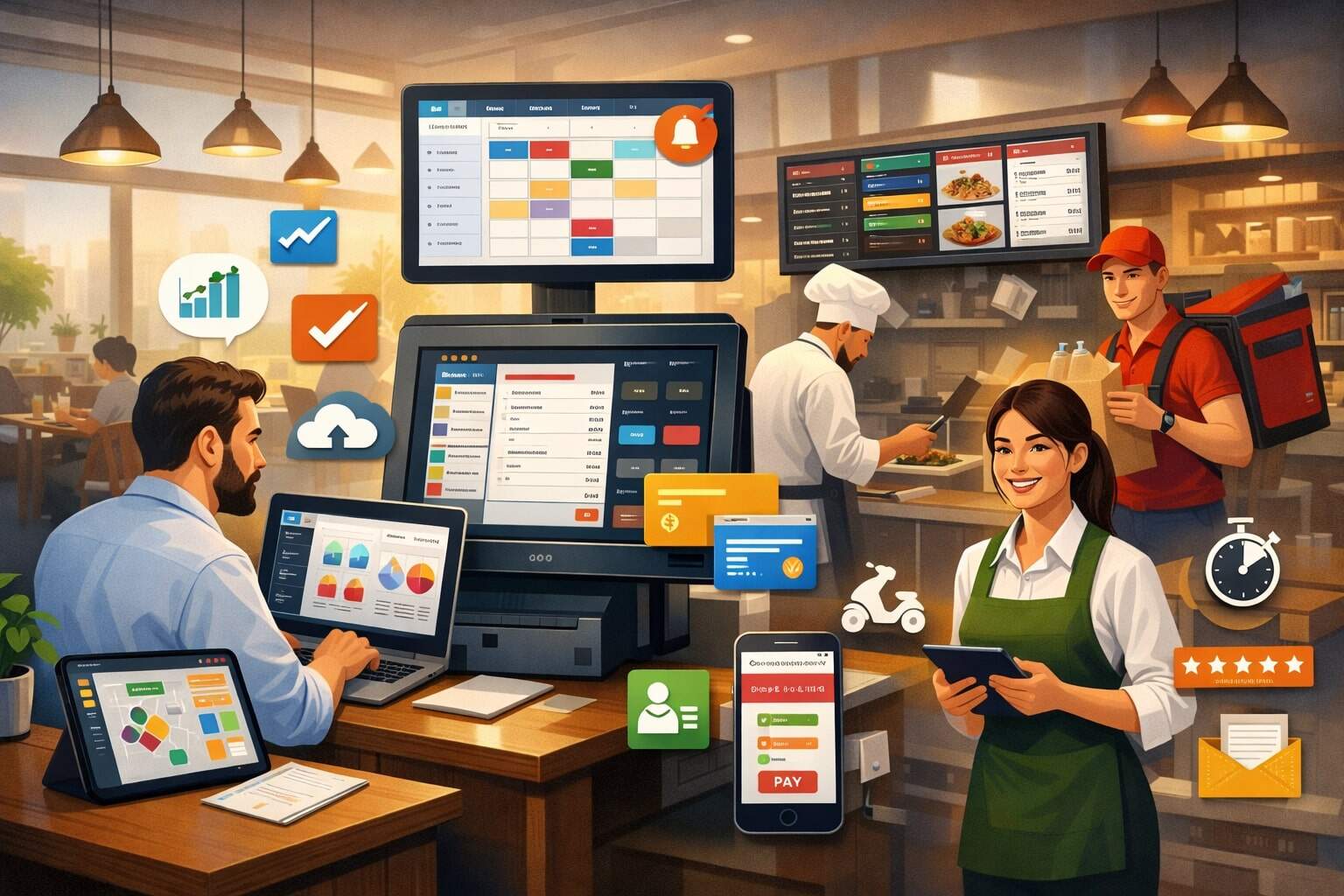
When restaurant software is set up well, it becomes the “source of truth” for what’s happening right now: what’s selling, what’s delayed, what’s running out, who is on break, which tables are waiting, and what profit looks like per menu item. That visibility matters because chaos thrives in blind spots.
Modern restaurant software is also less “one tool” and more an integrated stack: POS, online ordering, kitchen display, inventory, scheduling, reporting, loyalty, and accounting connections.
Each piece removes friction, but the real win is how they work together. When a guest order automatically updates kitchen workflows, inventory counts, labor needs, and sales reports—without retyping—the restaurant stops fighting its own processes.
This guide explains the most common sources of operational chaos and how restaurant software addresses them with practical workflows, current best practices, and realistic future predictions for where restaurant technology is heading.
Understanding Operational Chaos and Why It Happens
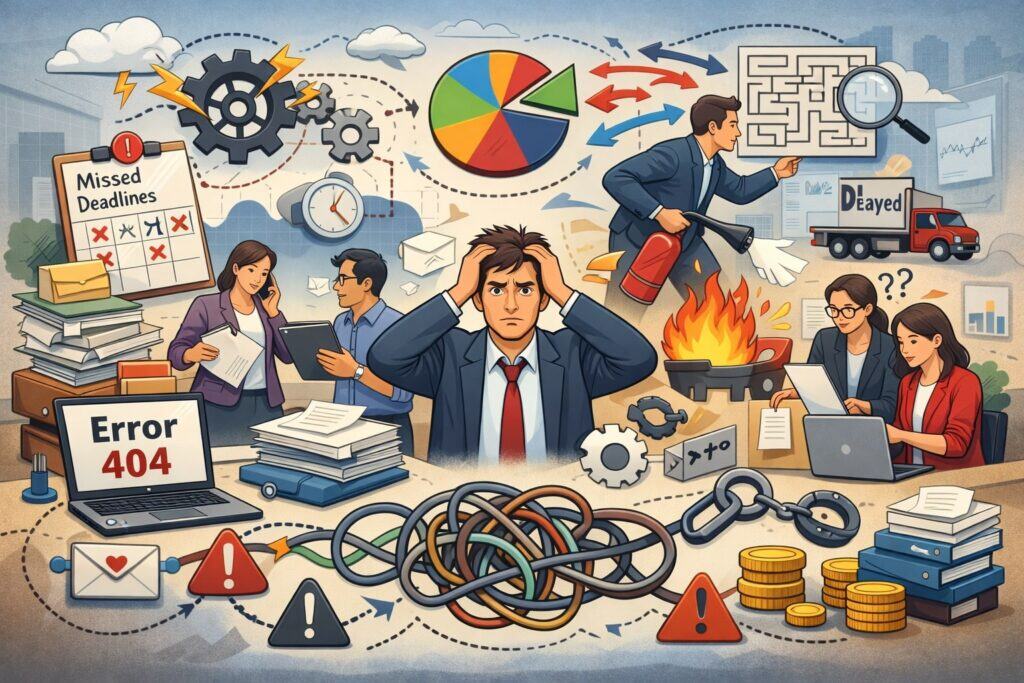
Operational chaos is the gap between “how service should run” and “what really happens during a rush.” Restaurants are fast, loud, and constantly changing, which means small errors multiply quickly.
A single incorrect modifier can trigger a remake, which delays other orders, which increases comps, which stresses staff, which creates more errors. That chain reaction is what owners describe as chaos.
Restaurant software reduces chaos by standardizing decisions that don’t need to be reinvented every shift. Instead of relying on memory or tribal knowledge, teams rely on clear prompts, guided screens, automated routing, and consistent reporting. That consistency makes performance less dependent on who is working and more dependent on the system.
Another root cause is “tool sprawl.” When orders live in one place, inventory in another, labor in a spreadsheet, and marketing in a separate app, the team spends time reconciling instead of serving.
Restaurant software reduces chaos by consolidating and integrating. It also creates accountability—every void, discount, comp, and refund has a user, time, and reason code.
Finally, chaos increases when management learns too late. Restaurant software makes problems visible earlier through alerts, dashboards, and exception reports. When you can catch issues mid-shift—like rising ticket times or low stock—you can fix them before they become a bad night.
Chaos Trigger 1: Manual Processes That Don’t Scale
Manual steps feel manageable when volume is low. But as orders increase, handwriting tickets, calling out items, and running “mental inventory” becomes a risk. People forget, mishear, and multitask. During peak hours, the restaurant’s processing capacity gets overwhelmed.
Restaurant software removes repeated manual tasks by automating the predictable parts of the shift. Orders flow from the dining room to the kitchen without re-entry. Modifiers are standardized so “no onions” doesn’t turn into “allergy?” confusion. Ticket timing becomes measurable instead of guessed.
Automation also reduces the burden on your strongest employees. In chaotic restaurants, top performers spend energy fixing avoidable mistakes. With restaurant software, they can focus on hospitality, speed, and upselling—work that actually grows revenue.
Manual processes also hide cost leakage. If comps are tracked on paper or not tracked at all, you’ll never know how much food cost is being driven by errors.
If discounts aren’t coded, you can’t see whether promos are working or just eroding margins. Restaurant software captures these details automatically, which is essential for consistent profit.
Scaling a restaurant without systems often forces the owner to “be everywhere.” With restaurant software, control doesn’t require constant physical presence. You can spot patterns, coach with data, and build routines that hold up even when you’re not on the floor.
Chaos Trigger 2: Communication Breakdowns Between Front and Back of House
Front-of-house and back-of-house have different priorities, and under pressure those priorities clash. Servers need fast turn times and flexibility. The kitchen needs clarity, pacing, and consistency. When communication is unclear, the kitchen gets slammed unpredictably and the floor gets frustrated.
Restaurant software reduces communication breakdowns by creating a shared language. The POS standardizes how items are rung in. The kitchen system displays the same modifiers every time. Courses can be fired intentionally instead of randomly. Notes become readable and consistent instead of scribbled.
Communication also improves when restaurant software adds structure to exceptions. For example: “86 item” alerts, substitution rules, allergy flags, and hold/fire workflows. When exceptions are standardized, staff don’t improvise under stress.
Even simple changes like consistent table mapping, seat positions, and coursing reduce conflict. The kitchen can produce in a predictable rhythm, and the dining room can set expectations with guests. When both sides trust the system, fewer arguments happen mid-rush.
The best setups also create “closed-loop” feedback: the kitchen marks an item complete, the runner sees it instantly, and the server gets notified. That loop reduces the constant shouting and running back-and-forth that turns busy into chaotic.
POS and Order Management: The Anti-Chaos Foundation
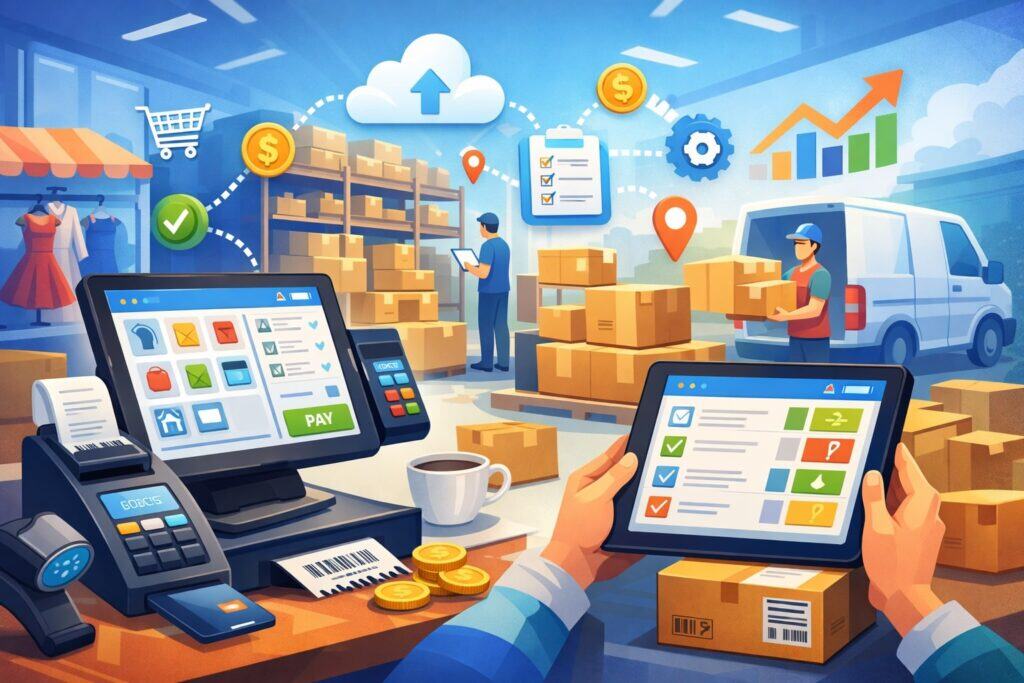
The POS is where chaos either starts or gets prevented. If the POS is confusing, slow, or inconsistent, orders will be wrong. If the POS is clean and intuitive, orders will be accurate even with newer staff. That’s why modern restaurant software puts a lot of design effort into the order screen.
Order management in restaurant software is more than taking payments. It includes item routing, modifiers, courses, tabs, splitting checks, discounts, and void controls. Each of these areas can create friction if they’re not standardized.
A strong POS setup reduces chaos by making the “right” action easy and the “wrong” action harder. That means: logical menus, forced modifiers where needed, default prompts for doneness, and clear buttons for common changes. It also means permission levels so comps and voids aren’t uncontrolled.
When the POS connects to online ordering and delivery, restaurant software prevents double-entry and mismatched menus. Items, prices, and availability stay aligned across channels, which reduces guest complaints and remakes. Over time, clean order flow becomes one of the biggest stability advantages.
Menu Design, Modifiers, and Upsell Prompts That Prevent Mistakes
Most order errors happen at the modifier level. A burger is simple until you add bun choice, doneness, cheese, add-ons, removals, allergy notes, and side swaps. In chaotic restaurants, modifiers are free-text. In stable restaurants, restaurant software makes modifiers structured.
Structured modifiers reduce mistakes because they force clarity. Awareness improves when the POS prompts the server: “Choose side,” “Choose temperature,” “Any add-ons?” This is not just about sales. It’s about completeness. Incomplete orders cause kitchen stalls, refires, and awkward table visits.
Good restaurant software also uses smart defaults. If 90% of guests choose fries, fries can be default with an option to change. That speeds entry while still allowing flexibility. But defaults must be intentional—otherwise they create silent errors.
Upsell prompts, when done respectfully, reduce chaos by reducing decision fatigue. Instead of staff guessing what to offer, the POS suggests the best pairings. That consistency increases check average and reduces “I forgot to ask” stress. It also makes training easier, because the system supports the script.
Finally, menu design inside restaurant software should mirror how the kitchen thinks. Categories should match stations. Modifiers should match prep language. When POS language and kitchen language align, ticket interpretation becomes automatic.
Centralized Control Over In-House, Takeout, and Online Orders
Channel chaos is real. In-house service has one rhythm, takeout has another, and third-party delivery has its own rules. Without coordination, kitchens get slammed by a sudden surge of tickets that the dining room never saw coming. Restaurant software reduces this by centralizing order intake and pacing.
A unified order management layer can throttle or pause channels when ticket times rise. It can limit order volume per time slot and adjust prep times dynamically. That prevents the kitchen from being blindsided.
Centralization also means one menu and one pricing logic. When each platform has different items, modifier lists, or availability, staff waste time explaining mismatches. Modern restaurant software syncs menus and availability so “86” updates can apply everywhere quickly.
Another anti-chaos feature is consistent customer data: names, contact details, order history, and notes. For takeout, that reduces errors and speeds order handoff. For online ordering, it reduces chargebacks and disputes because records are clear and accessible.
The key is not “more channels.” It’s controlled by channels. Restaurant software helps you add revenue streams without adding disorder by enforcing the same operational rules across each order type.
Kitchen Operations and KDS: Turning Rush Hour Into a System
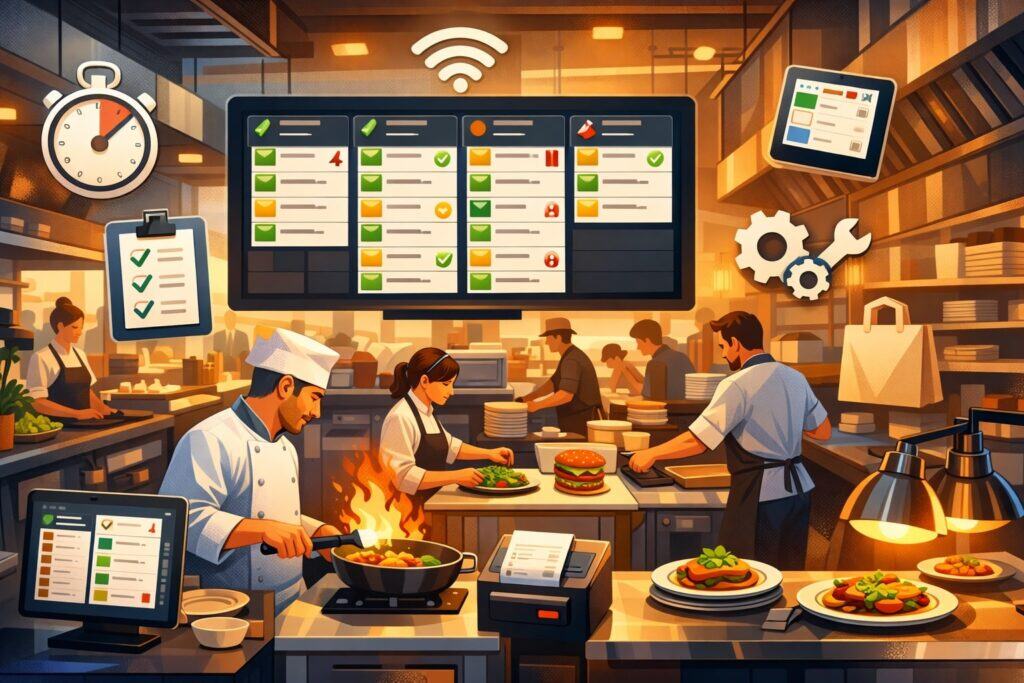
The kitchen is where chaos becomes visible: ticket rails overflow, timing becomes guesswork, and communication becomes shouting. A Kitchen Display System (KDS) inside restaurant software reduces chaos by turning tickets into a trackable workflow.
A KDS improves clarity. Orders are legible, organized, and consistent. Stations can see what they need to prepare and when. Items can be grouped by table, course, or promised time. This eliminates the “lost ticket” problem and reduces the panic of not knowing what’s next.
KDS also improves pacing. Instead of everything hitting the line at once, courses can be fired intentionally. Expo can control flow. When the kitchen controls flow, the dining room becomes calmer too—because ticket times become predictable.
Another advantage is accountability. With restaurant software, ticket times are measured. You can identify where delays happen: grill, fry, pantry, expo, or runner. That data enables process changes, not blame. Over time, the kitchen becomes a repeatable system rather than a heroic effort every night.
Ticket Timing, Course Firing, and Station Routing
Most kitchens don’t fail because they can’t cook. They fail because timing collapses. Items finish at different times, and the team scrambles to synchronize. Restaurant software reduces this by coordinating ticket timing and station routing.
Station routing ensures that items print or display where they should. Grill sees grill items. The pantry sees salads and desserts. The bar sees drinks. This prevents the “wrong station made it” confusion and reduces duplicate prep. Routing also allows separate pacing rules: bar may fire immediately while entrees are held until appetizers are served.
Course firing is another key tool. The POS or expo can hold entrees until appetizers are marked complete, or fire desserts when the table is nearing the end. This reduces crowding in the window and improves the guest experience.
Ticket timing metrics help you set standards. If your target is 12 minutes for lunch tickets, the system can alert you when the average is drifting. That early warning lets you adjust staffing, pause online ordering, or simplify execution before the shift spirals.
The best restaurant software setups also support “promise times” for takeout and delivery. That ensures the kitchen isn’t juggling unrealistic deadlines and helps the front-of-house set accurate expectations.
Prep Lists, 86 Controls, and Waste Tracking
Chaos often starts earlier than service: prep wasn’t done, pars were wrong, or an item ran out unexpectedly. Restaurant software reduces this by generating prep lists based on historical sales, reservations, and current trends.
When prep lists are data-driven, the team stops guessing. You prep what actually sells, not what you think might sell. That reduces 86 situations and reduces waste. It also makes scheduling easier because prep time becomes predictable.
86 controls are another chaos killer. When an item runs out, staff must stop selling it immediately across every channel. If servers keep ringing it in, the kitchen must communicate, guests get disappointed, and refunds happen. Restaurant software lets managers disable items and modifiers quickly, often with a single toggle, which prevents bad tickets from entering the system.
Waste tracking closes the loop. If you’re throwing away a lot of a specific prep item, that’s a signal: portioning, forecasting, or menu design needs adjustment. If remakes are high for certain items, training or modifier structure might be the issue. Restaurant software captures that data so you can fix root causes rather than just “work harder.”
Over time, prep lists and waste insights create calmer shifts because your kitchen enters service prepared and stays prepared.
Inventory and Purchasing: Preventing Shortages and Cost Surprises
Inventory chaos shows up as “we’re out of that” and “why is food cost so high?” Both create stress. Stockouts create guest disappointment and remakes. Cost surprises destroy profitability even if the restaurant looks busy. Restaurant software reduces chaos by turning inventory into a living system rather than a periodic spreadsheet project.
Modern inventory features connect recipes to ingredients, track usage based on sales, and flag low stock based on par levels. Even if your counts are weekly, sales-driven depletion estimates provide useful direction. That helps managers catch problems early.
Purchasing becomes calmer when restaurant software standardizes vendors, prices, and order guides. Instead of re-creating orders each time, staff order from a template based on pars and recent movement. This reduces missed items and over-ordering.
Inventory systems also support menu engineering. When you know true item costs, you can price properly, promote high-margin items, and reduce reliance on low-margin specials. Chaos decreases because profitability becomes predictable, not mysterious.
Recipe Costing, Theoretical vs. Actual, and Margin Control
One of the biggest reasons restaurants feel chaotic is not knowing where money went. You might have a packed dining room and still feel broke. Restaurant software reduces that anxiety by connecting sales to costs through recipe costing.
Recipe costing assigns ingredient quantities and prices to each menu item. When the POS sells an item, the inventory system can calculate “theoretical usage”—what you should have used. Then you compare that to “actual usage” from counts and purchases. The difference highlights waste, over-portioning, spill, theft, or incorrect recipes.
This theoretical vs. actual view is powerful because it directs attention. If chicken variance is high, you look at portioning and prep. If liquor variance is high, you check pours, comps, and spills. Instead of guessing, you investigate.
Margin control becomes simpler too. You can see item-level profit and adjust pricing or portion sizes. Restaurant software helps you avoid emotional decisions like discounting popular items that already have low margins.
As margins stabilize, operations stabilize. When you’re not constantly reacting to cost surprises, you can plan staffing, maintenance, and marketing with confidence.
Automated Reorder Points and Vendor Management
Reordering chaos often looks like last-minute shopping trips and emergency substitutions. That burns labor and creates inconsistent food quality. Restaurant software reduces chaos by using par levels and reorder points that reflect your actual sales patterns.
Reorder points can be tuned by daypart, season, and event calendar. If weekends are higher in volume, prices rise. If a slow season hits, pars fall. The system can generate suggested orders that managers review and approve, which keeps humans in control while reducing workload.
Vendor management also matters. Price changes happen often, and it’s easy to lose track of what you’re paying. Restaurant software can store vendor pricing, flag anomalies, and support multiple vendors for the same item. That makes substitution decisions intentional rather than desperate.
Order guides reduce training friction. A new manager can place accurate orders by following a structured template. That prevents the “only one person knows how to order” problem, which is a major source of chaos.
When purchasing becomes repeatable, service becomes calmer. You have what you need, your menu stays consistent, and your kitchen doesn’t waste time adapting mid-shift.
Labor and Scheduling: Reducing Burnout and Fixing Coverage Gaps
Labor chaos is expensive and stressful. Understaffing causes slow service and mistakes. Overstaffing destroys profit. Last-minute callouts create panic. Restaurant software reduces chaos by aligning schedules with demand, improving communication, and making labor performance measurable.
Scheduling tools use sales history, forecasts, and events to predict staffing needs. That turns scheduling from guesswork into planning. When managers schedule intentionally, coverage gaps shrink and staff feel supported rather than overwhelmed.
Time tracking and labor dashboards help catch problems early. If labor percentage is climbing during a shift, you can cut strategically. If ticket times are rising, you can call in support. Restaurant software gives you the visibility to act in real time.
Communication features like shift notes, messaging, and task checklists reduce confusion. Staff know what’s expected and what changed. That reduces the constant “did anyone tell you?” friction that creates resentment.
Strong labor systems also protect culture. When schedules are fair, policies are clear, and tips are tracked consistently, staff trust increases—and chaos decreases.
Forecast-Based Scheduling and Real-Time Labor Controls
Forecast-based scheduling is one of the fastest ways restaurant software reduces chaos. When you schedule based on real demand patterns—by hour, by day, by season—you avoid the extremes of too many people or not enough.
Forecasts can also incorporate reservations, catering orders, and local events. That matters because demand doesn’t always show up in last week’s numbers. With better forecasting, your busiest shifts feel controlled instead of chaotic.
Real-time labor controls are the second layer. During service, the system can show labor cost as a percentage of sales as the night unfolds. That helps managers make decisions before the shift ends. You can cut a support role early if sales slow, or keep extra hands when volume spikes.
The biggest benefit is calm decision-making. Instead of reacting emotionally—“we’re drowning” or “it’s dead”—you use data. Restaurant software turns staffing into a manageable lever rather than a constant crisis.
This also improves training. When roles are scheduled properly, staff aren’t forced to cover two jobs at once. That reduces mistakes and burnout, which further reduces chaos over time.
Compliance, Tips, and Policy Consistency Without Drama
Compliance chaos shows up as messy timecards, unclear breaks, tip disputes, and inconsistent discipline. Even if your restaurant is doing “fine,” a few policy conflicts can damage morale quickly. Restaurant software reduces this by standardizing tracking and creating transparent records.
Timekeeping tools support break rules, overtime alerts, and audit-ready logs. Tip tracking tools record tip pools, tip outs, and allocations clearly. That reduces disputes because the numbers are documented and repeatable.
For multi-role teams, role-based pay rates can be tracked automatically. That reduces payroll errors and staff frustration. Over time, fewer payroll corrections means fewer tense conversations and less administrative scramble.
Policy consistency matters too. Task checklists, training modules, and shift notes ensure managers communicate the same expectations across teams. When staff know what “closing” means, what “side work” includes, and how comps are handled, the restaurant runs smoother.
In some cases, using restaurant software can also help you align with wage-and-hour rules that vary by state and city in the United States, especially when it comes to overtime, breaks, and tip handling. The key is not just tracking—it’s building routines that prevent mistakes before they happen.
Payments, Accounting, and Reporting: Eliminating End-of-Night Confusion
Few things feel more chaotic than end-of-night paperwork: cash counts, drawer discrepancies, missing receipts, and unclear comps. Restaurant software reduces this chaos by automating reconciliation, improving payment accuracy, and giving managers clean reporting.
Modern payment features include EMV chip acceptance, contactless payments, digital receipts, and pay-at-table options. These reduce chargebacks and speed table turns. When payments are smoother, staff stress drops and guests leave happier.
Accounting connections reduce administrative workload. Instead of manually exporting spreadsheets and re-entering numbers, the system can sync daily sales summaries, taxes, and tender types. This saves hours per week and reduces errors.
Reporting is the long-term chaos reducer. When managers can see trends, they can fix issues proactively. If a menu item has high voids, you can retrain. If a discount is overused, you can tighten permissions. If a daypart is underperforming, you can adjust staffing and marketing.
Reliable reporting turns management from reactive to proactive, which is the core shift from chaos to control.
Faster Checkout, Fewer Chargebacks, and Better Guest Flow
Checkout chaos happens when guests are waiting for a card reader, a check split takes too long, or a payment fails and no one knows why. Restaurant software reduces this by simplifying tender flows and reducing friction.
Pay-at-table and mobile checkout can reduce bottlenecks, especially during peak periods. Guests pay when ready. Servers spend less time running cards and more time serving. That improves speed without rushing the guest experience.
Digital receipts reduce disputes because records are clear and easy to retrieve. Clear itemization and tip confirmation reduce “I didn’t authorize this” complaints. When chargebacks happen, having clean transaction data and order details helps you respond.
Better payment flow also improves table turns in casual dining and reduces line buildup in quick service. That’s not just a convenience; it’s operational stability. When the last step of the guest journey is smooth, the entire shift feels calmer.
If your restaurant software also supports offline mode or failover, you reduce panic during internet issues. That kind of resilience is a hidden chaos killer because it prevents the “everything stops” scenario.
Dashboards, Exception Reports, and Multi-Location Visibility
A restaurant can feel chaotic even when it’s profitable if leaders don’t have clear answers. What caused the drop in margin? Why are ticket times rising? Which manager is comping too much? Restaurant software reduces this uncertainty with dashboards and exception reporting.
Dashboards show key metrics: sales, labor, ticket times, voids, comps, discounts, and top sellers. When managers see these daily, they learn what “normal” looks like. Then outliers become obvious.
Exception reports focus attention. Instead of reading every transaction, you review what matters: high void users, unusually large discounts, repeated refunds, late clock-outs, or excessive overtime. That turns oversight into a short routine rather than a big investigation.
Multi-location visibility is a major advantage for groups. Standardized reporting lets owners compare stores fairly. You can see which location is executing best and replicate its playbook. You can also spot training needs faster.
Over time, these reporting routines create calmer operations because problems are addressed early. When leadership is informed, teams get coached before chaos becomes culture.
Implementation Playbook: How to Roll Out Restaurant Software Without Disrupting Service
The biggest mistake restaurants make is buying restaurant software and expecting instant calm. The software reduces chaos only when the rollout is planned. Implementation should be treated like an operational project, not an IT project.
Start with your workflows. Define how orders should flow, how comps should be approved, how inventory should be counted, and how schedules should be built. Then configure the system to match those workflows. If you configure randomly, you’ll build new chaos inside the tool.
Training is the second pillar. Short, role-based training works best: servers learn order entry and splits, expo learns firing and pacing, managers learn reports and permissions. Keep training practical and scenario-based so staff are prepared for real rush situations.
Finally, use a phased rollout. Test on slower shifts, refine button layouts, adjust modifiers, and verify reporting. Restaurant software becomes stable when you treat setup as a living system that improves over weeks, not a one-day installation.
A Smart Setup Checklist That Prevents “Tech Chaos”
A clean setup is the difference between smooth adoption and constant frustration. The goal is to make the system match how your restaurant actually operates.
First, build a menu that mirrors kitchen reality: correct stations, consistent modifier language, and forced choices where necessary. Keep buttons simple and remove rarely used options from the main screen. Complexity creates mistakes.
Second, define permissions. Decide who can void, comp, discount, refund, and edit closed checks. Restaurant software reduces chaos when controls are clear and exceptions are documented.
Third, verify integrations. Online ordering, KDS, inventory, and accounting should match the same menu and pricing. Nothing creates chaos faster than mismatched menus across channels.
Fourth, standardize naming: items, modifiers, prep notes, and reports. Standard names reduce training time and reduce miscommunication during rush.
Finally, test with real scenarios: big parties, split checks, gift cards, allergies, 86 items, refunds, delivery surges, and offline mode. A scenario test reveals gaps before guests do.
When setup is intentional, staff trust the restaurant software, and trust is what keeps operations calm under pressure.
Training Your Team So the System Sticks
Training fails when it’s too long, too theoretical, or not role-specific. The best approach is short sessions that match job tasks.
For servers, focus on order accuracy: modifiers, seat numbers, coursing, and check handling. For kitchen teams, focus on the KDS workflow: bumping items, firing courses, and handling re-fires. For managers, focus on reports, permissions, and mid-shift decision tools.
Create “one-page” guides for common tasks: splitting checks, applying promos, handling comps, marking 86, and clocking in/out. This reduces panic during early adoption.
Shadow shifts help too. Pair new users with a trained “champion” during a real service. The champion prevents small mistakes from turning into big chaos.
Also, reinforce with routines. Review one dashboard daily. Audit comps weekly. Count key inventory items consistently. Restaurant software becomes powerful when people use it the same way every time.
When training is practical and repeatable, the system sticks—and chaos stays lower even when staff turnover happens.
Measuring Success: What to Track in the First 30, 60, and 90 Days
If you don’t measure adoption, you won’t know whether restaurant software is reducing chaos or just adding screens. The first 90 days should focus on a few clear metrics.
In the first 30 days, track order accuracy and speed: voids, remakes, ticket times, and check handling time. Also track staff confidence through quick check-ins. If staff feel slower, the button layout may need simplification.
In days 30–60, track cost control: comps, discounts, food cost variance for a few key items, and waste logs. This is when processes start becoming routine and the data becomes meaningful.
In days 60–90, track profitability and consistency: labor percentage by daypart, top item margin, repeat guest rate (if loyalty is enabled), and manager compliance with audits. This is where the restaurant shifts from “using the system” to “running the business through the system.”
Also measure operational calm. You’ll see it in fewer emergency calls, fewer guest complaints, and fewer end-of-night discrepancies. Those are real outcomes that restaurant software should deliver when it’s implemented thoughtfully.
Future Predictions: Where Restaurant Software Is Headed Next
Restaurant technology is evolving quickly, but the direction is clear: more automation, more personalization, and more predictive control. The next generation of restaurant software will focus less on “recording what happened” and more on “preventing problems before they happen.”
Expect smarter forecasting. Systems will combine sales history with reservations, weather patterns, local events, and delivery demand signals to predict staffing and prep needs with higher accuracy. This will reduce shortages, reduce overtime, and create calmer rushes.
Expect more real-time coaching. Instead of managers scanning reports after the shift, restaurant software will surface prompts during service: “ticket times rising,” “pause online orders,” “labor trending high,” “86 item likely within 20 minutes.” These prompts will make chaos prevention more proactive.
Also expect deeper guest personalization. Loyalty systems will become more behavior-driven, suggesting offers based on actual buying patterns without overwhelming staff. The guest experience will feel more consistent, which reduces service friction.
The future isn’t about replacing people. It’s about giving teams better systems so they can deliver hospitality without constant firefighting.
AI-Assisted Forecasting and Automated Decision Support
AI is often hyped, but one practical use is forecasting. When demand forecasting improves, scheduling improves. When scheduling improves, service becomes calmer. That’s a direct line awareness that restaurant software is already moving toward.
AI-assisted forecasting can also help with purchasing. Instead of static pars, the system will recommend orders based on predicted sales and current stock. That reduces emergency runs and reduces wasted product.
Decision support is another likely shift. For example, systems can recommend menu changes when margins shift, or suggest staffing changes when live sales deviate from forecast. The key is that recommendations must be explainable and easy to act on. If suggestions feel random, managers ignore them.
A realistic prediction is that the best restaurant software platforms will offer “guided ops” modes: daily checklists, automated alerts, and prioritized action lists. This will help new managers perform like experienced managers faster, which reduces chaos during turnover.
Over time, these tools will make operations more consistent across locations and shifts—one of the strongest long-term benefits technology can provide.
Unified Guest Journeys Across Dine-In, Pickup, and Delivery
Guests don’t think in channels. They just want a smooth experience. The future of restaurant software is a unified guest journey where ordering, payment, loyalty, and support feel consistent whether the guest is dining in or ordering from their phone.
This unification will reduce operational chaos because staff won’t need separate processes for each channel. Menus will stay synchronized. Promises times will be managed intelligently. Substitutions and 86 statuses will update everywhere instantly.
We’ll likely see more self-service options: QR ordering for certain concepts, kiosks for quick service, and pay-at-table for faster turns. These aren’t just “tech features.” They reduce bottlenecks and reduce staff stress when volume is high.
Another likely shift is better identity resolution: recognizing repeat guests across channels while respecting privacy and consent. This can reduce service friction—like remembering preferences—and improve loyalty performance.
As unified journeys become standard, restaurant software will reduce chaos by making operations feel like one system, not three separate businesses running under one roof.
FAQs
Q.1: What type of restaurant software reduces chaos the fastest?
Answer: The fastest impact usually comes from a well-configured POS paired with a kitchen workflow tool like a KDS. These two reduce chaos immediately because they affect order accuracy, ticket flow, and communication. If orders are clean and the kitchen can pace work, the entire shift feels more controlled.
However, speed depends on your biggest pain point. If your chaos is primarily end-of-night confusion, payment and reporting features deliver quicker relief. If your chaos is shortages and waste, inventory modules may have the biggest effect. If your chaos is constant understaffing, scheduling tools can change the feel of service within a few weeks.
The real key is not buying the most features. It’s choosing restaurant software that fits your service style and implementing it with clear workflows. A simple system used consistently will reduce chaos faster than a complex system used inconsistently.
If you’re choosing priorities: start with POS + kitchen flow, then add inventory and scheduling once order accuracy and ticket timing are stable.
Q.2: How long does it take for restaurant software to reduce operational chaos?
Answer: You can see improvement in the first week if the POS layout and kitchen routing are clean. Order errors often drop quickly when modifiers are structured and tickets are consistent.
But the deeper benefits—like lower food cost variance and more stable labor performance—usually take 30 to 90 days. That’s because inventory accuracy requires routine counts and recipe setup, and scheduling improvements require enough data to forecast reliably.
The timeline also depends on training. If training is rushed, chaos may temporarily increase because staff are learning under pressure. A phased rollout—starting on slower shifts—helps the team build confidence.
The best approach is to set expectations: the first two weeks are for stability, the next month is for optimization, and the third month is for performance. With that mindset, restaurant software becomes a long-term chaos reducer instead of a short-term frustration.
Q.3: Can restaurant software help with staff turnover and training?
Answer: Yes—if it’s designed and configured to be intuitive. Turnover creates chaos because knowledge leaves the building. Restaurant software reduces this by embedding the “right way to do things” into the workflow: guided modifiers, standardized comps, clear station routing, and consistent reports.
Training becomes simpler because the system supports the process. New servers don’t have to memorize every modifier because the POS prompts them.
New kitchen staff don’t have to interpret handwriting because the KDS is consistent. New managers don’t have to guess what to review because dashboards and exception reports highlight what matters.
That said, software can’t replace leadership. You still need onboarding routines, culture, and coaching. But restaurant software can reduce the training burden and make performance less dependent on a few veteran employees—one of the biggest long-term chaos fixes.
Q.4: What are common mistakes restaurants make when implementing restaurant software?
Answer: A common mistake is copying another restaurant’s setup instead of designing for your own workflow. Every concept has different pacing, menu structure, and staffing. If your restaurant software doesn’t match reality, staff will work around it, and workarounds create chaos.
Another mistake is overcomplicating the POS screen. Too many buttons, too many modifier options, and inconsistent naming slow staff down. Simplicity wins, especially during rushes.
Skipping permissions is also risky. If voids and comps aren’t controlled, you’ll see profit leakage and conflict. Good restaurant software reduces chaos when accountability is clear.
Finally, many restaurants don’t build routines around the data. Reports don’t matter if no one reviews them. Pick a few weekly habits—comp audits, labor review, inventory checks—and the system becomes a true management tool.
Q.5: Does restaurant software help small restaurants as much as larger groups?
Answer: Small restaurants often benefit even more because they have fewer layers of management. When the owner is also the operator, restaurant software can reduce daily stress by making information immediately accessible. Instead of chasing paperwork, you can check key metrics quickly and focus on service.
For small teams, standardization is also powerful. If you have a handful of employees wearing many hats, clear workflows prevent mistakes. Structured order entry, consistent kitchen flow, and simple scheduling routines create stability even with limited staff.
Larger groups benefit from standardization across locations, but small restaurants benefit from time savings and clarity. The key is choosing restaurant software that’s right-sized—easy to use, strong support, and the integrations you actually need.
Q.6: How do I know if my restaurant software is actually reducing chaos?
Answer: Look for a mix of data and “feel.” Data signs include fewer voids, fewer remakes, faster ticket times, fewer end-of-night discrepancies, and more stable labor percentage. You should also see better consistency in comps and discounts with clear reasons.
The “feel” signs matter too. Staff ask fewer emergency questions. Managers spend less time fixing mistakes and more time coaching. Guests complain less about missing items or long waits. You stop having the same problems every Friday night.
A strong indicator is whether your team trusts the system. When staff rely on restaurant software—instead of sticky notes and memory—you’ve moved from chaos management to operational control.
Conclusion
Operational chaos isn’t a personality trait of restaurants. It’s usually a systems problem. When orders are inconsistent, communication is unclear, inventory is uncertain, and labor is reactive, the business feels like it’s always one step away from a meltdown.
Restaurant software reduces that chaos by creating repeatable workflows, shared visibility, and real-time control.
The biggest improvements come from aligning the POS and kitchen flow, then building stability through inventory routines, smarter scheduling, and clean reporting. The goal is not to “add tech.” The goal is to remove friction, prevent preventable mistakes, and make performance consistent across shifts and staff.
When implemented thoughtfully, restaurant software turns rush hour into a managed process instead of a crisis. And as forecasting, automation, and unified guest journeys continue to improve, the future points toward even more proactive operations—where the system helps you avoid chaos before it starts.