By cloudrestaurantmanager October 11, 2025
Mobile payments and cloud POS are no longer optional—they’re the backbone of modern checkout. Customers expect to tap, scan, or pay from a phone in seconds, while merchants expect real-time sales data that syncs across locations.
Pairing mobile payments and cloud POS delivers both. Instead of juggling legacy terminals, on-prem servers, or nightly batch files, a cloud POS centralizes item catalogs, pricing, and inventory, and then routes fast, secure mobile payments from any device you choose.
That means you can accept contactless cards, Apple Pay, Google Pay, and QR wallets on smartphones or lightweight terminals, and see the results instantly in your dashboard.
This pairing also keeps you future-ready. Real-time rails and softPOS (tap-to-phone) acceptance are spreading quickly. For example, the U.S. FedNow instant payment service went live in July 2023, enabling always-on instant payments bank-to-bank and setting expectations for speed across commerce in general.
Meanwhile, The Clearing House’s RTP® network has raised transaction limits to support higher-value instant payments and is processing massive volumes as adoption grows.
At the same time, “Tap to Pay on iPhone” and Android tap-to-pay options are expanding globally, letting merchants accept contactless payments with no extra hardware.
When you deploy mobile payments and cloud POS together, you shorten checkout times, automate reconciliation, and unlock omnichannel features—like curbside, pop-up, and marketplace sales—that sync with online stock. The result is a faster, safer, and more flexible retail or service operation that customers actually enjoy using.
What exactly are mobile payments and cloud POS?
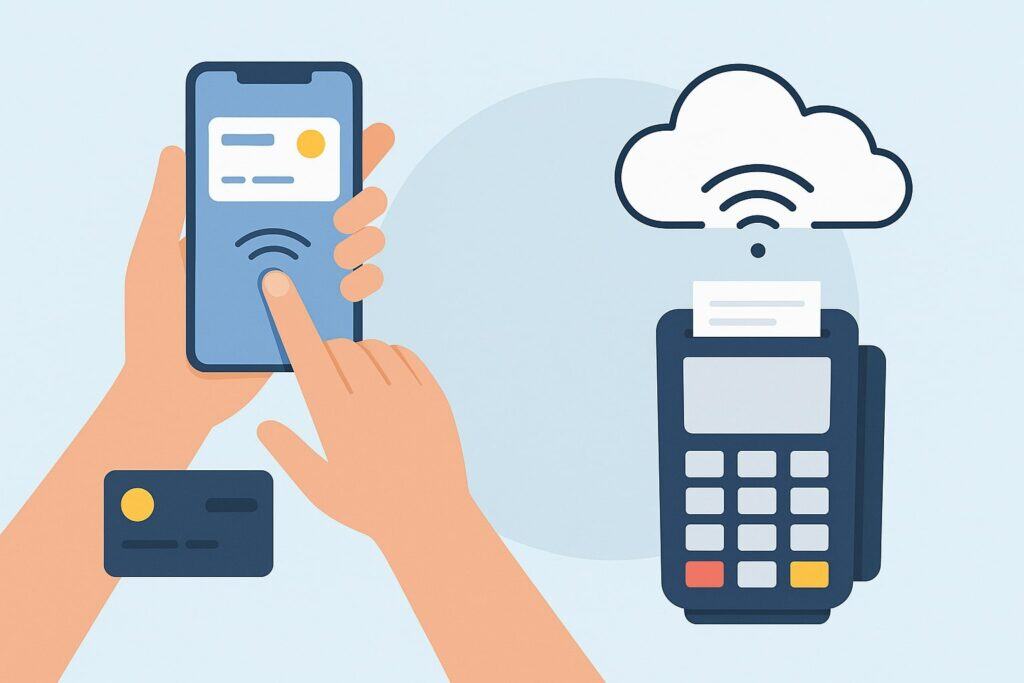
Mobile payments are transactions authorized on a mobile device—either the consumer’s (e.g., Apple Pay, Google Pay) or the merchant’s (e.g., smartphone running a softPOS app). They can include NFC “tap,” QR codes, in-app payments, or wallet-on-file checkouts.
The magic is in tokenization and NFC: sensitive card data is never shared directly with the merchant, helping reduce risk while speeding up the experience.
Cloud POS is point-of-sale software hosted in the cloud. Instead of installing software on a single back-office computer, you log in from anywhere to manage products, taxes, discounts, and users, and to view live sales across locations.
Because the POS runs in the cloud, you can spin up additional lanes or devices on demand. Combine that with mobile payments and you’ve got a portable, always-updating checkout that works on phones, tablets, kiosks, or handhelds.
Put simply: mobile payments handle how the customer pays, and cloud POS handles how your business records, routes, and reconciles the sale.
Together, mobile payments and cloud POS create a single flow—from tap to ledger—that reduces keystrokes, errors, and end-of-day headaches. That’s why forward-looking retailers, restaurants, field services, and mobile vendors standardize on this pairing.
The business case: speed, savings, and scalability
Adopting mobile payments and cloud POS delivers measurable gains: faster lines, higher conversion, and lower total cost of ownership. Because you can accept contactless on consumer-grade hardware, you avoid expensive peripherals while still meeting security standards through certified solutions.
SoftPOS (also called “tap to mobile” or “tap on phone”) now lets a compatible smartphone act as the acceptance device—no extra PIN pad required—reducing hardware spend and rollout time.
Cloud POS centralizes updates. Change a price or add a product once and it appears on every register—brick-and-mortar, pop-up, or mobile van. Built-in analytics show real-time sell-through so you can move inventory before it stagnates.
Because mobile payments and cloud POS sync immediately, refunds, tips, surcharges, and partial captures are applied consistently everywhere. Training is faster too: staff learn one interface across devices and contexts, which frees managers to focus on service instead of troubleshooting.
Finally, the pairing future-proofs operations. Instant payment rails like FedNow and RTP are setting expectations for immediacy across P2P and B2B flows.
Merchants with cloud POS can integrate these rails for payouts, supplier payments, or real-time disbursements as providers enable them. In short, mobile payments and cloud POS help you sell more, spend less, and pivot faster.
Security and compliance: what merchants need to know in 2025
Security isn’t optional. If you accept card payments, you’re subject to PCI DSS. Version 4.0 introduced new requirements and a transition period; many future-dated controls become mandatory after March 31, 2025.
Choosing a cloud POS and mobile acceptance stack that’s validated and up to date is the safest path. Confirm your provider’s PCI scope, SAQ type, and whether they support P2PE or point-to-point encryption to minimize your burden.
Mobile payments actually help here. Wallet tokenization reduces exposure because a single-use token substitutes for the PAN during authorization. NFC and secure elements protect credentials on the consumer’s device.
Tap-to-pay acceptance on iPhone and Android softPOS solutions rely on certified terminal configurations and attested hardware to meet scheme rules, while your cloud POS enforces user roles, device management, and audit trails.
Action items:
- Map your cardholder-data flow with your provider and confirm what you store (ideally nothing sensitive).
- Ensure MFA for all admin users in your cloud POS.
- Keep terminals and mobile devices patched; use MDM for fleet control.
- Review PCI DSS 4.0 timing with your assessor so your 2025 ROC/SAQ aligns with the new requirements.
When mobile payments and cloud POS are implemented correctly, you reduce scope, shrink risk, and streamline compliance.
How mobile payments and cloud POS improve the checkout experience
A smooth checkout boosts sales. With mobile payments and cloud POS, the register goes to the customer—not the other way around. Associates can line-bust with a phone or tablet, accept a tap in the aisle, and complete the sale without sending the shopper to a counter.
Cloud POS instantly prints or emails receipts, updates loyalty rewards, and adjusts inventory. If the customer prefers a QR wallet, your cloud POS generates a code and reconciles the payment to the cart.
Speed matters. Contactless transactions frequently take seconds, and consumer familiarity with wallet taps continues to grow as acceptance spreads.
Apple’s Tap to Pay on iPhone availability keeps expanding to new countries, and third-party developers are gaining more NFC access, further normalizing this motion for consumers and merchants alike. The result is shorter lines, fewer abandoned carts, and more impulse conversions.
Cloud POS enhances accuracy at the same time. Items, taxes, discounts, and tips are applied via shared rules. Staff see the same catalog whether they’re curbside, at a pop-up, or behind the counter.
Refunds and exchanges are simpler because the original tender is tokenized and retrievable. When your payment acceptance is mobile and your POS is cloud-based, checkout becomes fast, consistent, and delightfully boring—in the best possible way.
Architecture basics: how the pieces fit together
Think of the stack in three layers: device, payments, and cloud POS/back office.
- Device layer. This is your smartphone, tablet, or lightweight terminal. It runs the merchant app (POS or softPOS) and exposes NFC for contactless taps or a camera for QR codes.
With Tap to Pay on iPhone, the device itself becomes the acceptance terminal via a certified PSP integration; many Android devices support similar softPOS acceptance. - Payments layer. Your payment service provider (PSP) handles authorization, tokenization, fraud screening, and settlement.
If you support wallets, the PSP and the card networks negotiate wallet tokens. For instant rails, your provider may also support RTP or FedNow for payouts or business payments as features mature. - Cloud POS/back office. This layer holds your products, modifiers, taxes, discounts, customer profiles, and reporting. It calls the payments layer to authorize and capture. It also pushes updates to every device, synchronizes stock across channels, and exports data to accounting and ERP.
When these layers are tightly integrated, mobile payments and cloud POS feel seamless. You can add devices by logging in, sell anywhere with consistent rules, and see live sales—without custom servers or late-night batch jobs.
Implementation roadmap: 7 steps to go live fast
- Define use cases: List where you’ll accept payments: in-store lines, tableside, field service, delivery, pop-ups, trade shows. The goal is to ensure mobile payments and cloud POS cover every scenario.
- Choose devices: Standardize on supported iOS or Android models with good battery life. If you expect heavy volume, consider rugged sleds or cases with integrated printers or barcode scanners.
- Pick your PSP and methods: Confirm support for contactless, chip fallback, QR wallets, and digital invoicing. If you need higher-value real-time payouts, ask about RTP and FedNow roadmaps.
- Configure cloud POS: Import your item catalog, taxes, discounts, surcharges, and tip flows. Set roles, permissions, and location groups.
- Secure the fleet: Enforce MDM, screen locks, OS patching, and restricted app installs. Confirm PCI DSS 4.0 alignment with your assessor and provider.
- Pilot and train: Start with one location or team. Measure checkout time, error rate, and tip uplift. Tune prompts (e.g., tip on screen vs. receipt).
- Roll out and iterate: Add more devices and locations. Use cloud POS analytics to shift staffing, rebalance inventory, and refine hours.
This phased approach keeps risk low while proving ROI quickly.
Advanced use cases unlocked by mobile payments and cloud POS
- Omnichannel & curbside: Cloud POS ties online and in-person carts to the same customer profile. Mobile payments let staff accept a tap curbside, completing the order without the customer leaving the car.
- Pop-ups & events: Launch a new location for a weekend with a few phones and a Bluetooth printer. Cloud POS ensures pricing and taxes match your main store.
- Tableside & QSR: Servers can take orders and payments on handhelds, splitting checks, capturing tips, and firing to the kitchen. Because the POS is cloud-driven, kitchen displays update instantly while payments settle in the background.
- Field service & delivery: Techs carry a phone, capture photos, build an estimate, and accept payment on the spot—no paper, no later invoicing gaps.
- B2B instant payouts: As providers expose FedNow and RTP capabilities, cloud POS systems can trigger real-time vendor payouts or tip-outs, improving cash flow and reducing reconciliation delays.
In every case, mobile payments and cloud POS reduce friction and unify data so you can serve customers anywhere.
Global trends to watch in 2025 and beyond
Three trends are accelerating adoption:
- Expansion of device-based acceptance: Tap-to-pay is moving into more markets and opening up NFC to third-party developers, especially on iPhone, which will catalyze new merchant apps and acceptance experiences. On Android, softPOS options continue multiplying, with PSPs and acquirers productizing tap-to-phone at scale.
- Real-time expectations: With FedNow live and RTP supporting higher limits and growing volumes, businesses expect money movement to be immediate, and they expect POS systems to reconcile just as fast.
- Compliance momentum: PCI DSS 4.0’s March 31, 2025 milestone is forcing needed upgrades, which often coincide with POS modernization. Merchants replacing outdated terminals and servers are leaping straight to mobile payments and cloud POS to meet security and agility goals at once.
Together, these trends make mobile payments and cloud POS the safe bet for the next five years.
Feature checklist when evaluating providers
Use this checklist to compare vendors of mobile payments and cloud POS:
- Payments: Contactless, chip fallback, QR, stored cards, surcharging/compliance; auto-updating network rules.
- SoftPOS: Certified tap-to-phone on iOS/Android with PIN entry when required; offline queueing with automatic retry.
- Cloud POS: Centralized catalog, roles/permissions, discounts, taxes, bundles, tips, gift cards, loyalty, and returns/exchanges.
- Omnichannel: Online store integration, BOPIS/curbside, unified customer profile, and subscription/invoice support.
- Operations: Device management (MDM), remote wipe, receipt branding, kitchen/fulfillment routing, inventory counts, purchase orders.
- Reporting: Real-time dashboards, product and modifier mix, labor vs. sales, chargeback analytics, and payout insights.
- Compliance & security: PCI DSS 4.0-aligned provider posture, P2PE/point-to-point encryption, tokenization, and SSO/MFA.
- Support & roadmap: SLAs, 24/7 support, and public roadmaps that include real-time rails and new wallet features.
If a vendor can’t clearly demonstrate these capabilities, keep looking.
Cost modeling: what to expect and how to minimize total cost
Costs for mobile payments and cloud POS break down into software subscriptions, processing fees, and hardware. Cloud POS subscriptions are usually per-location or per-device; mobile acceptance may be included or billed per active device.
Processing fees include card-present rates and wallet rates; QR or A2A payments may carry different economics. To reduce TCO, standardize devices and negotiate volume tiers with your PSP.
Consider softPOS to eliminate hardware rentals and reduce maintenance. Use your cloud POS reporting to right-size staffing and hours; shaving a few unproductive hours per week across locations often outweighs software costs.
Finally, avoid hidden costs by confirming contract terms: auto-renew windows, batch fees, PCI program fees, and chargeback handling charges.
Migration tips from legacy systems
Moving to mobile payments and cloud POS from a server-based POS is straightforward with planning. Export your item master, customer list, and gift card balances; most systems import CSVs.
Run both systems in parallel for a week to validate taxes, tips, discounts, and receipt formatting. If you’re introducing tap-to-pay, train staff on device etiquette—handheld positioning matters for fast NFC reads.
For multi-location rollouts, stage devices by location, preloading logins and Wi-Fi profiles. Use MDM to lock down settings and push app updates.
On day one, station a floor “POS captain” who can quickly reassign devices and help staff. Capture feedback hourly and iterate. With mobile payments and cloud POS, changes are immediate, so you can tweak prompts, reorder buttons, or update modifiers on the fly.
Measuring success: KPIs for mobile payments and cloud POS
Track these KPIs before and after deployment:
- Average checkout time: From item scan to approval. Goal: seconds for contactless.
- Contactless adoption rate: % of card-present transactions using tap or wallet.
- Line length and abandonment: Shorter lines should correlate with higher conversion.
- Tip uplift (F&B/services): Digital prompts often increase average tip.
- Refund/exchange time: Faster workflows = happier customers.
- Shrink and error rates: Cloud-level permissions and audit logs should reduce both.
- Chargeback ratio: Tokenization and consistent descriptors can improve outcomes.
As these metrics improve, you’ll see exactly how mobile payments and cloud POS drive revenue and loyalty.
Real-time rails: where they fit with mobile payments and cloud POS
Instant payment networks aren’t just for P2P—they’re starting to influence merchant operations. FedNow provides interbank clearing and settlement for instant transfers 24/7/365 across participating U.S. institutions.
RTP supports real-time credit pushes with higher transaction limits, enabling larger B2B disbursements and supplier payments. In a cloud POS world, providers can connect these rails for real-time refunds, instant earned-wage access, or same-day vendor payouts.
While card acceptance remains essential at checkout, having instant rails in your back office accelerates cash flow and improves reconciliation.
As your business matures, ask your provider how mobile payments and cloud POS data can trigger instant payouts automatically—for example, releasing marketplace funds the moment an order ships or tipping out staff at shift end.
Accessibility, inclusivity, and customer trust
When you standardize on mobile payments and cloud POS, you can serve more customers with dignity. Contactless is faster and often more accessible for people with mobility or dexterity challenges. Cloud POS enables digital receipts with clear return instructions and privacy notices.
With the expansion of tap-to-pay on iPhone and broader softPOS support on Android, acceptance is moving to the edges of the store and into the community—farmers markets, charity events, craft fairs—without sacrificing security or professionalism.
Trust builds when you explain how payments are protected: tokens instead of card numbers, encrypted transmission, and tightly controlled access in your cloud POS. Posting these assurances near checkout and in receipts reassures customers and reduces payment anxiety.
FAQs
Q1) Are mobile payments as secure as chip cards?
Answer: Yes—often more. Wallets use device-bound tokens and secure elements so your business never sees raw card numbers. Properly implemented softPOS solutions rely on certified terminal configurations and meet card-brand security rules. Combine that with a PCI-aligned cloud POS and you minimize the data you touch.
Q2) Do I need special hardware to accept mobile payments?
Answer: Not necessarily. With tap-to-pay on compatible iPhones and softPOS on many Android devices, your phone or tablet can be the terminal. For high-volume lanes you may still prefer a countertop reader or integrated PIN pad, but pilots and pop-ups can run on phones alone.
Q3) Will cloud POS work if my internet goes down?
Answer: Choose a provider with offline queuing. Many cloud POS apps cache your catalog and can queue encrypted transactions for later submission. When connectivity returns, the app syncs and reconciles automatically.
Q4) How do instant payment rails affect my POS?
Answer: At checkout, cards and wallets remain primary. But in the back office, real-time rails like FedNow and RTP enable instant payouts, supplier payments, and faster cash-flow cycles—capabilities your provider may expose inside your cloud POS.
Q5) What should I do about PCI DSS 4.0 in 2025?
Answer: Coordinate now with your assessor and provider. Many future-dated controls became mandatory after March 31, 2025, so ensure your processes, logging, and authentication meet the new bar. Cloud POS and managed payments can significantly reduce your scope.
Q6) Can I mix mobile payments and cloud POS with my ecommerce site?
Answer: Yes. Look for unified catalogs, shared customers, and one token vault across channels. That way, an in-store tap earns the same loyalty points as an online checkout, and returns are painless.
Conclusion
Mobile payments and cloud POS are the perfect pairing because they solve for speed at the front of the house and control at the back. Customers tap and go; staff sell anywhere; managers see live results and adjust immediately.
Compliance is easier with tokenization and certified acceptance; growth is easier with instant rails and global tap-to-pay expansion.
If you’re still on legacy POS or locked into fixed terminals, now’s the time to modernize. Start with one team or location, standardize devices, choose a PSP that supports contactless and softPOS, and stand up a cloud POS that centralizes your catalog and reporting.
From there, scale confidently. With mobile payments and cloud POS working as one, you’ll deliver faster checkouts, leaner operations, and a customer experience that feels modern today—and ready for what’s next tomorrow.