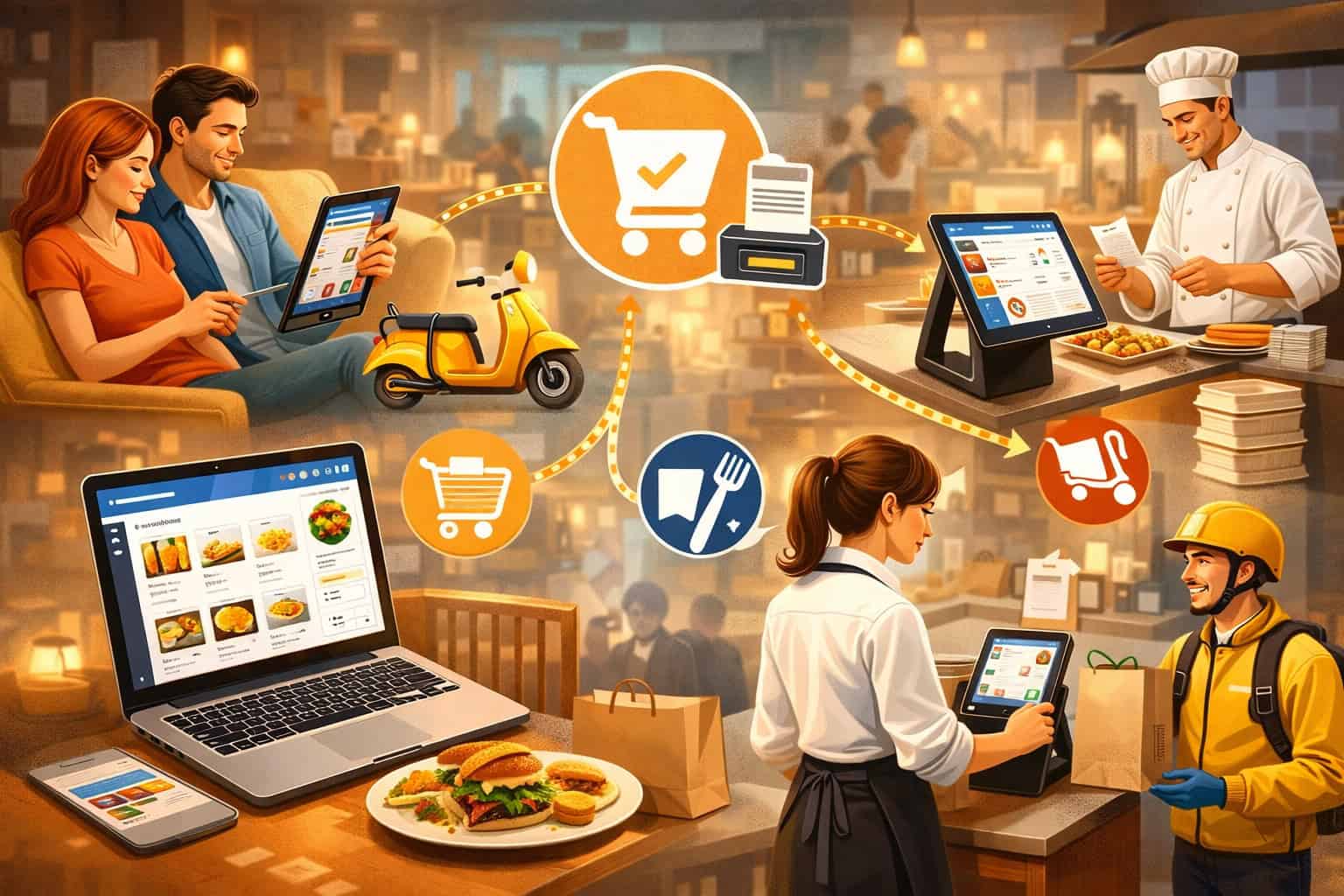
Online orders shouldn’t feel like a second restaurant you’re running on the side. If your team is still re-typing orders, chasing menu mismatches, or guessing prep timing, you don’t have an online ordering problem—you have an integration problem.
This Restaurant POS integration with online ordering guide is written for owners, operators, and managers who want clean execution: accurate menus, predictable tickets, reliable prep timing, and reporting you can trust.
We’ll break down Online ordering integration for restaurant POS, explain how POS and online ordering system integration really works behind the scenes, and walk through a step-by-step rollout that reduces chaos at the expo line.
Along the way, you’ll see the tradeoffs between a Restaurant POS with built-in online ordering, a separate ordering platform that plugs into your POS, and POS middleware / aggregator tools for omnichannel restaurant ordering.
You’ll also learn practical controls—like throttling and order capacity controls, modifier mapping, KDS routing, pickup and delivery time estimates, and refunds/partial refunds—that make online ordering run like a well-trained station.
What “POS integration with online ordering” means
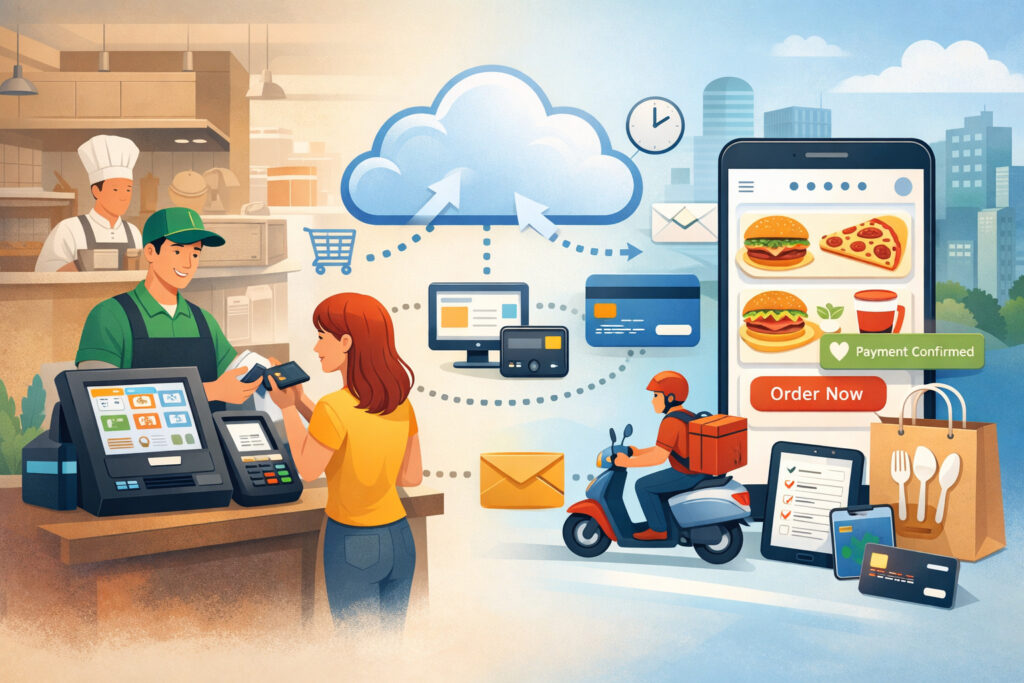
When people say “integrated,” they usually mean, “orders show up automatically in the POS.” That’s part of it, but a true integration is more like a shared language between systems—menu, pricing, taxes, modifiers, payments, and fulfillment rules all match without manual work.
Restaurant POS integration with online ordering means your online ordering channel can:
- Pull a structured menu (items, modifiers, combos, pricing, availability, taxes)
- Push orders into the POS as real tickets (not a PDF or email)
- Route tickets correctly to the right printers or kitchen display system (KDS) routing
- Handle payments and tips in a predictable way
- Sync statuses (accepted, in progress, ready, completed) so customers get accurate updates
- Show the same sales data in reports so you’re not reconciling three versions of “today’s revenue”
Without that connection, your operation becomes a translation layer: someone has to interpret an order, re-enter it, fix pricing, apply taxes, mark “paid,” and communicate timing. That’s where order error reduction disappears and fulfillment chaos begins.
Pro Tip: If an “integration” still requires staff to copy orders into the POS, you don’t have an integration—you have a notification.
A solid Connecting your POS to online ordering platforms plan also anticipates edge cases: scheduled orders, partial refunds, item substitutions, delivery zone rules, tips, and cancellations. Integration isn’t just “orders arrive.” It’s “orders arrive correctly, every time, with the right operational behavior.”
Why integration matters in real operations
Most teams feel the pain before they can name the cause: the kitchen gets slammed with a surprise rush, the expo line has duplicate tickets, and managers spend the end of the night reconciling payouts instead of closing cleanly. Integration fixes these by removing manual steps and standardizing the flow of information.
Eliminates manual entry (and the hidden labor behind it)
Manual re-entry doesn’t just cost time—it creates a fragile process. Every re-typed order is a chance to miss a modifier, forget a note, or select the wrong size. The most common result isn’t one huge mistake; it’s lots of small ones that add up to comped items, remake tickets, and unhappy guests.
Good POS and online ordering system integration injects orders directly into the POS with the same structure as dine-in or phone orders. That makes your line treat them the same way, with the same routing rules and the same timing assumptions.
Reduces order errors (especially modifiers and combos)
Online ordering lives or dies on menu sync and modifier mapping. If modifiers don’t map cleanly, you’ll see:
- “No onions” not reaching the kitchen
- Upsells missing (extra protein, add-on sauces)
- Combos breaking into separate items with wrong pricing
- Substitutions showing up as open notes instead of structured modifiers
Integration reduces this by ensuring the POS menu structure is mirrored (or properly translated) into the ordering system.
Improves prep timing and reporting
Online orders have different pacing than dine-in. Guests expect accurate pickup and delivery time estimates, and you need throttling to protect the kitchen during peak periods.
Integration also improves reporting. When online orders are true POS tickets, you can analyze:
- Online vs in-store item mix
- Ticket times by channel
- Comp/refund reasons tied to actual checks
- Labor scheduling based on real demand
Pro Tip: Don’t measure online ordering success only by volume. Measure “clean execution” metrics: remake rate, refund rate, late orders, and average fulfillment time by channel.
How online ordering integration for restaurant POS works (end-to-end)
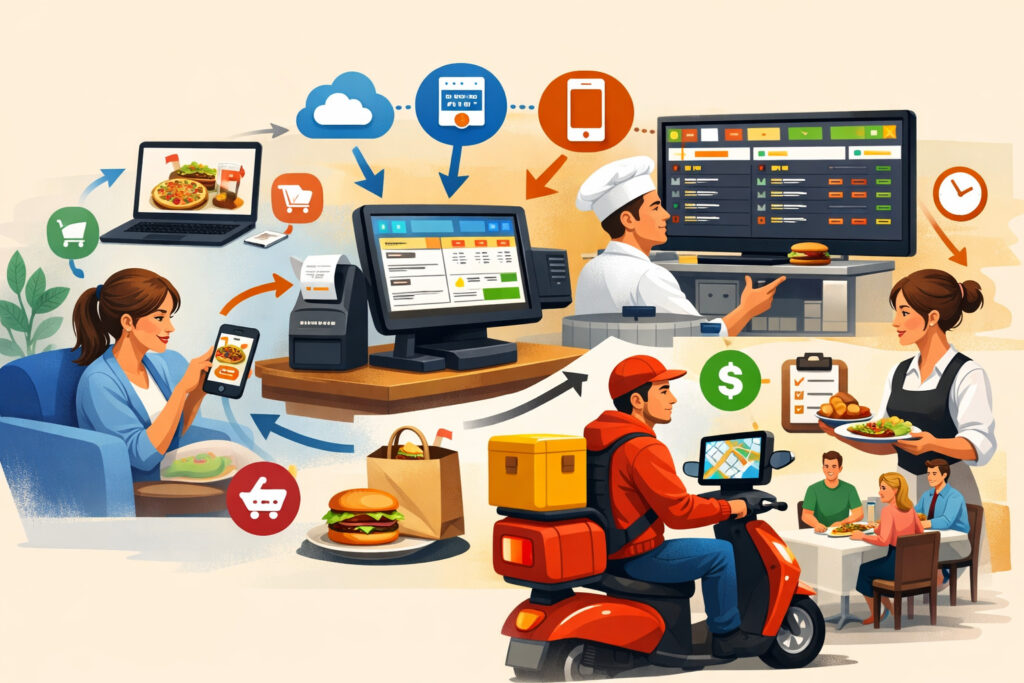
A reliable integration is a pipeline. If any segment of the pipeline is misconfigured, the symptoms show up in operations (wrong tickets, wrong taxes, late orders, confused guests). Understanding the pipeline makes troubleshooting faster and vendor conversations more productive.
1) Menu sync: items, modifiers, prices, taxes, availability
The ordering system needs a menu source of truth. That can be:
- The POS (POS-driven menu publishing)
- The online ordering platform (platform-driven menu, pushed to POS)
- A middleware layer that standardizes menus across channels
Key technical concepts you’ll hear:
- Modifier mapping: connecting POS modifiers (e.g., “Cheese: Swiss”) to the ordering UI
- Item IDs / PLUs: unique identifiers that prevent duplicates and mismatches
- Inventory/menu availability syncing: marking items “86’d” or limiting quantity
- Tax/fee configuration: tax rules, service fees, packaging fees, delivery fees
Menu sync is where most long-term problems begin, because small structure issues become daily pain.
2) Order injection: converting an online cart into a POS ticket
Once a guest checks out, the system “injects” the order into the POS. Injection can happen in different ways:
- Native API integration (cleanest when available)
- POS middleware / aggregator translating order formats
- Less ideal: “printer-only” or email/fax-like delivery (not real injection)
A well-injected order should include:
- Customer name and contact
- Pickup/delivery details (address, instructions, curbside notes)
- Timing (ASAP vs order-ahead and scheduled orders)
- Payment status, tip amount, and tax/fee breakdown
3) KDS/printer routing: putting the ticket where the work happens
Routing is operational gold. You want online orders to land in the right places without managers playing traffic controllers.
Common routing goals:
- Kitchen tickets to the correct station(s)
- Expo tickets that clearly mark “ONLINE / PICKUP / DELIVERY”
- Separate make-lines for pizza vs salads vs desserts
- Bar tickets triggered only when appropriate
This is where kitchen display system (KDS) routing and smart printer rules matter. If routing is wrong, you get delayed orders, missed items, or duplicate production.
4) Payments/tips: integrated or separate handling
Payments are the most misunderstood piece. Your integration may be:
- Integrated payments: processed through the POS payment stack (often cleaner reporting)
- Separate payments: processed by the ordering platform or a third-party gateway, then “marked paid” in POS
Tip handling must be defined clearly:
- Where the tip is captured (checkout vs post-fulfillment)
- How it’s distributed (pooled vs role-based vs assigned)
- How it appears in payroll reports
5) Reporting and reconciliation: sales, refunds, payouts
True integration means you can close the day without detective work. You should be able to reconcile:
- Gross sales by channel
- Fees and commissions (especially for third-party delivery app integrations)
- Payment deposits and payout timing
- Refunds and partial refunds matched to checks
Pro Tip: Ask every vendor to show you a real payout/reconciliation workflow before you sign. If they can’t demonstrate it, you’ll be building spreadsheets later.
Integration models explained: built-in vs third-party vs middleware
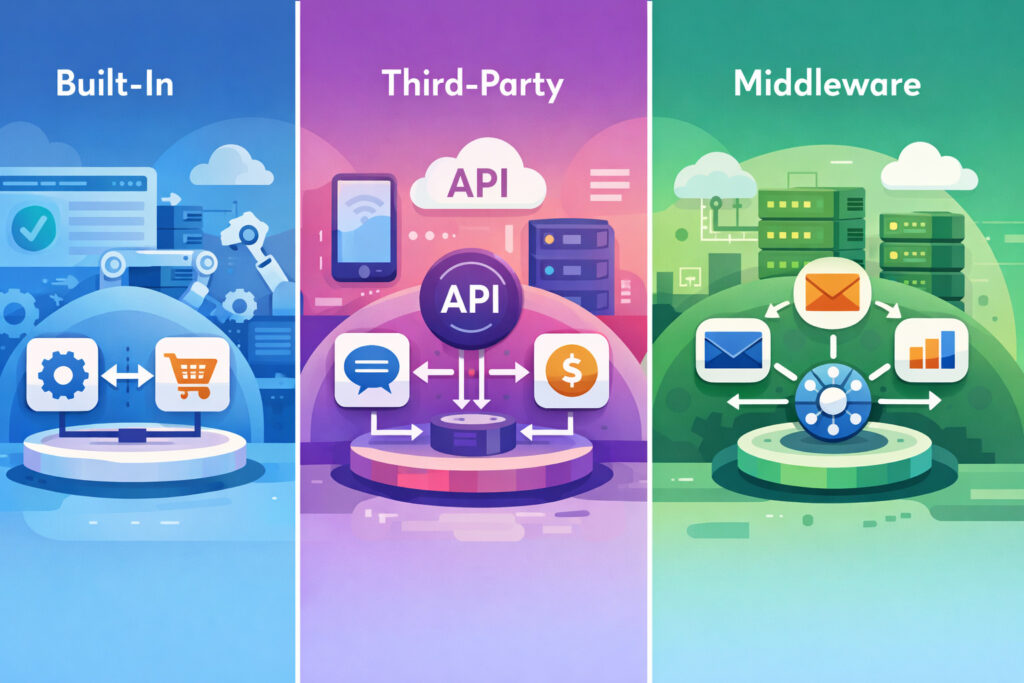
There are three main ways to approach Connecting your POS to online ordering platforms. None is universally “best.” The right model depends on your menu complexity, your need for multiple channels, and how much you want to centralize control.
Model 1: Restaurant POS with built-in online ordering
A Restaurant POS with built-in online ordering typically means the POS vendor offers its own web ordering, QR ordering, and sometimes basic delivery features. The benefit is tighter compatibility: menu structure, pricing rules, and reporting usually align more naturally.
However, built-in doesn’t automatically mean better. Some built-in solutions lag on advanced controls like deep modifier logic, robust throttling, or marketing flexibility. You also need to evaluate the guest experience: checkout speed, upsells, curbside flows, and customer notifications.
This model often works well when:
- You want one vendor to own the stack
- Your menu is straightforward
- You value fewer moving parts over maximum customization
Model 2: Separate online ordering platform integrated to POS
This is the most common approach for restaurants that want a strong digital ordering experience without switching POS. A dedicated ordering platform may offer:
- Better direct online ordering for restaurants UX
- More marketing tools (email/SMS, offers, loyalty integration)
- Stronger order-ahead and scheduled orders support
- Flexible throttling and prep-time controls
The tradeoff is integration complexity. You’ll need to ensure menu sync, tax/fee configuration, and payment/tip handling are truly aligned—not “close enough.”
This model is a good fit when:
- You want advanced digital features
- You’re keeping an existing POS
- You’re building omnichannel restaurant ordering across multiple touchpoints
Model 3: POS middleware / aggregator connecting multiple channels
Middleware is the translator layer. It’s commonly used when you have:
- Multiple ordering channels (direct + multiple marketplaces)
- Multiple locations with shared standards
- A need for consistent menu mapping across platforms
Middleware/aggregators shine in multi-channel environments, but add a new dependency. When something breaks, you’ll need clarity on who owns the fix: POS, ordering platform, middleware, or delivery marketplace.
This model fits when:
- You need third-party delivery app integrations plus direct
- You want one menu management workflow
- You operate multi-location and need standardized routing/reports
Table 1: Integration types (built-in vs third-party vs middleware)
| Integration Type | Best For | Pros | Cons | Watchouts |
|---|---|---|---|---|
| POS with built-in online ordering | Simple operations, fewer vendors | Tight compatibility, simpler support path, consistent reporting | Digital features may be limited, less flexibility for customization | Ensure throttling, curbside flows, and marketing tools meet your needs |
| Separate online ordering platform integrated to POS | Strong digital UX + keep your POS | Better ordering experience, stronger marketing/loyalty, flexible features | More setup effort, mapping and tax issues possible | Validate modifier mapping, scheduled orders, and refund handling early |
| POS middleware / aggregator | Multi-channel, multi-location, marketplaces + direct | Centralized menu/channel management, consistent injection and routing | Adds dependency and cost, more complex troubleshooting | Define clear support ownership and monitoring/alerts |
Pro Tip: Ask vendors one question that reveals everything: “When an order fails to inject, where do I look first, and who fixes it?” If they can’t answer cleanly, expect operational surprises.
Key features to demand in 2026 integrations
A good demo can hide a bad fit. Features that matter in real restaurants are usually the unglamorous ones: mapping, routing, throttling, and accurate timing. Use this section as a “must-have” checklist when evaluating Online ordering integration for restaurant POS.
Real-time menu sync and modifier mapping (not daily exports)
The word “sync” is often misused. Some systems “sync” by exporting a menu once per day or requiring manual publish steps. For restaurants with frequent 86’s, limited runs, or dynamic pricing, that’s not enough.
Demand:
- Real-time or near real-time menu updates
- Clear handling of sold-out items (inventory/menu availability syncing)
- Robust modifier mapping (required vs optional, min/max selections)
- Combo and bundle logic that matches POS pricing
- Support for special instructions without turning everything into open text
If modifier logic isn’t supported, your kitchen will end up reading long notes. Notes are not structure—and structure is what reduces errors.
Tax/fee configuration that matches your receipts
Online ordering introduces additional charges: delivery fees, service fees, packaging fees, and sometimes channel fees. Each fee must be:
- Named clearly for the guest
- Applied consistently (taxable vs non-taxable depending on rule)
- Reported correctly (so you can reconcile payouts)
Also check rounding behavior. Small rounding differences create “mystery cents” that complicate reconciliation and refunds.
Throttling and order capacity controls that protect the kitchen
Throttling is a control system, not a “nice to have.” It prevents the kitchen from being buried when online demand spikes.
Look for throttling that can be set by:
- Orders per time window (e.g., per 10 minutes)
- Item-level throttles (limit a labor-heavy item)
- Daypart rules (lunch vs dinner)
- Prep-time adjustments based on load
- Temporary pause (hold ordering while catching up)
Pro Tip: Make throttling operational, not managerial. If only a manager can change it, the kitchen will still drown during a rush.
Prep time estimates, scheduled ordering, and timing rules
Online guests expect accuracy. Your system should support:
- Pickup and delivery time estimates based on kitchen load
- Order-ahead and scheduled orders with capacity limits
- Lead time buffers for big orders
- Separate prep-time profiles by fulfillment type (pickup vs delivery)
You also need a plan for late orders: customer notifications, make-good policies, and how staff handles escalations.
Delivery zone rules and fulfillment controls (if you deliver)
If you offer delivery, look for:
- Delivery zone mapping (by distance or custom areas)
- Minimum order rules
- Delivery time windows
- Blocking delivery during peak periods while keeping pickup open
Even if you use third-party drivers, zone logic matters so you don’t promise unrealistic delivery times.
Customer notifications that align with operations
Notifications should reflect reality—not wishful thinking. Confirm:
- “Order received” vs “Order accepted” behavior
- When the “ready” status triggers (manual vs automatic)
- SMS/email templates and opt-in controls
- Separate messaging for curbside pickup workflows (e.g., “Text us your parking spot”)
Payments, tips, refunds, and reconciliation (what owners need to know)

Payments are where operational and financial workflows collide. If payment handling is unclear, you’ll see disputes, tip confusion, and messy closeouts. This section focuses on what to decide upfront.
Integrated payments vs separate payments
Integrated payments generally means the POS payment stack processes the transaction (or the ordering platform tokenizes and routes into the POS processor). Benefits often include:
- Cleaner POS reporting
- Easier refunds from a single system
- Better alignment of tips and taxes
Separate payments means payment is processed elsewhere (ordering platform or gateway). The POS might still receive the order, but as “paid externally.” This can work well, but you must validate:
- How refunds are executed (where the money actually returns)
- How tips appear in POS and payroll
- How chargebacks are managed
- How payouts and fees are reported
Payment integration and tips: define the rules
Tip handling is a frequent source of team frustration. Decide:
- Are tips allowed on pickup? Delivery? Both?
- Are tips assigned to a role (cashier) or pooled?
- Do third-party delivery app integrations include tips for your staff, drivers, or both?
- Are tips editable after checkout?
Also confirm receipt formatting. If the kitchen sees a tip, it can create internal conflict. Most kitchens don’t need that info on production tickets.
Pro Tip: Run a “tip audit” during pilot: compare what the guest paid, what the POS shows, and what payroll expects. Fix it before full rollout.
Refunds and partial refunds: plan for real-world mistakes
Online orders inevitably produce edge cases:
- Missing item
- Wrong modifier
- Late fulfillment
- Guest cancellation
- Driver issue
Your system should support refunds and partial refunds with clear audit trails. Validate:
- Who can issue refunds (permissions)
- Whether refunds sync between ordering system and POS
- How partial refunds affect taxes and fees
- Whether you can refund to original payment method without manual work
If refunds happen in multiple places, staff will guess—and that’s how you lose control of cash and reporting.
Reconciliation and payout reporting basics
Whether you run direct online ordering for restaurants or use marketplaces, you need a repeatable close process:
- Daily sales by channel
- Processing fees and commission fees (general) tracked separately
- Net deposits matched to bank deposits
- Dispute/chargeback monitoring
- Refund logs reviewed weekly
A good integration makes this easier by keeping check-level details consistent across systems.
Operational workflows: turning integration into smooth fulfillment
Integration is only valuable if your operation uses it well. The goal is to build a consistent path from order receipt to pickup handoff—especially during peak.
Staffing for peak online demand (and avoiding surprise spikes)
Online ordering changes demand shape. Instead of a steady line at the counter, you can get a batch of orders within minutes.
Operational tactics that work:
- Assign a dedicated “digital expo” during peaks
- Use throttling to avoid exceeding kitchen capacity
- Create packaging stations separate from the make line
- Pre-stage common add-ons (sauces, utensils) with controls to prevent waste
- Set clear handoff rules: who marks orders “ready,” who hands off, who handles issues
If staffing is tight, prioritize the controls that reduce variability: capacity limits and accurate timing.
Packaging and order accuracy checks (systems beat heroics)
Accuracy doesn’t scale on memory. Use a simple, consistent checklist at packaging:
- Verify items and modifier highlights
- Confirm cold/hot separation and venting for fried foods
- Include condiments based on structured modifiers (not assumptions)
- Staple receipts or labels to bags with clear identifiers
- Add tamper-evident seals where appropriate
This is where order error reduction is won. It’s cheaper to catch mistakes at packaging than to fix them after the guest leaves.
Pro Tip: Put “top 10 remake reasons” on a whiteboard for two weeks after launch. Fix the root causes (mapping, routing, packaging) rather than blaming staff.
Curbside pickup workflows (make it frictionless)
Curbside is easy to promise and hard to execute without process. A workable curbside pickup workflow includes:
- A clear arrival trigger (text link, app check-in, dedicated phone line)
- Order staging by pickup time and name
- Parking spot identification and runner assignment
- A rule for “late arrivals” (how long you hold hot food)
- A way to handle substitutions or missing items fast
Integrations help by printing curbside notes on the ticket and keeping contact info attached to the order so staff isn’t searching.
Pickup and delivery time estimates (protect trust)
If you consistently miss promised times, customers stop trusting you. Use:
- Realistic prep-time baselines per daypart
- Load-based time adjustments
- Separate timing for scheduled vs ASAP
- “Busy mode” messaging rather than false optimism
Online ordering doesn’t just require speed—it requires predictable timing.
Data, marketing, and customer relationships in an integrated world
One of the biggest strategic differences between direct ordering and marketplaces is what happens after the order. Integration influences what you can see, what you can own, and what you can act on.
Customer data ownership: what you can actually access
With direct online ordering for restaurants, you can often capture:
- Name, email, phone (with consent)
- Order history and preferences
- Pickup patterns, favorite items
- Marketing opt-ins and offer performance
With some third-party delivery app integrations, you may only get limited data. That impacts loyalty, remarketing, and guest recovery after issues.
A people-first approach means being transparent:
- Only collect what you’ll use
- Respect opt-in rules for email/SMS
- Provide easy opt-out mechanisms
- Avoid spamming guests after one order
Pro Tip: Your best marketing list is the one you can segment. “Everyone who ordered” is not a strategy—“weekday lunch pickup regulars” is.
Loyalty integration: keep rewards consistent across channels
Loyalty should work where guests order. If loyalty is POS-based, confirm whether online orders:
- Earn points automatically
- Allow redemption at checkout
- Support promo stacking rules
- Show consistent pricing and discounts
If loyalty is platform-based, ensure the POS ticket still reflects discounts properly for reporting and staff clarity.
Email/SMS opt-in best practices (keep trust high)
A clean integrated setup supports:
- Separate opt-in checkboxes for email and SMS
- Clear value proposition (“order updates + occasional offers”)
- Automated order status notifications (transactional) separate from marketing messages
- A predictable cadence for offers
Your long-term win is not “more messages.” It’s a better relationship and repeat behavior without guest annoyance.
Security and compliance basics
Security doesn’t need jargon, but it does need clarity. When you connect systems, you expand the number of places sensitive data can touch. Your job is to minimize exposure and control access.
PCI compliance and tokenization (what to look for)
PCI compliance is a set of standards for handling card payments safely. In practical terms, you want to avoid storing raw card data anywhere you control.
Tokenization replaces sensitive card details with a token that can be used for authorized transactions without exposing the original card number. In integrated online ordering, tokenization often enables:
- Storing payment methods for faster checkout (when allowed)
- Refunds to the original method without staff seeing card data
- Safer handling of recurring or saved payments
Ask vendors:
- Where is card data handled?
- Is it tokenized end-to-end?
- Do staff ever see full card details? (They shouldn’t.)
Permissions and role-based access (reduce internal risk)
Most payment “incidents” are internal misuse or mistakes, not external hacks. Set up:
- Role-based permissions (cashier vs manager vs owner)
- Limited refund permissions and thresholds
- Audit logs for refunds, voids, and edits
- Two-person approval for large refunds when appropriate
Audit logs and operational accountability
You want to be able to answer:
- Who changed prep times?
- Who issued a refund and why?
- Who disabled throttling during a rush?
- Who edited a menu price?
Audit logs turn finger-pointing into problem-solving. Make sure your systems keep logs across POS and ordering layers, especially if middleware is involved.
Step-by-step integration setup guide (implementation-focused)
This is the part most teams skip—then pay for later. A smooth rollout is less about “turning it on” and more about building a controlled system, validating it, and training staff with realistic scenarios.
Step 1: Audit your current POS and ordering channels
Start with a brutally honest inventory:
- POS version and installed modules (KDS, inventory, loyalty, payments)
- Current online ordering channels (direct site, QR, kiosks, marketplaces)
- Current fulfillment methods (pickup, curbside, delivery, scheduled)
- Current menu complexity (mods, combos, sizes, half-and-half, coursing)
- Current pain points (where errors happen, where timing breaks)
Write down what must be true on day one: “Orders inject automatically,” “Kitchen gets one ticket,” “Taxes match receipts,” etc.
Pro Tip: Don’t begin with feature wishlists. Begin with failure modes you must prevent (duplicate tickets, wrong taxes, missed modifiers).
Step 2: Clean your menu structure (items, modifiers, combos)
Integration success depends on menu hygiene:
- Standardize item names and sizes (avoid duplicates)
- Group modifiers logically (required vs optional)
- Use consistent pricing rules (avoid overrides that don’t sync)
- Define combo structure clearly (what’s included, what’s upcharge)
- Remove “temporary hacks” like open-priced items unless necessary
If your POS menu is messy, online ordering will amplify the mess.
Step 3: Map modifiers, combos, and special instructions
This is the “make or break” step:
- Confirm each modifier group maps correctly in the ordering UI
- Validate min/max choices (e.g., “Choose 1 dressing”)
- Ensure upsells appear as structured modifiers (not notes)
- Test combo pricing and receipt breakdown
- Decide how special instructions will be handled (and where they print)
Do not skip edge cases: half portions, exclusions, allergy notes, and “extra crispy” style requests.
Step 4: Configure taxes, fees, and fulfillment rules
Set these intentionally:
- Tax rules for each fulfillment type
- Delivery fees and service fees (labeling matters)
- Packaging fees (if used) and whether they’re taxable
- Delivery zones and minimum order rules
- Scheduled order windows and capacity limits
Then match receipts: the POS receipt and online receipt should agree on totals and fee naming.
Step 5: Set routing rules (KDS/printers) by channel and station
Routing should answer:
- Where does the ticket go?
- What labels identify it as online/pickup/delivery/curbside?
- Does it fire to multiple stations?
- How are beverages, desserts, and bar items handled?
- Does an expo ticket print separately?
If you use a KDS, confirm kitchen display system (KDS) routing supports online order timing and bump behavior.
Step 6: Test order flow (pickup, delivery, scheduled, refunds)
Your test plan should be structured—not random.
Test scenarios:
- Simple pickup order with one modifier
- Complex order with multiple modifiers and notes
- Scheduled order during a peak window
- Delivery order with zone rules
- Tip variations (no tip, fixed, custom)
- Item sold-out (availability syncing)
- Partial refund (missing item)
- Full refund and cancellation
Document what happens at each step: ordering UI → POS ticket → kitchen routing → payment status → reporting.
Pro Tip: Run tests at shift change. If the process survives shift change, it’s real.
Step 7: Train staff and run a controlled go-live
Training should be role-specific:
- Cashiers: where online orders appear, how to handle guest calls
- Kitchen: how tickets look, how routing works, what to prioritize
- Expo/packaging: accuracy checks, staging by time, curbside procedure
- Managers: throttling controls, refunds, troubleshooting flow
Then run a controlled launch with a limited channel (or limited hours) before opening floodgates.
Common POS-online ordering issues (and how to fix them fast)
Even strong integrations can fail if one piece is misconfigured. Use the symptoms to diagnose the likely cause—then fix at the source.
Table 2: Common issues + fixes
| Issue | What It Looks Like | Likely Root Cause | Practical Fix |
|---|---|---|---|
| Menu mismatches | Items missing, wrong prices, wrong modifiers | Menu sync not real-time, duplicate item IDs, poor modifier mapping | Standardize POS menu, rebuild modifier groups, re-publish menu, validate IDs |
| Duplicate tickets | Kitchen sees two tickets for one order | Multiple routing rules, middleware duplicating injection, printer + KDS both firing | Remove redundant routing, confirm single injection path, test station rules |
| Wrong taxes/fees | Totals don’t match, fees taxed incorrectly | Tax/fee configuration mismatch between systems | Align tax rules by fulfillment type, retest receipts, confirm rounding behavior |
| Delayed orders | Orders arrive late or “dump” in batches | API latency, order acceptance settings, network issues | Check injection method, confirm “accept order” behavior, improve network stability |
| Overwhelmed kitchen | Sudden flood of orders, late pickups | No throttling/capacity controls, unrealistic prep times | Implement throttling, adjust prep-time estimates, limit scheduled capacity |
| Missing modifiers | “No onions” not shown, add-ons lost | Modifiers sent as notes or not mapped | Map modifiers structurally, enforce required groups, reduce free-text reliance |
| Incorrect timing | Guest promised 15 minutes but it’s 35 | Prep-time logic not load-aware | Use load-based timing, set daypart baselines, enable busy-mode messaging |
| Refund confusion | Refund issued but POS shows unpaid/paid wrong | Refunds processed in different system than original payment | Define refund source of truth, train roles, enable audit logs and permissions |
| Payout mismatch | Deposits don’t match sales | Fees/commissions not separated, payout timing differences | Create reconciliation routine, separate gross vs net, review payout reports weekly |
How to troubleshoot without blaming staff
When something breaks, start with the pipeline:
- Did the menu sync correctly?
- Did the order inject as a structured ticket?
- Did routing send it to the right station once?
- Did payment status and tips land correctly?
- Do reports show the same totals across systems?
This keeps your team focused on systems—not personal workarounds.
Pro Tip: If staff invents a workaround, treat it as a symptom report. Workarounds are valuable clues about what your system isn’t doing.
Feature checklist by restaurant type (what matters most)
Different concepts of “smooth” apply to different restaurant models. A pizza shop needs combo logic and timed production. Full-service needs coursing and pacing. Multi-location needs standardization.
Table 3: Checklist by restaurant type
| Feature / Need | QSR | Full-Service | Pizza | Multi-Location |
|---|---|---|---|---|
| Real-time menu sync | ✅ | ✅ | ✅ | ✅✅ |
| Menu sync and modifier mapping | ✅ | ✅✅ | ✅✅ | ✅✅ |
| Combo/bundle support | ✅ | ✅ | ✅✅ | ✅✅ |
| KDS routing by station | ✅ | ✅✅ | ✅✅ | ✅✅ |
| Throttling and capacity controls | ✅✅ | ✅ | ✅✅ | ✅✅ |
| Pickup and delivery time estimates | ✅✅ | ✅ | ✅✅ | ✅✅ |
| Order-ahead and scheduled orders | ✅ | ✅ | ✅✅ | ✅✅ |
| Curbside pickup workflows | ✅✅ | ✅ | ✅ | ✅ |
| Delivery zone rules | ✅ | ✅ | ✅✅ | ✅ |
| Payment integration and tips | ✅ | ✅✅ | ✅ | ✅✅ |
| Refunds and partial refunds workflow | ✅ | ✅✅ | ✅ | ✅✅ |
| Loyalty integration | ✅ | ✅✅ | ✅ | ✅✅ |
| Reconciliation and payout reporting | ✅ | ✅ | ✅ | ✅✅ |
| Third-party delivery app integrations | ✅ | ✅ | ✅ | ✅✅ |
| Customer data ownership tools | ✅✅ | ✅✅ | ✅ | ✅✅ |
Legend: ✅ = important, ✅✅ = critical
Pro Tip: Don’t overbuild on day one. Implement the “critical” items first, then expand capabilities once operations are stable.
Step-by-step implementation plan (from decision to stable operations)
This plan assumes you want reliable omnichannel restaurant ordering and minimal disruption. Adjust based on your complexity.
Phase 1: Design (decisions that prevent rework)
- Choose your integration model (built-in vs platform vs middleware)
- Define the menu source of truth (POS vs platform vs middleware)
- Decide payment handling (integrated vs separate)
- Define fulfillment types (pickup, curbside, delivery, scheduled)
- Set operational rules: throttling targets, prep times, busy-mode messaging
Deliverable: a one-page “definition of done” that includes ticket behavior, routing, timing, and refund rules.
Phase 2: Build (menu + mapping + routing)
- Clean POS menu structure
- Build modifier groups and combo logic intentionally
- Map and validate IDs across systems
- Configure taxes/fees and receipt naming
- Configure KDS/printer routing rules
- Set throttling and scheduled capacity
Deliverable: test environment ready for structured scenarios.
Phase 3: Validate (testing that matches reality)
- Run scenario-based tests (including refunds)
- Validate receipts, reporting totals, and payouts
- Stress test during a controlled busy period
- Document troubleshooting steps and escalation paths
Deliverable: “go-live checklist” signed off by operations and management.
Phase 4: Launch (controlled + measurable)
- Pilot one channel or limited hours
- Monitor error rate, late orders, and staff friction
- Adjust throttling and prep times based on real demand
- Expand hours/channels once stable
Deliverable: stable online ordering workflow with predictable performance.
Pro Tip: The biggest launch mistake is going wide before going deep. Win one channel, then expand.
30/60/90-day rollout plan (2026-ready, operations-first)
A phased rollout is not about moving slowly—it’s about learning without breaking service.
Days 1–30: Setup + pilot a single channel
Your goals are stability and visibility.
- Audit POS + ordering channels and define success metrics
- Clean menu and complete modifier mapping
- Configure taxes/fees, routing, and basic throttling
- Pilot one channel (usually direct ordering) during limited hours
- Train staff on new tickets, staging, and curbside process
- Establish a daily review: late orders, refunds, remakes, guest complaints
By day 30, you should have a stable pipeline: menu sync → injection → routing → timing → reporting.
Pro Tip: Keep a shared “integration log” for the first month: date, issue, root cause, fix, and owner.
Days 31–60: Optimize menu, routing, and staffing
Now you tune the system to match your kitchen reality.
- Refine prep time estimates by daypart and volume
- Improve throttling and capacity controls (item-level if needed)
- Streamline packaging workflow and labels
- Reduce free-text notes by improving modifier structure
- Train managers on refunds/partial refunds and audit logs
- Begin building reporting cadence: weekly channel performance + refund reasons
By day 60, your team should feel the system is helping—not adding steps.
Days 61–90: Expand channels + add loyalty + tighten reporting
Only after stability, expand reach.
- Add additional ordering platforms or third-party delivery app integrations (if needed)
- If multi-location, standardize menu mapping and routing templates
- Implement loyalty integration and customer data capture for direct channels
- Improve customer notifications and operational status updates
- Finalize reconciliation and payout reporting workflow and owner
- Schedule quarterly menu audits and integration health checks
By day 90, you should be operating omnichannel restaurant ordering with predictable execution and a repeatable management routine.
Pro Tip: Schedule a “menu governance” meeting monthly. Menus drift over time; drift breaks integrations.
FAQs
Q1) What is restaurant POS integration with online ordering?
Answer: It’s the system connection that lets online orders flow into your POS automatically as structured tickets—complete with items, modifiers, timing, payment status, and routing—so your team isn’t re-entering orders or fixing mismatches. It also supports reporting and reconciliation so online sales behave like in-store sales operationally and financially.
Q2) Do I need built-in online ordering or a separate platform?
Answer: It depends on priorities. A Restaurant POS with built-in online ordering can be simpler and more consistent, but a separate platform may offer stronger digital UX and marketing tools. Choose based on menu complexity, your need for multiple channels, and whether you want one vendor or best-of-breed components.
Q3) How does menu syncing work?
AnswerMenu syncing pulls a structured menu (items, modifier groups, prices, taxes, availability) from a source of truth and publishes it to your ordering channels. The most reliable setups use unique item IDs and strict modifier mapping so orders inject back into the POS without guesswork or free-text substitutions.
Q4) What is throttling and why does it matter?
Answer: Throttling and order capacity controls limit how many online orders you accept within a time window so you don’t overwhelm the kitchen. It protects ticket times, reduces late orders, and keeps service consistent during demand spikes. Without throttling, online ordering can create unpredictable rushes.
Q5) Can online orders print in the kitchen automatically?
Answer: Yes—if your POS and online ordering system integration supports proper injection and routing. Orders can print to specific kitchen printers or appear on a KDS with routing rules by station. The key is configuring routing so tickets appear once, in the right place, with clear channel labels.
Q6) How are tips handled on online orders?
Answer: Tips can be captured at checkout and passed into the POS as part of the payment record, or processed separately and marked as external. The important part is defining how tips appear in POS reports and payroll, and whether tips are pooled or assigned based on roles.
Q7) How do refunds work with integrated online ordering?
Answer: Refunds should be processed in the system that handled the original payment, with the refund status syncing back to the POS ticket. Good setups support refunds and partial refunds, maintain audit logs, and apply correct tax/fee adjustments. Validate refund workflows during testing, not after launch.
Q8) Does integration reduce third-party delivery fees?
Answer: Integration alone doesn’t automatically reduce online ordering commission fees (general) from marketplaces. It can reduce operational labor and errors, and it may help you improve direct online ordering for restaurants—where you avoid marketplace commissions—but the fee structure depends on your provider agreements.
Q9) Can I connect multiple ordering platforms to one POS?
Answer: Yes. Many restaurants use a direct ordering channel plus third-party delivery app integrations. If you do this, consider POS middleware / aggregator tools to centralize menu management and order injection, and be clear about who supports what when something breaks.
Q10) How long does setup take?
Answer: Timing depends on menu complexity and how many channels you’re integrating. Simple menus with one channel can be configured quickly, while complex modifiers, combos, and multi-location setups require more time for mapping, routing, and testing. A phased 30/60/90 rollout reduces risk regardless of timeline.
Q11) What causes menu mismatches most often?
Answer: Duplicate item names, inconsistent modifier groups, and “temporary” menu hacks in the POS. Mismatches are usually data problems, not staff problems. Clean menu structure and strict modifier mapping prevent the majority of daily issues.
Q12) What’s the best way to prevent the kitchen from getting slammed?
Answer: Use throttling, realistic prep-time estimates, and scheduled-order capacity limits. Also design routing and staffing so someone owns digital expo and packaging during peaks. The best system is one that prevents overload instead of reacting to it.
Q13) Who owns customer data in integrated online ordering?
Answer: Direct channels typically allow better customer data ownership because you control the ordering experience and opt-in. Some marketplaces provide limited customer data. Decide your growth strategy: direct relationships vs marketplace reach, then align your integration accordingly.
Q14) What should I test before going live?
Answer: Test end-to-end scenarios: pickup, delivery, scheduled orders, modifiers/combos, sold-out items, tips, partial refunds, full refunds, and routing to every station. Also test reporting and reconciliation so you know how sales and payouts will look before real volume hits.
Q15) What does “middleware” mean in restaurant ordering?
Answer: Middleware is a connector layer that translates menus and orders between your POS and multiple ordering channels. It’s commonly used for omnichannel restaurant ordering and multi-location setups to standardize mapping and reduce the number of direct integrations you manage.
Conclusion
Online ordering should be a channel your restaurant can handle with confidence—not a daily fire drill. The difference is integration discipline: clean menu structure, strict modifier mapping, reliable order injection, smart KDS/printer routing, realistic timing, and clear payment/refund workflows. When those pieces are in place, your team stops translating and starts executing.
The best approach is practical: choose the right integration model, implement in phases, test edge cases, train by role, and tune throttling so your kitchen stays protected.
Whether you run a Restaurant POS with built-in online ordering or you’re Connecting your POS to online ordering platforms through a dedicated platform or middleware, stable operations come from the same foundation: accurate data, predictable workflows, and clear ownership.