If you run a restaurant, your POS isn’t “just a register.” It’s a payment acceptance stack made of hardware, software, networks, people, and vendors—all working together in a fast-moving environment with staff turnover, busy service periods, and multiple ordering channels.
That’s why secure payment processing in restaurant POS systems isn’t a single feature you “turn on.” It’s a set of practical controls that reduce fraud, protect guest payment data, and help you operate with confidence—without slowing down service.
This guide is written for owners, operators, managers, and multi-location teams who want real-world restaurant POS payment security: what matters most, what to prioritize first, and how to keep security consistent across shifts and locations.
You’ll also learn what PCI-compliant restaurant POS systems can (and can’t) do for you, and how to build restaurant payment security best practices that hold up in day-to-day operations.
What “secure payment processing” means in a restaurant POS (hardware, software, network, people, vendors)
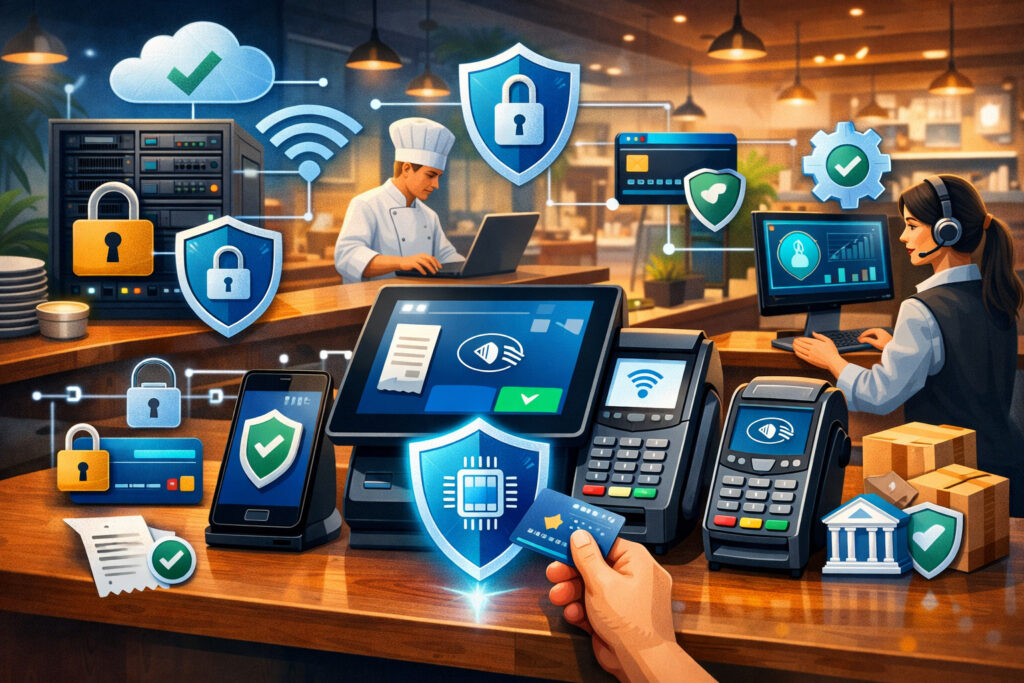
When someone asks whether your setup is secure, they’re really asking about five layers that must work together:
1) Hardware (terminals, pin pads, handhelds, kiosks)
Secure devices are tamper-resistant, support EMV and contactless, and are managed so they can’t be swapped, opened, or altered without detection. In restaurants, payment hardware is often moved (patio, bar, curbside), which increases the importance of handling procedures and tamper checks.
2) Software (POS app, payment app, operating systems)
Your POS software should separate user roles, track actions with audit logs, encrypt sensitive traffic, and update reliably. Outdated apps and unmanaged devices are a common weak link because restaurants prioritize uptime and speed—sometimes at the expense of patch management and configuration hygiene.
3) Networks (LAN, Wi-Fi, internet, cellular fallback)
A secure network isolates payment devices from guest Wi-Fi and other business systems, uses strong router/firewall settings, and limits inbound/outbound traffic to what the POS needs. Network segmentation for POS is one of the highest-impact upgrades you can make because it reduces the “blast radius” if something goes wrong.
4) People and processes (shifts, access, refunds, training)
Restaurants are operationally complex: new staff onboarding, shared stations, manager overrides, tip adjustments, and after-hours batch processes. “Secure” means each person has a unique login, permissions match job duties (least privilege access), and exceptions (voids/refunds) have controls and monitoring.
5) Vendors (POS, processor, gateway, integrations, delivery platforms)
Most restaurants rely on a web of third parties—online ordering, loyalty, gift cards, accounting, inventory, scheduling, and delivery marketplaces. Security depends on vendor due diligence, contract expectations, and ongoing monitoring—not just the features on a sales page.
Pro Tip: If you’re unsure where to start, map your payment flow end-to-end (tap/dip, keyed entry, online ordering, delivery, QR pay-at-table). Security gaps usually show up at the handoffs between systems.
The threats restaurants actually face
Restaurants are targeted because payments are frequent, environments are busy, devices are accessible, and “quick fixes” are common during rushes. Here are the biggest threat categories you should plan for:
Skimming and tampered terminals (the “hardware swap” problem)
Skimming isn’t only about obvious add-on devices. In real operations, risk often comes from subtle tampering or device substitution—especially with countertop terminals, bar stations, kiosks, or handhelds left unattended. Attackers look for moments when staff are distracted or when devices are moved between areas.
Warning signs can be small: a terminal that feels “off,” a changed cable path, a loose casing, or a sticker that wasn’t there yesterday. The good news: consistent inspection routines and device accountability dramatically reduce this risk.
POS malware and unauthorized software (the “invisible” risk)
POS malware typically aims to capture card data as it moves through the payment flow, especially if systems rely on older swipe methods, poorly secured networks, or unmanaged endpoints. Modern encryption and tokenization reduce exposure, but malware risk can still show up in:
- Back-office PCs that access POS admin portals
- Unpatched devices or “temporary” remote access tools
- Shared credentials that make it easy to hide actions
Credential theft and insider misuse (the “it looked like a normal login” issue)
Many payment incidents aren’t dramatic—they look like normal usage: a login from a compromised password, a manager code shared too widely, or an employee who still has access after leaving. Restaurants also have high turnover, which makes offboarding discipline essential.
Insecure Wi-Fi and shared networks (the “everything on one router” setup)
A single flat network where POS devices, guest Wi-Fi, cameras, TVs, and office computers all share the same space increases risk. If one device is compromised, it’s easier for an attacker to reach payment systems. Segmentation doesn’t just improve security—it often improves performance.
Online ordering and third-party delivery integrations (the “many moving parts” risk)
Online ordering adds new threats: checkout page skimming, insecure plugins, misconfigured integrations, and over-collection of customer data. Any third-party script or integration can become a pathway to payment data if not managed carefully. Omnichannel makes growth easier—but it expands your attack surface.
Chargebacks and friendly fraud (the “we delivered it” dispute)
Not all loss is from hacking. Restaurants deal with chargebacks from:
- Legitimate disputes (wrong amount, duplicate charges)
- Friendly fraud (“I don’t recognize it”)
- Delivery disputes and “item not received”
- Employee misuse of refunds/voids
Security includes operational controls that prevent avoidable disputes and make disputes easier to win.
Common restaurant payment risks and the controls that prevent them
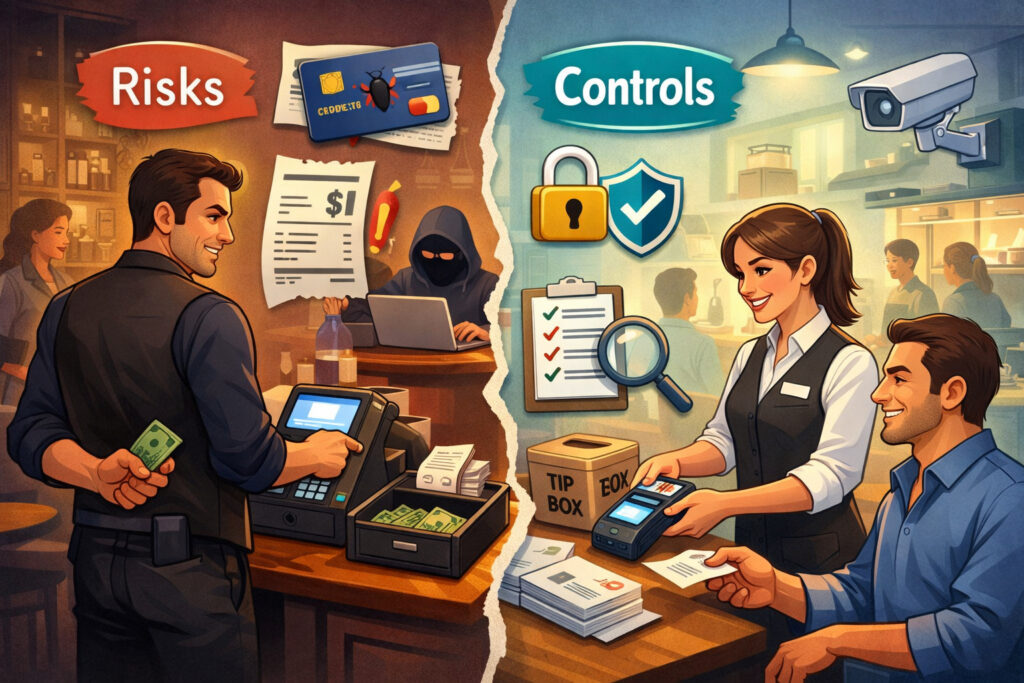
Below is a practical map of “what can go wrong” and what to put in place. Use it to prioritize based on your environment and channels.
| Common restaurant payment risk | How it shows up in real life | Prevention controls that work |
|---|---|---|
| Tampered terminal / skimmer | Devices moved, unattended bar terminals, patio handhelds | Tamper checks each shift; device inventory; sealed cable routes; staff training; secure mounts |
| Swipe fallback abuse | “Swipe works faster” during rush; chip “not reading” | EMV/contactless default; disable swipe when possible; floor staff training; track fallback rates |
| POS malware | Unpatched systems, unmanaged back-office PC, risky remote tools | Patch management; approved remote access only; endpoint protection where applicable; network segmentation |
| Shared logins / weak passwords | “Everyone uses the same cashier login” | Unique logins; RBAC; least privilege access; MFA where supported; offboarding checklist |
| Refund/void abuse | Excessive refunds after close; manager codes shared | Refund limits; manager approval rules; audit logs; exception reports; camera correlation for high-risk events |
| Insecure Wi-Fi | Guest Wi-Fi shares router with POS | Separate VLAN/SSID; firewall rules; strong WPA settings; disable WPS; monitor rogue APs |
| Online checkout compromise | Website scripts changed; insecure plugin; third-party widget | Hosted/tokenized checkout; script governance; updates; least-data collection; alerting for changes |
| Third-party integration risk | New loyalty/delivery connector added quickly | Vendor due diligence; access review; scoped API keys; log monitoring; integration inventory |
| Store-and-forward misuse | Offline mode used frequently; large queued batches | Limit offline mode; set floor limits; prefer cellular backup; monitor offline counts; reconcile quickly |
| Chargebacks/friendly fraud | Delivery disputes; no proof of authorization | Clear descriptors; receipts; delivery proof; dispute workflows; fraud rules; staff training |
Pro Tip: Pick the top 3 risks that match your reality (dine-in, bar, delivery, multi-location). Then build a “control bundle” for each risk—process + tech + monitoring.
Core protections that matter most in 2026 (EMV, contactless, tokenization, P2PE/E2EE, gateways)
EMV and contactless payments: why swipe is still riskier
EMV chip and contactless transactions use modern cryptography and dynamic data to make stolen card data less useful for counterfeit fraud. Swipe (magstripe) is easier to misuse because the magnetic stripe contains static data that can be copied. For restaurants, swipe risk often appears as:
- “Fallback to swipe” when chip/contactless fails
- Swipe enabled “just in case,” then used routinely during rush
- Older terminals at bar stations that never got upgraded
A practical goal for secure credit card processing for restaurants is to make EMV/contactless the normal path and treat swipe fallback as an exception that is measured and investigated.
Operational steps that help:
- Train staff: chip/contactless first, swipe only when instructed.
- Track fallback rates by terminal and shift; investigate patterns.
- Replace “problem terminals” that cause frequent chip read errors.
- Use prompts that require manager approval for swipe fallback when possible.
Pro Tip: If one station shows unusually high swipe fallback, treat it like a maintenance and training issue—not a “quirk.”
Tokenization and encryption, explained simply (and why you want both)
These terms get thrown around a lot, so let’s make them practical:
- Encryption scrambles data so it’s unreadable without the key. This protects payment data in transit (moving across networks) and sometimes at rest (stored).
- Tokenization replaces sensitive card data with a token—a substitute value that’s useless if stolen. Tokens enable repeat billing, refunds, and reporting without storing actual card numbers.
In modern restaurant systems, tokenization is one of the biggest fraud-reduction and compliance wins because it reduces the amount of sensitive card data your environment handles. This is part of “reducing PCI scope” (more on that later).
Point-to-point encryption (P2PE) vs end-to-end encryption (E2EE)
You’ll hear both.
- P2PE typically refers to validated solutions where card data is encrypted at the payment terminal and stays encrypted until it reaches a secure decryption environment. The PCI Security Standards Council maintains a P2PE standard and listings for validated solutions.
- E2EE is a broader term used in the market to describe encryption from one endpoint to another. It can be strong—but it’s not automatically the same thing as a validated P2PE solution.
For restaurants, what matters is the outcome: card data should be encrypted as early as possible (ideally inside the terminal) and you should avoid exposing raw card data to POS devices, staff screens, or local networks.
Secure payment gateways and integrated payments (benefits and lock-in tradeoffs)
A secure payment gateway routes transactions safely between your POS/online channels and the processor, often handling tokenization, risk checks, and transaction routing.
Integrated payments (processor tightly connected to POS) can improve security by:
- Reducing manual entry and separate systems
- Streamlining tokenization across channels
- Centralizing audit logs and reporting
Tradeoffs: integration can create lock-in. Switching processors may become harder if tokens are proprietary or if key security features are tied to one vendor relationship. The best approach is to ask direct questions about token portability, logs, and incident support (see vendor due diligence section).
PCI-compliant restaurant POS systems (PCI DSS, reducing scope, and what you still must do)
What PCI DSS is at a high level (and what it’s trying to prevent)
PCI DSS (Payment Card Industry Data Security Standard) is a set of security requirements designed to protect cardholder data. It covers how payment data is stored, processed, transmitted, and accessed—and it expects organizations to maintain secure networks, strong access controls, logging/monitoring, and vulnerability management.
PCI standards evolve. PCI DSS v4.0 became the active standard after earlier versions were retired, and “future-dated” requirements transitioned into mandatory expectations after March 31, 2025.
PCI DSS v4.0.1 was published as a limited revision in mid-2024.
What this means for restaurants in 2026: assessors and processors increasingly expect stronger authentication, tighter access control discipline, and better evidence of monitoring and patching—especially where your environment touches payment systems.
What “reducing PCI scope” means (and why you want it)
Reducing scope means reducing the systems, people, and networks that can “touch” card data. Less scope generally means:
- Fewer technical requirements to meet
- Lower audit burden
- Less risk if a device or user account is compromised
Examples of scope reduction strategies:
- Using terminals that encrypt card data immediately (and keeping POS away from raw card data)
- Using tokenization so you don’t store card numbers
- Using hosted payment pages for online ordering instead of building your own checkout flow
- Segmenting the POS network so other systems don’t become part of the card-data environment
What restaurants still need to do—even with a modern POS
A common misconception is “my POS is PCI compliant, so I’m done.” In reality, a POS can support PCI-aligned security features, but your operation still needs controls.
Even with PCI-compliant restaurant POS systems, most restaurants still need to:
- Maintain secure router/firewall configurations and segmented networks
- Use unique logins and role-based access control (RBAC)
- Keep devices updated (patch management and updates)
- Monitor key events (refund spikes, failed logins, after-hours access)
- Control vendor access (remote support, integrations)
- Complete required validation steps requested by your processor (commonly questionnaires and/or scans, depending on your environment)
Pro Tip: The best indicator of PCI readiness is not a certificate on a website—it’s whether you can explain your payment flow, your access controls, and your monitoring routine.
Operational best practices that prevent fraud on busy shifts (RBAC, least privilege, MFA, onboarding/offboarding)
Restaurant security succeeds or fails in the rhythm of service. Your strongest tools are role clarity, frictionless-but-controlled workflows, and consistent exceptions handling.
Build roles around job duties (RBAC + least privilege access)
Role-based access control (RBAC) assigns permissions based on a job role (server, bartender, cashier, manager, GM, accountant). Least privilege access means each role gets the minimum access required—nothing more.
In practice, this prevents common issues like:
- Servers issuing refunds
- Cashiers changing tax rates or tipping rules
- Former employees still accessing the POS back office
- Too many people having “manager” rights because it’s convenient
Actionable RBAC rules that work well:
- Separate “refund approval” from “refund execution” when possible.
- Restrict changes to menu prices, discounts, and service fees to a small group.
- Limit access to customer data (even names/phone numbers) to roles that need it.
- Create a temporary elevated-access process for emergencies instead of permanent broad access.
Pro Tip: If you can’t explain why a role has a permission, it probably shouldn’t have it.
Require unique logins (no shared pins) and use MFA where supported
Unique logins make audit logs meaningful. Shared credentials destroy accountability and make it hard to investigate incidents.
If your POS, gateway, or back-office portal supports multi-factor authentication (MFA), enable it at least for:
- Admin accounts
- Managers
- Anyone who can issue refunds, change bank details, export reports, or manage integrations
Even if MFA isn’t available everywhere, you can still reduce risk by:
- Using strong passwords and a password manager for admin accounts
- Restricting admin portals to specific devices or IP ranges where possible
- Limiting who can create users and reset passwords
Staff onboarding/offboarding (make it a checklist, not a memory test)
Onboarding and offboarding are where “small” gaps become expensive.
Onboarding essentials:
- Create the user in the correct role (not “manager” by default)
- Train on payment handling, refunds, and device procedures
- Document the employee’s first login and confirm access works
Offboarding essentials (same day):
- Disable POS login
- Disable back-office portal access
- Revoke access to integrated apps (online ordering, loyalty, delivery dashboards)
- Recover keys/cards/devices
- Change shared codes only if you still use them (ideally: eliminate them)
Terminal handling procedures and tamper checks (simple habits that block skimmers)
Payment terminals in restaurants live in public-facing spaces: host stands, bars, handhelds at tables, kiosks, and pickup counters. This makes “physical security” a daily discipline, not a one-time setup.
What tamper checks look like in real operations
You do not need a complicated program. You need consistency and accountability.
A workable tamper-check routine:
- Assign a shift lead to inspect each terminal at open and at shift change
- Confirm device serial number/asset tag matches your inventory list
- Look for signs of opening, forced seams, unusual overlays, or new cables
- Verify the terminal’s location matches where it’s supposed to be
- If a device is moved (patio/curbside), log who took it and when it returned
Build “secure storage” into your closing routine
If handhelds and extra terminals are stored in unlocked drawers, you’re inviting trouble.
At close:
- Dock handhelds in a secured location
- Store spare terminals in a locked cabinet
- Don’t leave terminals plugged in and unattended overnight in public areas
- Restrict who can access spare device inventory
Refund/void controls that reduce both fraud and disputes
Refunds and voids are a normal part of restaurant life. The goal isn’t to stop them—it’s to make them controlled and reviewable.
Best-practice controls:
- Require manager approval above a threshold (by amount or percentage)
- Limit “no-receipt” refunds
- Capture reason codes (mistake, guest complaint, duplicate, etc.)
- Run an exception report daily (refunds, voids, discounts, tip overrides)
Pro Tip: If you only monitor one thing weekly, monitor refunds/voids by user and by hour. Patterns show up fast.
Network and device security for restaurant POS environments (segmentation, firewall basics, secure Wi-Fi, patching)
Restaurants don’t need enterprise complexity—but they do need a network that treats payment devices as special.
Segment your POS network from guest Wi-Fi (and why it’s non-negotiable)
A segmented network creates boundaries so guest devices and unrelated systems can’t talk to payment devices.
At minimum, aim for:
- A dedicated POS network (or VLAN) for terminals and POS devices
- A separate guest Wi-Fi network that cannot reach POS systems
- A separate network for “everything else” (TVs, music, cameras) if possible
Segmentation reduces risk and often improves performance during peak hours.
Router/firewall basics that give you most of the benefit
You don’t need to memorize networking terms—you need a few defaults:
- Change default admin credentials on routers and access points
- Disable remote admin access unless required—and if required, lock it down
- Disable WPS (a convenience feature that weakens Wi-Fi security)
- Allow only required outbound traffic from POS devices
- Block inbound traffic by default (unless explicitly needed)
- Keep an inventory of network equipment and who manages it (internal vs vendor)
Secure Wi-Fi for restaurants (staff Wi-Fi matters, too)
A common mistake is focusing only on guest Wi-Fi. Staff Wi-Fi often touches operational devices (tablets, printers, phones), and if it shares space with POS, risk increases.
Practical Wi-Fi steps:
- Use strong encryption settings supported by your equipment
- Use separate SSIDs for guest vs staff vs POS devices
- Rotate staff Wi-Fi credentials when leadership changes
- Monitor for rogue access points if you have the capability
Patch management and updates (how to do it without breaking service)
Updates feel risky because downtime is expensive. But unpatched systems are a predictable failure mode.
A restaurant-friendly patch routine:
- Pick a weekly maintenance window (slow day, pre-open)
- Update POS apps, terminal firmware (through vendor tools), and OS patches where applicable
- Keep a small pilot group (one terminal, one tablet) before rolling out to all devices
- Document what changed and who approved it
If your environment includes back-office PCs that access POS admin portals, patch those aggressively. They’re often the easiest entry point.
Offline mode and store-and-forward risks (how to stay open without creating a blind spot)
Restaurants value continuity. When the internet drops, you still want to sell. But offline payments create a unique risk category because authorizations may be delayed or queued.
Many payment platforms support offline payments using approaches like store-and-forward or offline EMV flows, and vendors document the operational risks and configuration choices involved.
The risk
Offline transactions can:
- Increase declined transactions later (because approval wasn’t real-time)
- Increase exposure if offline limits are too high
- Create reconciliation headaches and dispute friction
- Become a fraud target if staff can force offline mode or if it’s used too frequently
Safer ways to handle connectivity issues
A strong approach is to reduce how often you need offline mode:
- Prefer terminals with cellular capability or a managed failover option
- Use a secondary internet connection if you’re multi-location or high-volume
- If you use store-and-forward, set:
- Low floor limits
- Tight time limits
- Clear rules on who can enable it
Operational controls:
- Monitor offline transaction counts and amounts daily
- Require manager approval for offline acceptance above thresholds
- Reconcile queued batches quickly once connectivity returns
Pro Tip: Offline mode should be an emergency tool, not a normal workflow. If it’s normal, fix connectivity first.
Online ordering payment security and omnichannel consistency (checkout protection, tokenization, minimizing data)
Online ordering is where many restaurants expand fastest—and where security can quietly drift.
Protecting checkout pages (keep card data out of your environment)
If you can, use a hosted checkout or a payment flow that keeps sensitive payment entry in a controlled payment environment. This can reduce your exposure because your website never directly handles raw card data.
Practical goals:
- Avoid storing card numbers
- Avoid building custom payment entry unless you have strong controls
- Reduce third-party scripts on checkout pages
- Treat website changes like operational changes: reviewed, tested, logged
Tokenized payments and why they help across channels
Tokenization supports:
- Saved cards for repeat customers (without storing card numbers yourself)
- Faster refunds and adjustments
- Consistent customer profiles across dine-in + online + phone orders
But tokens must be managed carefully:
- Restrict who can view or export customer lists
- Separate “marketing access” from “payment administration”
- Review integrations that can access tokens (principle of least privilege)
Minimizing stored data (security and privacy win)
Restaurants often store more than needed:
- Full customer profiles with old phone numbers/emails
- Notes that accidentally include sensitive data
- Exports saved to desktops or shared drives
Data minimization practices:
- Store only what you need for operations
- Use retention rules (auto-delete older data where possible)
- Restrict exports; watermark sensitive reports if supported
- Train staff not to write sensitive info into notes fields
Fraud filters and monitoring for online orders
Online ordering fraud often shows up as:
- Multiple attempts with failed payments
- Unusual order size patterns
- Mismatched customer details
- High-risk delivery instructions
Use a combination of:
- Velocity limits (attempts per card/customer/device)
- Address/identity checks where available
- Manual review rules for high-risk orders
- Clear refund/chargeback playbooks
Monitoring, audit logs, and incident response (what to watch and what to do first)
Security isn’t just prevention. It’s also early detection and fast response.
What to monitor (simple signals that catch real problems)
You don’t need a security team to monitor effectively. Start with a short list:
Payments and exceptions
- Refund spikes (by user, by hour, by terminal)
- Voids after close or during unusual times
- Excessive discounts or comps
- High swipe fallback rates
Access and authentication
- Multiple failed logins
- Logins outside normal hours
- New admin users created
- Permission changes to roles
Device and network
- Terminals going offline frequently
- New devices appearing on the POS network
- Unapproved remote access sessions
- Firmware/app update failures
Use audit logs and monitoring features from your POS, gateway, and network tools. The key is to review consistently and act on anomalies.
Pro Tip: Build a weekly “10-minute security review” for managers: check refunds/voids, new users, and fallback-to-swipe rates.
A basic incident response plan (contain, notify vendors, preserve logs)
When something feels off, the first goal is to contain the situation without destroying evidence.
A restaurant-ready incident response plan:
- Contain: isolate affected terminals or devices (move to a safe area; disconnect from network if instructed by vendor).
- Notify: contact your POS vendor and payment processor support immediately; follow their security escalation path.
- Preserve: do not wipe devices or uninstall software; preserve logs and receipts; document times, users, and actions observed.
- Assess: identify what systems were involved (terminal, POS, back office, online ordering).
- Recover: only after guidance, restore systems, rotate credentials, and validate clean operation.
- Improve: update procedures, training, and monitoring based on what happened.
PCI DSS emphasizes monitoring and response discipline as part of protecting payment environments, and newer expectations under v4.x push organizations toward more continuous security practices.
What to do if you suspect a breach (step-by-step, no panic)
If you suspect card data compromise, terminal tampering, or account takeover:
- Stop using the suspected terminal(s) and secure them.
- Document what you saw (photos of the device, error screens, unusual prompts).
- Call your processor and POS vendor using known support numbers (not numbers that appear on suspicious screens).
- Change passwords for admin accounts (from a clean device) and enable MFA where possible.
- Review recent activity: refunds, voids, new users, remote access logs.
- Preserve logs and exports; do not “clean up” by deleting evidence.
- Follow vendor and processor instructions on next steps, which may include third-party forensic investigation depending on severity.
- Communicate internally: who is point-of-contact, who approves changes, what staff should do (and not do).
Pro Tip: Write this plan on one page and store it with your closing binder and manager handbook. During an incident, clarity beats complexity.
Vendor and processor due diligence (what to ask, what to require, and red flags)
Technology choices determine how hard security will be for the next 3–5 years.
Questions to ask POS vendors and processors (security, certifications, logs, support)
Use these questions in demos, renewals, and multi-location rollouts:
Encryption and tokenization
- Do terminals encrypt card data at the device? Is it a validated P2PE solution or “E2EE” marketing language?
- How does tokenization work? Are tokens portable if we change processors?
- Can we keep card data out of our POS network and staff screens?
Access control and monitoring
- Do you support RBAC and least privilege access?
- Do you support MFA for admin and manager accounts?
- What audit logs exist (refunds, role changes, exports, logins)? How long are they retained?
Network and device management
- How are updates delivered (POS app, terminal firmware)? Can we schedule them?
- Do you provide device management for multi-location fleets?
- What endpoint protections are supported/required?
Online ordering
- Do you offer hosted checkout or tokenized payment pages?
- How do you manage third-party scripts and integrations?
- What fraud tools exist (velocity checks, order screening, alerts)?
Support and incident handling
- Do you have a documented incident response process and SLA for security events?
- Do you provide logs quickly during an investigation?
- How do you handle remote access (approval, logging, time-bounded sessions)?
Contract and posture red flags
Watch for:
- Vague statements like “bank-grade security” without specifics
- No audit logs or limited log retention
- Shared admin accounts or inability to enforce unique logins
- Tokens that are not portable and no migration path
- Remote access that is always-on or not clearly logged
- Integrations that require excessive permissions (“full admin access”)
Pro Tip: If a vendor can’t explain how they reduce PCI scope, they may be pushing complexity back onto you.
Minimum security baseline checklist (use this before you buy anything new)
If you implement only one thing from this guide, implement a baseline. This is the minimum set of controls that makes your payment environment meaningfully safer and easier to manage.
Minimum baseline for restaurant POS payment security
Payments
- EMV + contactless enabled everywhere; swipe fallback treated as exception
- Tokenization enabled for refunds and repeat payments where needed
- Encryption in transit; terminal-based encryption preferred
Access
- Unique logins for every employee (no shared pins)
- RBAC enabled; least privilege for all roles
- MFA enabled for admin/manager portals where supported
- Same-day offboarding checklist enforced
Devices
- Terminal inventory with asset tags/serial numbers
- Tamper checks at open and shift change
- Secure storage for handhelds/spares at close
- Approved remote access only (logged and time-bounded)
Network
- POS network segmented from guest Wi-Fi
- Router/firewall admin credentials changed; remote admin locked down
- Guest Wi-Fi cannot reach POS devices
- Basic monitoring for new devices and unusual outages
Operations and monitoring
- Daily review: refunds/voids/discounts exceptions
- Weekly review: failed logins, new users, swipe fallback
- Monthly review: access audit, device inventory verification, update status
- Written incident response one-pager with vendor contacts
30/60/90-day rollout plan (works for single sites and multi-location teams)
Security sticks when it’s planned like operations: phased, measurable, and assigned.
First 30 days: stabilize and close the obvious gaps
Focus: remove the biggest, most common failure points.
Week 1–2
- Enforce unique logins; remove shared accounts
- Lock down admin accounts; enable MFA where possible
- Create RBAC roles aligned to job duties
- Build a terminal inventory list (serials, locations, photos)
Week 3–4
- Implement tamper-check routine at open/shift change
- Add refund/void controls and a daily exception report
- Separate guest Wi-Fi from POS (at minimum: separate SSID with isolation)
- Document your incident response one-pager and vendor escalation contacts
Multi-location add-on
- Standardize naming conventions for roles and devices
- Assign a security owner per location (GM or assistant manager)
Day 31–60: reduce scope and strengthen the network
Focus: segmentation, updates, and channel consistency.
- Implement POS network segmentation (VLAN or dedicated network)
- Verify EMV/contactless default; measure swipe fallback rates
- Establish a patch management window and pilot process
- Review online ordering flow; move toward hosted/tokenized checkout if feasible
- Inventory all third-party integrations; remove unused connectors
- Configure alerts/reports for key events (refund spikes, new admin user creation)
Day 61–90: harden, monitor, and institutionalize
Focus: make it repeatable and audit-friendly.
- Run a permissions audit: confirm least privilege access
- Require manager approvals for high-risk actions (large refunds, offline mode)
- Expand monitoring: failed logins, after-hours access, device outages
- Conduct a tabletop incident drill (15 minutes): “What if we suspect tampering?”
- Build a quarterly security review cadence with your vendor/processor
- Document SOPs for onboarding, offboarding, terminal handling, and outages
Pro Tip: For franchises, the biggest win is consistency. A “standard security kit” per location beats a perfect setup at headquarters.
Security feature checklist for POS vendors and processors (use this in demos and renewals)
Bring this list to every vendor call. Score each item as Yes / Partial / No and keep it on file.
| Category | Feature to demand | Why it matters |
|---|---|---|
| Payments | EMV + contactless support everywhere | Reduces counterfeit fraud vs swipe |
| Payments | Tokenization for stored payments and refunds | Reduces sensitive data exposure |
| Encryption | Terminal-based encryption; clarity on P2PE vs E2EE | Protects data from device to processor |
| Access | Unique users + RBAC + least privilege | Limits insider misuse and mistakes |
| Access | MFA for admin and managers | Reduces account takeover risk |
| Monitoring | Audit logs for logins, refunds, role changes, exports | Makes investigation possible |
| Monitoring | Alerts for anomalies (refund spikes, new admin) | Catches issues early |
| Network | Supports segmented POS networks | Reduces scope and lateral movement |
| Updates | Predictable patching and firmware updates | Reduces known vulnerabilities |
| Remote support | Logged, time-bounded remote access | Prevents invisible vendor access |
| Online ordering | Hosted/tokenized checkout options | Keeps payment entry safer |
| Integrations | Scoped API keys + integration permissions | Reduces third-party blast radius |
| Resilience | Clear offline/store-and-forward controls | Balances uptime with risk |
| Support | Security incident SLA and escalation path | Faster containment and recovery |
Daily/weekly/monthly security routines (the “keep it secure” operations table)
The best security programs are boring and consistent. Use this table as your routine.
| Frequency | Routine | Owner | What “done” looks like |
|---|---|---|---|
| Daily | Review refunds/voids/discounts exceptions | Manager on duty | Exceptions reviewed and explained; anomalies escalated |
| Daily | Verify terminals present and undamaged | Shift lead | Tamper check completed at open and mid-shift |
| Daily | Confirm offline/store-and-forward usage (if enabled) | Manager | Any offline events logged and reconciled |
| Weekly | Review failed logins + new users + role changes | GM / Ops lead | Unauthorized changes corrected; offboarding verified |
| Weekly | Check swipe fallback rates by station | GM / Bar manager | Outliers addressed (training or device replacement) |
| Weekly | Confirm updates scheduled/pending | Ops + IT/vendor | Patch window maintained; pilot completed |
| Monthly | Full access review (least privilege) | GM + regional | Roles aligned; admin list reviewed |
| Monthly | Integration inventory review | Ops lead | Unused apps removed; permissions tightened |
| Monthly | Network check (guest vs POS separation) | IT/vendor | Segmentation intact; router settings reviewed |
| Quarterly | Incident response drill + vendor review | Regional/IT | Contacts current; response steps rehearsed |
Pro Tip: Tie security routines to existing manager checklists. If it isn’t part of operations, it won’t happen consistently.
FAQs
Q1) What makes a restaurant POS “PCI-compliant”?
Answer: A POS may offer features that support PCI DSS requirements (encryption, RBAC, logging), but PCI compliance is about your overall environment and how you operate it. PCI DSS v4.x expectations emphasize maintaining secure configurations and operational discipline, not just buying a product.
Q2) Do I still need PCI compliance if my POS is “secure”?
Answer: Yes. A modern POS can reduce PCI scope and make compliance easier, but most merchants still must complete validation steps required by their processor and maintain controls like unique logins, patching, and segmentation.
Q3) What is tokenization vs encryption?
Answer: Encryption scrambles data so it can’t be read without keys. Tokenization replaces sensitive card data with a substitute token that is useless if stolen. In many restaurant environments, you want both: encryption to protect data in transit and tokenization to reduce stored sensitive data.
Q4) Is contactless safer than swipe?
Answer: Generally, yes. Contactless and chip transactions use modern cryptography and dynamic data, while swipe relies on static magnetic stripe data that is easier to copy and misuse.
Q5) How can I tell if a terminal has been tampered with?
Answer: Look for changes: broken seals, loose casing, new overlays, unusual cables, moved devices, or terminals that behave differently than normal. Use an inventory list with photos and do tamper checks at open and shift change.
Q6) Should I use integrated payments or a separate processor?
Answer: Integrated payments can simplify security and reduce errors, but can increase lock-in. Ask about token portability, audit logs, incident SLAs, and how switching works before committing.
Q7) Can a POS work offline securely?
Answer: Offline acceptance is possible, but it adds risk. If you use offline/store-and-forward, set low limits, monitor usage, and reconcile quickly. Prefer cellular failover when available.
Q8) How do I reduce chargebacks in a restaurant?
Answer: Start with operational clarity: accurate descriptors, consistent receipts, documented refunds, delivery proof, and strong exception monitoring. Then tune fraud controls for online orders and train staff on dispute-friendly workflows.
Q9) What security features should I demand from a POS vendor?
Answer: At minimum: EMV/contactless, tokenization, clear encryption approach (P2PE/E2EE), RBAC, unique logins, MFA for admins, robust audit logs, secure remote access, update management, and segmented network support.
Q10) What should I do first to improve POS payment security?
Answer: Enforce unique logins + RBAC, enable MFA for admins, segment POS from guest Wi-Fi, implement tamper checks, and begin daily refund/void exception reviews. Those steps deliver fast risk reduction without major downtime.
Q11) What is “reducing PCI scope” and why does it matter?
Answer: It means reducing the systems and people that can access card data. Less scope usually means fewer compliance burdens and less risk. Tokenization, hosted checkouts, and segmented networks are common scope reducers.
Q12) Are third-party integrations really that risky?
Answer: They can be, because they expand access and add dependencies. The goal is not “no integrations,” but controlled integrations: least privilege API keys, inventory reviews, logging, and removing what you don’t use.
Q13) How often should I change passwords?
Answer: For most staff, focus on strong unique passwords and disabling access when people leave. For admin accounts, use a password manager, MFA, and change credentials when there’s role turnover or any suspicion of compromise.
Q14) What should I monitor if I only have time for a few things?
Answer: Refund/void spikes, new users/role changes, failed logins, and swipe fallback rates. Those signals catch both fraud and operational breakdowns quickly.
Q15) What’s the biggest security mistake restaurants make?
Answer: Treating security as a one-time setup. The best defense is routine: access discipline, device checks, segmentation, updates, and monitoring that happens every week—no exceptions.
Conclusion
Restaurant POS payment security is not about fear. It’s about control: knowing where payment data flows, reducing where it can be exposed, and building routines that keep your environment consistent across shifts and locations.
If you want the most impact with the least disruption, prioritize:
- EMV/contactless-first acceptance (and track swipe fallback)
- Tokenization + strong encryption (ideally terminal-based)
- Unique logins, RBAC, and least privilege access
- POS network segmentation from guest Wi-Fi
- Daily monitoring of refunds/voids and weekly access reviews
- A one-page incident response plan with vendor contacts
That combination is the foundation of secure credit card processing for restaurants and a people-first approach to secure payment processing in restaurant POS systems—built for real operations, not theoretical checklists.