
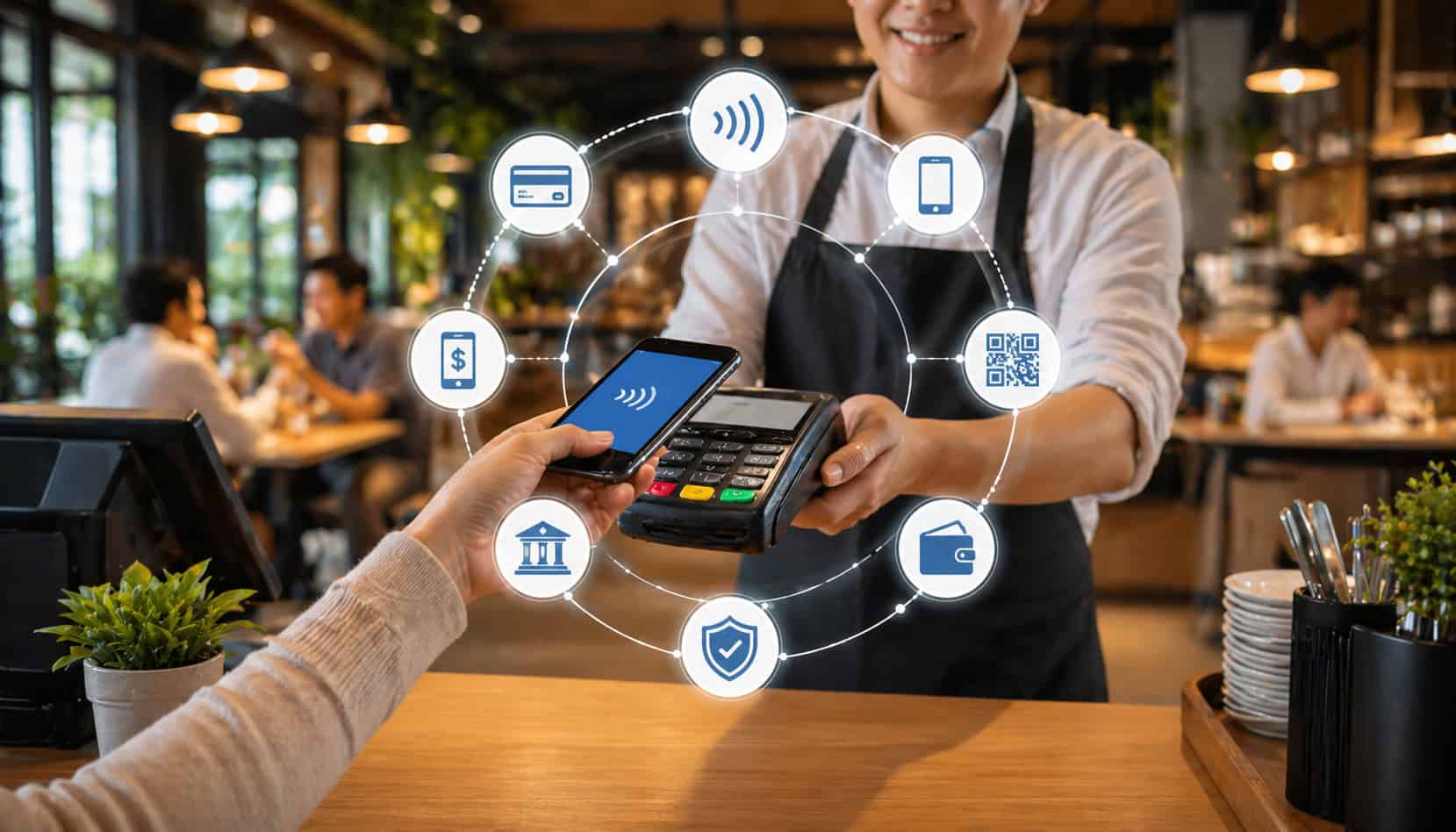
Digital payment integration in restaurants is no longer just about accepting cards at the counter. It is about connecting orders, payments, receipts, tips, refunds, online ordering, reports, and deposits into one smoother workflow.
For restaurant owners and managers, this matters because every payment touchpoint affects speed, accuracy, customer convenience, staff workload, and financial visibility. A busy lunch rush, a full dining room, a curbside pickup queue, or a catering deposit can all become harder to manage when payment tools do not communicate with the POS.
When payment systems are integrated, the order total flows directly from the POS to the payment device or online checkout. The transaction is authorized, the receipt is generated, the ticket is updated, and the sale appears in reports without staff retyping the amount.
That simple connection helps reduce billing errors, improve the restaurant checkout experience, and make end-of-day reconciliation less stressful.
Modern restaurant technology also supports contactless payments, mobile wallet payments, digital receipts, online ordering payments, split payments, loyalty programs, and secure stored payment methods. These options give guests more flexibility while giving operators cleaner data and stronger control over payment security.
What Is Digital Payment Integration in Restaurants?
Digital payment integration in restaurants means connecting the restaurant’s payment tools with the systems that run daily operations. Instead of treating payment acceptance as a separate step, integration links the POS, payment processor, terminals, online ordering platform, loyalty tools, delivery channels, accounting software, and reporting dashboards.
In a non-integrated setup, a server or cashier may read the order total from the POS and manually key it into a payment terminal. After the payment is approved, they may need to close the ticket manually, adjust the tip later, print or send a receipt, and compare reports at the end of the day. Each manual step creates room for mistakes.
With restaurant POS payment integration, the order amount moves automatically to the payment device or digital checkout. The payment result then flows back into the POS. This helps the system know whether the bill is paid, partially paid, refunded, voided, tipped, or still open.
Restaurant payment integration systems can also connect dine-in, takeout, delivery, catering, and online ordering payments. For example, a prepaid pickup order can enter the POS as paid, send the ticket to the kitchen, update sales reports, and create a digital receipt for the guest.
A well-designed integration may support:
- Card-present payments at the counter or table
- Contactless cards and mobile wallet payments
- QR code checkout
- Online ordering payments
- Gift cards and loyalty redemptions
- Split checks and split payments
- Digital receipts
- Refunds, voids, and tip adjustments
- Batch reporting and deposit matching
- Accounting exports
The goal is not just faster payment acceptance. The bigger value is operational consistency. When payment data connects to ordering and reporting, managers can make better decisions about sales, staffing, refunds, tips, fees, and deposits.
For restaurants comparing broader software setups, guides on how a restaurant POS system works can help explain where payment integration fits into the full order-to-close workflow.
How Restaurant Payment Integration Systems Work
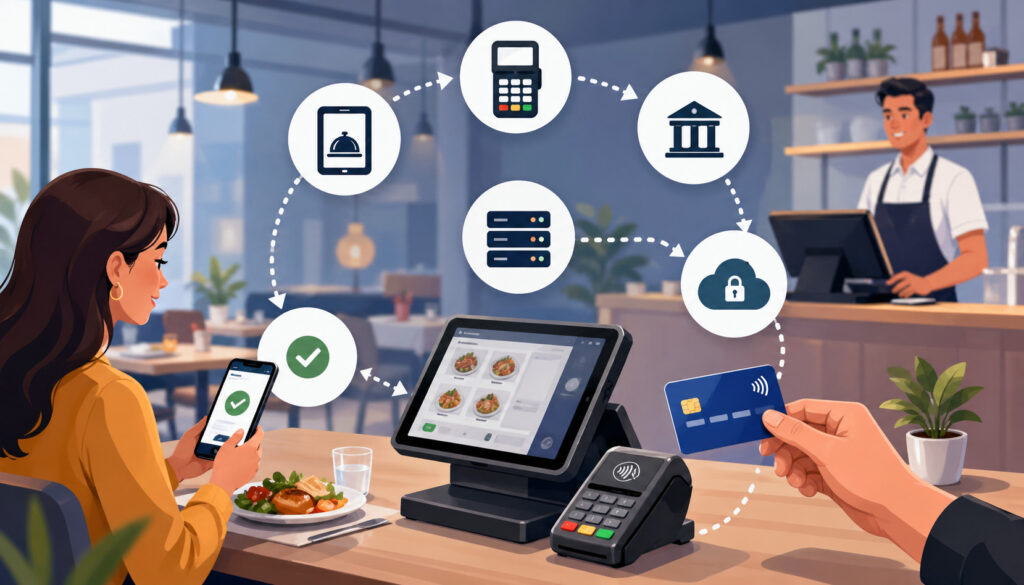
Restaurant payment integration systems work by passing information between the order system and the payment system. The guest places an order, the POS calculates the total, the payment method is selected, and the transaction is routed through a secure payment processor. Once approved, the result returns to the POS and updates the ticket.
This workflow sounds simple, but several systems may be involved behind the scenes. A dine-in transaction might include a server tablet, POS software, kitchen display system, payment terminal, processor, receipt printer, reporting dashboard, and accounting export.
An online order may involve a website, menu database, checkout page, gateway, processor, POS, kitchen printer, and customer notification.
The best integrated payment systems restaurant operators use are designed to make this complexity feel simple during service. Staff should not need to understand every technical handoff. They need a reliable process that sends the correct amount, confirms the payment, updates the order, and gives the guest a clean receipt.
| Step | What Happens | Why It Matters |
| Order entry | Staff or guests enter items into the POS, kiosk, app, or online ordering platform. | Creates the source of truth for menu items, modifiers, taxes, service charges, and totals. |
| Total calculation | The system applies taxes, discounts, tips, fees, and order adjustments. | Reduces manual math and helps avoid incorrect charges. |
| Payment prompt | The total is sent to the terminal, mobile device, QR checkout, or online payment page. | Prevents staff from manually keying in the amount. |
| Authorization | The payment processor checks whether the transaction can be approved. | Confirms whether the payment method is valid and funds are available. |
| POS update | Approval, decline, partial payment, tip, or refund status returns to the POS. | Keeps the ticket accurate and helps staff know what still needs attention. |
| Receipt generation | The guest receives a printed, emailed, texted, or digital receipt. | Improves customer convenience and supports dispute resolution. |
| Settlement | Approved transactions are grouped for deposit according to processor rules. | Helps managers track when funds should arrive. |
| Reporting | Sales, tips, refunds, fees, and payment types appear in dashboards. | Supports decision-making and end-of-day review. |
| Reconciliation | POS totals are compared with processor batches and bank deposits. | Helps catch missing payments, timing differences, and reporting errors. |
A practical payment flow should be fast during service and detailed enough for back-office review. The front-of-house team needs speed. Managers need accuracy. Accounting needs clean records. Guests need confidence that they were charged correctly.
POS and Payment Terminal Connection
The POS and payment terminal connection is one of the most important parts of digital payment integration in restaurants. When the two systems communicate directly, the POS sends the exact ticket total to the payment device. The guest taps, dips, swipes, or uses a mobile wallet, and the terminal returns the transaction result to the POS.
This reduces a common source of restaurant payment errors: manual entry. Without integration, a cashier may accidentally type $18.90 instead of $19.80, miss a modifier, forget tax, or charge the wrong check. During rush periods, those mistakes can lead to voids, refunds, guest frustration, and reconciliation problems.
Integrated payment systems restaurant teams rely on also make staff training easier. Instead of teaching employees to manage separate systems, the payment flow becomes part of the normal order process. Close ticket, send to payment, confirm approval, issue receipt.
This setup is especially useful for quick-service counters, cafés, bars, drive-thru lanes, and high-volume takeout operations where seconds matter. It also helps full-service restaurants using handheld devices or pay-at-table workflows because staff can bring payment directly to the guest.
Online Ordering and Digital Payments
Online ordering payments are a major reason restaurants need connected systems. Guests now expect to order ahead, pay online, receive confirmation, and pick up or receive delivery without repeating payment details at arrival. If online payments do not sync with the POS, staff may need to re-enter orders or manually mark them as paid.
A strong integration allows prepaid online orders to flow directly into the restaurant workflow. The payment is authorized through the online checkout, the order appears in the POS, the kitchen receives the ticket, and the guest gets a digital confirmation. This reduces phone order errors and keeps staff focused on food preparation and guest service.
Restaurants may use online payments for:
- Pickup orders
- Delivery orders
- Catering deposits
- Event prepayments
- Large group orders
- Meal subscriptions
- House accounts
- Gift card purchases
- Mobile checkout links
Restaurant POS integration with online ordering is especially important when menus change often. If prices, modifiers, taxes, or availability do not sync, guests may pay the wrong amount or order unavailable items. For a deeper operational view, this guide on restaurant POS integration with online ordering is a useful supporting resource.
Payment Reconciliation and Reporting
Payment reconciliation is the process of checking whether your POS sales, payment processor batches, tips, refunds, fees, and bank deposits match. Integrated payments make this easier because payment data is captured automatically at the transaction level.
Without integration, managers may compare several disconnected reports at closing: POS sales, card terminal totals, online ordering reports, delivery platform payouts, gift card redemptions, cash drawers, and bank deposits. Small differences can take a long time to investigate, especially if tips or refunds were adjusted after the sale.
With integrated restaurant payment processing solutions, transaction details are easier to trace. A manager can review which ticket produced the payment, what payment method was used, who processed it, whether a refund occurred, and whether the transaction was included in a batch.
This does not eliminate every reconciliation issue. Settlement timing, processor fees, chargebacks, third-party delivery deductions, and next-day deposits can still create differences. However, integration gives managers cleaner starting data and reduces preventable mismatches caused by manual entry.
Types of Digital Payments Restaurants Can Accept
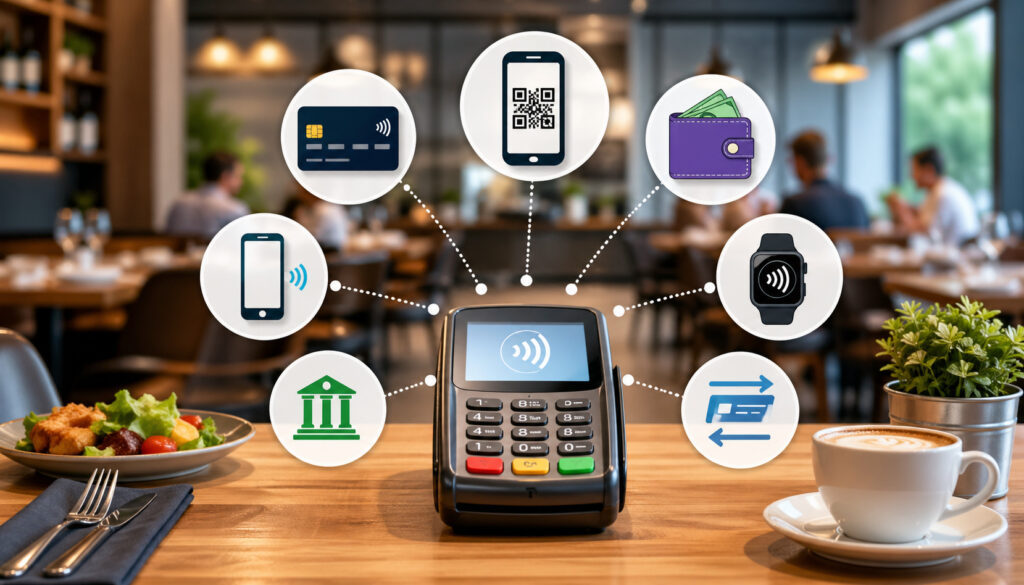
Digital payments for restaurants include much more than standard card transactions. The right mix depends on your service model, guest expectations, technology setup, and risk tolerance. A quick-service restaurant may prioritize speed and contactless checkout, while a full-service restaurant may need pay-at-table, split payments, and tip adjustment tools.
Card payments remain central. Guests may pay with chip cards, contactless cards, debit cards, or credit cards. These payments usually flow through a terminal connected to the POS. The POS sends the total, and the processor handles authorization.
Contactless payments allow guests to tap a card or device instead of inserting or swiping. This speeds up checkout and reduces physical handling. Mobile wallet payments work similarly, letting guests pay with smartphones, smartwatches, or other wallet-enabled devices.
QR code payments are common for table service, patios, food halls, and casual dining. A guest scans a code, reviews the bill, pays from their device, adds a tip, and may receive a digital receipt. This can reduce server payment trips, although restaurants should still support guests who prefer traditional checkout.
Online ordering payments help restaurants capture revenue before food is prepared. This is useful for pickup, delivery, catering, and high-volume takeout. Prepayment can reduce no-shows and speed up order handoff.
Gift cards and stored value payments support repeat visits and gifting. When integrated with the POS, balances update automatically and redemptions appear in reports.
Split payments are especially important for group dining. Guests may want to split evenly, pay by item, use different cards, combine cash and card, or apply a gift card first. A good system should make this easy without confusing staff.
Pay-at-table options allow servers to bring handheld devices to guests. This can improve table turns, reduce card handling, and help guests complete payment without waiting for a check presenter.
Common digital payment options include:
- EMV chip cards
- Contactless cards
- Mobile wallet payments
- QR code payments
- Online ordering payments
- Digital invoices or payment links
- Gift cards
- Loyalty rewards
- Stored payment methods
- Split payments
- Pay-at-table payments
- Kiosk payments
- Catering deposits
Benefits of Integrated Payment Systems for Restaurants
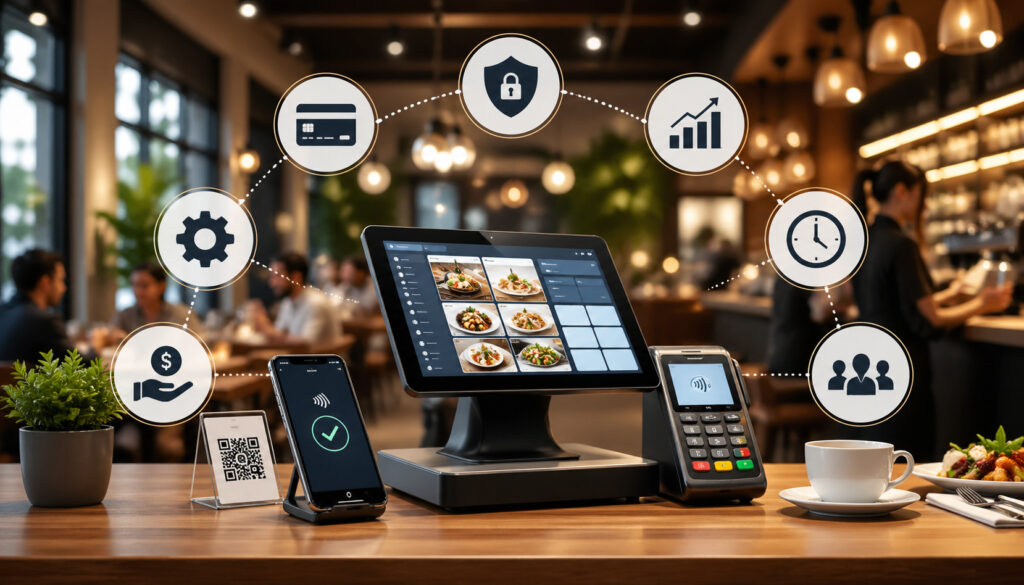
The benefits of integrated payment systems go beyond collecting money. They affect guest satisfaction, staff productivity, accounting accuracy, security, and management visibility. Restaurants operate on tight timing, and payment delays can create bottlenecks at the exact moment guests are ready to leave.
Faster checkout is one of the most visible benefits. When the POS sends the total directly to the terminal, staff do not need to retype amounts. Guests can pay quickly with cards, contactless payments, mobile wallets, or QR checkout. This helps during lunch rushes, bar rushes, pre-theater dining, and busy pickup windows.
Accuracy is another major advantage. Manual keying errors can create overcharges, undercharges, duplicate payments, or incorrect tips. Integrated workflows reduce these issues by keeping order and payment data connected.
Customer convenience improves because guests can choose how they want to pay. Some prefer tapping a card. Others want mobile wallet payments, digital receipts, or the ability to split payments. A flexible restaurant checkout experience can make the final interaction feel smooth rather than frustrating.
Reporting also becomes cleaner. Integrated systems help managers review payment types, tips, refunds, voids, discounts, online ordering payments, and deposits from connected dashboards. This supports better decisions about labor, menu performance, service channels, and cash flow.
Security can improve when restaurants use modern terminals, encryption, tokenization, permissions, and secure payment processors. Integrated systems reduce the need for staff to handle card data manually or store sensitive payment information.
Operational visibility may be the biggest long-term benefit. When payments connect with restaurant technology, managers can see what is happening across dine-in, takeout, online ordering, delivery, and multiple locations.
Faster and More Accurate Checkout
Faster checkout matters because payment is often the final impression a guest has of the restaurant. A great meal can be weakened by a slow or confusing payment process. Integrated restaurant payment processing solutions help prevent that by reducing delays between presenting the bill and completing payment.
In quick-service restaurants, the cashier can send the exact amount to the payment device while the guest is still at the counter. In cafés, contactless payments and mobile wallets help move lines faster. In full-service restaurants, handheld devices or QR code payment can reduce the back-and-forth of taking a card, running it at a station, and returning with a receipt.
Accuracy improves because the payment amount comes from the POS. Taxes, discounts, modifiers, service charges, and tips are less likely to be missed. This matters during high-pressure periods when staff are moving quickly and guests expect efficiency.
For managers, fewer payment errors mean fewer refunds, fewer voids, fewer guest disputes, and less time spent correcting reports after closing. For staff, it means less stress and fewer awkward conversations at the table or counter.
Better Customer Convenience
Customer convenience is a major reason restaurants invest in digital payments. Guests increasingly expect payment to fit the way they order. A dine-in guest may want to split the bill. A commuter may want to tap a phone and leave quickly. A parent ordering dinner online may want to pay ahead and pick up without waiting.
Digital payment integration in restaurants helps support these expectations without creating separate workflows for staff. Mobile wallet payments, digital receipts, online ordering payments, and pay-at-table options can all connect back to the same order and reporting system.
Digital receipts are especially useful for guests who track expenses, need business documentation, or simply prefer not to keep paper. They also help restaurants reduce reprint requests and provide better records if a dispute occurs.
Split payments improve convenience for groups. When a system can divide checks by seat, item, percentage, or equal amount, staff can close tables faster and reduce confusion.
The key is consistency. Guests should not feel that one payment option works smoothly while another creates delays. A good setup gives customers flexibility while keeping the restaurant’s workflow controlled.
Easier Accounting and End-of-Day Close
End-of-day close is where payment integration becomes especially valuable for managers. The closing process often requires comparing POS sales, payment terminal totals, cash drawers, tips, refunds, gift cards, online orders, and processor batches. When these systems are disconnected, closing can become slow and frustrating.
Integrated payment systems help by connecting each transaction to a ticket. Managers can see whether a payment was approved, refunded, partially paid, or adjusted for tip. They can compare card totals by terminal, server, revenue center, or order channel.
This makes it easier to spot issues such as:
- Missing payments
- Duplicate charges
- Incorrect tips
- Unclosed checks
- Refund spikes
- Voids after close
- Online payment mismatches
- Batch settlement differences
- Gift card balance problems
Payment reconciliation is still a disciplined process. Processor deposits may not match POS totals exactly because of fees, chargebacks, batch timing, or third-party deductions. However, integrated data gives managers and bookkeepers a clearer trail.
For accounting, clean exports can reduce manual data entry. Sales categories, payment types, taxes, tips, refunds, and fees can be organized more consistently.
Payment Security and Compliance Considerations
Payment security is one of the most important parts of restaurant payment integration. Restaurants handle high transaction volume, multiple staff roles, public-facing devices, online orders, refunds, tips, and sometimes stored payment data. Each of these creates risk if controls are weak.
Secure payment processing starts with modern hardware and trusted payment processors. Terminals should support chip and contactless payments. Payment data should be encrypted during transmission.
Stored card details should be replaced with tokens when repeat payment functionality is needed. Staff should not write down card numbers, store card images, or keep payment details in spreadsheets.
PCI compliance is also important. Restaurants that accept card payments are expected to follow applicable payment security standards. The exact requirements depend on the environment, payment methods, processor, and technology setup. Even when a POS or processor provides compliant tools, the restaurant is still responsible for using them correctly.
Permissions matter. Not every employee should be able to issue refunds, change tips, view reports, adjust closed checks, or access payment settings. Role-based access helps reduce mistakes and misuse.
Fraud monitoring should include both technical and operational signals. Managers should review unusual refund activity, repeated declined payments, high swipe fallback rates, duplicate transactions, large tips, after-hours access, and chargeback patterns.
Secure integration also depends on network practices. POS devices and payment terminals should not share the same open network used by guests. Strong passwords, software updates, device tracking, and vendor access controls all matter.
For more detailed security guidance, see this resource on secure payment processing in restaurant POS systems, which discusses payment security controls in a restaurant POS environment.
Protecting Customer Payment Data
Protecting customer payment data starts with reducing how much sensitive data your restaurant touches. The safest card number is the one your staff and systems never see in raw form. Modern restaurant payment processing solutions use encryption and tokenization to help limit exposure.
Tokenization replaces sensitive card data with a substitute value that can be used for approved functions such as refunds, tabs, recurring charges, or customer profiles. If a token is exposed, it is much less useful than an actual card number.
Restaurants should avoid manually storing card details for phone orders, catering deposits, house accounts, or repeat guests. If stored payment methods are needed, use a processor-supported tokenized vault rather than local notes or spreadsheets.
Staff training is also important. Employees should know not to photograph cards, write card numbers on order tickets, send payment information through messages, or leave receipts with sensitive details exposed.
Payment data protection also includes device security. Terminals should be inspected for tampering, assigned to known locations, and removed from service if they look unusual.
Preventing Fraud and Chargebacks
Fraud and chargebacks can come from many sources: stolen cards, friendly fraud, duplicate billing, unclear descriptors, delivery disputes, refund abuse, or staff mistakes. Integrated payments help by creating better transaction records and reducing manual handling.
Receipts are important. A clear receipt showing date, time, items, taxes, tips, location, and payment method can help resolve disputes. Digital receipts make it easier for guests to recognize transactions and for managers to retrieve records.
Authorization records also matter. Integrated systems can show whether the payment was approved, which terminal processed it, and which ticket it matched. This helps when investigating a chargeback or guest complaint.
Refund controls reduce internal risk. Restaurants should set permissions for who can refund, how much they can refund, and whether manager approval is required. Exception reports can highlight unusual patterns by employee, terminal, shift, or location.
For online ordering payments, fraud prevention may include address checks, velocity limits, order confirmation records, delivery proof, and clear pickup procedures. High-value catering orders may need additional verification before preparation.
Common Challenges With Restaurant Payment Integration
Digital payment integration in restaurants can improve operations, but it is not automatic. Restaurants should understand the common challenges before choosing a provider or changing workflows. The best results come from planning, testing, and training.
Internet dependency is one major consideration. Many modern systems rely on cloud connections to process transactions, sync orders, and update reports. If the internet goes down, the restaurant needs a backup plan. This may include cellular failover, offline mode, backup terminals, or a defined manual procedure.
Processor compatibility can also be a challenge. Not every POS works with every payment processor. Some systems require a specific processor or gateway. Others support multiple providers but may limit features based on the integration. Restaurants should confirm compatibility before signing contracts or buying hardware.
Hardware costs can add up. Terminals, handheld devices, kiosks, receipt printers, cash drawers, and network equipment may all be part of the payment setup. Multi-location restaurants need to consider standardization across sites.
Transaction fees and monthly fees require careful review. A low advertised rate may not include all costs. Restaurants should compare processing rates, authorization fees, chargeback fees, PCI fees, gateway fees, hardware leases, software subscriptions, and cancellation terms.
Staff training is another common obstacle. Even a strong system can fail if employees do not understand how to split payments, process refunds, handle declined cards, adjust tips, or send digital receipts.
Syncing problems may occur between POS, online ordering, accounting, loyalty, and delivery systems. Menu mismatches, tax errors, duplicate orders, and payment status delays can frustrate staff and guests.
Downtime planning is essential. Restaurants should know what to do if terminals fail, online ordering stops, payments are declined incorrectly, or settlement reports do not appear.
How to Choose the Right Restaurant Payment Integration
Choosing the right restaurant payment integration starts with understanding your actual operation. A café, bar, food truck, full-service restaurant, quick-service location, delivery-focused kitchen, and catering business may all need different payment workflows.
Start with POS compatibility. Your payment processor, gateway, terminals, and online ordering tools should connect cleanly with your POS. Ask whether the integration supports the features you need, not just basic card acceptance.
Next, review payment methods. The system should support the way guests want to pay: contactless cards, mobile wallet payments, online ordering payments, gift cards, split payments, QR codes, pay-at-table, or stored payment methods.
Security should be a core requirement. Look for encryption, tokenization, user permissions, audit logs, refund controls, and clear PCI support. Ask how payment data is stored, who can access it, and what happens if a device is lost or replaced.
Reporting is equally important. A useful system should show sales, payment types, tips, refunds, fees, batches, deposits, chargebacks, and channel-level performance. Managers should be able to understand what happened without exporting five reports every night.
Support availability matters because restaurants operate outside office hours. Payment problems during dinner service need fast help. Ask about live support, escalation times, hardware replacement, and onboarding assistance.
Scalability should also be considered. If you plan to add locations, kiosks, delivery channels, loyalty, catering, or mobile ordering, choose a system that can grow without forcing a full replacement.
Useful questions to ask include:
- Does this integrate with my current POS?
- Which payment methods are supported?
- Can online ordering payments sync automatically?
- How are tips, refunds, and split payments handled?
- What reports are available for reconciliation?
- What fees apply beyond processing rates?
- Is hardware leased or purchased?
- What happens during an internet outage?
- How are chargebacks managed?
- What support is available during service hours?
For broader selection planning, this article on choosing the right restaurant management software can help operators think about payments as part of the wider technology stack.
Match Payments to Your Service Model
Different restaurant formats need different payment experiences. Quick-service restaurants often need speed, counter terminals, contactless payments, mobile wallets, kiosks, and drive-thru support. The priority is moving guests through the line without errors.
Cafés may need fast tap-to-pay, stored customer profiles, loyalty integration, digital receipts, and simple tipping prompts. Small delays at the register can create long lines during the morning rush.
Bars need strong tab management, preauthorization options, tip adjustment controls, and clear staff permissions. Payment integration should handle high volume, split checks, and late-night closeout without losing accuracy.
Full-service restaurants may need tableside ordering, pay-at-table, split payments, item-level check separation, digital receipts, and server-based reporting. Guests should be able to pay without waiting too long after the meal.
Food trucks and mobile vendors need reliable wireless payments, compact hardware, offline planning, and simple daily reports. Portability matters more than complex back-office features.
Delivery-focused kitchens need strong online ordering payments, prepaid order workflows, delivery fee handling, refund controls, and channel-specific reporting.
Catering operations may need deposits, invoices, payment links, stored cards, staged payments, and clear refund policies.
Review Fees, Contracts, and Support
Fees and contract terms can have a major impact on long-term payment costs. Restaurants should review the full pricing structure, not just the headline processing rate. A low rate may be offset by monthly software fees, gateway fees, PCI fees, hardware leases, statement fees, chargeback fees, or early termination penalties.
Ask whether pricing is flat-rate, interchange-plus, tiered, or custom. Each model can work, but managers should understand how costs change by card type, transaction method, online order, keyed entry, or reward card.
Hardware terms also matter. Some providers sell terminals outright, while others lease or bundle them. Leasing may reduce upfront cost but can become expensive over time. Confirm who owns the hardware, who replaces broken devices, and whether terminals can be reused if you change processors.
Settlement timing affects cash flow. Ask when deposits typically arrive and whether weekends, holidays, tips, refunds, or chargebacks affect timing.
Support should be evaluated carefully. Payment outages are urgent in restaurants. Ask whether support is available during nights and weekends, whether live help is offered, and how hardware failures are handled.
Also review cancellation terms. Some contracts renew automatically or require notice before ending service.
Best Practices for Setting Up Digital Payment Integration
A successful setup requires more than installing terminals. Restaurants should treat payment integration as an operational rollout involving technology, staff, accounting, and guest experience.
Start by confirming POS compatibility. Make sure the payment processor, gateway, terminals, online ordering system, and accounting exports work with your current setup. If you are changing multiple systems at once, assign a launch owner who can coordinate vendors and internal teams.
Next, sync your menu and pricing carefully. Taxes, modifiers, discounts, service charges, tips, delivery fees, and item availability should match across POS and online ordering channels. Even small mismatches can create payment errors.
Configure tips based on your service model. Counter-service tip prompts, full-service tip adjustments, delivery tips, tip pooling, and service charges may all require different settings. Test them before launch.
Set user permissions. Decide who can issue refunds, void payments, adjust tips, reopen checks, access reports, and change payment settings. Use unique logins rather than shared credentials.
Test terminals and payment devices. Confirm that each terminal sends payments to the right POS station and appears correctly in reports. Test card-present payments, contactless payments, mobile wallet payments, gift cards, split payments, and digital receipts.
Test online payments separately. Place sample pickup, delivery, and catering orders. Check whether payment status, taxes, tips, fees, and refunds sync correctly.
Review receipt formatting. Receipts should show the correct business details, items, taxes, tip lines, payment method, refund policy, and digital receipt options.
Prepare backup payment procedures. Staff should know what to do if the internet, terminal, POS, or online ordering platform fails.
Train staff by role. Cashiers, servers, bartenders, managers, and bookkeepers need different training. Managers should understand reports and reconciliation, not just transactions.
Finally, monitor the first several days closely. Review refunds, voids, settlement reports, failed payments, guest complaints, and staff questions.
Common Mistakes to Avoid
One of the biggest mistakes restaurants make is choosing a processor before checking POS compatibility. A payment solution may look attractive, but if it does not integrate with your POS, online ordering system, or reporting tools, staff may end up doing extra manual work.
Another mistake is focusing only on transaction rates. Processing cost matters, but hidden fees, hardware terms, chargeback costs, gateway fees, and support limitations can change the true cost. Review the full agreement.
Skipping payment testing is also risky. Restaurants should test every common scenario before launch: dine-in, takeout, split payments, tips, refunds, voids, online payments, digital receipts, gift cards, and declined transactions.
Failing to train staff can create service problems. Employees need to know how to use the system during real pressure, not just during a calm demo. Managers should be prepared for exceptions.
Weak refund controls can lead to losses. Restaurants should limit refund permissions, require manager approval for certain amounts, and review refund reports regularly.
Another common issue is ignoring reconciliation reports. Payment integration is only useful if managers review the data. Daily checks help catch issues before they become accounting headaches.
Overlooking offline payment options can also be costly. Internet outages, hardware failures, or processor disruptions can happen. Restaurants should have backup procedures.
Restaurants should also avoid adding too many payment tools too quickly. Each new channel adds complexity. Start with the methods that best match guest demand and operational capacity.
Common mistakes include:
- Choosing a processor without POS compatibility
- Ignoring total fees and contract terms
- Skipping real payment testing
- Training only managers, not frontline staff
- Using shared logins
- Giving too many employees refund access
- Not reviewing reconciliation reports
- Forgetting online ordering payment tests
- Overlooking offline procedures
- Using inconsistent receipt settings
FAQs
What is digital payment integration in restaurants?
Digital payment integration in restaurants is the connection between payment tools and restaurant systems such as the POS, online ordering platform, payment terminals, reporting dashboard, loyalty tools, and accounting software. It helps order totals, approvals, tips, refunds, receipts, and settlement data move between systems automatically.
How do integrated payment systems work in restaurants?
Integrated payment systems send the order total from the POS or online ordering platform to the payment processor through a terminal, gateway, QR checkout, or online payment page. After the transaction is approved or declined, the result flows back into the POS and updates the ticket status.
What digital payments should restaurants accept?
Restaurants should consider accepting chip cards, contactless cards, mobile wallet payments, online ordering payments, and digital receipts. Depending on the service model, they may also need QR code payments, gift cards, split payments, pay-at-table options, kiosks, payment links, or stored payment methods.
Can payment integration reduce billing errors?
Yes. Restaurant POS payment integration can reduce billing errors because staff do not need to manually type order totals into a separate terminal. The POS sends the correct total directly to the payment device or checkout page, helping prevent overcharges, undercharges, duplicate entries, and incorrect payment updates.
Are digital payments secure for restaurants?
Digital payments can be secure when restaurants use modern processors, encrypted terminals, tokenization, secure networks, PCI-aligned practices, user permissions, and fraud monitoring. Restaurants should avoid manually storing card data and should regularly review payment security controls.
How does payment integration help with reconciliation?
Payment integration helps with reconciliation by connecting each payment to the related POS ticket. This makes it easier to compare sales, tips, refunds, voids, processor batches, fees, and deposits while reducing manual review work.
What should restaurants look for in payment processing solutions?
Restaurants should look for POS compatibility, supported payment methods, transparent fees, secure processing, reliable hardware, online ordering support, clear reporting, refund controls, chargeback tools, strong customer support, and scalability.
Do small restaurants need integrated payment systems?
Yes, small restaurants can benefit from integrated payment systems because they often have limited staff and less time for manual reconciliation. Integration can reduce errors, speed up checkout, simplify reports, and improve the guest experience.
Conclusion
Digital payment integration in restaurants connects the systems that matter most at checkout: orders, payments, receipts, tips, refunds, reports, online ordering, and reconciliation. When these pieces work together, restaurants can serve guests faster, reduce payment mistakes, and gain better visibility into daily performance.
The right setup supports modern digital payments for restaurants, including contactless payments, mobile wallet payments, online ordering payments, split payments, pay-at-table options, and digital receipts. It also strengthens payment security through encryption, tokenization, permissions, and better transaction records.
For owners, managers, café operators, quick-service teams, full-service restaurants, and hospitality groups, payment integration is not just a technical upgrade. It is an operational improvement that affects staff efficiency, customer convenience, accounting accuracy, fraud prevention, and overall control.
A strong payment strategy starts with your service model, your POS, your guest expectations, and your reporting needs. Choose systems that make checkout easier for customers, clearer for staff, and more reliable for management.