
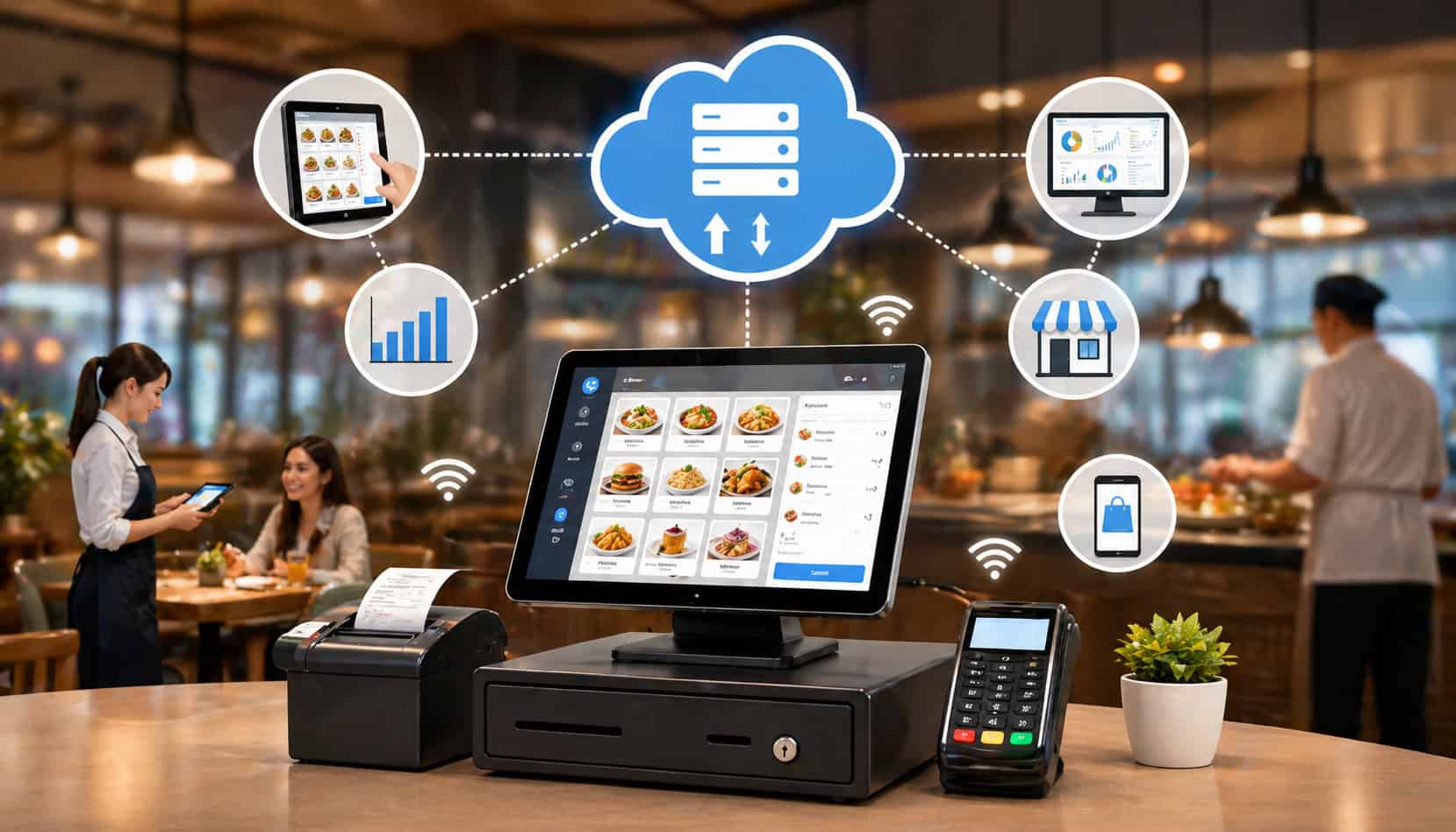
Restaurant technology has moved far beyond the old cash register. Today, a restaurant POS system is often the central hub for order taking, payments, menu updates, kitchen communication, online ordering, staff workflows, inventory tracking, reporting, and customer data.
Cloud POS systems for restaurants help operators connect these moving parts through internet-enabled software. Instead of keeping all data on one local server in the back office, a cloud-based POS for restaurants stores key information securely online so approved users can access menus, orders, reports, and settings from connected devices.
For restaurant owners, managers, café operators, quick-service teams, full-service restaurants, bars, food trucks, and hospitality groups, this can make daily operations easier to see and manage. A well-set-up restaurant cloud POS system can help staff send orders faster, reduce ticket errors, process payments smoothly, update menus quickly, and review restaurant sales data without waiting until closing time.
Cloud POS software restaurant teams use today often connects with online ordering integration, kitchen display system routing, mobile POS devices, customer profiles, loyalty tools, and restaurant inventory tracking.
The result is not just a faster checkout screen. It is a connected restaurant payment system and operations platform that helps teams make better decisions during service and after the rush.
What Are Cloud POS Systems for Restaurants?
Cloud POS systems for restaurants are point-of-sale platforms that use cloud-based software to manage restaurant transactions, orders, menus, payments, reports, and operational settings.
In a traditional on-premise POS setup, the core software and data often live on a local server inside the restaurant. That server may connect to terminals, printers, and card readers, but remote access and updates can be limited or require extra setup.
A restaurant POS system cloud setup works differently. The software runs through secure online infrastructure, while restaurant staff use connected devices such as terminals, tablets, handhelds, kiosks, or back-office dashboards.
Orders, sales, menu changes, payment records, staff permissions, and reporting data sync through the cloud so the right people can access current information from approved devices.
This does not mean every action depends on a browser or that every device is identical. Many systems include purpose-built POS terminals, mobile POS devices, kitchen screens, printers, cash drawers, barcode scanners, and payment hardware. The “cloud” part refers to how the system stores, syncs, updates, and makes data available.
For example, a manager may update a lunch combo price in the back-office dashboard. Once published, that change can appear on the front counter terminal, tableside ordering tablet, online ordering menu, and kitchen display rules, depending on how the system is configured.
Compared with older systems, cloud POS systems can offer:
- Remote access to reporting and settings
- Faster software updates
- Centralized menu management
- Easier multi-location controls
- Better backup and data recovery options
- More flexible integrations with restaurant technology tools
- Real-time or near real-time restaurant sales data
Cloud POS software restaurant teams depend on should still be evaluated carefully. Security, offline mode, hardware compatibility, payment processing terms, support quality, and data migration all matter. Cloud-based does not automatically mean better; it means the system architecture is built for connected operations.
How Cloud POS Works in Restaurants
To understand how cloud POS works in restaurants, follow the journey of a single order. A server enters a dine-in order on a terminal or mobile POS. A cashier enters a takeout order at the counter.
A guest places an online order. A kiosk sends a self-service order. In each case, the restaurant cloud POS system captures the order details and applies the right menu, pricing, tax, modifier, and routing rules.
Once the order is accepted, the system syncs it through the cloud and sends production details to the right kitchen display system, printer, bar station, prep line, or expo area.
The kitchen sees what needs to be made, where it is going, and any modifiers or special instructions that apply. If the system is configured well, fries go to the fryer station, drinks go to the bar, desserts go to the dessert station, and expo sees the complete order.
When payment is taken, the restaurant payment system records the transaction, tip, receipt preference, payment type, refund permissions, and closeout details.
At the same time, the POS reporting system updates sales totals, item counts, discounts, voids, taxes, and staff activity. If the POS connects with restaurant inventory tracking, item sales may also update ingredient usage or stock counts.
Managers can then review restaurant sales data from approved devices. They may check revenue by hour, item performance, labor trends, average ticket size, online ordering volume, refunds, discounts, and peak periods. Instead of waiting for a nightly export, they can often see performance during the shift.
| Step | What Happens | Why It Matters |
| 1. Order is entered | Staff, guests, kiosks, or online channels submit an order into the POS | Creates one consistent order record |
| 2. Menu rules apply | Items, modifiers, pricing, taxes, and availability are checked | Reduces pricing and preparation errors |
| 3. Order syncs | The order moves through the cloud to connected devices | Keeps front-of-house and kitchen teams aligned |
| 4. Ticket routes | Items go to kitchen displays, printers, bars, or prep stations | Speeds production and reduces missed items |
| 5. Payment is processed | Card, contactless, cash, split checks, tips, or digital payments are recorded | Supports accurate closeouts and receipts |
| 6. Reports update | Sales, items, staff actions, discounts, and order channels update | Gives managers better visibility |
| 7. Inventory may update | Connected inventory tools track item or ingredient usage | Helps reduce stockouts and waste |
| 8. Managers review data | Approved users access dashboards and reports | Supports better decisions during and after service |
For a deeper operational view of connected online ordering, see this guide on restaurant POS integration with online ordering.
Order Entry and Menu Management
Order entry is one of the most visible parts of a cloud-based POS for restaurants. Staff can enter dine-in, takeout, delivery, drive-through, curbside, catering, bar tab, or event orders from a central system.
Depending on the restaurant type, orders may come from a counter terminal, handheld device, tableside tablet, self-service kiosk, QR ordering flow, or online ordering integration.
Menu management is the foundation that makes those orders accurate. Managers can create menu categories, item names, prices, modifiers, required choices, optional add-ons, tax rules, discounts, daypart menus, and item availability. A burger may require a temperature choice, allow cheese add-ons, include optional sauces, and route grill instructions to a specific station.
Cloud systems can make updates easier because managers do not have to edit each terminal one by one. A single menu update can be pushed across approved sales channels, although every system handles publishing differently.
Payment Processing and Receipts
A restaurant payment system inside a cloud POS can support card payments, contactless payments, digital wallets, cash, gift cards, house accounts, split checks, deposits, tips, refunds, partial refunds, and digital receipts.
For full-service restaurants, payment may happen at the table, at a server station, or through a handheld mobile POS. For quick-service restaurants, payment may happen before the ticket reaches the kitchen.
The POS records the payment details needed for closeout and reporting. This may include payment type, authorization status, tip amount, employee, check number, order channel, tax, service charges, discounts, refunds, and receipt delivery. Digital receipts can also help reduce paper use and make it easier for customers to keep transaction records.
Security matters. Restaurants should understand how payment data is handled, what responsibilities belong to the POS provider, what responsibilities belong to the merchant, and how staff permissions control refunds, voids, discounts, and cash drawer activity.
Kitchen Communication and Order Routing
Kitchen communication is where many restaurants feel the biggest difference between a basic POS and a well-configured restaurant cloud POS system. Once an order is entered, the system can route items to kitchen printers, kitchen display system screens, bar printers, prep stations, make lines, expo screens, or packaging stations.
Good routing reduces mistakes because each station sees only the information it needs. The grill station may see proteins and temperatures. The salad station may see greens, dressing, and add-ons.
The bar may see beverages. Expo may see the full order and timing. This helps avoid clutter, missed modifiers, and duplicate production.
A kitchen display system can also help teams track order status. Tickets may show when an order was received, started, delayed, completed, or ready for pickup. Some systems support color-coded timing, bump screens, station routing, item-level routing, and separate workflows for dine-in, takeout, delivery, and online ordering.
Cloud-Based POS vs Traditional Restaurant POS Systems
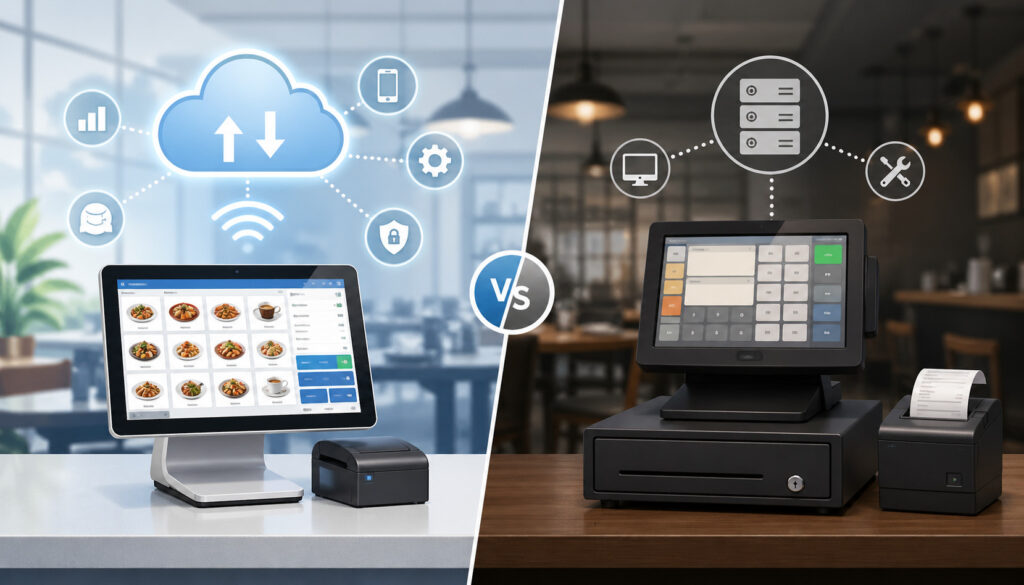
Traditional restaurant POS systems often rely on local servers, fixed terminals, manual updates, and on-site maintenance. They can be stable and familiar, especially for restaurants that have used the same workflows for years. However, they may limit remote access, make updates harder, and require more hands-on technical support when hardware or local servers fail.
Cloud-based POS systems move more data storage, reporting, updates, and configuration into online infrastructure. This can give restaurant operators more flexibility. A manager can check POS reporting from home, update a menu item before service, review sales across locations, or adjust user permissions without being physically inside the restaurant.
The difference is not only technical. It affects how the restaurant operates. With an older local-server POS, a menu change may require on-site access or terminal-by-terminal updates. With a cloud system, a menu change can often be made centrally and published across devices.
With a traditional setup, reporting may be available only from the back-office computer. With a restaurant POS system cloud dashboard, reports may be available from approved devices wherever the manager has access.
Cloud systems also tend to support modern integrations more easily. Online ordering integration, accounting, loyalty, scheduling, payroll, inventory, delivery platforms, and customer engagement tools are often easier to connect through cloud-based architecture.
That said, integration quality varies. A weak integration can still create duplicate work, broken reports, or mismatched menus.
Offline mode is another important comparison point. Traditional systems may continue running locally if the internet drops. Cloud systems should also offer offline features, but the details matter. Some can keep taking orders and payments temporarily, while others may limit certain functions until connectivity returns.
Maintenance also changes. Cloud systems usually push software updates from the provider, reducing manual upgrade work. But subscription costs, payment processing requirements, hardware leases, and support terms should be reviewed carefully.
Key Features of a Restaurant Cloud POS System
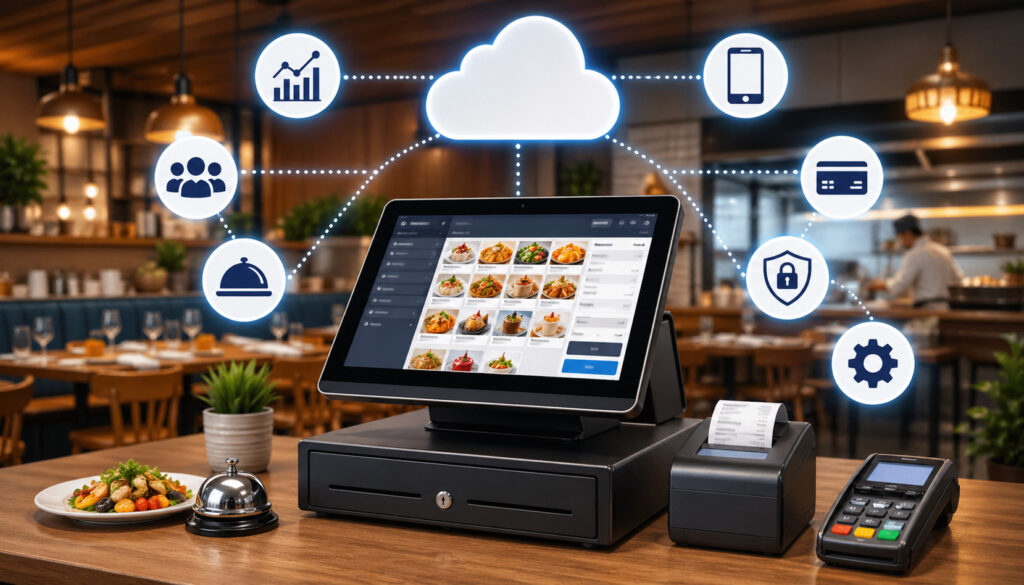
A restaurant cloud POS system should do more than ring up sales. It should support the service model, order channels, kitchen workflow, reporting needs, and management structure of the restaurant.
The best feature set depends on whether the operation is quick-service, full-service, café, bar, food truck, catering business, ghost kitchen, hotel restaurant, or multi-location group.
Core features usually include order entry, menu management, payment processing, kitchen routing, staff permissions, sales reporting, customer records, discounts, taxes, receipts, refunds, and closeout tools.
Many restaurants also need online ordering integration, mobile POS, loyalty tools, gift cards, delivery workflows, table management, reservations, waitlists, inventory connections, and multi-location controls.
A cloud POS should also make data easier to use. POS reporting should help managers understand what is happening during service and why. Which items are selling? Which discounts are used most often? Which staff members need more training? Which online channels are growing? Which dayparts need staffing changes?
For many operators, restaurant inventory tracking is a major reason to connect POS data with inventory tools. When item sales connect to ingredients, managers can estimate usage, monitor stock trends, compare theoretical usage against actual counts, and identify waste or theft.
Useful restaurant cloud POS features may include:
- Mobile POS ordering and tableside payments
- Centralized menu management
- Online ordering integration
- Kitchen display system routing
- Secure payment processing
- Staff roles and permissions
- Real-time POS reporting
- Customer profiles and order history
- Loyalty and gift card tools
- Restaurant inventory tracking connections
- Multi-location dashboard access
- Discount, void, and refund controls
- Menu availability and 86-item controls
- Sales, labor, and channel reporting
For a practical breakdown of must-have capabilities, see key POS features restaurants actually need.
Real-Time Sales Reporting
Real-time sales reporting helps managers see performance while there is still time to act. Instead of learning after closing that lunch was slow, labor ran high, or a discount was overused, managers can monitor live dashboards throughout the shift.
Good POS reporting can show revenue, order volume, average ticket size, payment types, sales by channel, popular items, voids, comps, refunds, tips, discounts, and employee activity. For restaurants with online ordering integration, reports can also separate dine-in, pickup, delivery, kiosk, and third-party orders.
This helps managers make practical decisions. If a rush starts earlier than expected, they may call in support, adjust prep, pause certain online orders, or move staff to the counter. If a high-margin item is selling well, they may promote it. If refunds spike, they can investigate before the issue becomes a guest experience problem.
Inventory and Menu Insights
Inventory and menu insights become more useful when POS data connects to restaurant inventory tracking tools. Every menu item sold can represent ingredient usage. A chicken sandwich may reduce buns, chicken portions, sauce, lettuce, and packaging. A cocktail may reduce spirits, mixers, garnishes, and glassware-related supplies.
This does not replace physical counts, receiving controls, or manager judgment. However, it gives operators better visibility into trends. If an item sells faster than expected, the system may help flag low stock. If theoretical usage does not match actual counts, the restaurant may need to investigate waste, over-portioning, theft, incorrect recipes, or receiving errors.
Menu management also improves when sales data is reviewed regularly. Operators can identify best sellers, slow movers, low-margin items, seasonal winners, and modifier patterns. This can support menu engineering, pricing reviews, prep planning, and vendor ordering.
Multi-Location Access
Multi-location access is one of the strongest advantages of a restaurant POS system cloud setup. Operators managing more than one location need consistent menus, pricing rules, tax settings, reporting categories, permissions, and performance benchmarks.
A cloud dashboard can make this easier by centralizing controls while still allowing location-specific settings where needed.
For example, an operator may use the same core menu across three locations but allow different pricing, tax rates, hours, delivery zones, or item availability. Centralized reporting can show sales by location, item mix, staff performance, voids, discounts, peak hours, and channel performance.
This helps leadership compare locations more fairly. If one location sells more but has lower average tickets, the issue may be upselling, menu mix, guest traffic, or service style. If another location has more voids, training or permissions may need review.
Benefits of Cloud POS Software for Restaurants
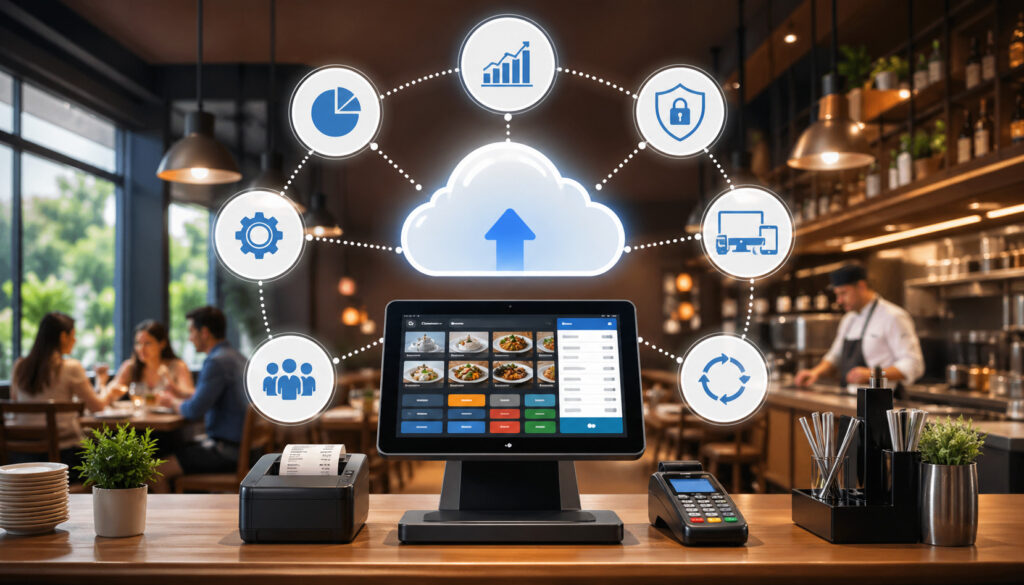
Cloud POS software for restaurants can improve speed, accuracy, visibility, and control when it is configured around real operations. The biggest benefit is often connection. Orders, payments, menus, kitchen routing, online ordering, reporting, and management workflows no longer have to live in separate silos.
Faster service is a clear advantage. Staff can enter orders quickly, use mobile POS devices, send tickets directly to the kitchen, accept payments at the table, and reduce trips back and forth to a fixed terminal.
Quick-service teams can move lines faster with counter terminals, kiosks, and digital payment options. Full-service teams can turn tables more efficiently when ordering and payments happen closer to the guest.
Cloud systems also make updates easier. When pricing changes, an item sells out, or a seasonal menu launches, managers can update the menu from one place. If online ordering integration is connected properly, those changes can reduce mismatches between in-house and digital menus.
Better reporting is another major benefit. Restaurant sales data helps owners understand what is selling, when demand peaks, which channels are growing, and where margins may need attention. Instead of relying only on intuition, operators can use reports to guide staffing, purchasing, promotions, and menu decisions.
Cloud POS systems can also improve staff accountability. Permissions can limit who can issue refunds, apply discounts, reopen checks, void items, or access reports. Activity logs can help managers review unusual patterns and train staff more effectively.
Other benefits include:
- Fewer manual order entry steps
- Better online order handling
- More accurate kitchen tickets
- Easier remote access for owners and managers
- Centralized control for multiple locations
- Faster software updates
- Stronger reporting consistency
- Better customer experience through smoother service
For a related overview, read about the benefits of switching to cloud restaurant software.
Potential Challenges and What to Watch For
Cloud POS systems for restaurants have many advantages, but they also come with practical challenges. The most obvious is internet dependency.
Because cloud systems rely on connectivity to sync data, restaurants need reliable internet, backup connectivity, and a clear offline plan. A busy dinner shift is not the time to discover which features stop working during an outage.
Subscription costs also deserve careful review. Many cloud POS providers charge monthly software fees, hardware fees, payment processing fees, support fees, integration fees, and add-on fees for features such as loyalty, advanced reporting, inventory, or online ordering. A system that looks affordable at first may become expensive once all required tools are included.
Payment processing terms are another key issue. Some POS systems require the restaurant to use a specific processor. Others allow more flexibility but may charge integration or gateway fees. Operators should compare rates, contract length, chargeback handling, payout timing, hardware costs, cancellation terms, and support responsibilities.
Hardware compatibility can also be a challenge. Existing printers, cash drawers, card readers, tablets, or kitchen screens may not work with the new system. Even when they do, older hardware may not perform well enough for peak service.
Staff training is often underestimated. A cloud-based POS for restaurants may be easier to learn than an older system, but staff still need training on order entry, modifiers, table management, payments, refunds, discounts, gift cards, online orders, kitchen routing, and end-of-shift closeout.
Data migration can be another pain point. Menu items, customer records, gift cards, loyalty balances, inventory lists, and reporting history may not transfer perfectly. Restaurants should decide what must be migrated, what can be archived, and what should be rebuilt cleanly.
Security settings matter too. Managers should review user permissions, password policies, payment security, device access, remote access, and reporting visibility.
How to Choose the Right Cloud POS System for a Restaurant
Choosing the right restaurant cloud POS system starts with your operation, not the software demo. A café with a short menu and fast counter service does not need the same workflows as a full-service restaurant with coursing, split checks, bar tabs, reservations, and tableside payments. A food truck has different hardware and connectivity needs than a multi-location restaurant group.
Start by mapping your service model. List every order channel: dine-in, takeout, delivery, catering, bar, drive-through, kiosk, QR ordering, online ordering, phone orders, and third-party delivery. Then identify who enters orders, where they go, how payments are taken, how receipts are issued, and how the kitchen handles production.
Next, define your must-have integrations. Online ordering integration may be essential if digital sales are a major part of revenue. Accounting integration may matter if closeout and reconciliation take too long. Inventory integration may be necessary if food cost control is a priority. Scheduling or payroll integrations may help if labor reporting needs improvement.
Reporting needs should also drive your choice. Ask what reports are available, how customizable they are, whether they export cleanly, and whether they support multiple locations. Look for item sales, modifier sales, channel sales, daypart performance, staff activity, discounts, voids, refunds, tax reports, and payment summaries.
Payment options are equally important. Review card-present, card-not-present, contactless, digital wallet, gift card, split tender, deposits, pre-authorizations, tips, refunds, and chargeback workflows.
Support quality can make or break the experience. Restaurants operate outside typical office hours, so support availability matters. Ask about onboarding, training, emergency support, hardware replacement, menu build assistance, and response times.
A practical selection checklist includes:
- Does it fit your service model?
- Does it support your order volume?
- Does it integrate with your key tools?
- Is reporting useful and easy to access?
- Does offline mode meet your needs?
- Are payment terms transparent?
- Is hardware durable and compatible?
- Can staff learn it quickly?
- Does it support future growth?
- Is support available when you need it?
Match the POS to Your Service Model
Different restaurant types need different POS workflows. A quick-service restaurant may prioritize speed, counter ordering, self-service kiosks, kitchen routing, combo meals, digital menu boards, and line-busting mobile POS. A café may need fast tabs, modifiers, loyalty, gift cards, and simple inventory tracking for baked goods and beverages.
A bar may need open tabs, pre-authorizations, happy hour pricing, tip adjustments, cash drawer controls, and fast repeat ordering. A food truck may need mobile connectivity, compact hardware, offline mode, and fast payment acceptance.
A full-service restaurant may need table management, coursing, seat numbers, split checks, tableside payments, reservations, and server closeout.
Catering operations may need deposits, future orders, custom quotes, production sheets, delivery details, and order-ahead workflows. Ghost kitchens may need strong online ordering integration, marketplace management, order throttling, and kitchen display routing.
Review Integrations Before Committing
Integrations can make a restaurant cloud POS system more powerful, but they can also create complexity. Before signing, confirm which integrations are native, which require third-party middleware, which cost extra, and which have limitations.
Online ordering, delivery apps, accounting, inventory, payroll, scheduling, loyalty, gift cards, reservations, waitlists, marketing, and reporting tools may all connect to the POS. However, the depth of the integration matters more than the logo on a vendor page.
For example, an online ordering integration should ideally sync menu items, modifiers, taxes, availability, order status, payments, tips, and reporting. If it only sends an email or prints a ticket, staff may still need to re-enter orders. That creates errors and weakens reporting.
Ask vendors to show the integration working, not just describe it. Review menu sync, order injection, refund handling, reporting, payout reconciliation, and error alerts.
Best Practices for Setting Up a Cloud Restaurant POS
A successful cloud POS launch depends on setup discipline. The software may be powerful, but poor configuration can create slow service, bad reports, kitchen confusion, and staff frustration. Start with menu cleanup. Remove duplicate buttons, outdated items, unclear abbreviations, and unnecessary modifiers. Group items logically so staff can find them quickly.
Modifier setup deserves special attention. Required modifiers should be required only when they truly matter. Optional add-ons should be easy to find. Pricing should be accurate. Kitchen instructions should be structured whenever possible rather than buried in open-text notes.
User permissions should be role-based. Cashiers, servers, bartenders, shift leads, kitchen staff, managers, and owners should not all have the same access. Limit refunds, voids, discounts, report access, price changes, and cash drawer actions to approved roles.
Tax settings, service charges, fees, tips, and receipt formats must be tested before launch. Payment testing should include chip cards, tap payments, digital wallets, split checks, cash, gift cards, refunds, partial refunds, tips, and offline behavior.
Printer and kitchen display system routing should be tested with real orders. Send a burger with modifiers, a bar drink, a dessert, a takeout order, an online order, and a catering-style order. Confirm each item appears where it should.
Staff training should be role-specific. Servers need order entry, table management, modifiers, payments, and closeout. Cashiers need speed, discounts, receipts, and refunds. Managers need reporting, permissions, menu changes, and issue resolution. Kitchen staff need KDS behavior, ticket timing, bump rules, and communication standards.
Reporting setup should happen before launch, not after. Decide which reports managers will review daily, weekly, and monthly. Set naming conventions for categories, discounts, void reasons, refund reasons, and order channels.
Backup procedures should also be documented. Include internet backup, offline mode, emergency payment instructions, hardware troubleshooting, and support contacts.
Common Mistakes to Avoid
One common mistake is choosing a cloud POS system based only on price. Cost matters, but the cheapest system can become expensive if it slows service, lacks critical integrations, produces weak reports, or requires manual workarounds. Compare total cost, not just monthly software fees.
Another mistake is ignoring offline mode. Restaurants need to know what happens when internet service drops. Can staff still take orders? Can card payments still be accepted? Are payments stored securely? How long can the system operate offline? What happens when the connection returns?
Skipping staff training is also risky. Even intuitive software needs structured training. Staff should practice real scenarios, not just watch a quick demo. Mistakes during service can lead to long waits, wrong tickets, payment issues, and unhappy guests.
Poor menu setup is another major problem. Duplicate items, unclear modifiers, inconsistent categories, and missing availability rules create confusion. Bad menu structure also damages reporting because item sales and category performance become harder to trust.
Failing to test payments can create serious launch issues. Restaurants should test card payments, contactless payments, refunds, tips, split checks, deposits, cash drawers, receipts, and closeout before going live.
Weak permissions can also create risk. If too many employees can issue refunds, delete items, apply discounts, or access reports, accountability becomes harder. Permissions should match job responsibilities.
Overlooking integration costs is another common issue. Online ordering, inventory, accounting, loyalty, delivery, and payroll integrations may carry extra fees. Some may also require setup support or middleware.
Other mistakes include:
- Not cleaning data before migration
- Not testing kitchen display routing
- Not building a backup internet plan
- Not reviewing payment processing terms
- Not assigning a POS owner on the management team
- Not creating daily report routines
- Not documenting troubleshooting steps
FAQs
What is a cloud POS system for restaurants?
A cloud POS system for restaurants is a point-of-sale platform that stores and syncs key restaurant data through secure online software. It helps manage orders, payments, menus, receipts, kitchen routing, reporting, staff permissions, and sometimes inventory or customer data.
How does cloud POS work in restaurants?
Cloud POS works by capturing orders from staff, guests, kiosks, or online channels and syncing that information through the cloud. The system applies menu rules, sends items to the right kitchen display system or printer, processes payments, updates reports, and stores transaction records.
Is cloud-based POS better than traditional POS?
Cloud-based POS can be better for restaurants that need remote access, easier updates, real-time reporting, online ordering integration, multi-location visibility, and modern restaurant technology connections. The better choice depends on service model, budget, internet reliability, integrations, reporting needs, support, and growth plans.
Can cloud POS systems work offline?
Many cloud POS systems offer offline mode, but capabilities vary. Some systems can continue taking orders and limited payments during an internet outage, then sync data when the connection returns. Restaurants should test offline ordering, payments, receipts, kitchen routing, and data syncing before relying on it during service.
Are cloud POS systems secure for payments?
Cloud POS systems can support secure payment processing when configured and maintained properly. Security depends on the POS provider, payment processor, hardware, network setup, encryption, tokenization, user permissions, and staff practices.
Can a cloud POS connect with inventory software?
Yes, many cloud POS systems can connect with restaurant inventory tracking tools. When connected correctly, sales data can help track item movement, estimate ingredient usage, identify stock trends, and support purchasing decisions.
What features should a restaurant cloud POS system include?
A restaurant cloud POS system should include order entry, payment processing, menu management, staff permissions, POS reporting, kitchen routing, receipt options, refunds, discounts, and closeout tools. Many restaurants also need mobile POS, online ordering integration, kitchen display system support, customer records, loyalty tools, gift cards, inventory connections, and multi-location access.
When should a restaurant switch to a cloud POS system?
A restaurant should consider switching when its current POS slows service, limits reporting, creates online ordering problems, makes menu updates difficult, lacks remote access, or cannot support growth. Switching may also make sense when opening new locations, adding delivery channels, improving inventory control, or modernizing payments.
Conclusion
Cloud POS systems for restaurants help connect the daily workflows that keep food service operations moving: order taking, payments, menu management, kitchen communication, online ordering integration, POS reporting, restaurant inventory tracking, staff permissions, and multi-location oversight.
A strong restaurant cloud POS system is not just a digital cash register. It is a connected operations tool that helps teams move faster, reduce errors, understand restaurant sales data, and make better decisions during service and after closing.
The right cloud-based POS for restaurants should match the service model, support real order volume, integrate with the tools the restaurant actually uses, and provide dependable reporting, payment security, offline functionality, and support.
When configured well, cloud POS software restaurant teams rely on can improve speed, accuracy, visibility, customer experience, and long-term operational control. The best results come from choosing carefully, setting up the system properly, training staff thoroughly, and reviewing performance regularly.