
Effective workforce management is crucial for businesses of all sizes – from small shops to enterprise franchises. Cloud-based staff scheduling software makes it easy to automate staff scheduling, saving time and reducing errors. By moving scheduling into the cloud, managers can create, adjust, and share work schedules from anywhere, on any device.
In this article, we explore why and how to automate staff scheduling with cloud software, the key features of these systems, best practices for implementation, and a comparison of popular tools like Deputy, When I Work, Shiftboard, and more.
Throughout, we will highlight real-world benefits (e.g. “40% boost in efficiency”) and strategies, ensuring the information is up-to-date and actionable.
Automated staff scheduling with cloud software helps businesses streamline shift planning, reduce costs, improve compliance with labor laws, and boost employee satisfaction.
Unlike paper or spreadsheet schedules, cloud systems use data-driven algorithms, real-time availability, and even AI/predictive analytics to build optimized schedules. Employees can view schedules online, swap shifts, and request time off through mobile apps, creating more transparency and flexibility.
As companies face staffing challenges (sick calls, labor shortages, seasonal demand, union rules, etc.), cloud scheduling provides agility: managers can reassign or fill shifts in minutes and staff are instantly notified of changes.
In short, the right cloud scheduling software automates staff scheduling by handling the routine tasks, freeing managers to focus on strategic work.
Benefits of Automating Staff Scheduling with Cloud Software
Automating staff scheduling offers benefits across all industries and business sizes. Implementing a cloud scheduling system helps companies:
- Save time and reduce errors: Manual schedules (on paper or spreadsheets) are time-consuming and error-prone. Cloud schedulers can reduce the hours spent creating rosters dramatically.
For example, one source notes that automated scheduling can boost workforce efficiency by up to 40%, while eliminating up to 90% of manual scheduling errors. A major retail case saw scheduling time cut by 75% thanks to automation. - Improve flexibility and coverage: Cloud systems have visibility into staff availability, skills, and labor needs. They can automatically fill shifts using qualified workers, making last-minute changes easy.
Employees can also trade or claim open shifts via mobile apps. This means even if someone calls in sick, another team member can cover quickly, maintaining service levels. - Reduce labor costs: By forecasting demand and optimizing shift patterns, automated scheduling reduces overtime and overstaffing. Software can use historical sales or workload data to set staffing levels.
One report cites companies saving up to $100,000 in overtime costs by avoiding unnecessary extra hours. In addition, better compliance with labor laws (overtime rules, break requirements) prevents costly fines. - Boost employee satisfaction and retention: Scheduling transparency and fairness help morale. When staff can input their availability and preferences, the system can honor those where possible. Automated tools ensure no one is inadvertently double-booked or given an unfair shift.
Employees with more control and predictable schedules are significantly more likely to stay: “83% of employees are more likely to stay in their jobs if they have more control over their schedule”. Further, clear, shareable schedules and easy communication reduce no-shows and conflicts. - Enhance compliance and safety: Cloud schedulers can encode labor rules and certifications into scheduling logic.
For regulated industries (healthcare, 24/7 operations, unionized workplaces), this means always meeting legal requirements for rest periods, maximum hours, and necessary skills.
Automated scheduling improves compliance by enforcing these rules every time schedules are built. It also promotes workplace safety through balanced shifts and fatigue management. - Enable data-driven decision making: Scheduling software collects data on hours worked, attendance, labor costs, and demand. Managers can run reports or use dashboards to understand trends (busy times, understaffed roles, overtime usage).
This insight drives better future planning: for example, more staff can be scheduled during peak season, or roles can be rebalanced if chronic understaffing is detected. - Increase productivity: When scheduling and time-tracking are automated, managers spend less time on administrative tasks and more time on strategic activities.
Zendesk notes that scheduling automation can transform teams into “well-oiled machines” by ensuring the right people are at the right place and time. Employees too are more productive when they start shifts on time and know exactly what’s expected.
In summary, automating staff scheduling cuts costs, saves managers hours per week, and creates happier, more efficient teams. Rather than scribbling shifts manually or juggling texts and spreadsheets, cloud scheduling leverages modern technology (including AI and mobile access) to handle these tasks reliably.
Why Use Cloud-Based Scheduling?
Cloud-based scheduling solutions bring additional advantages over traditional on-premises or manual methods. Key advantages include:
- Accessibility and flexibility: Cloud software lets managers and employees view and adjust schedules on any device (desktop or mobile) with internet access.
For example, a manager can update a schedule at home or on-site via smartphone, and the change is live immediately. Employees get real-time notifications (email/SMS/app alerts) whenever shifts are posted or changed, ensuring everyone stays in sync. - Scalability and multi-location support: Cloud systems can scale from one small store to thousands of employees across multiple sites without extra server setup. All data is centrally stored and updated instantly.
This is ideal for franchises and chains: one corporate user can manage scheduling for all locations in one platform (often with location-based access controls). Implementation times are also shorter for cloud systems (days to weeks) compared to lengthy on-prem deployments. - Automatic updates and integrations: Because cloud apps are centrally managed by the provider, users always have the latest features and compliance updates without manual upgrades.
Cloud schedulers often integrate easily with other cloud services: payroll, HR, communication (Slack/Teams), POS systems, and labor law databases. This connectivity means schedules automatically flow into payroll and timekeeping, reducing double entry and errors. - Cost efficiency: Cloud scheduling is typically offered on a subscription basis, avoiding large upfront costs. Vendors may have free or low-cost entry plans (e.g. Homebase has a free tier for one location).
For growing businesses, cloud solutions can be more cost-effective than buying/maintaining servers and software licenses. And as mentioned, they help reduce indirect costs by optimizing labor spend. - Collaboration and employee engagement: Cloud scheduling platforms often include built-in communication features (team chat, announcements) and employee self-service (availability input, swap requests).
This engages staff in the scheduling process. Employees feel more empowered and informed, which leads to fewer scheduling conflicts and better morale.
Overall, cloud-based scheduling combines the automation and intelligence of modern software with the convenience of anytime/anywhere access. It turns scheduling into a collaborative, dynamic process rather than a one-time planner’s chore.
Key Features of Cloud Scheduling Software
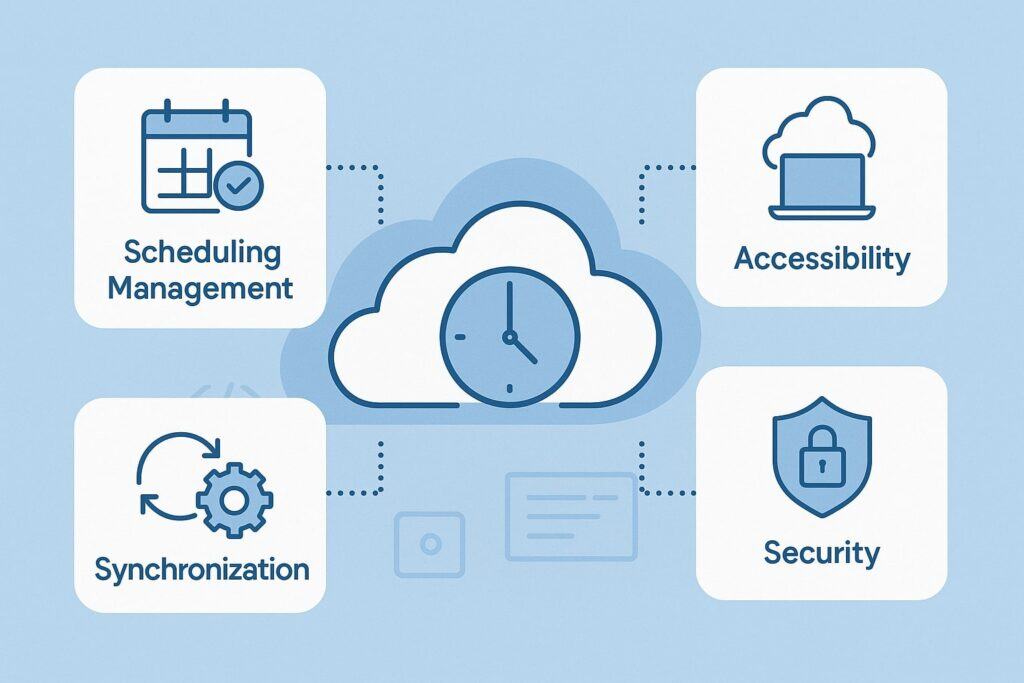
Modern staff scheduling software has a range of features that support automation and management. When evaluating how to automate staff scheduling with cloud software, look for systems that include:
- Shift creation and calendar view: Managers can create, edit, and view shifts on an interactive calendar. Features often include drag-and-drop scheduling, copying last week’s schedule, and color-coding roles or locations.
The calendar view highlights open shifts (available for pickup) vs. assigned shifts. This visual interface makes it easy to spot gaps and ensure full coverage. - Automated scheduling (Auto-schedule): Many solutions use algorithms or AI to auto-generate schedules. You input your staffing needs and rules (number of shifts needed, required skills, max hours, etc.), and the software assigns employees based on availability and qualifications.
For example, When I Work’s “Auto Assign” considers an employee’s trained positions, availability, and time-off when placing them on shifts.
Deputy offers an AI-powered scheduler that uses sales/demand data and labor laws to build schedules. Auto-scheduling drastically cuts manual effort and helps ensure fairness. - Availability and time-off management: Employees can submit their availability (days/times they can work) and request vacation or leave through the system.
Managers see this in real time, and the scheduler will only assign staff to shifts when they’re marked available. The software tracks approvals, so nobody gets scheduled on a requested day off. This avoids conflicts and makes schedule-building aware of everyone’s needs. - Shift trading and open shifts: A good scheduling app allows employees to swap or pick up shifts easily. If someone needs time off, they can drop a shift back into the pool (“open shift”), and qualified coworkers can grab it (often pending manager approval).
Shift trading helps absorb no-shows or cover requests without having to rebuild the schedule from scratch. Shiftboard’s “tradeboard” and Deputy’s open shift features are examples. - Time clock and attendance integration: Many cloud schedulers integrate a time clock. Employees can clock in/out via mobile or kiosk, and the app tracks attendance against the schedule.
This link between scheduling and timekeeping ensures that labor hours automatically feed into payroll. The system can also enforce rules (e.g. employees cannot clock in outside their assigned shift) for compliance. - Notifications and communication: Scheduling platforms send instant notifications (via email, SMS, or push) when shifts are published, changed, or when a coworker requests a swap.
In-app messaging or newsfeeds keep the team informed. Some tools even require shift confirmations, reminding employees to acknowledge that they’ve seen the new schedule. This reduces missed communications. - Labor forecasting and reporting: More advanced systems include forecasting modules. They analyze historical sales or activity data to predict future labor needs and suggest appropriate staffing levels.
Reporting tools then show metrics like labor cost percentage, overtime, tardiness, etc. These insights help managers adjust future schedules and budgets. - Compliance and rules engine: Modern schedulers have rule-sets to enforce labor laws and company policies automatically. This includes limit settings such as maximum hours per day/week, required rest between shifts, compulsory breaks, or qualifications required for certain jobs.
Some systems automatically flag or prevent scheduling violations. For example, you can program the software to never assign someone more than a certain number of night shifts consecutively. - Integrations with payroll/HR: A big advantage of cloud scheduling is seamless integration with payroll and HR systems. Approved timesheets can be exported to payroll for fast processing.
Core HR data (employee info, pay rates, benefits) can be shared across platforms, reducing double work. Some apps also integrate with POS or CRM systems so that schedule changes reflect in related areas (e.g. sending alerts to a point-of-sale terminal for staffing needs). - Mobile apps and employee self-service: Every employee can access schedules on their smartphones via the mobile app. They can request swaps, input their availability, and communicate with team members anywhere.
Managers can publish schedules from their phone. This mobility is key: it empowers staff and keeps everyone aligned. For instance, both Deputy and When I Work offer iOS and Android apps covering scheduling, time clock, and messaging. - Security and cloud reliability: Since it’s cloud-based, your data is stored on secure servers and backed up automatically. Most platforms are designed with industry-grade security (encryption, access controls).
Employees see only their own schedules unless given manager access. This is a lot safer than having spreadsheets emailed around or paper schedules lost easily.
By leveraging these features, cloud scheduling software essentially handles the repetitive, detail-oriented parts of staff scheduling. The result is a faster, more accurate process that can adapt on-the-fly – exactly what modern businesses need.
Best Practices for Implementing Automated Staff Scheduling
To get the most from cloud scheduling, follow these strategies and practices:
- Define clear scheduling rules and policies: Before automation, outline your scheduling constraints (labor laws, required roles, budget limits, etc.) and business needs (peak periods, slow days).
These become the inputs or “rules” in your scheduling software. For example, set maximum shift lengths, required qualifications per shift, or core staffing levels for each day. A well-configured system will then honor these automatically. - Involve stakeholders early: Engage managers, HR, and a representative group of employees in the rollout. Explain the benefits of the new system (e.g., faster scheduling, ability to self-manage availability) to gain buy-in.
Soliciting feedback (like ideal shift patterns or needed shift durations) ensures the tool is tailored to real needs. Training managers and staff on how to use the software (scheduling rules, apps, swap process) is crucial to smooth adoption. - Start with a pilot or phased rollout: For larger businesses, begin with one department or location first. Test the system, iron out issues, and refine scheduling templates. Once stable, expand to other teams. This reduces risk and helps managers learn the system gradually.
- Leverage templates and auto-generation: Many tools allow saving and reusing scheduling templates. For instance, a restaurant might have a default weekly schedule template for front-of-house and kitchen staff.
Use these templates plus auto-schedule features to quickly generate routine schedules, then make only minor adjustments manually. This hybrid approach saves time while still allowing human oversight. - Maintain accurate data: The software’s effectiveness depends on accurate input: keep employee availability calendars and time-off requests up to date.
Make sure qualifications (licenses, training) are recorded in the system. Regularly review and clean up data (inactive staff, outdated rules) to avoid scheduling errors. - Enable self-service: Encourage employees to use the mobile apps to enter their availability and to request swaps when needed.
This not only reduces manager workload, it improves engagement. Set clear guidelines for shift trading (e.g. all swaps require manager approval, or using the built-in swap board). - Monitor and adjust: Once live, use reporting to check that schedules are working. Is overtime climbing? Are some shifts still understaffed? Use this feedback to tweak scheduling rules or employee count. Cloud systems make it easy to iterate.
- Keep business continuity in mind: Use cloud scheduling to better handle absences or emergencies. Many systems send instant alerts to backup staff or let managers broadcast a request for volunteers when short-staffed. Integrate any available fallback plans into scheduling (on-call pools, part-timers who can be added last-minute).
- Ensure compliance and fairness. Use the software’s compliance features to enforce rules (e.g., never scheduling a minor after 10pm, adhering to union clauses on break times).
At the same time, make sure hours and shifts are distributed fairly among staff to avoid burnout or perceived favoritism. - Train continuously: Scheduling needs change (new laws, new stores, seasonal demand). Keep your team trained on new features of the software and updated scheduling practices. Hold periodic check-ins to gather feedback and make improvements.
By combining technology with these good practices, businesses can automate staff scheduling with cloud software in a way that truly works for them. A structured approach ensures you don’t just digitize an inefficient process, but actually transform it into a strategic advantage.
Comparing Popular Cloud Scheduling Tools
There are many cloud scheduling software options on the market. Some are geared toward small businesses and hourly staff, others target large enterprises with complex needs. Below we review several well-known tools – highlighting their strengths, features, and target audiences – to help you choose the right cloud scheduling software.
Deputy
Deputy’s scheduling interface on desktop: managers drag-and-drop shifts, add notes, and see staff availability in real time. Deputy is a widely-used cloud scheduling and workforce management platform.
Its scheduling tool is highly regarded: you can create shifts by drag-and-drop or by using templates. Deputy automatically checks each employee’s availability (including approved time-off) when assigning shifts, preventing conflicts.
Managers can also leave shifts open for qualified employees to pick up. The system supports skill-based scheduling – you can tag certifications or positions on employees, so only qualified staff are assigned.
One standout feature is Deputy’s AI-powered auto-scheduler. It uses data (like sales forecasts, seasonal trends, and local labor laws) to generate optimal shift schedules, then assigns people based on availability, skills, and budget.
Managers can still tweak the schedule after the fact. Deputy also includes automated alerts (for example, if a shift is understaffed) and smart break/overtime rules to keep labor costs in check.
Deputy integrates payroll and timesheets. Staff can clock in/out via mobile or an on-site kiosk, and Deputy converts hours into timesheets automatically.
It integrates with popular payroll platforms (e.g. Gusto) for fast payroll runs. Deputy supports real-time communication: it has a newsfeed for announcements and shift messages. It’s available on iOS, Android and even Apple Watch.
This tool suits businesses of various sizes, from restaurants and retail stores to larger service franchises. Pricing is per user (with a free trial available). A con is that Deputy does not bundle its own payroll – you must integrate a third-party system for pay.
Also, some reviewers note the mobile schedule view can be a bit cluttered. Overall, Deputy provides a very feature-rich scheduling solution that automates many tasks, making it ideal for fast-paced shift environments.
When I Work
When I Work’s schedule builder: managers add open shifts and click “Auto Assign” to fill them based on staff availability and training. When I Work is another popular employee scheduling app known for its user-friendly design.
Its Auto Scheduling feature claims to “cut your time spent on schedules by 80%”. You define all needed shifts (the “positions” that need coverage), and the software’s Auto Assign function automatically places eligible employees into those shifts.
It considers factors like who is trained for which position, each person’s availability, approved time-off, and maximum hours. The result is a fully filled schedule with minimal manual labor. One-click scheduling is a major selling point: as the site explains, “all you have to do is click a button” after entering shifts and constraints.
Key features of When I Work include shift-swapping, time-off requests, and labor forecasting. Employees can use the mobile app to indicate when they want to work or need off. Managers get real-time notifications when someone claims an open shift or submits a request.
When I Work also has a built-in time clock that ties to shifts, making attendance tracking easy. It offers good communication tools too: group messaging and announcements help keep teams informed of schedule changes. Integration with payroll providers (like Rippling, QuickBooks, etc.) is available to export timesheets.
When I Work is especially strong for small to medium businesses needing a simple, intuitive system. It’s used by restaurants, healthcare, education, and more. It has a free tier (up to 75 users) and paid plans around $2-$4 per user per month.
One advantage is that it proactively highlights compliance issues (e.g. predictive scheduling laws in some regions). In summary, When I Work automates shift assignments and communication with an emphasis on ease of use and mobile access.
Shiftboard (by UKG)
Shiftboard’s scheduling dashboards on multiple devices. Shiftboard (now part of UKG) focuses on data-driven, enterprise-grade scheduling. Shiftboard is aimed at larger organizations and mission-critical industries (manufacturing, energy, corrections, etc.).
It touts “robust data intelligence and tailor-fit automation” for complex schedules. Under its ScheduleFlex platform, Shiftboard offers an auto-scheduler that optimizes shift coverage across teams.
It supports creating sign-up lists for shifts (workers can volunteer for extra shifts), enforcing certification requirements, and handling a formal tradeboard for employees to request swaps.
According to reviews, Shiftboard’s strengths are multi-team scheduling and its mobile apps. It can generate schedules automatically based on labor demand forecasts.
It has good coverage of basic needs: time-off management, on-call scheduling, and various shift patterns. Importantly, reviewers note Shiftboard supports separate schedules for multiple locations and departments easily.
However, Shiftboard’s interface has been criticized as outdated. The web portal uses drop-down menus instead of modern drag-and-drop, so editing schedules requires extra clicks. Shiftboard’s cons include lack of drag-drop editing and less emphasis on integrated time-tracking.
On the plus side, its mobile app is considered more modern and user-friendly, allowing managers to adjust schedules on the go. Notably, Shiftboard often requires a minimum of ~100 employees and pricing is by quote.
It excels in regulated environments – it can enforce union rules, fatigue management, and complex qualifications that others may not handle as well.
In short, Shiftboard (UKG) is best for large or regulated workforces that need a powerful (though sometimes complex) scheduling engine. Its strong forecasting and automation are valuable for 24/7 industries, but smaller businesses may prefer a simpler tool.
Homebase
Homebase is an all-in-one solution especially popular with small businesses (restaurants, cafes, retail). It combines scheduling, time clock, and basic payroll features. Its scheduling module lets you create shifts by adding employees to a calendar, and staff can swap shifts or pick up available ones.
Managers can set labor budgets and Homebase will warn if a schedule exceeds the budget. It also tracks time clock punches against scheduled hours, helping control overtime.
A standout point is Homebase’s pricing: it offers a free plan for one location (supporting up to 20 employees). This makes it attractive for single-location small businesses. Paid plans add features like advanced scheduling templates, labor cost reporting, and multi-location support.
Core features include: turn any device into a time clock (with GPS tracking), team communication tools, and integrations with POS/payroll systems. Homebase even provides hiring and onboarding tools, though those are ancillary to scheduling.
In reviews, users appreciate Homebase’s ease of use and mobile app. It’s praised for covering the essentials: schedule-building, time tracking, and basic compliance (tracking breaks, etc.) in one place.
However, Homebase is designed for straightforward scenarios: it lacks advanced automation or AI scheduling. For example, managers still often schedule manually or use templates. Also, payroll is an add-on rather than built-in, and customization is limited.
But for a cafe or small retailer, it can automate the routine parts of scheduling (publishing a weekly schedule, time clock data) and eliminate the need for separate spreadsheets.
Sling
Sling is a free (and paid) employee scheduling app aimed at simplifying shift planning and communication. It offers drag-and-drop scheduling, open shift sign-ups, and overtime alerts. Sling’s free tier includes unlimited scheduling, messaging, and timesheets for small teams.
Its strong point is team collaboration: it has in-app chat, announcements, and task lists along with scheduling. Employers can set shift templates and see labor cost estimates in real time. Sling also integrates with payroll and POS systems.
According to reviews, Sling is very user-friendly. It provides basic automation like “auto-scheduling” to evenly distribute shifts, but not AI-level forecasting. Paid plans enable features such as multiple locations, labor reports, and time-off requests.
Sling is especially popular with restaurants and SMBs that want a simple, cost-effective scheduling tool. It may not have all the bells of Deputy or When I Work, but it covers the essentials well – and it’s free forever for up to 50 employees.
Other Notable Tools
- Connecteam: An all-in-one workforce app that includes scheduling among many features (task management, time tracking, HR). It’s highly configurable and cloud-based, suited to deskless teams.
- Kronos/UKG: Kronos Workforce Central (now UKG) is an enterprise-grade WFM system. It provides powerful scheduling, forecasting, and labor analytics for large organizations. Implementation is complex, but it automates scheduling at scale with advanced rule engines.
- Others: Plenty of niche solutions exist – e.g., Legion (AI-driven schedules), Tanda, 7shifts (restaurant-focused), HotSchedules, Deputy, TimeForge itself. Each has its own strengths.
Comparison Summary: In general, small businesses and startups often use tools like When I Work, Homebase, or Sling for easy entry and affordable pricing. Medium-sized businesses with more complex needs often choose platforms like Deputy or Connecteam.
Large enterprises or unions may require robust systems like UKG/Shiftboard. When choosing, consider factors such as budget, employee count, industry regulations, and integration needs. Look for user reviews on ease-of-use and customer support as well.
(For example, G2 reviews say Deputy is award-winning for scheduling simplicity, while Connecteam’s reviews cite its all-in-one suite for shift planning.)
Industry and Business-Size Considerations
Cloud scheduling can benefit any industry that relies on shift work: retail, hospitality, healthcare, manufacturing, field services, call centers, and more. The details of scheduling will vary, but the principles are the same: match staff availability to expected demand. For example:
- Restaurants and Retail: These often have weekly shift patterns and varying peak hours. Cloud schedulers help managers quickly fill busy slots and let workers trade shifts during the busy season. Auto-scheduling features can incorporate sales forecasts (e.g., holiday rush vs. slow hours) to staff appropriately.
- Healthcare and 24/7 Operations: Hospitals and care facilities require around-the-clock scheduling with strict rules (minimum rest, skill mix, compliance). Tools like Deputy and UKG cater to these with advanced compliance settings and forecasting. Some even track certifications (e.g., BLS certs) in scheduling logic.
- Field Services and Construction: Mobile teams benefit from geo-fencing time clocks and mobile scheduling so staff can see assignments on the go. Cloud systems ensure the right field technician is dispatched to each job.
- Hospitality and Franchises: Multi-location businesses can use a central scheduling system to apply consistent policies across sites. Cloud tools allow corporate teams to publish schedules to all outlets at once, while letting local managers fine-tune details.
- SMBs vs. Enterprises: Smaller businesses prioritize ease of use and cost (free tier is a plus). Larger companies need flexibility and integrations.
Cloud software is inherently scalable, but make sure the chosen vendor supports your scale: e.g., can the tool handle hundreds of employees and complex scheduling rules without slowing down?
In all cases, the goals are similar: ensure each shift has enough qualified staff, control labor costs, and empower employees. Cloud scheduling software is built to handle these goals in any context, adapting to the rules of each industry and business size.
How to Get Started
- Assess your needs: Determine what features matter most (basic scheduling vs. full WFM suite). Identify your budget and number of users.
Check if you need advanced features (AI forecasting, labor analytics) or just core scheduling. Evaluate whether mobile apps or offline access (kiosk mode) are important. - Evaluate vendors: Research multiple platforms (the ones reviewed above are a good start). Read recent user reviews on sites like G2 or Capterra. Watch demo videos or request trials.
Ensure the provider is reputable (with solid uptime and support) and that their product is up-to-date (all the tools mentioned regularly update their offerings). - Pilot with a plan: Implement the software for one team or location first. Collect feedback: is scheduling faster, are employees adapting well? Fine-tune before rolling out company-wide. Often vendors provide onboarding help – take advantage of training webinars or dedicated support.
- Roll out and train: Once confident, move all scheduling onto the cloud platform. Train managers and staff on how to use it: how to publish a schedule, use the mobile app, enter availability, etc. Communicate the change clearly: emphasize the time savings and transparency they’ll gain.
- Monitor and iterate: After go-live, monitor key metrics: are schedules filled more quickly, is overtime changing, are employee complaints down?
Use the software’s reports to spot any issues (e.g., unfilled shifts or frequent schedule changes). Continuously refine your scheduling rules and templates based on real usage.
Frequently Asked Questions
Q: What is the first step in automating staff scheduling with cloud software?
A: Start by clearly defining your scheduling requirements (workforce size, coverage needs, labor rules) and choosing a cloud scheduling solution that meets them.
Then migrate your current schedule data (employees, availability, past schedules) into the new system. Finally, configure the basic rules and train your team to use the platform. A pilot test with one department can ensure a smooth transition.
Q: How does cloud scheduling software handle last-minute changes (e.g. sick calls)?
A: Cloud schedulers allow managers to quickly reassign or replace shifts. You can broadcast an “open shift” which notifies available employees to pick it up.
Many systems also have automated alerts, showing you coverage gaps instantly. If you use self-service, employees can volunteer for open slots. All changes are live-updated in the app, so the team knows immediately.
Q: Is automated scheduling suitable for small businesses or only large enterprises?
A: Automated scheduling is beneficial for businesses of all sizes. Small businesses may start with simpler cloud tools (some even free, like Homebase or Sling) to eliminate manual scheduling.
As they grow, they can switch to more sophisticated solutions. Even single-location companies save significant admin time. Larger enterprises often need advanced features and usually invest in comprehensive platforms like Deputy or UKG.
Q: Can staff input their availability or request time off through these systems?
A: Yes. A key feature of modern scheduling apps is employee self-service. Workers can enter their available times, request vacation days, or block out unavailable days in the system.
Managers can then see these preferences when building schedules. This not only keeps everyone’s availability up-to-date, but also engages employees in the process.
Q: Do cloud scheduling systems integrate with payroll and other HR systems?
A: Absolutely. Integration is one of the strengths of cloud solutions. Most scheduling tools can connect to payroll processors, HR software, point-of-sale systems, and more.
For example, timesheet data is often exported directly to payroll, eliminating manual entry. Integrations mean fewer data silos and more efficient end-to-end workforce management.
Q: How secure is cloud scheduling software?
A: Reputable cloud scheduling providers use encryption, secure data centers, and regular backups. The data is stored on their servers (not your local machine) with high security standards.
Access controls ensure only authorized users can see or edit schedules. Because your data is in the cloud, it’s also protected against hardware failures or local disasters.
Q: Will automation replace human managers in scheduling?
A: Not entirely. Automation handles repetitive tasks (filling shifts, checking conflicts) so that managers can focus on strategic decisions (hiring needs, shift quality). Managers still set the rules, approve schedules, and handle exceptions.
In fact, automating scheduling allows managers to spend more time on human-oriented tasks like training, employee engagement, and planning – rather than getting bogged down by spreadsheets.
Q: What metrics should I track after implementing automated scheduling?
A: Key metrics include total hours scheduled vs. sales/demand (labor percentage), overtime hours, number of last-minute shift changes, and fill rate of scheduled shifts. You can also survey employees on schedule satisfaction.
Many tools provide built-in dashboards for these. Over time, you should see improvements in efficiency (e.g. meeting labor budgets more closely) and productivity.
Q: How soon will I see benefits from automating scheduling?
A: Many businesses notice quick wins. Simple schedule creation times often drop in the first week. Within a month, communication improves as everyone is more informed of their shifts.
Over several months, reduced overtime and turnover can become apparent. A study cited by TimeForge indicated automation can cut admin tasks by 75% and boost efficiency by 40% – though actual results vary by company.
Q: Are there any downsides to scheduling automation?
A: The main challenges are change management and setup. Getting everyone trained and comfortable with a new system takes effort. Automated tools also require good data; if employee availability isn’t kept updated, the schedule may still have conflicts.
Some managers may feel less control at first. However, these are mitigated by proper planning: involve staff, start small, and adjust rules carefully. For most organizations, the gains far outweigh these transitional hurdles.
Conclusion
Automating staff scheduling with cloud software is a transformative step for any business that relies on shift work. By moving scheduling into the cloud, companies gain flexibility, accuracy, and efficiency.
Cloud-based systems like Deputy, When I Work, Shiftboard, and others handle the heavy lifting: they auto-generate schedules, enforce labor rules, sync with payroll, and keep teams connected.
The result is a faster, fairer scheduling process that saves managers hours per week and often pays for itself through labor cost savings and reduced turnover.
No matter your industry or company size, there’s a cloud scheduling solution suited to your needs. Small shops can start with basic free plans; large enterprises can deploy sophisticated workforce management suites.
The key is to adopt the right tools and best practices so that the software truly fits your operations. When done correctly, automating staff scheduling frees you from paperwork and uncertainty, allowing your team to focus on the work that matters while ensuring the right people are in the right place at the right time.