
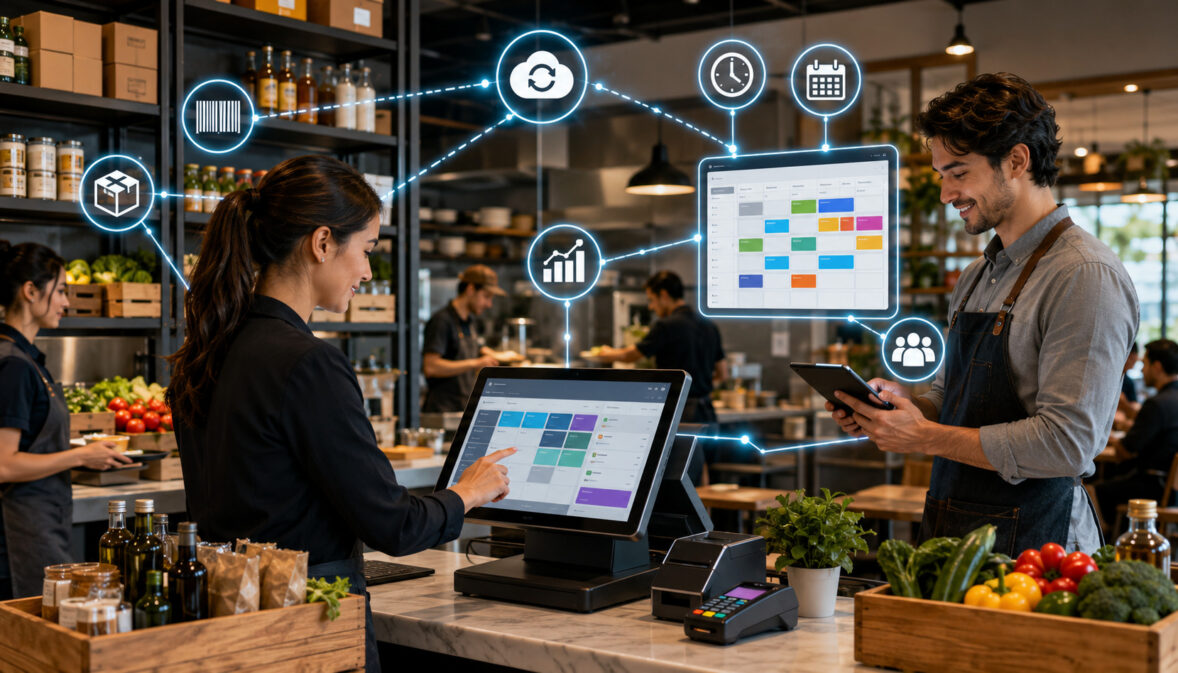
Restaurant operations generate a constant stream of information. Every order affects sales totals, ingredient usage, kitchen preparation, staffing demand, labor hours, purchasing needs, and end-of-day reporting.
When those activities are managed in separate systems, managers often spend valuable time transferring numbers between spreadsheets, checking multiple dashboards, correcting inconsistent records, and trying to understand why actual results do not match expectations.
A menu item may sell out even though the inventory sheet shows available stock. A shift may be overstaffed while another lacks enough kitchen coverage. Vendor orders may be based on estimates rather than current demand. POS integration with inventory and scheduling creates a more connected operational workflow.
Sales entered through the point of sale system can update estimated ingredient usage, support inventory tracking, inform demand forecasts, and help managers plan future staffing levels. Scheduled hours can then be compared with actual time-clock data and sales results.
The purpose is not to automate every restaurant decision. Managers still need to verify inventory counts, review schedules, approve time records, check vendor deliveries, investigate unusual variances, and apply their knowledge of local conditions. Integration simply gives them more organized information with which to make those decisions.
This guide explains how an integrated POS system can connect restaurant sales, ingredients, menu items, inventory levels, purchase planning, staff schedules, labor costs, and reporting. It also covers implementation mistakes, daily and weekly review practices, and the questions operators should ask when evaluating restaurant operations software.
What Is POS Integration with Inventory and Scheduling?
POS integration with inventory and scheduling is a technology setup in which sales information from a restaurant POS system can be shared with inventory management and employee scheduling tools.
In a disconnected setup, the POS records orders, an inventory spreadsheet records stock, and separate staff scheduling software manages shifts. Managers may have to export reports, re-enter totals, or manually compare information across all three systems.
In an integrated setup, those systems exchange relevant data. A completed sale can influence estimated ingredient usage. Historical sales can help forecast customer demand. Forecasted demand can guide shift planning, preparation levels, and purchasing.
The connection may exist inside one restaurant management software platform or through integrations between separate applications. Either approach can work, provided information moves accurately and managers understand which system controls each record.
A typical integrated workflow may include:
- A cashier or server enters an order.
- The POS records the sale and menu modifiers.
- Recipe mapping estimates which ingredients were used.
- Inventory levels are adjusted or usage is recorded.
- Low-stock alerts identify items requiring attention.
- Sales patterns contribute to future demand forecasts.
- Managers use those forecasts when creating schedules.
- Time-clock records are compared with planned hours.
- Sales, inventory, and labor information appears in a restaurant reporting dashboard.
The quality of this workflow depends heavily on the setup. Incorrect recipes, missing modifiers, inconsistent inventory counts, or outdated employee availability can produce misleading reports.
What POS Inventory Integration Means
POS inventory integration connects menu transactions with restaurant inventory management activities. When a guest buys an item, the system uses its recipe or ingredient mapping to estimate the amount of stock consumed.
For example, selling a chicken sandwich might reduce the expected inventory of chicken, bread, sauce, cheese, packaging, and other mapped ingredients. Selling the same sandwich without cheese should produce a different usage estimate when modifiers are configured correctly.
POS inventory management may also support:
- Ingredient-level stock records
- Menu item inventory tracking
- Starting and ending inventory counts
- Par levels and reorder points
- Low-stock alerts
- Waste and spoilage entries
- Purchase orders
- Vendor and pricing records
- Expected-versus-actual usage reports
- Recipe costing
- Food cost reporting
Integration does not eliminate physical counting. It creates an expected stock position based on recorded transactions and adjustments. Managers still need regular counts to determine whether actual inventory agrees with system estimates.
A detailed overview of restaurant inventory management can help operators understand how ingredient usage, purchasing, stock visibility, and waste records fit into a connected workflow.
What POS Scheduling Integration Means
POS scheduling integration connects sales and demand information with restaurant labor scheduling. Managers can review when orders occur, which service periods are busiest, how much revenue is generated by daypart, and how many labor hours were used.
That information can guide future shift planning. A café might identify a strong morning rush, a quieter midafternoon period, and a second increase in demand near closing. A full-service restaurant might compare weekday dinners, weekend brunches, holidays, and local event nights.
POS scheduling integration may connect:
- Historical sales
- Forecasted sales
- Orders by hour or daypart
- Employee availability
- Job roles and qualifications
- Scheduled hours
- Actual clocked hours
- Break records
- Overtime indicators
- Labor cost estimates
- Labor cost percentage
- Shift swaps or coverage requests
- Payroll export files
A restaurant still needs manager judgment. Sales history may not reflect an upcoming event, temporary road closure, catering order, severe weather condition, school break, or menu promotion.
Effective restaurant scheduling software should help managers organize availability, roles, shifts, attendance, and labor visibility without preventing necessary human review.
Why Restaurants Need an Integrated POS System
Restaurants often operate on narrow margins, perishable inventory, variable demand, and shift-based labor. Small information gaps can therefore create larger operational problems.
Suppose sales increase unexpectedly during dinner. If inventory data is not connected, the kitchen may discover shortages only after accepting orders. If scheduling is also disconnected, the manager may have no quick way to compare order volume with current labor coverage.
An integrated POS system gives front-of-house and back-of-house teams a shared operational picture. Managers can review what sold, what ingredients should have been used, which items are running low, how many people are scheduled, and how actual labor compares with the plan.
The main benefits are visibility and coordination. Integration can reduce duplicate entry, organize recurring processes, and make unusual results easier to identify.
However, technology does not correct weak processes automatically. A restaurant that rarely counts inventory, ignores waste, allows inaccurate clock-ins, or fails to maintain recipes will continue to have unreliable data after integration.
Problems With Disconnected Systems
Disconnected systems require managers to assemble information manually. One person may update the menu, another may maintain an inventory sheet, and a third may prepare schedules using sales figures from a different reporting period.
Common problems include:
- Duplicate data entry
- Delayed reports
- Inconsistent menu names
- Missing modifier information
- Inaccurate stock estimates
- Unrecorded waste
- Outdated vendor costs
- Scheduling based on incomplete sales data
- Unclear overtime exposure
- Conflicting labor totals
- Limited multi-location visibility
Manual transfers also create timing problems. An inventory report exported yesterday may not reflect today’s sales. A labor schedule created from last month’s average may overlook a recent shift in customer demand.
When managers cannot trace how a number was produced, they may stop trusting the reports. Once that happens, the restaurant often returns to informal notes, individual spreadsheets, and verbal updates.
Integration should therefore create a clear data flow. Staff should know where menu items are maintained, where inventory adjustments are recorded, who approves schedules, and which report is considered the final operational record.
How Integration Supports Daily Operations
During opening preparation, managers can review low-stock alerts, expected sales, scheduled coverage, employee absences, and preparation requirements. Kitchen teams can focus on ingredients that are likely to be needed rather than preparing every item at the same level.
During service, sales and order volume can show whether demand is running above or below expectations. Managers may adjust breaks, move cross-trained employees between stations, limit unavailable menu items, or prepare additional ingredients.
After service, the restaurant can compare:
- Forecasted sales with actual sales
- Scheduled hours with actual hours
- Expected ingredient usage with recorded counts
- Planned purchases with delivered quantities
- Recorded waste with unusual inventory variances
- Menu popularity with item-level profitability
This connected review supports operational efficiency because managers spend less time locating data and more time interpreting it.
POS Integration with Inventory and Scheduling Compared
The following table shows how common integration areas support different restaurant workflows.
| Integration Area | What It Connects | Why It Matters | Best Use Case |
| Sales and inventory | Menu sales to stock usage | Tracks estimated ingredient movement | Food cost control |
| Sales and scheduling | Sales trends to labor planning | Helps plan staffing levels | Busy shifts and peak hours |
| Inventory and ordering | Stock counts to purchase needs | Reduces shortages and excess ordering | Vendor ordering |
| Recipes and ingredients | Menu items to ingredient usage | Improves recipe costing | Menu profitability |
| Time clock and schedules | Actual hours to planned shifts | Shows labor variance | Labor cost tracking |
| Forecasting tools | Past sales to expected demand | Supports preparation and staffing | Seasonal and weekly planning |
| Low-stock alerts | Stock levels to manager notifications | Identifies ingredients needing attention | High-volume kitchens |
| Reporting dashboard | Sales, labor, and inventory data | Improves operational visibility | Owner and manager review |
| Multi-location reporting | Location data to central reports | Supports comparisons and consistency | Restaurant groups |
| Permissions | Employee roles to system access | Limits unauthorized changes | Manager controls |
How to Use the Table When Reviewing POS Tools
Start by identifying the restaurant’s most difficult recurring workflows. A food truck with a compact menu may prioritize ingredient availability, mobile access, fast order entry, and simple shift planning. A full-service restaurant may need detailed modifiers, table service, recipe costing, job-role scheduling, and daypart labor reports.
Operators should also consider:
- Number of menu items and modifiers
- Number of ingredients
- Frequency of menu changes
- Perishable inventory volume
- Number of vendors
- Number of employees and job roles
- Frequency of shift swaps
- Number of locations
- Reporting responsibilities
- Available manager training time
A feature should solve a specific operational need. Low-stock alerts are valuable only when inventory records are maintained. Forecast-based scheduling is helpful only when managers account for events and current conditions.
During a product review, ask for demonstrations using restaurant-specific examples. Have the provider show how a modified order affects ingredients, how a waste entry changes stock, and how scheduled labor compares with actual hours.
Why Feature Fit Matters More Than Feature Count
A long feature list can make a system appear capable while hiding unnecessary complexity. Restaurants need tools their teams can use consistently during real shifts.
For example, advanced ingredient tracking may be useful for a scratch kitchen but excessive for an operation selling a small number of prepackaged products. Multi-location purchasing controls may be essential for a restaurant group but irrelevant to an independent food truck.
Feature fit means the system supports:
- The restaurant’s service model
- Its actual ordering channels
- Its menu and modifier structure
- Its counting routine
- Its purchasing process
- Its employee roles
- Its schedule approval process
- Its management reporting needs
Complexity has an operational cost. Every extra field, screen, and approval step requires setup, training, and maintenance.
A restaurant should therefore begin with core workflows and add more advanced functions after the team demonstrates consistent use.
How POS Inventory Integration Works
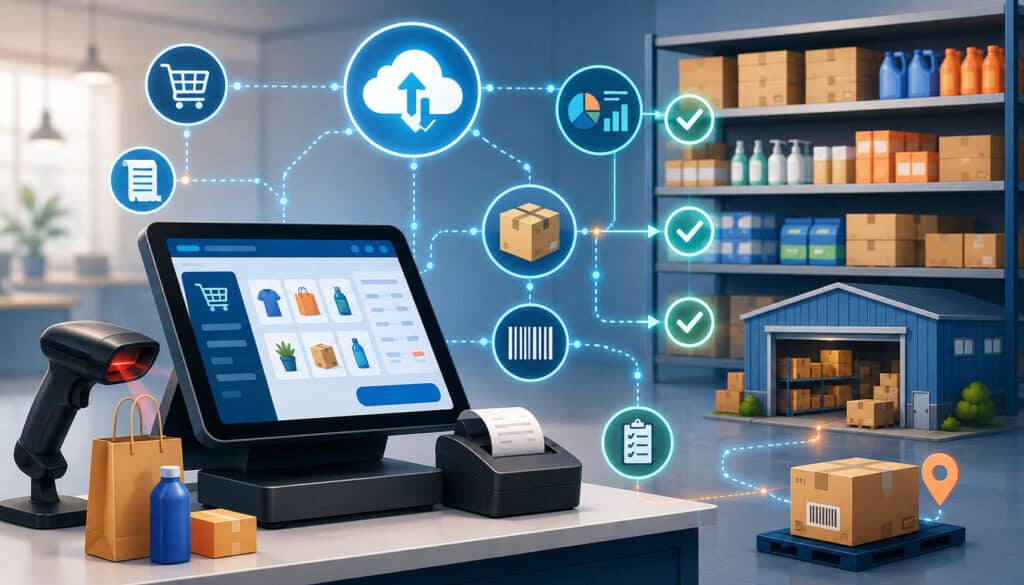
POS inventory integration begins with a menu transaction. The restaurant POS system records the item sold, quantity, price, modifier choices, discounts, voids, and other transaction details.
The inventory component then uses predefined relationships between menu items and ingredients. If a recipe states that a pasta dish uses eight ounces of pasta, four ounces of sauce, two ounces of vegetables, and one portion of cheese, the system can calculate expected usage whenever that dish is sold.
Inventory changes can come from several sources:
- Menu sales
- Deliveries
- Transfers between locations
- Prep production
- Waste
- Spoilage
- Employee meals
- Promotional items
- Comps
- Recipe changes
- Physical count adjustments
The system’s estimated stock is only as accurate as these records. Missing waste entries or incorrect recipes will create a difference between expected and actual stock.
Connecting Menu Items to Ingredients
Recipe mapping connects each sellable item to the ingredients it consumes. This includes regular ingredients, packaging, sides, and modifier-dependent components.
Operators should define:
- Ingredient unit of measure
- Recipe quantity
- Yield after preparation
- Portion size
- Substitute ingredients
- Modifier effects
- Prep recipes
- Batch recipes
- Packaging usage
Unit consistency is especially important. A vendor may sell an ingredient by the case, store it by the pound, prepare it by the batch, and serve it by the ounce. The system must convert those units correctly.
Recipes also need review when portions, suppliers, or preparation methods change. If a kitchen increases a sauce portion but the POS recipe remains unchanged, expected usage will be understated.
Tracking Stock Levels in Real Time
Many systems describe inventory visibility as real time, but operators should understand what that means. The displayed quantity is generally a calculated amount based on starting stock, sales, receiving, transfers, and recorded adjustments.
It is not a substitute for looking at the shelf, weighing an open container, or counting the walk-in. Unrecorded spills, preparation errors, portion variation, or theft will not appear automatically.
Useful POS inventory integration features include:
- Current estimated quantity
- Available quantity by location
- Reorder point
- Par level
- Low-stock notification
- Ingredient usage history
- Last count date
- Pending purchase quantity
- Vendor lead time
- Stockout history
Managers can use this information to prioritize counts and purchasing. A low-stock alert should prompt verification before an order is placed, particularly for expensive or highly perishable ingredients.
How POS Scheduling Integration Works
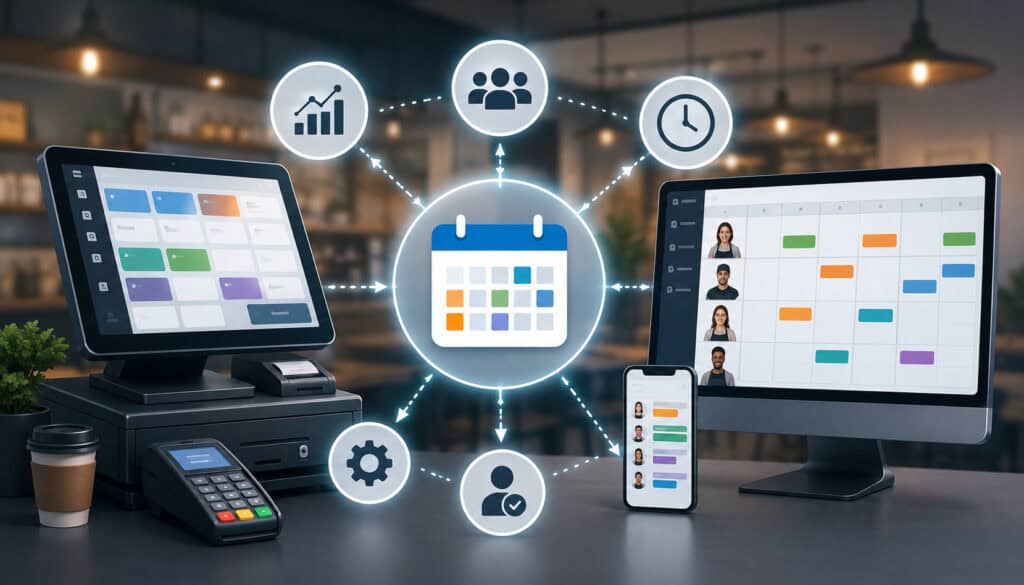
POS scheduling integration uses restaurant sales and order patterns to support labor planning. The system may compare historical revenue, transaction counts, guest counts, or orders by daypart with the labor used during those periods.
Managers can then create schedules based on expected demand and required employee roles. A forecast might indicate a certain level of sales, but the schedule still needs the right combination of cooks, servers, bartenders, cashiers, hosts, drivers, dish staff, and supervisors.
Employee scheduling POS integration commonly includes:
- Availability records
- Time-off requests
- Role assignments
- Shift templates
- Forecasted sales
- Labor targets
- Estimated schedule cost
- Time-clock punches
- Attendance records
- Overtime alerts
- Schedule variance reports
The scheduling tool should also reflect opening work, preparation, cleaning, closing, training, and administrative duties. These activities may not correspond directly with active sales but still require labor.
Using Sales Data to Plan Shifts
Managers should review sales at a more detailed level than daily totals. Two days can produce similar revenue while requiring very different staffing patterns.
Useful views include:
- Sales by 15-minute, 30-minute, or hourly interval
- Orders by channel
- Transactions by daypart
- Covers or guest counts
- Average order value
- Menu mix
- Kitchen ticket volume
- Delivery demand
- Bar versus food sales
- Location-specific trends
Historical data can reveal recurring patterns. However, managers should adjust the forecast for reservations, catering orders, holidays, sporting events, weather, promotions, and nearby construction.
The goal is not perfect prediction. It is a schedule that reflects the most reliable information available while preserving enough flexibility to respond to change.
Comparing Scheduled Hours to Actual Hours
Scheduled hours show what management planned. Actual hours show what employees worked according to approved time records.
The difference between them is schedule variance. Variance may be caused by:
- Early clock-ins
- Late clock-outs
- Missed breaks
- Extended cleaning
- Unexpected demand
- Employee absences
- Shift swaps
- Training
- Manager adjustments
- Incorrect punches
A variance is not automatically negative. An unexpected rush may justify additional hours, while sending employees home early during a slow shift may reduce actual hours.
Managers should investigate repeated patterns rather than focusing only on isolated differences. Frequent late clock-outs may indicate unrealistic closing schedules, inefficient procedures, or inaccurate timekeeping.
Employment, wage, break, overtime, and recordkeeping requirements can vary. Scheduling reports are operational tools, not substitutes for professional review. Operators can consult general restaurant wage-and-hour information and seek qualified guidance for their specific obligations.
Benefits of POS Integration with Inventory and Scheduling
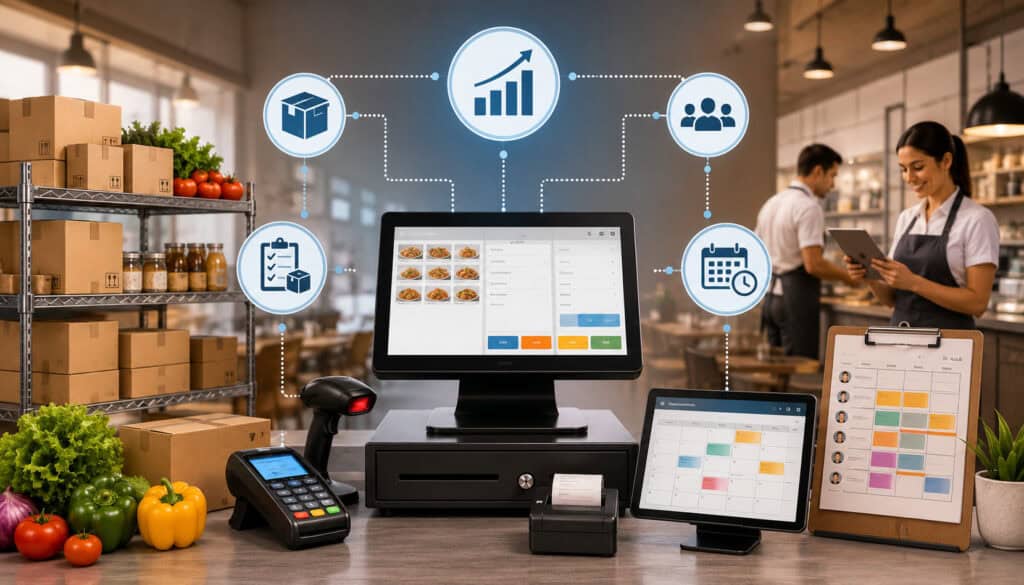
The benefits of POS integration with inventory and scheduling come from connecting information that restaurant managers already use.
Integration can help managers understand not only how much the restaurant sold, but also what ingredients those sales should have consumed and how many labor hours supported them.
Potential benefits include:
- Less repetitive data entry
- Faster access to current information
- Better inventory visibility
- More consistent purchase planning
- Improved waste tracking
- Better sales forecasting
- More informed schedules
- Clearer labor variance
- Centralized reporting
- Stronger multi-location comparisons
- Easier investigation of unusual results
The value depends on disciplined use. Restaurants still need reliable counts, updated recipes, accurate time records, documented waste, and regular report reviews.
Better Food Cost Visibility
An integrated system can estimate the ingredient cost associated with each menu item and compare expected usage with actual inventory movement.
This helps managers investigate questions such as:
- Did ingredient usage increase faster than sales?
- Are portions larger than the recipe standard?
- Is waste concentrated in one ingredient?
- Did a vendor price increase affect dish cost?
- Are modifiers adding cost without sufficient revenue?
- Are high-selling items producing acceptable margins?
- Are preparation yields lower than expected?
Restaurant inventory management becomes more useful when the restaurant reviews trends rather than isolated reports. A single unusual count may be a counting mistake. Repeated variance in the same ingredient may indicate a process issue.
Better Labor Cost Control
POS scheduling integration can place forecasted sales, scheduled hours, actual hours, and labor estimates in the same workflow.
Managers can see whether labor usage is aligned with customer demand. They can also identify where staffing plans repeatedly differ from actual conditions.
Better labor visibility does not mean reducing staff without considering service. Understaffing may increase ticket times, errors, employee fatigue, and guest complaints. Overstaffing can create unnecessary labor expense.
The objective is to place the right roles in the right service periods while allowing reasonable flexibility.
Inventory Tracking, Food Costs, and Purchasing
Inventory tracking for restaurants involves more than knowing what is in storage. It connects receiving, preparation, sales, waste, transfers, and physical counts.
A strong kitchen inventory management process generally includes:
- Recording deliveries.
- Verifying quantities and conditions.
- Updating vendor prices.
- Storing items consistently.
- Recording production and transfers.
- Tracking waste and spoilage.
- Performing physical counts.
- Comparing actual stock with expected stock.
- Reviewing variances.
- Adjusting purchase quantities.
Ingredient-Level Tracking and Inventory Variance
Ingredient-level tracking provides more insight than tracking only completed menu items. A restaurant may sell tacos, bowls, and salads that all use the same protein. Tracking the shared ingredient reveals combined demand across the menu.
Inventory variance is the difference between expected inventory and the amount physically counted.
Possible causes include:
- Inaccurate starting counts
- Incorrect recipes
- Portion inconsistency
- Unrecorded waste
- Spoilage
- Receiving errors
- Transfers
- Complimentary items
- Theft
- Unit-conversion problems
- Count-entry mistakes
Managers should document the investigation and correction. Simply adjusting the system to match the count removes the discrepancy but does not explain why it occurred.
Consistent counting schedules also matter. High-value or fast-moving ingredients may require more frequent counts than low-cost shelf-stable supplies.
Recipe Costing, Menu Profitability, and Waste
Recipe costing assigns a cost to each ingredient quantity used in a dish. When vendor prices change, updated ingredient costs can show how the estimated cost of the menu item has changed.
Menu profitability should consider more than selling price minus ingredient cost. Managers may also review preparation time, waste risk, packaging, modifier behavior, popularity, and operational complexity.
Integrated reports can help identify:
- Popular, lower-cost items
- Popular, high-cost items
- Low-volume items that require unique inventory
- Items with heavy modifier use
- Dishes associated with frequent waste
- Items sensitive to vendor price increases
- Recipes with inconsistent yields
Waste and spoilage should be recorded by reason whenever practical. Categories might include overproduction, expiration, preparation error, returned item, dropped product, incorrect order, or quality rejection.
Food loss is also an important operational and environmental concern. General food loss and waste information can provide broader context, while each restaurant should establish procedures appropriate to its food-safety and operational responsibilities.
Par Levels, Purchase Orders, and Vendors
A par level is the target quantity of an ingredient that the restaurant wants available for a defined operating period.
Par levels should reflect:
- Expected demand
- Delivery schedule
- Vendor lead time
- Storage capacity
- Shelf life
- Safety stock
- Seasonal demand
- Upcoming events
- Current usable inventory
- Pending deliveries
A basic purchase recommendation may be calculated by comparing the par level with usable stock and incoming quantities. Managers should review the recommendation rather than approving it automatically.
Purchase order tools can organize item quantities, costs, vendors, and expected delivery dates. When deliveries arrive, staff can compare the purchase order with the actual shipment and vendor invoice.
Vendor management records can also show price changes. A gradual increase may be difficult to notice across separate invoices but clear in a trend report.
Scheduling, Time Clocks, and Labor Planning
Restaurant labor planning involves matching customer demand with the skills and availability required to operate each service period.
A schedule must cover more than headcount. Five employees with the wrong role mix may not provide adequate service. Managers should schedule by station, responsibility, certification where applicable, and level of supervision.
Restaurant scheduling software can organize this information, but it should not replace communication. Employees need a consistent process for availability changes, time-off requests, shift swaps, and call-outs.
Matching Staff Levels to Customer Demand
Demand-based scheduling begins with a forecast. Managers then translate expected activity into work requirements.
For example, higher order volume may require:
- More order-entry capacity
- Additional kitchen stations
- More food preparation
- Faster table clearing
- More delivery coordination
- Additional bar coverage
- More dishwashing
- Stronger shift leadership
Service model matters. A quick-service operation may focus on transaction volume and production speed. A full-service restaurant may consider reservations, table turns, sections, bar demand, and kitchen pacing.
Managers should also plan for opening, closing, cleaning, receiving, and preparation. Scheduling only around active sales can leave essential work uncovered.
Managing Labor Costs Without Hurting Service
Labor cost control should support sustainable operations rather than rely on indiscriminate hour reductions.
Managers can use integrated data to identify specific opportunities, such as:
- Moving breaks away from peak demand
- Correcting overlapping schedules
- Reducing avoidable early clock-ins
- Adjusting opening or closing coverage
- Cross-training employees
- Improving preparation workflows
- Scheduling more accurately by daypart
- Addressing repeated overtime patterns
- Matching manager coverage to operational need
Labor cost percentage is generally calculated by comparing labor cost with sales for the same period. The exact inputs may vary depending on the report and the restaurant’s accounting practices.
Because payroll, tax, wage, scheduling, and employment matters can involve specific requirements, operators should have their processes reviewed by qualified professionals.
Sales Forecasting and Demand Planning
Sales forecasting uses historical information and current conditions to estimate future demand. POS data provides a useful foundation because it can show when transactions occurred, which items sold, and which order channels were used.
Common forecasting inputs include:
- Recent sales
- Same weekday performance
- Daypart patterns
- Reservations
- Catering orders
- Holidays
- Local events
- Weather
- Promotions
- School schedules
- Seasonal tourism
- Delivery trends
- Menu changes
- Temporary closures
- Price changes
A forecast should be treated as a working estimate. Managers should record why they adjusted it so the restaurant can learn which assumptions were accurate.
Forecasting Inventory Needs
Menu-level forecasts can be converted into ingredient requirements through recipe mapping.
If the restaurant expects to sell a certain number of burgers, salads, and drinks, the system can estimate the related need for proteins, produce, bread, beverages, condiments, and packaging.
Managers should then consider:
- Current usable stock
- Shelf life
- Prep yield
- Vendor delivery timing
- Minimum order quantities
- Storage limitations
- Substitute ingredients
- Likely waste
- Safety stock
Over-ordering ties up cash and increases spoilage risk. Under-ordering can cause stockouts, menu substitutions, and lost sales.
Forecasting improves with review. Compare expected demand with actual sales and note which conditions caused the difference.
Forecasting Staffing Needs
Staffing forecasts convert expected activity into labor needs. The restaurant might use sales per labor hour, transactions per employee, covers per server, kitchen ticket volume, or another internal measure.
The most useful measure depends on the service model and role. A bartender’s workload may track beverage transactions, while kitchen staffing may depend more on menu mix and preparation complexity.
Forecasts should support a flexible plan. Managers may create:
- Core coverage for expected demand
- Additional coverage for likely peaks
- On-call or voluntary coverage procedures where appropriate
- Cross-trained positions
- Predefined actions for slower-than-expected periods
A connected restaurant POS system can provide order and sales visibility that supports these planning discussions.
Menu Engineering and Inventory Integration
Menu engineering combines sales popularity, pricing, ingredient cost, and operational information to support menu decisions.
POS and inventory integration makes the analysis more detailed because managers can view both transaction volume and estimated recipe cost. They can also examine modifiers, waste, preparation burden, and ingredient overlap.
Identifying High-Performing Menu Items
A high-performing item is not necessarily the most expensive or the most frequently sold. Managers should consider several factors:
- Sales volume
- Selling price
- Ingredient cost
- Contribution amount
- Preparation time
- Waste rate
- Modifier revenue
- Guest demand
- Operational consistency
- Ingredient availability
An item with moderate volume and reliable margin may be more valuable than a high-volume item with unstable ingredient cost and frequent waste.
Integrated reporting can also show when performance varies by location, order channel, or daypart. A menu item may perform well for dine-in but poorly for delivery because of packaging cost or quality issues.
Reviewing Low-Margin or High-Waste Items
Some menu items sell well but create hidden operational costs. They may require unique ingredients, produce low preparation yields, generate waste, or depend on expensive modifiers.
Managers can review whether to:
- Adjust portion size
- Improve preparation procedures
- Negotiate purchasing
- Change ingredients
- Revise modifiers
- Update pricing
- Limit availability
- Reposition the item
- Remove it from the menu
Changes should be tested carefully. Removing a low-margin item may affect related purchases or guest expectations.
Staff Scheduling, Time Clock, and Payroll Workflow
Employee scheduling POS integration may connect planned shifts with actual clock-in and clock-out records. Approved time data may then be prepared for export to a payroll system.
The workflow often includes:
- Manager creates the schedule.
- Employees receive or access shifts.
- Availability and approved changes are recorded.
- Employees clock in and out.
- Managers review missed or unusual punches.
- Time records are approved.
- Approved data is exported or transferred.
- Labor reports are reviewed.
Time Clock Integration
Time-clock integration can reduce manual comparison between separate punch reports and schedules. Managers can see whether an employee arrived as scheduled, left early, stayed late, or worked an unscheduled shift.
Useful controls may include:
- Role-based clock-in
- Location restrictions
- Manager approval
- Missed-punch alerts
- Early clock-in notifications
- Overtime indicators
- Break records
- Edit history
- Employee acknowledgement
No control should be configured without considering applicable requirements and workplace policies. System restrictions must not be used to erase or ignore time that was actually worked.
Payroll Preparation and Labor Reports
Approved time records can reduce payroll preparation work, but managers must still review accuracy.
They should verify:
- Employee identity
- Work location
- Job role
- Regular hours
- Overtime indicators
- Break information
- Approved edits
- Tips or other data where relevant
- Duplicate punches
- Missing shifts
- Pay-period dates
The POS, scheduling, or time-clock system should not be treated as the final authority on payroll, accounting, tax, or employment obligations. Qualified review is important when configuring exports and policies.
Reporting Dashboards for Inventory and Scheduling
A restaurant reporting dashboard brings operational measures into a central view. The goal is not to display every available number. It is to make important changes and exceptions visible.
A reporting and analytics workflow may combine sales, order volume, labor, inventory, waste, and menu performance. Operators can review an example of the capabilities commonly associated with a restaurant reporting dashboard.
Daily Reports Managers Should Review
Daily reporting should support immediate operational action. Useful reports may include:
- Sales by hour or daypart
- Transactions by channel
- Top-selling and unavailable items
- Scheduled versus actual labor
- Employees approaching overtime
- Low-stock alerts
- Major ingredient usage
- Waste entries
- Voids and comps
- Discounts
- Refunds
- Cash or payment exceptions
- Unusual clock edits
The manager should record explanations for significant exceptions. Notes make weekly review more meaningful because owners can see whether a variance was caused by an event, staffing issue, delivery problem, or data error.
Weekly Reports Owners Should Review
Weekly review is more focused on trends. Owners and general managers may examine:
- Sales compared with forecast
- Labor cost percentage
- Scheduled-to-actual labor variance
- Overtime patterns
- Inventory variance
- Food cost movement
- Vendor price changes
- Waste by reason
- Menu profitability
- Stockouts
- Location comparisons
- Forecast accuracy
Weekly review should lead to assigned actions. A report that identifies repeated waste is useful only when someone investigates and updates the process.
For multi-location operations, standardized definitions are essential. Each location should use consistent counting units, waste reasons, dayparts, recipes, labor categories, and reporting periods.
Cloud-Based POS Integration for Restaurants
A cloud-based POS system stores and synchronizes operational information through hosted technology rather than relying only on a local back-office computer.
Cloud access may allow authorized owners and managers to review sales, inventory, schedules, and reports from supported devices. It can also support centralized menu updates and multi-location reporting.
Potential considerations include:
- Internet dependency
- Offline capabilities
- Data synchronization
- User permissions
- Device compatibility
- Software updates
- Integration availability
- Data export
- Support procedures
- Account security
- Backup and recovery
Remote Access for Owners and Managers
Remote access can help managers review performance without being physically present. They might check current sales, labor coverage, low-stock alerts, or schedule changes from another location.
Access should be role-based. A shift lead may need current sales and staffing information but not vendor costs, payroll exports, or system-wide configuration.
Strong account practices are important, particularly when the POS includes payment-related functions. Restaurants should understand their responsibilities and review relevant payment data security standards with their technology and payment providers.
Multi-Location Restaurant Visibility
Multi-location reporting can help restaurant groups compare sales, labor, inventory usage, waste, and menu performance.
Comparisons should account for differences in:
- Location size
- Hours
- Menu
- pricing
- Local demand
- Delivery mix
- Staffing structure
- Vendor availability
- Event patterns
Central reporting can identify outliers, but local managers should be included in interpretation. A higher waste percentage may reflect poor controls, or it may result from a temporary closure, training period, or menu launch.
Common POS Integration Mistakes to Avoid
Implementation problems usually come from workflow and data issues rather than the integration concept itself.
Common mistakes include:
- Selecting software before mapping processes
- Importing an outdated menu
- Using inconsistent ingredient units
- Skipping modifier mapping
- Failing to enter starting inventory
- Setting unrealistic par levels
- Ignoring waste
- Using outdated vendor costs
- Publishing schedules without availability review
- Allowing uncontrolled time-clock edits
- Giving excessive system access
- Failing to train employees
- Reviewing reports without assigning action
- Adding too many features at launch
Poor Recipe and Ingredient Mapping
Incorrect recipes make expected inventory unreliable. A small error repeated across hundreds of sales can create a large variance.
Common mapping problems include:
- Wrong portion quantities
- Missing ingredients
- Incorrect units
- Unrecorded prep yields
- Duplicate ingredients
- Missing packaging
- Modifiers that do not affect stock
- Ingredients attached to the wrong location
- Recipes not updated after menu changes
Restaurants should assign ownership of recipe maintenance. Changes should be documented, tested, and approved before being used for reporting.
Not Training Managers and Staff
Different employees need different levels of training.
Cashiers and servers should understand order entry, modifiers, voids, comps, and corrections. Kitchen employees may need to record waste or preparation quantities. Managers need deeper training on counts, receiving, schedules, time approvals, permissions, and reports.
Training should use realistic scenarios:
- Incorrect order entry
- Missing ingredient
- Delivery shortage
- Employee call-out
- Shift swap
- Missed clock-out
- Waste entry
- Menu change
- Vendor price adjustment
Written procedures should identify who handles each issue and how it is documented.
POS Integration Implementation Checklist
| Setup Area | What to Review | Why It Matters |
| Menu setup | Items, modifiers, prices, categories | Supports accurate sales data |
| Recipe mapping | Ingredients tied to menu items | Improves inventory tracking |
| Inventory counts | Starting stock levels and units | Creates an accurate baseline |
| Par levels | Target stock and reorder points | Helps ordering decisions |
| Vendor records | Supplier, pack size, lead time, and cost | Supports purchasing |
| Schedule rules | Roles, availability, shifts, and approvals | Improves labor planning |
| Time clock | Clock-in, correction, and approval process | Tracks actual hours |
| Permissions | Manager and employee access | Protects operational records |
| Reports | Sales, labor, inventory, and variance views | Supports decisions |
| Training | Employee and manager workflows | Improves adoption |
How to Use the Checklist Before Launch
Assign an owner and completion date to every checklist item. Do not assume that imported data is accurate simply because the import succeeded.
Before launch:
- Test common and modified orders.
- Confirm ingredient deductions.
- Enter and verify starting counts.
- Review vendor pack conversions.
- Test low-stock alerts.
- Create a sample schedule.
- Test time-clock punches and edits.
- Confirm permissions.
- Run sample reports.
- Conduct role-based training.
- Document backup procedures.
A limited pilot may be safer than enabling every function at once. Restaurants can begin with POS and core inventory items, then add purchasing, advanced forecasting, and deeper labor reporting.
Records to Keep After Integration
Operational records may include:
- Physical inventory counts
- Waste logs
- Purchase orders
- Vendor invoices
- Receiving records
- Recipe changes
- Menu updates
- Schedule versions
- Availability records
- Approved time records
- Manager edits
- Sales reports
- Variance explanations
- Training records
Retention requirements can depend on the record type and applicable rules. Operators should obtain professional guidance for legal, accounting, tax, payroll, employment, and compliance questions.
Best Practices for POS Integration with Inventory and Scheduling
A successful integration is maintained through repeatable routines.
Recommended practices include:
- Map ingredients and modifiers carefully.
- Use consistent units of measure.
- Set realistic par levels.
- Count inventory on a regular schedule.
- Record waste when it occurs.
- Keep vendor pricing current.
- Compare expected and actual usage.
- Connect schedules to demand forecasts.
- Compare scheduled and actual hours.
- Monitor labor by role and daypart.
- Review overtime indicators.
- Train managers before rollout.
- Use role-based permissions.
- Review dashboards daily and weekly.
- Reconcile digital reports with physical operations.
- Add advanced features gradually.
- Seek professional review for regulated or specialized matters.
Creating a Restaurant Integration Workflow
A repeatable operating rhythm might include:
- Daily: Review sales, labor, stockouts, low-stock alerts, waste, voids, and schedule exceptions.
- Weekly: Count key inventory, update forecasts, create schedules, review overtime, check vendor changes, and investigate variances.
- Periodically: Complete a full inventory count, update recipe costs, review menu profitability, examine user access, and assess forecast accuracy.
Each task should have a responsible role, deadline, and review process. Integration becomes reliable when it is part of daily management rather than a report opened only when something goes wrong.
Training Teams for Long-Term Success
Training should continue after launch. New employees need role-specific onboarding, and experienced employees need updates when workflows change.
Managers should be able to explain:
- Why accurate order entry matters
- How modifiers affect ingredients
- When waste must be recorded
- How counts are performed
- How schedules are updated
- How time corrections are approved
- Which reports require daily review
- Who can change recipes, costs, or permissions
Short refreshers are often more effective than one long session. Managers can use actual errors as teaching examples without blaming individual employees.
How to Choose an Integrated POS System
Choosing an integrated POS system requires more than comparing prices or viewing a feature checklist.
Restaurants should evaluate:
- Order-entry speed
- Menu and modifier flexibility
- Recipe costing
- Ingredient tracking
- Inventory counts
- Par levels
- Waste tracking
- Purchase orders
- Vendor records
- Staff availability
- Role-based scheduling
- Time-clock functions
- Labor reporting
- Forecasting
- Dashboard clarity
- Cloud access
- Multi-location tools
- User permissions
- Payment integration
- Data export
- Training
- Support
- Total cost
Questions to Ask Before Choosing a POS System
Ask practical questions such as:
- Can menu items be connected to ingredients and prep recipes?
- How are modifiers handled?
- Can the system convert purchasing units into recipe units?
- How are physical counts entered?
- Can managers track expected-versus-actual inventory?
- Are par levels and low-stock alerts configurable?
- Can purchase orders be created and received?
- Can vendor price history be reviewed?
- Does scheduling use sales forecasts?
- Can schedules be organized by employee role?
- How are availability and shift changes managed?
- Can scheduled hours be compared with actual punches?
- How are clock edits approved and logged?
- What labor reports are available?
- Can approved time data be exported?
- What multi-location reports are included?
- Can permissions be limited by location and role?
- What happens during an internet interruption?
- Can data be exported if the restaurant changes systems?
- What training and support are included?
- Which functions require additional subscriptions?
- What is the full cost for hardware, software, integrations, and support?
Request demonstrations using the restaurant’s own menu structure and workflows. Generic demonstrations may not reveal limitations involving modifiers, batch recipes, multiple vendors, or complex job roles.
Comparing Workflow Fit Over Feature Lists
A restaurant should score each system against real tasks.
Can a cashier enter a customized order quickly? Can a kitchen manager record waste without leaving service for several minutes? Can the person receiving deliveries verify quantities and costs? Can the scheduling manager identify missing role coverage? Can an owner understand the dashboard without exporting several spreadsheets?
A system with fewer well-designed functions may be more useful than one with extensive capabilities that employees avoid using.
Usability, reporting clarity, reliable integrations, data ownership, training, and support should receive as much attention as feature count.
Frequently Asked Questions
What is POS integration with inventory and scheduling?
POS integration with inventory and scheduling is a connected technology workflow in which sales data from a point of sale system is shared with inventory and employee scheduling tools.
The connection can help restaurants estimate ingredient usage, track stock, forecast demand, plan shifts, compare scheduled hours with actual hours, and review sales, labor, and inventory information together.
How does POS inventory integration work?
POS inventory integration connects menu items with recipes or ingredient quantities. When an item is sold, the system estimates which ingredients were used and adjusts expected stock or records the usage.
Managers still need physical inventory counts, receiving records, waste entries, and recipe maintenance. The system estimate cannot identify unrecorded spills, spoilage, portion errors, or missing products by itself.
How does POS scheduling integration help restaurants?
POS scheduling integration helps managers use historical sales and expected demand when building shifts. It can show busy dayparts, planned labor hours, actual clocked hours, and possible overtime exposure.
Managers can use this information to improve coverage, but they should also consider reservations, local events, weather, employee skills, preparation work, and applicable workplace requirements.
What are the benefits of POS integration with inventory and scheduling?
The primary benefits include reduced duplicate entry, improved stock visibility, better purchase planning, clearer waste tracking, more informed schedules, improved labor visibility, and centralized reporting.
The results depend on setup and ongoing use. Accurate recipes, regular counts, current vendor costs, reliable time records, and manager review are necessary.
Can an integrated POS system help control food costs?
It can support food cost control by linking sales with ingredient usage, recipe costs, vendor pricing, waste, and inventory variance.
Managers can identify dishes affected by rising costs, ingredients with unusual usage, and items that create excessive waste. They should verify reports with physical counts and operating observations.
Can POS scheduling integration help control labor costs?
It can help managers compare forecasted demand, scheduled hours, actual hours, and sales. This may reveal avoidable overlaps, repeated overtime, inaccurate closing schedules, or staffing patterns that do not match demand.
Labor decisions should also consider service quality, employee workload, operational safety, and applicable requirements.
What features should restaurants look for in an integrated POS system?
Important features may include menu management, modifier tracking, recipe costing, ingredient inventory, physical counts, par levels, waste tracking, purchase orders, vendor records, employee availability, role-based scheduling, time clocks, labor reports, forecasting, permissions, and multi-location reporting.
The best combination depends on the restaurant’s service model, menu complexity, staffing structure, and management resources.
What mistakes should restaurants avoid when integrating POS, inventory, and scheduling?
Restaurants should avoid importing inaccurate data, using inconsistent units, skipping modifier mapping, failing to enter starting inventory, setting unrealistic par levels, ignoring waste, publishing schedules from outdated forecasts, and neglecting staff training.
They should also avoid implementing too many advanced functions at once. A phased launch makes it easier to test data and correct workflows.
Conclusion
POS integration with inventory and scheduling can help restaurants connect sales, ingredient usage, inventory counts, purchasing, employee schedules, time-clock records, labor costs, and management reports in a more organized workflow.
POS inventory integration gives managers a clearer view of how menu activity affects stock. POS scheduling integration helps them connect customer demand with planned and actual labor. Together, those functions can support food cost control, waste reduction, purchasing decisions, labor planning, menu analysis, and multi-location visibility.
The technology is most useful when the underlying processes are reliable. Restaurants should map recipes carefully, use consistent units, record modifiers, count inventory regularly, document waste, update vendor prices, compare scheduled hours with actual hours, and investigate meaningful variances.
Managers should also train employees according to their roles and limit access to sensitive settings. Daily and weekly dashboard reviews should lead to specific actions rather than become another administrative routine.
Most importantly, restaurants should choose an integrated POS system based on real operating needs. The right system is not necessarily the one with the largest feature list. It is the one that supports accurate order entry, practical inventory tracking, usable schedules, clear reports, and consistent execution across front-of-house and back-of-house operations.