
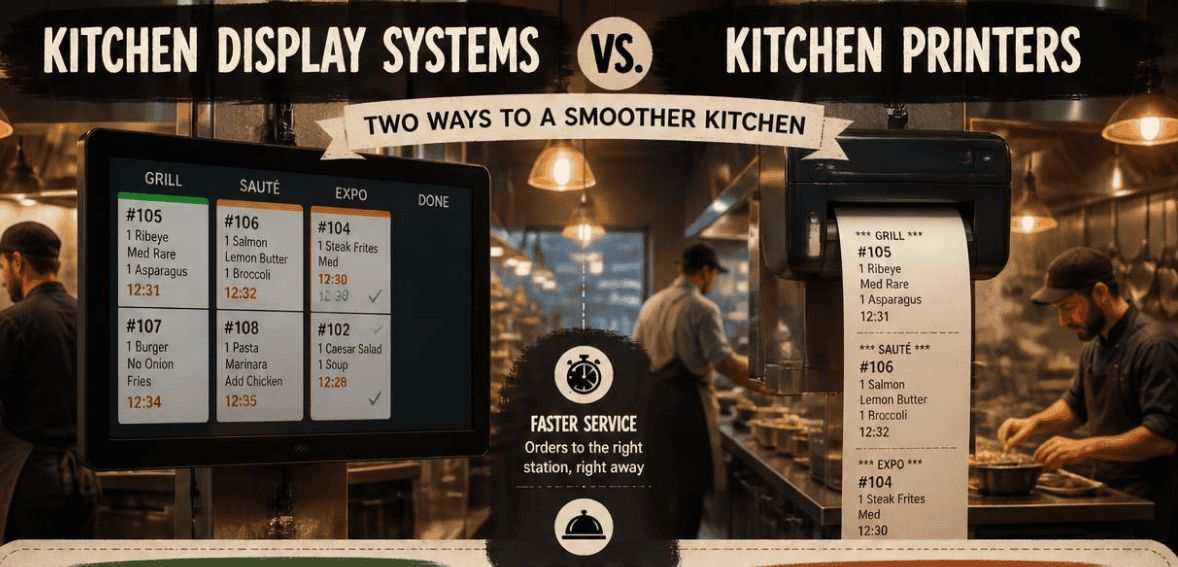
It’s the middle of the Friday dinner rush. The thermal printer spits out a long ribbon of tickets. One slips behind the prep station. The expo is shouting. A cook fires the wrong table. The line is buried, and nobody can tell which order came in first.
This might sound familiar. For many years, the hustle and bustle of a busy kitchen was just part of the job. This doesn’t have to be the case anymore.
When making a worthwhile investment in restaurant technology, few decisions are as important as kitchen display systems vs. kitchen printers. This guide is here to help by cutting through the marketing and being honest about both options. We will address speed, accuracy, costs, and the rare occasions where paper is still the answer. After you finish this guide, you will be able to determine Kitchen Display System vs Kitchen Printers and which system works best with your service.
What Is a Kitchen Display System (KDS)?
A kitchen display system is a digital screen that replaces paper tickets in a commercial kitchen. Instead of printing a slip, your point-of-sale (POS) system sends each order straight to the screen. Cooks see the order, the modifiers, and any allergy notes the moment it lands.
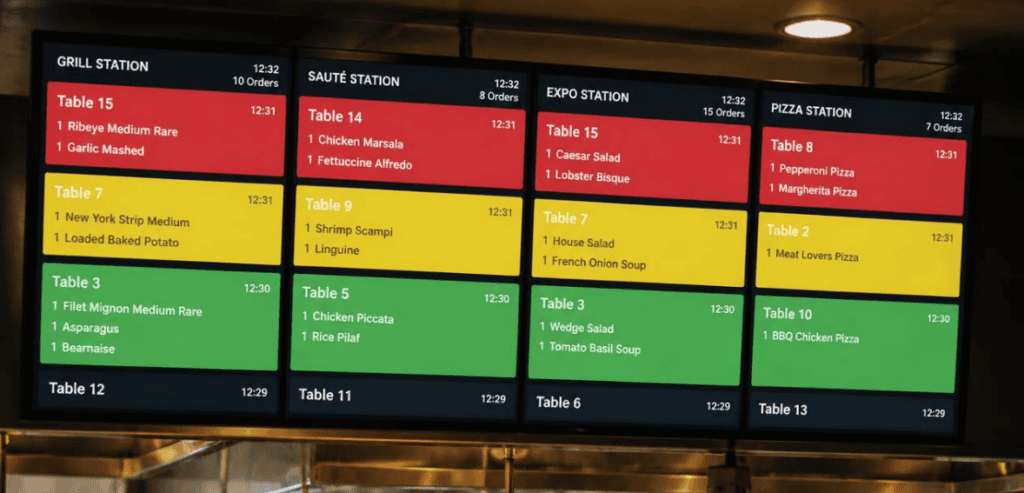
This system is basically the digital heart of your back of house. It gets your orders to the right place. It can send ice cream to dessert, for example, or steak to the grill. Or it can send salads to cold prep. It is a simple tap to “bump” a ticket for the dish that has been completed.
Since a KDS is computer software, it can do much more than a printer. For example, it has the ability to color code tickets based on how long they take. It can also keep a current tally of all the items that are queued. It can even fire courses on time. It can also keep track of the time it takes to complete a ticket. This data is surprising to most operators, since it shows the time it takes to complete orders, which helps determine profit gains.
What Is a Kitchen Printer?
A kitchen printer is exactly what it sounds like. A server enters an order, and a thermal printer prints a paper ticket at the relevant station. Cooks read the slip, prepare the dish, and move on.
Printers are inexpensive, durable, and easy to use. They also happen to be pretty much the only thing in the world that can work effectively in high-temperature, steamy environments. For a long time, there was really nothing else out there, and they have certainly earned their spot in the machine line.
Paper tickets are, for the most part, limited. They are static, offering no tracking, logging, analytics, or even a way to designate rush order tickets. These tickets are essentially information dead ends that just sit there. In a modern kitchen, all of these limitations are very quickly made very apparent.
Kitchen Display System vs Kitchen Printers: The Core Differences
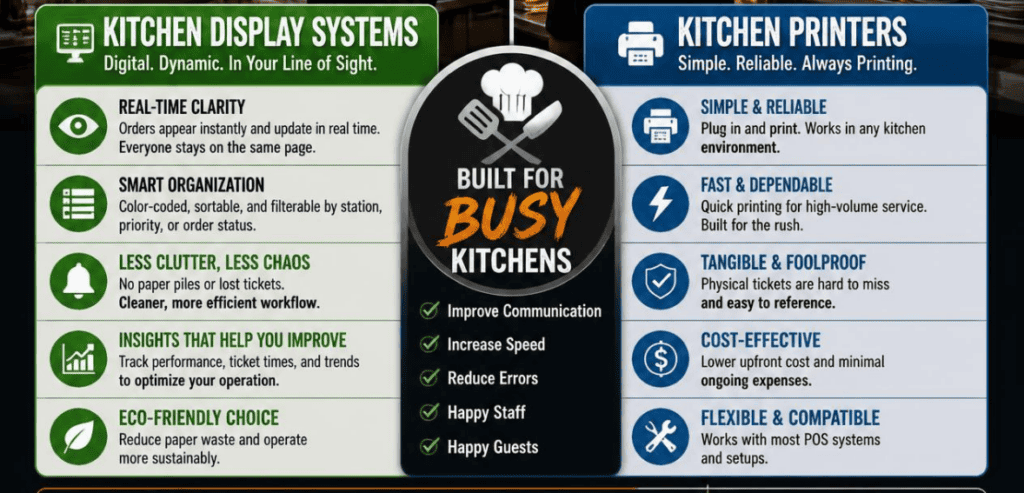
The gap between screens and paper is widest right when it matters most, during peak service. Here’s where the two systems really separate.
Order Accuracy During the Rush
A paper ticket has a failure point at every step. The server writes the order. The printer prints it. The expo reads it. The cook reads it. At each handoff, information can degrade. Low printer ink turns “no onion, sub avocado” into something a cook misreads. A ticket falls off the rail and disappears entirely.
A KDS automates workflow, so someone doesn’t have to rewrite the order. It works like a POS system with a screen. Everything stays attached—modifiers, allergy notes, etc. Fewer errors mean less food waste and improved customer satisfaction.
Handling Multiple Order Channels
This is the biggest change in kitchens today. A restaurant in 2026 is no longer fed by one order channel. Dine-in comes from the POS. Guests scan QR codes at the table. Direct online orders arrive through your website. Third-party delivery from DoorDash and Uber Eats piles on top.
All of that converges on one line. On a paper rail, that convergence turns into chaos. Someone has to re-key online orders by hand, which creates exactly the errors a busy kitchen can’t afford. A well-connected KDS pulls every channel into a single queue automatically. No extra tablets cluttering the pass. No manual merging. One screen, one clear order of operations.
Real-Time Tracking and Kitchen Data
A printer tells you what to cook. A KDS tells you how well you’re cooking. It tracks the time of each ticket, station bottlenecks, and dwell time of each dish. After each shift, you are provided with performance data for the entire kitchen in an easy-to-export format.
That data offers a world of insight to time-strapped managers, which is invaluable. You can determine which station is the bottleneck during peak hours. You can even determine if the changes to your menu were effective and if it sped up the overall service. Paper will never give you that information; KDS does. An LCD screen captures every operation, allowing you to improve with every single report.
Cost Comparison: KDS vs Kitchen Printer
Money is usually the real question, so let’s be direct about it.
A single regular thermal printer usually costs around $200–$400, but you can’t stop there because paper rolls, ink, and even the cost of downtime due to repairs and jams (which happen most during the rush) also come into play.
Initially, cloud-based kitchen display systems were more expensive to install, but their prices have dropped over the years until they are comparable to regular thermal printers. Commercial equipment for this purpose can run several hundred dollars each, but some restaurant owners run their kitchen display system on a tablet to minimize overall costs. Monthly software costs are usually $20-$30 per screen.
Where the trade-off starts to work against regular thermal printers is that, in most restaurant chains, around 35% of business costs are related to labor, making the “cost savings” of regular thermal printers more of a burden to restaurants’ cash flow. The National Restaurant Association has noted that many restaurants struggle to make a profit. Many of these restaurants are able to recover the cost of the system in 3–6 months due to fewer remakes, quicker tables, and a reduction in food waste.
Popular Kitchen Display Systems Compared
Not every KDS is built the same. Here are three widely used options in the U.S. market, each suited to a different type of operation.
Toast KDS
Toast’s KDS reflects the restaurant-first nature of the platform. It takes orders from Toast POS systems and puts them on kitchen displays without any required middleware. Whether orders are placed in the restaurant, online, or for delivery, they all end up in the same order journey. Custom routing rules detect menu items, prep stations, or order types to trigger actions, allowing pizzas to be ordered and put in the oven while leaving the salad order for cold prep. However, using Toast comes at a cost. As the system is proprietary, add-ons like KDS increase your monthly costs. For more pricing information, check the Toast website. Toast is a great solution for multi-unit operators looking for an all-in-one integrated system.
Square KDS
Square has an entry-level option for smaller restaurants and food trucks. Square KDS technology works with standard Android business displays, meaning hardware costs are low. Contracts are short, and setup takes only a few minutes. The price for each device is roughly $20–$30/month on your chosen Square plan. More details can be seen on the Square Kitchen Display System page. If you already use Square for payment processing, this is a good way to add a device to your restaurant without an overwhelming commitment.
Fresh KDS
Fresh KDS earns its name from flexibility. It integrates with a wide range of POS systems rather than locking you into one, which makes it a strong pick for operators who don’t want to switch their whole platform. It runs on any Android tablet or dedicated screen, with pricing commonly cited around $29 per month per screen. For a three-station kitchen, that’s under $90 a month. Fresh KDS suits independent restaurants that want a capable display layered onto the POS they already trust.
When a Kitchen Printer Still Makes Sense
Screens dominate the majority of modern kitchens. However, paper is not defunct. A printer can still be a good choice for very small kitchens. In a printer-only kitchen, all of the cooks can quickly view all of the orders. These kitchens have small menus with low volume, and therefore the cost of a screen is low.
Paper fills another role within a fully digital kitchen. Keep a cheap thermal printer as backup insurance. A $200 printer is a cheap insurance policy against having a KDS go down and your entire line stall. Smart managers view it as a safety net.
How to Transition From Printers to a KDS
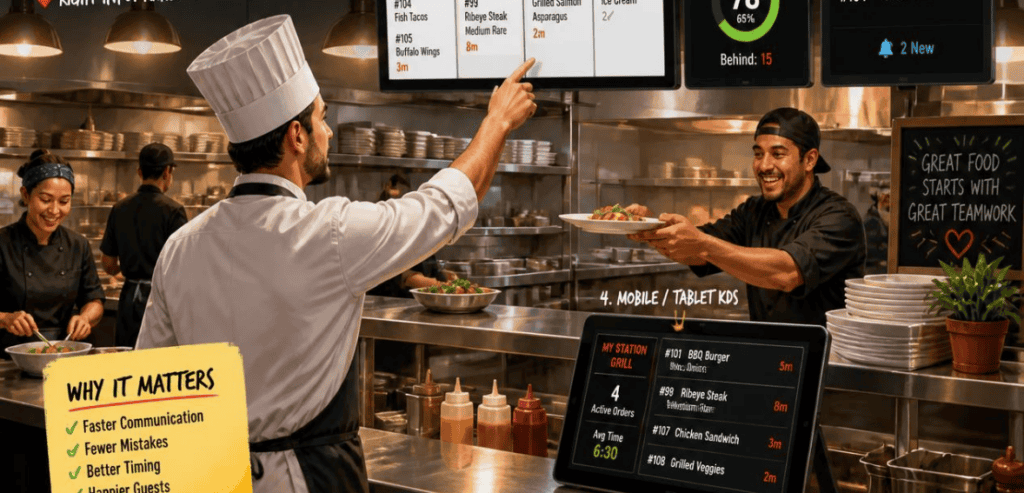
If you’re going to make changes, don’t make them all at once. The most straightforward path is to do a phased rollout. Try just one screen at the expo station while the rest of the line continues to print. Let the staff get used to the system. Then once they have confidence, add another screen at the next station.
It’s good to have a couple of weeks of dual operation set up. Even after using paper for many years, many cooks will still prefer using paper to the new system. That’s to be expected. The one setup to definitely avoid is having to double every order to both paper and screens. After you have this situation, cooks will trust one and completely ignore the other, and eventually an order will be hidden and not fired at all. With a commitment to the screens, having a backup printer and letting the system settle will be a great improvement to the process.
Conclusion
The kitchen display system vs printer decision really comes down to how your kitchen actually runs. A printer is cheap, simple, and still fine for a tiny, low-volume operation with one order channel. But for any restaurant juggling dine-in, online, and delivery during a real rush, a KDS is the clear winner.
It cuts errors, tames multi-channel chaos, and hands you the data to keep improving. With cloud pricing bringing costs down and labor pressure squeezing margins, a kitchen display system is no longer a luxury reserved for big chains. It’s an operational upgrade that pays for itself. Match the system to your service model, roll it out in phases, and keep a printer in the corner for a rainy day. Your Friday rush will thank you.
Frequently Asked Questions
What is the difference between a KDS and a kitchen printer?
A kitchen printer produces a static paper ticket for each order. A kitchen display system shows orders digitally on a screen, updates them in real time, and lets staff bump completed tickets with a tap. A KDS also tracks ticket times and consolidates multiple order channels into one queue, which a printer cannot do.
Is a kitchen display system worth it for a small restaurant?
Increasingly, yes. Cloud-based KDS pricing has dropped to roughly $20 to $30 per screen per month, and you can run one on an inexpensive Android tablet. For small kitchens handling online and delivery orders, the accuracy and speed gains often pay back the cost within a few months.
Do restaurants still use kitchen printers in 2026?
Many do, and not only out of habit. Printers remain a solid choice for very small kitchens with one or two cooks, and for simple, low-volume menus. Even KDS-equipped kitchens often keep a printer as a low-cost backup in case the screens go down.
Can a KDS handle DoorDash and Uber Eats orders?
Yes, if it connects natively to your POS. Systems like Toast KDS pull delivery orders directly into the same queue as dine-in tickets, with no separate tablet and no manual re-keying. This is one of the biggest reasons busy restaurants make the switch.